Comment concevoir une configuration à double radiateur pour les PC à TDP élevé
Arrêtez de deviner le budget thermique
Heat ne mâche pas ses mots. Quand Reuters a rapporté que les nouvelles puces IA de Nvidia forçaient les centres de données à adopter des systèmes de refroidissement liquide plus complexes, je n'y ai pas vu qu'une simple histoire de salles serveurs ; j'y ai vu un avertissement pour les assembleurs de PC qui pensent encore qu'une « bonne ventilation » peut masquer toutes leurs erreurs, car les lois de la physique ne changent pas du tout lorsque les composants sont installés sous votre bureau. Vous voulez la version sans détour ?
Voilà. Le Core i9-14900KS d'Intel atteint une puissance turbo maximale de 253 W, le Ryzen 9 9950X3D d'AMD affiche un TDP de 170 W et la GeForce RTX 5090 de NVIDIA une consommation graphique totale de 575 W. Sur le papier, cela place un système de refroidissement liquide personnalisé haut de gamme pour processeur et carte graphique dans la catégorie des 745 à 828 W environ, avant même de prendre en compte la consommation de la pompe, la chaleur de la carte mère ou le fait qu'une mauvaise ventilation du boîtier transforme la température ambiante en un concept abstrait. Vous pensez toujours que le choix du radiateur n'est qu'une question d'esthétique ?
Et c'est là que la plupart des préparateurs se mentent à eux-mêmes. Ils achètent d'abord des blocs, des plaques de distribution, du liquide de refroidissement aux couleurs pastel et des coudes rigides, puis s'étonnent que le système soit bruyant, difficile à purger et que la température du liquide de refroidissement soit plus élevée qu'avec une configuration plus simple où l'argent a été investi dans la surface plutôt que dans l'apparence. Pourquoi continuer à prétendre que l'esthétique prime sur les performances ?
Les configurations à double radiateur auxquelles je fais réellement confiance
L'agencement est primordial. Un système à double radiateur ne se résume pas à « deux radiateurs posés n'importe où dans le boîtier » ; il faut prendre en compte la pression, l'espace disponible, la maintenance et le bruit. Ceux qui négligent l'un de ces aspects finissent généralement par devoir refaire tout le circuit après une semaine. Pourquoi s'infliger ça ?
L'admission d'air avant et l'échappement supérieur constituent la configuration par défaut la plus sûre.
Cela fonctionne. Dans un boîtier tour moyenne ou tour complète avec façade en mesh, la configuration à double radiateur avec entrée d'air à l'avant et extraction d'air par le haut reste la plus tolérante, car elle alimente un radiateur en air extérieur propre, évacue l'air chaud de manière optimale et limite généralement la longueur des tuyaux pour que le remplissage et la vidange ne deviennent pas une galère.
J'utilise cette configuration lorsque le boîtier offre un dégagement réel en haut, et non pas un dégagement marketing. Si le connecteur EPS de votre carte mère, le dissipateur thermique du VRM, la hauteur de la RAM et le support du ventilateur se disputent déjà les 55 à 65 mm d'espace disponibles, un radiateur épais en haut n'est pas « ambitieux », c'est tout simplement absurde.
Mais il y a un hic. Le radiateur supérieur absorbe généralement l'air intérieur le plus chaud, ce qui en fait le deuxième meilleur radiateur du système. Cela ne pose pas de problème dans un boîtier bien ventilé. En revanche, c'est problématique dans un four à porte vitrée.
L'admission latérale et l'échappement supérieur sont ma configuration préférée pour les boîtiers à double chambre.
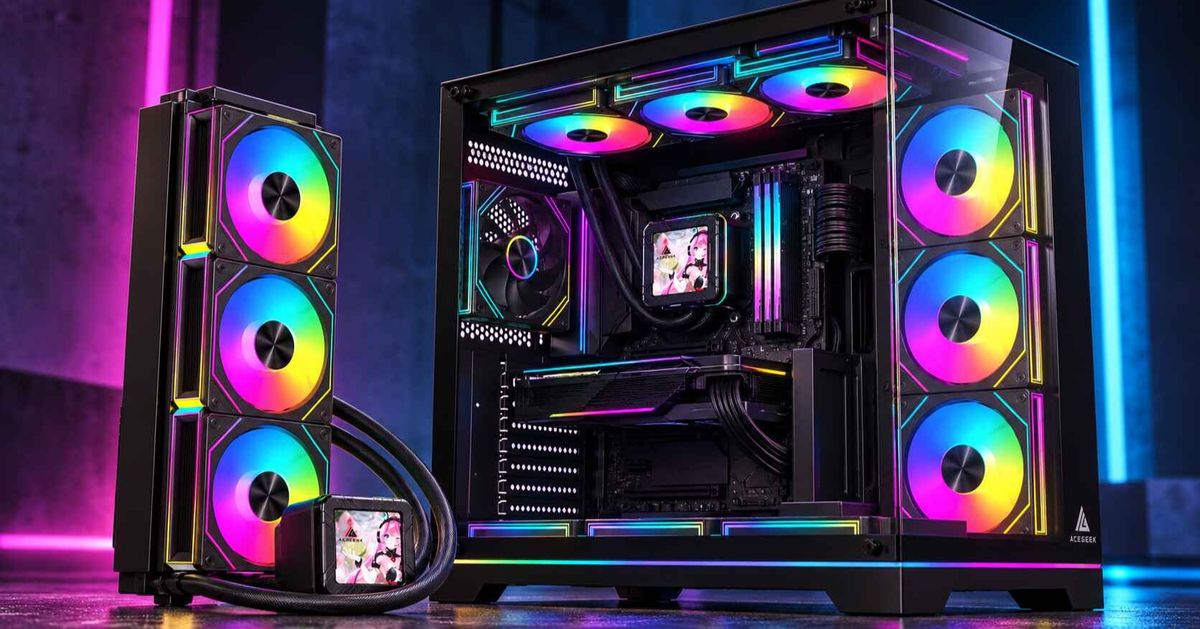
C'est plus propre. Dans les configurations de type O11 et autres configurations à double chambre, l'installation d'un radiateur latéral en entrée et d'un radiateur supérieur en extraction est souvent la meilleure configuration pour un PC à TDP élevé, car elle préserve la pureté de la façade, permet au radiateur latéral d'accéder à de l'air plus froid et laisse généralement plus d'espace autour de la carte mère qu'un radiateur frontal épais.
J'apprécie cette solution pour une autre raison : la gestion des tubes est simplifiée. Un ensemble pompe/réservoir près du support latéral peut alimenter le GPU, le CPU, le radiateur supérieur, le radiateur latéral, puis revenir au réservoir, sans avoir recours à des boucles traversant le boîtier qui paraissent « sur mesure » sur Instagram, mais qui sont en réalité peu esthétiques.
Alors oui, je le dis : de nombreuses configurations à double chambre avec haut-parleur latéral surpassent les configurations avec haut-parleur frontal, ne serait-ce que par facilité d'entretien. Et la facilité d'entretien compte plus que ne le laissent entendre certains adeptes des forums.
C'est au niveau des radiateurs inférieurs que les constructeurs avisés deviennent optimistes.
Attention ! Un radiateur monté en bas peut fonctionner, mais je le considère comme une solution de dernier recours, sauf si le boîtier offre un dégagement suffisant au sol, un système anti-poussière efficace et une ventilation adéquate au-dessus. En effet, l'aspiration par le bas aspire facilement les peluches de tapis, la poussière du sol, les poils d'animaux et tout ce que la gravité peut amener. Envie de nettoyer ça toutes les deux semaines ?
J'ai vu trop de systèmes de refroidissement coûteux étouffés par une entrée d'air inférieure, car leur propriétaire accordait plus d'importance au schéma qu'à la pièce où se trouvait réellement son PC. Ce n'est pas de l'ingénierie thermique, c'est du bricolage.
Dimensionnement des radiateurs pour circuit de refroidissement personnalisé sans contes de fées
Les chiffres sont importants. Je pars de la règle empirique de Corsair, qui préconise environ 120 mm² de surface de radiateur pour 80 à 100 watts afin d'obtenir un bon compromis entre performances et bruit. Je vérifie ensuite cette estimation à l'aide d'une étude de cas publiée par Elsevier sur le refroidissement liquide-air pour processeurs en circuit fermé . Cette étude montrait qu'un système hybride liquide-air utilisant un mélange à 25 % v/v d'Arteco-Freecor et d'eau distillée restait performant au-delà de 300 W et que le débit du liquide et la vitesse du ventilateur influençaient sensiblement les performances et la consommation d'énergie. C'est pourquoi je considère la surface du radiateur comme un investissement pour le silence, et pas seulement pour la température.
Le tableau ci-dessous présente ma méthode de planification de la surface du radiateur pour les configurations de refroidissement PC à TDP élevé. Il ne s'agit pas d'une règle absolue, mais d'un point de départ prudent pour les utilisateurs avertis.
Exemple de circuit de refroidissement personnalisé CPU + GPU Puissance officielle des composants Ma recommandation honnête pour un double radiateur Ce qui se passe généralement en pratique Ryzen 9 9950X3D + RTX 4090~620 W Double radiateur de 360 mm minimum ; 360 + 420 mm mieux Le double radiateur de 360 mm peut bien fonctionner si le boîtier est bien ventilé et que vous acceptez une certaine montée en régime des ventilateurs Core i9-14900KS + RTX 4090~703 W 360 + 420 mm minimum ; double radiateur de 420 mm mieux Le double radiateur de 360 mm commence à être bruyant à moins que les températures ambiantes ne soient clémentes Ryzen 9 9950X3D + RTX 5090~745 W 360 + 420 mm minimum ; double radiateur de 420 mm recommandé C'est là que « esthétique » et « silencieux » commencent à faire la différence Core i9-14900KS + RTX 5090~828 W Double radiateur de 420 mm minimum ; Triple radiateur si le silence est important. Deux radiateurs peuvent suffire, mais pas avec des courbes de ventilation fantaisistes.
Ces valeurs de puissance proviennent des spécifications officielles d'Intel, d'AMD et de NVIDIA, et les recommandations concernant le radiateur appliquent la règle de Corsair de 120 mm pour 80 à 100 watts ; il s'agit d'un modèle d'agencement, et non d'une garantie que tous les boîtiers, ventilateurs, configurations d'ailettes et circuits de refroidissement se comporteront de la même manière. Cette différence est importante.
Voici une vérité difficile à accepter, que j'aurais aimé que davantage de constructeurs entendent plus tôt : le double refroidissement de 360 mm n'est plus la solution universelle. C'est une solution dépassée. En 2026, avec des composants comme la RTX 5090 de 575 W, le double refroidissement de 360 mm sera souvent un compromis, et non l'objectif premier.
Les erreurs qui ruinent une configuration à double radiateur
La plupart des pannes sont banales. Ce ne sont ni des explosions de pompe spectaculaires, ni des malédictions magiques liées au liquide de refroidissement ; ce sont de simples erreurs de conception commises par des personnes qui n'ont jamais mesuré le boîtier deux fois. Ça vous dit quelque chose ?
La première erreur est de considérer l'ordre des fluides dans le circuit comme une question de foi. L'avis d'EKWB et le guide de Corsair expriment tous deux la même idée, formulée différemment : l'ordre des fluides importe généralement beaucoup moins que ce que les assembleurs pensent, pourvu que le réservoir alimente la pompe et que le circuit global soit logique. Je me soucie bien plus du remplissage, de la purge, de la vidange et de la cohérence des tubes que de savoir si le liquide de refroidissement atteint le bloc GPU avant le radiateur supérieur. Pourquoi certains continuent-ils à débattre de cela comme s'il s'agissait d'une religion ?
La deuxième erreur est l'utilisation de métaux différents. Corsair déconseille de mélanger le cuivre et l'aluminium dans un même circuit de refroidissement liquide personnalisé, et le guide de la NASA sur la corrosion définit la corrosion galvanique comme une réaction électrochimique entre des métaux différents en présence d'un électrolyte et d'un conducteur. Le liquide de refroidissement n'est pas magique : il n'est que le conducteur. Donc non, le prix de ce radiateur en aluminium m'importe peu.
La troisième erreur consiste à acheter un radiateur trop épais pour être correctement ventilé. Deux radiateurs fins de 30 mm, équipés de ventilateurs à pression statique élevée et de conduits d'admission d'air dégagés, seront souvent plus efficaces qu'un radiateur épais surdimensionné et un troisième, ajouté à la hâte, mais à moitié obstrué. Pourtant, les assembleurs persistent à privilégier l'épaisseur, car elle est esthétiquement plaisante.
La quatrième erreur consiste à oublier la raison d'être des systèmes de refroidissement liquide à plusieurs radiateurs. Le guide des boîtiers Corsair explique que plusieurs radiateurs améliorent l'efficacité thermique et permettent un fonctionnement plus silencieux en réduisant la sollicitation des ventilateurs à haute vitesse. C'est le principal argument. Si votre configuration à deux radiateurs fait toujours un bruit infernal, c'est soit qu'elle est sous-dimensionnée, soit mal installée, soit que vous l'avez réglée de manière excessive.
Pourquoi je m'inspire de la discipline d'autres industries du matériel informatique
Matériel différent. Même panne.
L'une des raisons pour lesquelles je partage l'avis du public plus large de ce site en matière de matériel informatique est que la logique d'ingénierie est identique : les interfaces lâchent avant les slogans. L'approche basée sur la tolérance, décrite dans « Specifying Frame Tolerances to Prevent Hardware Binding », correspond exactement à ma façon d'envisager le dégagement du radiateur, la profondeur du ventilateur et l'espace pour les câbles EPS. La logique de gestion de la pression, abordée dans « Using MultiPoint Locks to Hit Energy & Air Tightness Targets », est très proche de ma vision de l'air d'admission et de la pression du boîtier. Le principe de privilégier l'assemblage à l'étiquetage, présenté dans « How to Verify Hardware Compliance for Aluminum Windows and Doors », s'applique également au refroidissement des PC, car trop d'acheteurs font davantage confiance aux listes de composants qu'aux systèmes assemblés. Enfin, la rigueur des tests, décrite dans « Test Standards Checklists for Multi Point Lock Qualification », et la prise en compte de l'environnement, dans « Designing Climate-Ready MultiPoint Locks for Global Projects », sont les mêmes habitudes qui empêchent un circuit de refroidissement personnalisé à TDP élevé de devenir une source de bruit coûteuse.
Il ne s'agit pas d'une métaphore tirée par les cheveux. C'est la même triste leçon qui se répète dans différents secteurs : les assemblages cèdent au niveau des joints, et non dans la brochure.
FAQ
De combien de radiateurs ai-je besoin pour un circuit de refroidissement liquide personnalisé ?
Pour un système de refroidissement liquide personnalisé pour processeur et carte graphique, il vous faut généralement une surface de radiateur suffisante pour dissiper la chaleur totale et continue au niveau sonore souhaité. En pratique, cela signifie deux radiateurs au-delà de 500 watts environ, et plus de deux radiateurs de 360 mm entre 700 et 800 watts. Une bonne base est de suivre les recommandations de Corsair : 120 mm pour 80 à 100 watts . Prévoyez ensuite une marge si vous privilégiez une faible vitesse de ventilation ou des températures ambiantes élevées.
Quelle est la meilleure configuration de radiateur pour un PC à TDP élevé ?
Pour un PC à TDP élevé, la meilleure configuration de radiateurs est celle qui assure un accès optimal à l'air frais pour les deux radiateurs, minimise la longueur des tubes pour faciliter leur entretien, et évite les problèmes d'espace qui imposent des restrictions sur les ventilateurs ou des coudes disgracieux. En effet, la surface des radiateurs importe peu si le flux d'air et l'installation sont compromis. Dans la plupart des boîtiers tours à façade mesh, je privilégie une entrée d'air frontale et une extraction par le haut. Dans les boîtiers double chambre, je préfère généralement une entrée d'air latérale et une extraction par le haut. Ce n'est pas une question de mode, c'est simplement une configuration efficace.
L'ordre des boucles a-t-il une importance dans une configuration à double radiateur ?
Dans une configuration à double radiateur, l'ordre des boucles a beaucoup moins d'importance que la plupart des assembleurs ne le pensent, car la température du liquide de refroidissement s'égalise rapidement dans un circuit bien entretenu. La priorité est donc d'assurer une alimentation optimale de la pompe depuis le réservoir, des tubulures propres, un bon positionnement des capteurs et une installation facile pour le remplissage, la purge, la vidange et l'entretien. EKWB et Corsair recommandent tous deux de privilégier des choix pratiques plutôt que de se focaliser sur l'ordre des boucles.
Puis-je mélanger du cuivre et de l'aluminium dans une boucle personnalisée ?
Mélanger du cuivre et de l'aluminium dans un circuit de refroidissement liquide personnalisé revient à placer des métaux différents dans un circuit de liquide de refroidissement conducteur, ce qui augmente le risque de corrosion galvanique et peut réduire la durée de vie des blocs, radiateurs, raccords et pompes, même si le système semble fonctionner correctement pendant les premières semaines ou les premiers mois. Corsair le déconseille formellement , et la NASA définit la corrosion galvanique en termes électrochimiques précis qui expliquent pourquoi les circuits de refroidissement multimétaux se détériorent. Donc non, je ne le ferais pas.
Votre prochaine étape de construction
Faites ceci ce soir. Notez le modèle de votre processeur, celui de votre carte graphique, les options de montage du radiateur, l'épaisseur maximale du radiateur et du ventilateur à chaque emplacement, la longueur du waterblock de la carte graphique, le dégagement pour les câbles EPS et l'emplacement exact de la vanne de vidange. Comparez ensuite cette charge thermique au budget du radiateur indiqué ci-dessus et éliminez les mauvaises configurations sur papier avant qu'elles ne vous coûtent inutilement de l'aluminium, du cuivre, de l'acrylique et ne vous valent des regrets.
Je préfère de loin une configuration PC silencieuse avec deux ventilateurs 360 et un radiateur bien positionné, plutôt qu'un circuit de refroidissement « effet » qui chauffe beaucoup, purge mal et nécessite une vitesse de ventilation tellement élevée qu'il en devient bruyant. C'est la dure réalité. Et il est moins coûteux de l'accepter aujourd'hui.