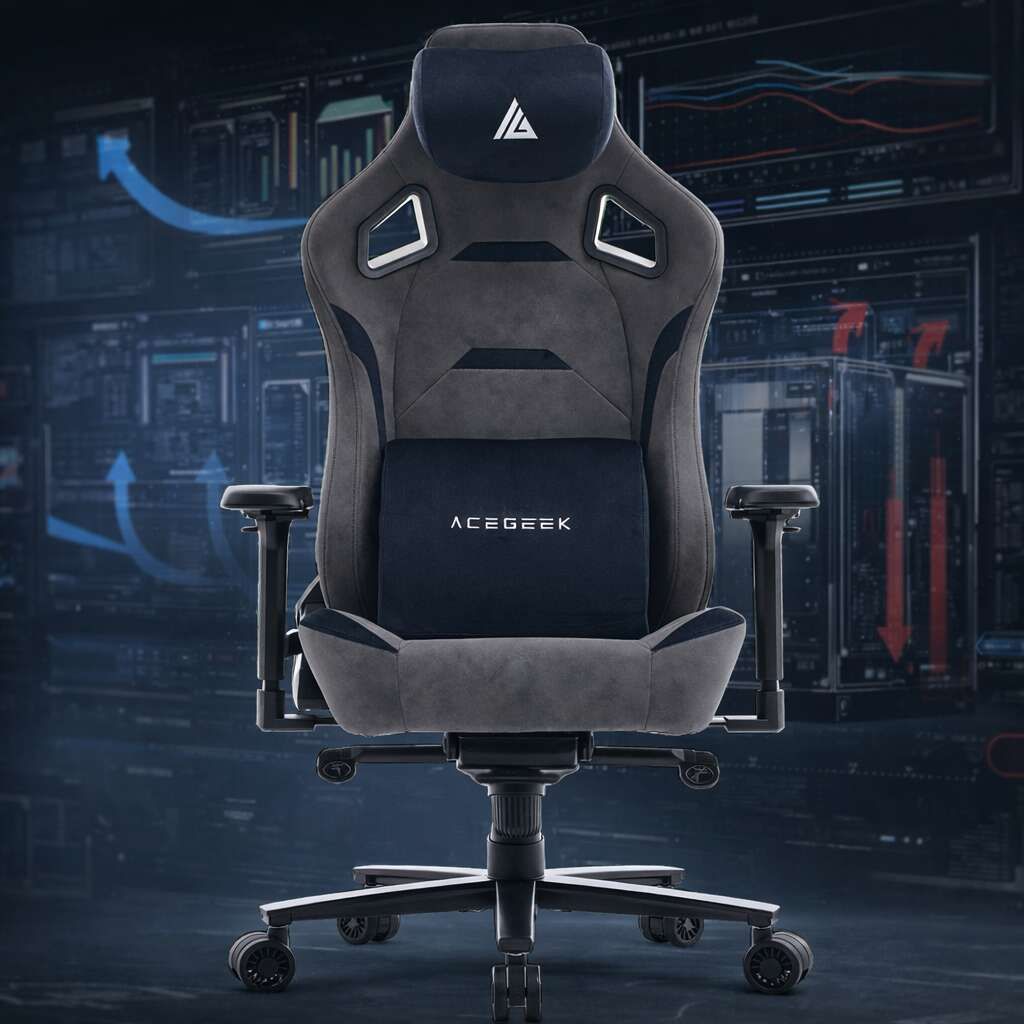
Wie Sie einen ergonomischen Stuhl auswählen, der zu Ihrem Körper passt
Die meisten Menschen kaufen Funktionen, nicht die Passform.
Passform ist wichtiger als Hype.
Ich habe miterlebt, wie der Stuhlmarkt Erwachsene dazu verleitet, wie Elstern einzukaufen – 4D-Armlehnen, RGB-Beleuchtung, „Executive“-Polsterung, Seitenwangen wie in einem Rennsitz –, obwohl die bittere Wahrheit ist, dass unser Körper viel mehr Wert auf Sitztiefe, Lendenwirbelstütze, Neigungswinkel und die Frage legt, ob unsere Füße tatsächlich acht Stunden lang bequem auf dem Boden stehen können. Warum tun wir immer noch so, als ob Äußerlichkeiten geometrische Probleme lösen könnten?
Ich sage das nicht, um zu dramatisieren. Laut den Verletzungsdaten des BLS von 2024 verzeichneten die USA im Jahr 2024 248.180 Arbeitsunfälle mit Krankheitsfolgen, die auf Verletzungen der äußeren und muskuloskelettalen Strukturen des Rückens zurückzuführen waren. Die OSHA definiert Ergonomie weiterhin als die Anpassung des Arbeitsplatzes an den Menschen, nicht umgekehrt. Das ist der Maßstab, den ich bei der Beurteilung eines Stuhls anlege.
Und genau das ist der Punkt, den Marken hassen: Regulierungsbehörden belohnen keine schönen Werbetexte, sondern reagieren auf Mängel. Der Rückruf des Amazon Basics Executive Desk Chair im Jahr 2022 betraf rund 11.400 Stühle nach 13 Meldungen über gebrochene Stuhlbeine und einer gemeldeten Schulterverletzung. Der Rückruf des Tainoki-Drehstuhls vom 19. März 2026 umfasste etwa 2.200 Einheiten, darunter Modelle wie den Warren M70740, da sich das Fußkreuz verbiegen konnte. Daher betrachte ich „ergonomisch“ nicht als Beweis für irgendetwas.
Die Checkliste für die perfekte Passform, die wichtiger ist als das Branding
Beginnen Sie mit einem niedrigeren Wert.
Wenn die Sitzhöhe nicht stimmt, ist die gesamte Passform beeinträchtigt, denn ein Stuhl, auf dem die Füße in der Luft baumeln oder man nach vorne rutscht, beeinträchtigt die Rückenlehne, belastet die Oberschenkel ungünstig und macht jede weitere Einstellung zu einer unnötigen Angelegenheit. Würden Sie sich ein maßgeschneidertes Sakko kaufen, ohne vorher die Schulterbreite zu überprüfen?
Die Richtlinien der OSHA für Bürostühle sind aus gutem Grund klar definiert: Die Füße sollten flach auf dem Boden stehen, die Kniekehle etwas höher als die Sitzfläche, die Lendenwirbelstütze im unteren Rückenbereich, die Rückenlehne mindestens 15 Grad geneigt und die Sitzfläche den Oberschenkel größtenteils stützen, ohne in die Kniekehle zu drücken. Das ist nichts Besonderes, sondern die Mindestanforderung.
Was ich in fünf Minuten überprüfe
Passform-Checkliste: Wie sich „richtig“ anfühlt – Warnsignal – Was zuerst angepasst werden sollte: Sitzhöhe: Füße flach auf dem Boden, Oberschenkel gestützt, kein Druck auf die Zehen. Füße baumeln oder Knie nach oben drücken: Sitzhöhe verringern oder erhöhen. Sitztiefe: 2–3 Fingerbreit Platz hinter dem Knie, Rücken bleibt auf dem Boden. Sie lehnen sich nach vorne oder die Vorderkante drückt in die Kniekehle: Sitztiefe verringern oder kleinere Sitzfläche wählen. Lendenwirbelstütze: Füllt den unteren Rücken, ohne zu drücken. Druck auf Gürtellinie, Rippen oder Kreuzbein: Lendenwirbelstütze anheben oder absenken, Intensität reduzieren. Rückenlehne: Oberkörper leicht nach hinten geneigt, Schultern entspannt. Sie sitzen kerzengerade, um nicht nach hinten zu fallen: Spannung und Winkel der Rückenlehne erhöhen. Armlehnen: Ellbogen ruhen ohne Schulterzucken. Nackenverspannung oder nach außen abstehende Ellbogen: Höhe verringern, Breite verringern, Reichweite verringern. Fußkreuz und Mechanismus: Stabile, leise, vorhersehbare Neigung. Knarren, Biegungen, Wackeln, harte Arretierungspunkte: Stuhl ablehnen.
Ich habe da eine klare Meinung. Wenn ein Stuhl schon in den ersten drei Reihen versagt, ist es mir völlig egal, wie viele „Premium“-Wörter auf der Produktseite verwendet werden, denn eine schlechte Sitzfläche und eine ungünstige Lendenwirbelstütze werden Ihnen die ganze Werbung bis zum Mittagessen austreiben.
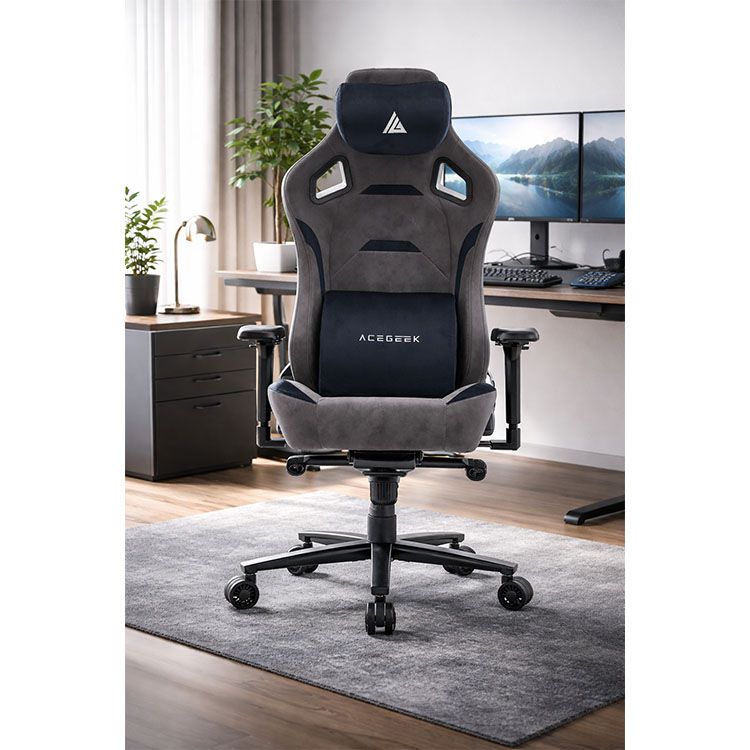
Die harten Fakten hinter einer besseren ergonomischen Stuhlpassform
Körper sind unterschiedlich.
Das klingt selbstverständlich, doch die Branche verkauft weiterhin Rückenlehnen mit fester Form, als ob eine einzige vorgeformte Kurve ohne Kompromisse für einen 1,57 m großen Analysten, einen 1,90 m großen Ingenieur und alle dazwischen passen würde. Wem nützt diese Illusion?
Eine Studie aus dem Jahr 1998 untersuchte die Lendenwirbelstütze von Bürostühlen und begleitete 123 Büroangestellte über fünf Wochen. Dabei zeigte sich, dass die bevorzugten Einstellungen der Lendenwirbelstütze über den gesamten Verstellbereich verteilt waren. Die Autoren schlussfolgerten, dass herkömmliche Lendenwirbelstützen mit fester Höhe wahrscheinlich nicht für eine breite Nutzergruppe geeignet sind. Dies ist eines der überzeugendsten Argumente gegen den Kauf eines Stuhls mit „stützender Form“, der jedoch keine wirkliche Verstellbarkeit bietet.
Die Geschichte mit der Rückenlehne ist genauso eindeutig. Eine klassische PubMed-Studie zur Sitzbiomechanik ergab, dass Stühle mit einer Rückenlehnenneigung von 110° bis 130° in Kombination mit einer Lendenwirbelstütze den geringsten Bandscheibendruck und die niedrigsten EMG-Werte der Rückenmuskulatur aufwiesen. Eine Bürostuhl-Designstudie aus dem Jahr 2023 mit 31 symptomfreien Erwachsenen berichtete hingegen, dass Lendenwirbelstütze und Sitzflächenneigung eine neutralere Haltung von Wirbelsäule und Becken förderten – und dass dennoch 39 % der Teilnehmer Schmerzen entwickelten. Mein Fazit: Hören Sie auf, die starre 90°-Bürohaltung wie eine Tugend zu verehren.
Meine Kaufregel für jedes Körpermerkmal
Ich bleibe unhöflich.
Wenn Ihr Körper Ihnen innerhalb der ersten 20 Minuten eines dieser Signale sendet, macht sich der Stuhl bereits bemerkbar, und Sie sollten schneller reagieren, als es die Verkaufsseite erwartet. Warum sollten Sie für eine langsame Korrektur bezahlen?
Körpersignale – Was sie normalerweise bedeuten – Empfehlenswerteste Funktion: Sie rutschen nach vorne: Sitz zu hoch, zu tief oder Lendenwirbelstütze zu stark: Größerer Höhenverstellbereich + Sitztiefenverstellung. Der untere Rücken fühlt sich „gedrückt“ an: Lendenwirbelstütze zu hoch, zu tief oder zu steif: Höhen-/tiefenverstellbare Lendenwirbelstütze. Die vorderen Oberschenkel werden taub: Sitzfläche zu lang oder Vorderkante zu hart: Kürzere Sitztiefe + abgerundete Vorderkante. Die Schultern rutschen hoch: Armlehnen zu hoch oder Schreibtisch zu hoch: Höhen-/breitenverstellbare Armlehnen. Der Nacken ragt nach vorne: Rückenlehne zu steil oder Monitor/Schreibtisch passen nicht zusammen: Angespannte Rückenlehne + Schreibtischhöhenverstellung. Der Stuhl fühlt sich beim Zurücklehnen instabil an: Schwacher Mechanismus oder schlechtes Fußkreuz: Stabiles 5-Bein-Fußkreuz + robustere Neigungsmechanik.
Der Schreibtisch gehört zum Stuhl dazu, ob die Verkäufer das zugeben oder nicht.
Fehlende Schreibtischkonfigurationen können tödlich sein.
Ich sehe immer wieder Käufer, die dem Stuhl die Schuld geben, obwohl der wahre Übeltäter ein Schreibtisch ist, der eine unnatürliche Schulterhebung, eine Überstreckung der Handgelenke und diese furchtbare, halb aufgerichtete Haltung erzwingt, bei der der untere Rücken die Rückenlehne nie länger als zehn Sekunden berührt. Wie oft ist der Stuhl wirklich schuld, und wie oft ist es einfach der Schreibtisch, der ihn so schlecht macht?
Hier punktet AceGeek im Vergleich zu den meisten einseitigen Produktkatalogen. Die Marke bietet bereits eine Anleitung zur optimalen Einstellung der Lendenwirbelstütze für ergonomische Stühle , einen Käuferschutz in ihrem Ratgeber zu Langlebigkeit und Garantie ergonomischer Stühle , eine hochwertige Gaming-Stuhl-Kollektion sowie Produktseiten für höhenverstellbare Schreibtische wie den Mars . Genau diese Inhalte sprechen Käufer an, die Wert auf Passform, Einrichtung und langfristige Nutzung legen und nicht auf einen Spontankauf.
Und die technischen Daten des Schreibtisches sind keine leeren Versprechungen. Der Mars-Schreibtisch von AceGeek bietet einen Höhenverstellbereich von 720–1180 mm, einen Hub von 460 mm, eine maximale Belastbarkeit von 70 kg, eine Verstellgeschwindigkeit von 20 mm/s und zwei Speicherplätze für verschiedene Höhen. Das ist wichtig, denn die OSHA-Richtlinien machen deutlich, dass nicht abgestützte Füße, hochstehende Schultern und schlechter Rückenkontakt keine Kleinigkeiten sind, sondern Passformfehler darstellen. Ich würde es bevorzugen, wenn ein Käufer einen guten Stuhl mit einem korrekt eingestellten Schreibtisch kombiniert, anstatt zu viel Geld für einen teuren Stuhl auszugeben und den Schreibtisch dann in der falschen Höhe zu belassen.
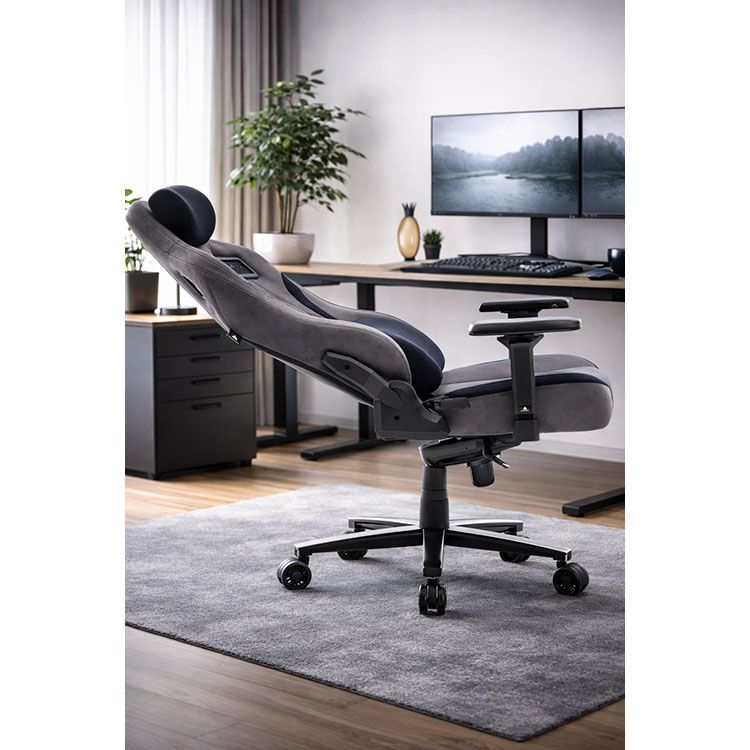
Wie ich bei AceGeek zwischen verschiedenen Stuhlmodellen wählen würde
Namen können irreführend sein.
Ich beginne nie mit dem Modell, das am robustesten klingt oder am schnellsten aussieht; ich beginne mit den Einstellmöglichkeiten, dem Mechanismus und der Frage, ob der Stuhl mir genügend Bewegungsfreiheit bietet, um eine reale Person und nicht nur eine Showroom-Pose zu ermöglichen. Ist das nicht der springende Punkt?
Für einen möglichst einfachen Einstieg würde ich den Ergo Ergo Gaming-Stuhl , den Onyx 4D Gaming-Stuhl und den Evo Lth RGB Gaming-Stuhl in dieser Reihenfolge vergleichen. AceGeek hebt die ergonomische Positionierung dieser Stühle hervor, und die Produktseite nennt konkrete Ausstattungsmerkmale wie 4D-Verstellbarkeit, magnetische Kissen, Froschmechanik und Formschaum. Diese Details garantieren zwar keine perfekte Passform, sind aber zumindest testbar. Und mit Testbarkeit kann ich gut arbeiten.
Meine Vorliebe ist einfach. Ich bevorzuge Stühle, die mir Fehler ersparen: Höhenverstellbereich an erster Stelle, Sitztiefentoleranz an zweiter, Lendenwirbelstütze an dritter, Armlehnenverstellung an vierter, Stabilität des Mechanismus an fünfter. Schöne Nähte kommen erst danach. Und ja, ich glaube, die Branche hat die Reihenfolge absichtlich vertauscht.
Was ich schnell ablehnen würde
Eine fixierte Lendenwirbelwölbung ohne Höhenverstellung
Eine Sitzfläche, die sich für einen kleineren Benutzer lang anfühlt.
Armlehnen, die sich nur auf und ab bewegen lassen
Eine Rückenlehne, die zu aufrecht arretiert
Eine unklare Garantieseite oder kein Kundendienst
Ein wackeliges Gestell an einem als „hochbelastbar“ verkauften Stuhl
Häufig gestellte Fragen
Welcher ergonomische Stuhl passt zu Ihrem Körper?
Ein ergonomischer Stuhl, der sich Ihrem Körper anpasst, zeichnet sich dadurch aus, dass Sitzhöhe, Sitztiefe, Lendenwirbelstütze, Rückenlehnenneigung und Armlehnen so eingestellt werden können, dass Ihre Füße fest auf dem Boden stehen, Ihre Oberschenkel optimal gestützt werden und Ihr unterer Rücken ohne Druckstellen oder Schulterhochziehen in einer bequemen Position bleibt. In der Praxis bedeutet das, dass Sie einen großen Verstellbereich und nicht nur eine bequeme Polsterung erwerben. Denn die OSHA (Arbeitsschutzbehörde der USA) definiert eine gute Stuhlanpassung anhand der Unterstützung der Füße auf dem Boden, der korrekten Oberschenkelstütze, der Lendenwirbelposition und des Verstellbereichs der Rückenlehne.
Woran erkenne ich, ob die Sitztiefe falsch ist?
Die Sitztiefe ist unzureichend, wenn der Stuhl entweder in die Kniekehlen drückt oder einen zwingt, sich nach vorne zu beugen, sodass der Rücken den Kontakt zur Rückenlehne verliert. Dadurch wird die Lendenwirbelstütze beeinträchtigt, selbst wenn die Form der Lendenwirbelstütze auf dem Papier gut aussieht. Laut OSHA sollte der Sitz den Oberschenkel größtenteils stützen, ohne dass die Kniekante berührt wird. Insbesondere kleinere Benutzer benötigen entweder eine niedrigere Sitzfläche oder eine Längsverstellung.
Ist der beste ergonomische Stuhl für eine gute Körperhaltung immer derjenige mit der aufrechtesten Sitzposition?
Der beste ergonomische Stuhl für eine gesunde Körperhaltung ist nicht der aufrechteste, sondern derjenige, der eine neutrale Sitzhaltung mit Lendenwirbelstütze und kontrollierter Neigung ermöglicht und in der Regel ein leichtes Zurücklehnen erlaubt, anstatt eine starre 90°-Position zu erzwingen. Die Forschung ist weniger romantisch als die Werbung: Studien in PubMed belegen, dass eine Lendenwirbelstütze in Kombination mit einer Rückenlehnenneigung von etwa 110° bis 130° den Druck auf die Bandscheiben und die Aktivität der Rückenmuskulatur verringert. Die OSHA (Arbeitsschutzbehörde der USA) empfiehlt zudem eine Neigung von mindestens 15 Grad aus der Vertikalen.
Kann ein ergonomischer Stuhl bei Rückenschmerzen helfen?
Ein ergonomischer Stuhl kann Rückenschmerzen lindern, indem er die Fehlhaltung zwischen Körper und Sitzfläche verbessert. Dies gelingt durch die richtige Höhe, Sitztiefe, Lendenwirbelstütze und Neigungsverstellung. Er ist jedoch kein Allheilmittel für alle Rückenbeschwerden oder jeden ungünstigen Arbeitsplatz. Ich denke, genau hier liegt das Problem: Eine Studie zu Bürostühlen aus dem Jahr 2023 zeigte zwar eine bessere Haltung von Wirbelsäule und Becken durch Lendenwirbelstütze und Sitzflächenneigung, dennoch entwickelte ein beträchtlicher Anteil der Teilnehmer weiterhin sitzbedingte Schmerzen. Das bedeutet, dass die Sitzposition und individuelle Körpermerkmale nach wie vor eine Rolle spielen.
Worauf sollte ich vor dem Online-Kauf eines Stuhls achten?
Bevor Sie einen Stuhl online kaufen, sollten Sie die Verstellmöglichkeiten, die Sitztiefentoleranz, die Qualität von Gestell und Mechanismus, die Rückgabebedingungen, die Garantieabwicklung und die Vertraulichkeit der Verkäuferinformationen zu Ersatzteilen und Service überprüfen, anstatt sich hinter ansprechenden Fotos und vagen Komfortversprechen zu verstecken. Ich prüfe auch Rückrufaktionen und strukturelle Schwachstellen, da Rückrufe der CPSC immer wieder zeigen, dass Stuhldefekte am Gestell und Mechanismus auftreten, lange bevor dies in der Produktbeschreibung erwähnt wird.
Ihr nächster Schritt
Erledige das noch heute.
Öffne die Gaming-Stuhl-Kollektion , wähle zwei Modelle aus und lies dir dann die Anleitung zur Lendenwirbelstütze durch, bevor du Oberflächen, Farben oder andere kosmetische Details vergleichst, die nach zwei Wochen keine Rolle mehr spielen. ( AceGeek )
Dann wird es ernst. Vergleichen Sie den ergonomischen Gaming-Stuhl Ergo oder den höhenverstellbaren Gaming-Stuhl Onyx 4D mit Ihren tatsächlichen Körpermaßen. Kombinieren Sie den Favoriten mit dem höhenverstellbaren Schreibtisch Mars, falls die Höhe Ihres Arbeitsplatzes mit ein Problem ist, und lesen Sie die Hinweise zu Haltbarkeit und Garantie, bevor Sie auch nur einen Cent ausgeben. So kauft man einen ergonomischen Stuhl – und zwar richtig.