How to Choose the Right CPU Cooler for Intel Core i9 and Ryzen 9
The Cooler Lie Nobody Wants to Say Out Loud
Heat always lies.
I have watched builders spend $500 on a flagship CPU, $300 on RGB memory, and then treat the CPU cooler like a decorative accessory, as if a Core i9 or Ryzen 9 politely follows the tiny wattage number printed on a product page during a 40-minute render, a shader compile, or a badly optimized game that hammers boost clocks until the fans sound embarrassed. Why do we keep pretending thermals are an afterthought?
Here is the hard truth: choosing the right CPU cooler for Intel Core i9 and Ryzen 9 is not about buying the biggest radiator you can fit in the cart. It is about matching heat load, case airflow, radiator clearance, fan control, socket support, pump reliability, and noise tolerance. The cooler is only one suspect in the case. The chassis, motherboard BIOS, thermal paste spread, RAM height, GPU exhaust, and fan curve are all accomplices.
Intel’s own Core i9-14900K specifications list 24 cores, 32 threads, a 6.0 GHz max turbo frequency, 125 W Processor Base Power, and 253 W Maximum Turbo Power. That is not a “normal office chip.” That is a heat negotiation with silicon.
AMD is not giving you a free pass either. The Ryzen 9 7950X product page lists a 95°C maximum operating temperature and says a liquid cooler is recommended for optimal performance. I like AMD’s honesty there. It is basically saying: yes, this chip is designed to run hot, but do not cheap out and then act surprised.
Start With Real Heat, Not the Fantasy TDP Number
A CPU cooler should be chosen around sustained thermal behavior, not the marketing number that makes the box look reasonable.
For a Core i9-14900K, I would plan around 253 W-class bursts and heavy all-core loads unless I know the BIOS power limits are locked down. For Ryzen 9 7950X, I plan around 170 W-class CPU behavior, 95°C thermal targets, and workloads that sit there without apologizing. That means the “best CPU cooler for Intel Core i9” and the “best CPU cooler for Ryzen 9” may not be the same answer if your case, noise target, and workload are different.
Small sentence. Big consequence.
Intel’s 13th/14th Gen desktop instability episode made one industry point painfully clear: voltage, BIOS behavior, power behavior, and thermal headroom are not abstract forum drama. Intel later described elevated operating voltage as a cause of instability in some 13th/14th Gen desktop processors, and its warranty update extended coverage by two years, up to five years, for covered CPUs. That was not a cooler-only scandal, but it was a loud reminder that “it boots” is not the same as “it is stable under real load.” Intel’s warranty update is worth reading before you trust any motherboard’s auto settings blindly.
The U.S. Department of Energy’s data center efficiency guide makes the same physics point at a larger scale: cooling works best when temperature monitoring, airflow management, fan or pump speed control, and intake conditions are treated as one system, not separate purchases. Your desktop is not a data center, obviously. But hot air still obeys the same laws. DOE’s data center design guide says monitoring should include temperature and humidity sensors at IT equipment air inlets, because intake conditions decide what the cooling system can actually do.
AIO Cooler vs Air Cooler: The Uncomfortable Buyer’s Table
I am not anti-air. I am anti-bad-match.
A premium dual-tower air cooler can be brutally effective on many Ryzen 9 and power-limited Intel Core i9 builds. It has no pump, no liquid loop, fewer failure anxieties, and usually better long-term simplicity. But when you run high sustained wattage, tight socket heat density, or an unlocked i9 with aggressive motherboard defaults, a strong 280 mm or 360 mm AIO starts to make more sense.
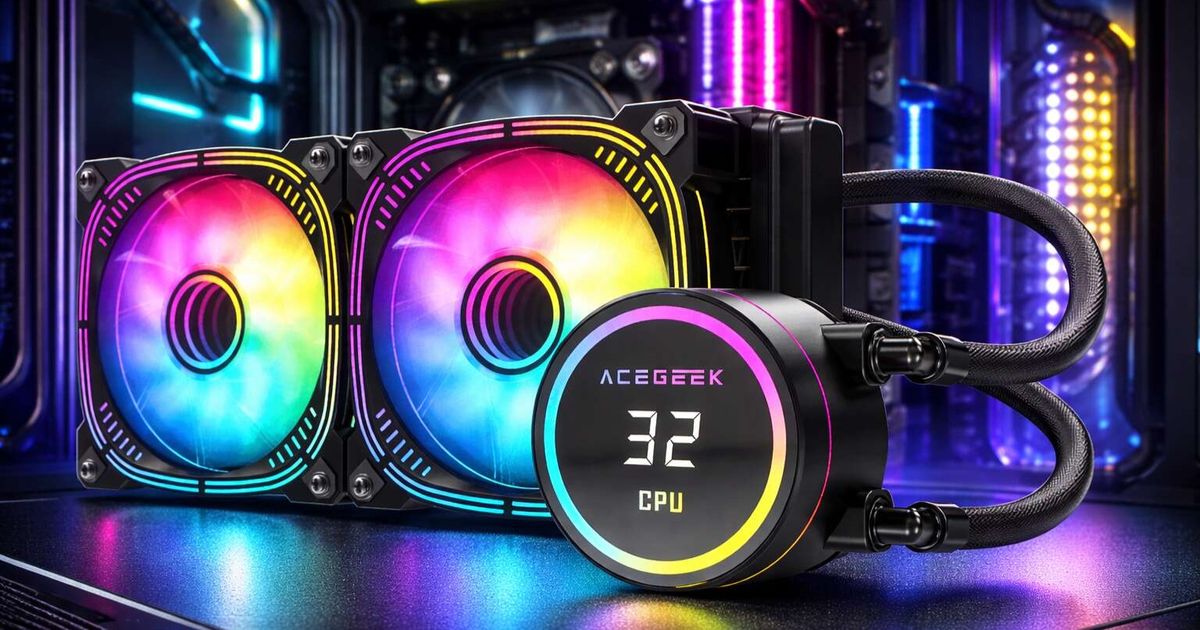
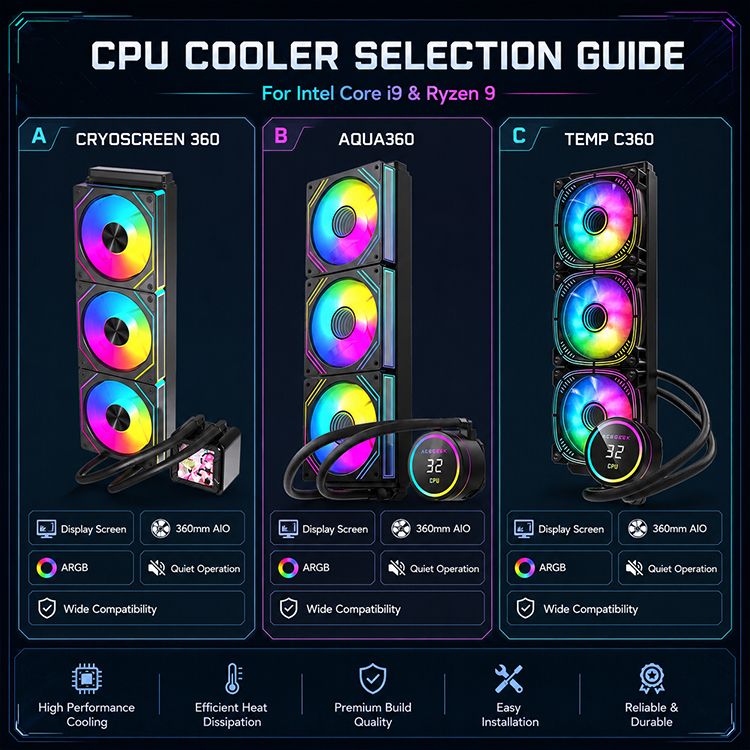
Before choosing an AIO, check Acegeek’s CPU cooler lineup, especially if you are comparing 240 mm and 360 mm classes for gaming or creator PCs. Then cross-check the case, because the radiator is not floating in space.
Cooler TypeBest FitWeak PointMy Blunt TakeSingle-tower air coolerMidrange CPUs, efficient Ryzen builds, quiet office PCsLimited thermal mass for sustained Core i9 loadsFine for modest power, risky for flagship abuseDual-tower air coolerPower-limited Core i9, Ryzen 9 gaming, long-term low-maintenance buildsRAM clearance and case widthUnderrated, but not magic240 mm AIOCompact ATX/M-ATX builds, moderate Ryzen 9 loadsLess radiator area under long all-core loadGood when airflow is honest280 mm AIOQuiet high-end gaming, balanced noise/performanceCase support is less universal than 240/360Often the smart middle option360 mm AIOCore i9 rendering, Ryzen 9 workstation loads, low-RPM cooling goalsTop clearance, tube routing, pump dependenceBest when the case actually supports itCustom loopExtreme noise targets, GPU+CPU water cooling, show buildsCost, maintenance, leak planningGreat for experts, silly for most buyers
A June 2025 CFD study on gaming desktop fan configuration tested 14 axial-fan layouts and reported that an ATX case could keep the processor below 55°C and the graphics card below 82°C with a three-fan configuration, later validating performance with 3DMark and HWMonitor. Translation: fan layout beats fan-count theater. The IJETT CFD study should embarrass half the “add more fans” advice online.
Compatibility Is Where Expensive Builds Go to Die
CPU cooler compatibility is not one checkbox.
Socket support matters first: LGA1700 for many recent Intel Core i9 chips, AM5 for Ryzen 7000/9000 Ryzen 9 processors, and AM4 for older Ryzen 9 5900X/5950X builds. But socket support only tells you whether the mounting hardware can attach. It does not tell you whether the cooler fits your case, clears your RAM, avoids your VRM heatsink, routes tubes cleanly, or leaves enough space to service the machine six months later.
This is why I like Acegeek’s top-radiator clearance guide. It gets the dirty part right: radiator clearance includes radiator thickness, fan thickness, screw heads, tube fittings, RAM height, EPS cable bend, and motherboard heatsink height. A “top 360 mm supported” label can still betray you if tall RGB DDR5 is sitting under the fan frame.
Measure this before checkout:
Socket and mounting hardware
Check LGA1700, AM5, AM4, and any required bracket revisions. Do not assume the old box in your closet has the right backplate.
Radiator and fan thickness
A normal AIO stack can be 27 mm radiator + 25 mm fan = 52 mm before screw heads, vibration pads, and tolerance. Thick radiators can push the stack closer to 60 mm.
RAM height
Low-profile DDR5 around 31–35 mm is easier to live with. RGB memory around 40–45 mm can turn a clean top radiator plan into a late-night rebuild.
Case airflow
A strong CPU cooler inside a suffocated glass box is just a more expensive way to move hot air in circles. Acegeek’s case-size cooling analysis is useful here because it treats the case as a pressure system, not a display cabinet.
Fan control
For high-performance CPU cooler setups, I want PWM fans. Acegeek’s 3-pin vs 4-pin fan guide explains the practical difference: 4-pin PWM control gives smoother speed response under temperature swings, which matters when a Core i9 spikes fast.
My Field Rule: Pick the Cooler by Workload, Not Ego
Here is how I would choose.
For a Ryzen 9 gaming build, especially something like a Ryzen 9 7900X3D or 7950X3D where gaming efficiency is often better than raw all-core abuse, I would consider a high-end dual-tower air cooler or a quiet 280 mm AIO if the case airflow is strong. For a Ryzen 9 7950X doing Blender, V-Ray, code compiling, or long CPU encoding, I move toward 280 mm or 360 mm liquid cooling.
For Intel Core i9, I am stricter. A locked-down, power-limited i9 can live happily under serious air cooling. But an i9-13900K, i9-14900K, or i9-14900KS on an enthusiast motherboard with loose limits? I want a 360 mm AIO, a mesh-first case, and BIOS settings I have personally checked. Not hoped. Checked.
The quietest PC is not the coldest PC. The quietest PC is the one with enough thermal margin that fans do not panic every time Chrome, Discord, Premiere Pro, and a game launcher decide to wake up together.
If you are still planning the chassis, read Acegeek’s PC case buying guide before choosing the cooler. Case width, top offset, front intake, PSU shroud design, and GPU length all affect whether your CPU cooler can do its job.
The Buying Formula I Actually Trust
Use this order:
Identify CPU class: Core i9 or Ryzen 9 model, power behavior, workload.
Set noise target: silent-ish, balanced, or performance-first.
Confirm case airflow: mesh intake, exhaust path, GPU heat path.
Check cooler clearance: radiator size, RAM height, motherboard heatsinks.
Choose cooler type: premium air, 280 mm AIO, 360 mm AIO.
Tune BIOS and fan curves: do not leave everything on auto and call it engineering.
And please stop buying coolers by LCD screen size. I like a good display pump head as much as anyone, but a pretty temperature readout does not fix weak radiator intake, bad mounting pressure, or a top radiator jammed against tall RAM.
FAQs
What size CPU cooler do I need for Intel Core i9 or Ryzen 9?
A CPU cooler for Intel Core i9 or Ryzen 9 should be sized for sustained heat output, case airflow, socket support, and noise target, not just the processor’s printed TDP, because these high-end chips can hold heavy boost behavior during rendering, compiling, gaming, and AI workloads.
For most serious builds, I would start at high-end dual-tower air cooling, 280 mm AIO, or 360 mm AIO. For unlocked Core i9 chips under long CPU-heavy loads, I lean 360 mm if the case supports it cleanly.
Is an AIO cooler better than an air cooler for Ryzen 9?
An AIO cooler is better than an air cooler for Ryzen 9 when the workload is sustained, the case has proper radiator clearance, and the user wants lower fan RPM under heavy all-core load; however, a premium dual-tower air cooler can still be excellent for gaming-focused Ryzen 9 builds.
The mistake is assuming “AIO” automatically means better. A cramped 360 mm AIO with poor intake can lose the practical fight against a well-fed air cooler in a mesh case.
Is an AIO cooler better than an air cooler for Intel Core i9?
An AIO cooler is usually the safer choice for unlocked Intel Core i9 processors when motherboard power limits are aggressive, because chips like the i9-14900K can reach high turbo power levels that demand more radiator area, stronger heat transfer, and better sustained fan control.
For a power-limited i9, a premium air cooler can work. For heavy rendering, CPU encoding, simulation, or compile work, I would rather have a strong 360 mm AIO and verified BIOS limits.
What does CPU cooler compatibility really mean?
CPU cooler compatibility means the cooler physically and electrically fits the full system: socket bracket, motherboard layout, RAM height, case width, radiator position, fan thickness, tube routing, EPS cable clearance, and PWM or pump-header support must all work together before the cooler can perform correctly.
Socket compatibility is only the first door. Real compatibility is whether the build can be assembled, cooled, cleaned, upgraded, and serviced without forcing parts into each other.
Should I choose a 240 mm, 280 mm, or 360 mm AIO?
A 240 mm AIO fits more cases, a 280 mm AIO often offers a strong noise-to-performance balance, and a 360 mm AIO is best for sustained high-wattage Core i9 or Ryzen 9 workloads when the case has honest radiator clearance and clean airflow.
My unpopular view: a clean 280 mm installation often beats a forced 360 mm installation. Bigger only wins when the case lets it breathe.
Final Check Before You Buy
Before you buy a CPU cooler for Intel Core i9 or Ryzen 9, write down your CPU model, workload, case model, radiator mount position, RAM height, motherboard form factor, and fan-header layout. Then compare those numbers against the cooler’s real dimensions, not the marketing image.
Start with the Acegeek CPU cooler range, verify the case with the radiator clearance guide, and only then choose between air cooling, 240 mm, 280 mm, or 360 mm AIO.
Do the boring checks now. Save the expensive regret later.