How to Prevent GPU Sag Without Buying the Wrong Bracket
Big cards. Bigger mistakes. The hard truth is that most builders do not buy the wrong anti-sag bracket because the bracket is cheap; they buy the wrong one because they never mapped the geometry, the airflow lane, the cable bend, or the contact point under the card before opening their wallet. And once you are dealing with modern hardware that can stretch to 304 mm long, 137 mm wide, 61 mm thick, and 450 W to 575 W, sloppy fitment stops being harmless and starts becoming expensive. Who still thinks this is just a cosmetic issue?
I’ll say it plainly. A lot of bracket advice online is junk. I have watched people treat “GPU sag fix” like a shopping keyword instead of a mechanical decision, then end up with a support that blocks bottom fans, presses on plastic shrouds, forces ugly cable bends into a 12V-2x6 lead, or turns a level card into a preloaded one. That is not prevention. That is moving the stress around and calling it solved.
GPU sag got worse because GPUs got absurd
This changed fast. NVIDIA’s official specs show the GeForce RTX 4090 Founders Edition at 304 mm x 137 mm x 61 mm with 450 W total graphics power, while the GeForce RTX 5090 Founders Edition keeps the same 304 mm x 137 mm footprint, still needs a 61 mm three-slot envelope for case prep, asks you to plan another 36 mm for power-cable space, and pushes total graphics power to 575 W. PCI-SIG’s current Card Electromechanical 5.1 overview and Intel’s ATX 3.0 guidance make the bigger point even clearer: add-in cards are now standardized up to 675 W, with up to 600 W possible from a single 12V-2x6 cable plus 75 W from the slot. That is not yesterday’s midrange card hanging politely off a motherboard. That is a cantilever with attitude. Read NVIDIA’s RTX 4090 official specifications, NVIDIA’s RTX 5090 official specifications, PCI-SIG’s CEM 5.1 specification overview, and Intel’s ATX 3.0 add-in card guidance. Why are we still pretending a random $9 brace solves every build?
And yes, damage happens. Tom’s Hardware reported a repair batch of 19 damaged RTX 4090s with cracked PCBs, many cracked near the PCIe retention finger, and later reported Gigabyte revising RTX 4080 and RTX 4090 PCB designs with more surface area around that same weak zone. I do not treat those as weird anecdotes. I treat them as a warning that the load path is real, the margins are thinner than marketing implies, and board partners know it. Isn’t that the part most shopping roundups skip?
The wrong bracket is usually a geometry problem, not a price problem
Wrong fit. Wrong load. The best GPU support bracket is not the most expensive one, and I think the industry loves that confusion because “premium” sounds better than “measure your case first.” A bracket is only doing its job when it supports the card near the heavy end, keeps the PCB level without over-lifting it, avoids fan interference, and preserves the GPU’s intake path. Anything else is theater.
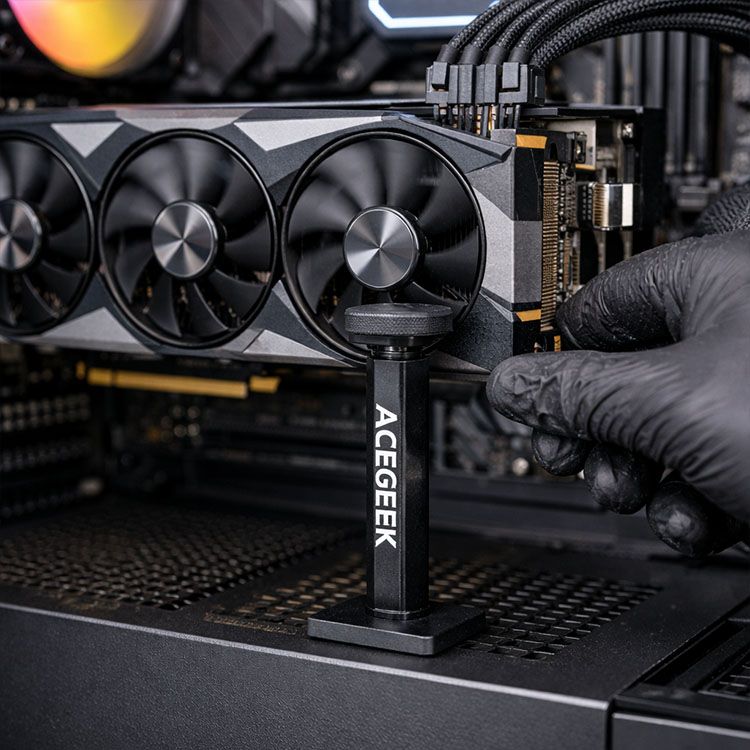
ACEGEEK’s own GPU support bracket guide actually gets the bracket taxonomy mostly right: stand-alone pillar brackets are best for very heavy cards, PCIe-mounted brackets keep bottom airflow cleaner, and jack-style supports work when space is tight but height range is limited. Pair that with ACEGEEK’s airflow balance guide, which is blunt about GPU air lanes and bottom intake, and the buying logic becomes pretty obvious. So why do people still shop by RGB first?
The bracket types that actually make sense
Bracket typeBuy it whenSkip it whenWhat usually goes wrongMy blunt takePillar / stand-alone supportYou have a long, heavy GPU and free space on the PSU shroud or case floorBottom intake fans or shroud shape leave no clean landing pointBuilders block the GPU’s best intake laneBest choice for big cards if the floor geometry worksPCIe-mounted supportYou need to keep the bottom of the case open for airflowThe card is extremely heavy or the rear frame has too much flexThe bracket looks tidy but still allows some movementGood compromise in airflow-first buildsJack-style mini supportYou have a short gap from GPU underside to shroud and want a discreet fixThe gap is tall, uneven, or the card sits highPeople buy one that cannot reach or touches the wrong surfaceFine for moderate sag, overrated for monstersVertical mount kitYou are redesigning the build around display aesthetics and measured the side gapYou think vertical mounting is a universal anti-sag trickThermals get worse when the card sits too close to glassNot my first anti-sag move, and often the wrong one
That table is not guesswork. It lines up with ACEGEEK’s bracket guide on stand, PCIe-slot, and jack-style supports, and with its vertical GPU mounting thermals article, which points out the obvious thing too many builders ignore: once the GPU is shoved against tempered glass, the air gap shrinks and the card can end up breathing through a straw. Why buy a bracket that fixes tilt by making thermals worse?
The measurements I trust before I buy anything
Measure first. Then buy. I do not buy a graphics card support bracket until I can answer five ugly questions in writing, because this is not a vibes purchase.
1. How much clearance does the case really give me?
Case specs matter. ACEGEEK’s PC case buying guide correctly puts GPU and CPU cooler clearance near the center of the decision, and its own cases show how much that number can swing: the Nebula lists 420 mm max GPU clearance, while the Echo lists 405 mm. That difference sounds small until you add a front radiator, a thick fan frame, or the 36 mm cable-space buffer NVIDIA tells you to plan around the card. Still want to buy the bracket before you know the room?
2. Where will the bracket actually touch the card?
Bad contact kills good hardware. I want the support touching a rigid part of the cooler frame or a manufacturer-approved support edge near the far end of the card, not a spinning fan, not soft trim, and not some decorative plastic lip that flexes under load. My rule is simple: level the card, do not jack it upward. Over-lift a heavy GPU and you can turn one stress vector into another. Why pay money to preload the board?
3. What happens to the GPU’s intake air if I install this bracket?
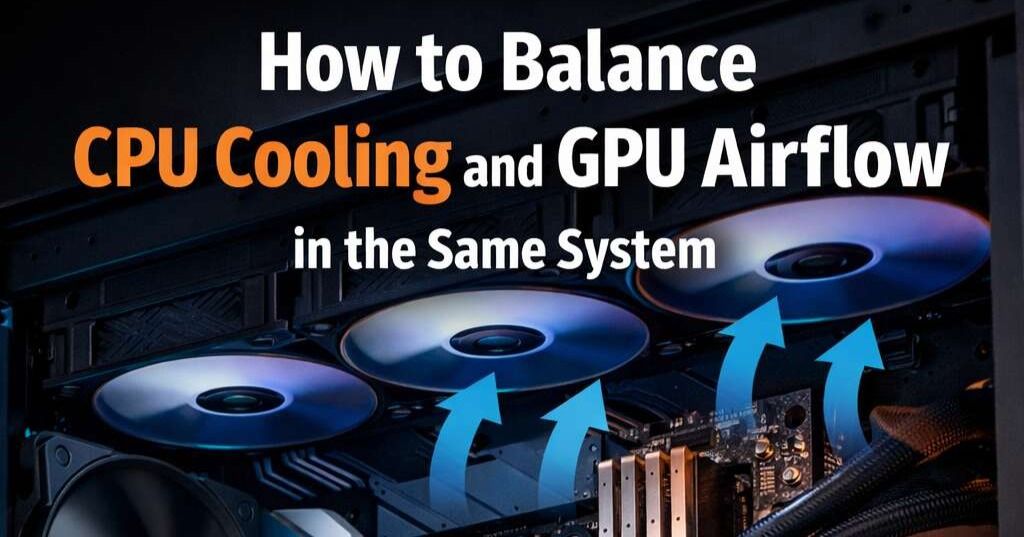
Air matters. ACEGEEK’s CPU and GPU airflow guide is right about one thing builders hate hearing: the GPU often needs first access to fresh intake air. So if your anti-sag bracket lives exactly where the lower-front or bottom intake stream is supposed to feed the card, you may “fix” graphics card sag while raising hotspot temperature and fan noise. That is not an upgrade. That is self-sabotage.
4. Am I solving sag, or am I really solving a slot and fitment problem?
Different problem. Different fix. ACEGEEK’s PCIe slot guide reminds readers that the GPU belongs in the top PCIe x16 slot on most motherboards and that large x16 cards need the correct physical fit and slot priority. I have seen people blame sag for a support issue that was really a bad slot choice, a blocked latch, or a case frame mismatch. How many “bracket problems” are actually install problems?
5. Will a vertical mount make this cleaner, or just dumber?
Looks sell. Thermals bill. ACEGEEK’s vertical-mount piece cites test outcomes where stock vertical positions ran hotter, including one example of 50°C over ambient versus 44°C over ambient for a better inward-offset mount, and another case where vertical mounting reached 83°C with an average 60 MHz clock drop. I agree with the core lesson: vertical mounting is not an automatic GPU sag fix. It is a packaging trade, and plenty of builders lose that trade. Why volunteer for worse cooling just because the card photographs well?
My hard rule for preventing GPU sag without buying nonsense
Keep it level. Keep it breathing. If you have a massive, long card and an open landing zone on the PSU shroud or case floor, I would usually start with a plain stand-alone pillar. If bottom fans are doing real work, I would look at a PCIe-mounted support next. If the gap is short and the system is compact, a jack-style anti-sag bracket can be perfectly sensible. But I would stop pretending that one bracket style is universally “best.”
And here is the part brands do not love. The wrong bracket is often the flashy one. I do not care if the support has ARGB, CNC flourishes, or a dramatic arm if it steals the GPU’s air lane, interferes with the cable path, or only touches the card in a way that twists it. The best graphics card support bracket usually looks boring, installs cleanly, and disappears from the conversation because nothing sags, nothing rubs, and nothing cooks.
FAQs
What is GPU sag?
GPU sag is the downward tilt of a graphics card caused by the cantilevered weight of the cooler, shroud, and heatsink pulling against the PCIe slot, rear bracket screws, and PCB edge rather than letting the card sit level inside the case. In plain English, the card is hanging harder on one side than it should. The fix is controlled support, not random upward force.
What is the best GPU support bracket for most builds?
The best GPU support bracket is the support style that matches your case clearance, preserves the graphics card’s intake airflow, reaches a rigid contact point under the card, and levels the PCB without pushing it higher than neutral. For very heavy cards, I usually trust pillar supports first. For airflow-sensitive builds, PCIe-mounted supports often make more sense.
Can GPU sag actually damage a graphics card?
GPU sag can contribute to damage by concentrating mechanical load near the PCIe retention area, the rear mounting zone, and the PCB around the connector, especially when heavy cards are shipped badly, installed poorly, or left unsupported in tight cases. That does not mean every tilted GPU is doomed tomorrow. It does mean the risk is real enough that repair shops and board vendors have already been forced to confront it.
Is vertical mounting a good way to prevent graphics card sag?
Vertical mounting is a GPU orientation change that can reduce visible sag by changing how the card is supported, but it is not automatically the smartest anti-sag solution because it can shrink the side-panel air gap, complicate riser compatibility, and make thermals worse. I only like it when the case was clearly designed around it. Otherwise, it is often a prettier mistake.
Where should a graphics card support bracket touch the GPU?
A graphics card support bracket should touch a rigid, load-bearing section near the heavier outer portion of the card so the cooler mass is supported without pressing on fan blades, thin plastic trim, or decorative shroud edges that can flex or vibrate. My advice is blunt: support the structure, not the cosmetics. Level is the target. Over-lift is the trap.
Your Next Move
Do this tonight. Open your case spec sheet, measure the gap from the underside of the GPU to the PSU shroud or case floor, note whether bottom fans occupy that lane, check the cable bend room around the power connector, and decide where a support can touch the card without blocking airflow.
Then be ruthless. Read ACEGEEK’s GPU support bracket guide, cross-check your chassis against the site’s PC case selection guide, review the airflow balance article, confirm slot logic with the PCIe guide, and only then decide whether your build needs a pillar, a PCIe-mounted support, a jack-style brace, or no new hardware at all. That is how to prevent GPU sag without buying the wrong bracket.