PCIe, short for PCI Express, is the high-speed interface standard found on modern motherboards. It acts as a direct connection between your system and key components such as graphics cards, SSDs, capture cards, and network cards—ensuring fast, stable data transfer for demanding tasks.
Key Features of PCIe
High-Speed, Direct Data Transfer
PCIe uses a point-to-point serial connection, giving each device its own dedicated data path. This architecture allows PCIe to deliver much faster transfer speeds compared to older shared-bus standards.
PCIe also evolves in generations (PCIe 3.0, 4.0, 5.0), with each new version offering significantly higher bandwidth than the one before it.
Multiple Slot Sizes and Lane Counts
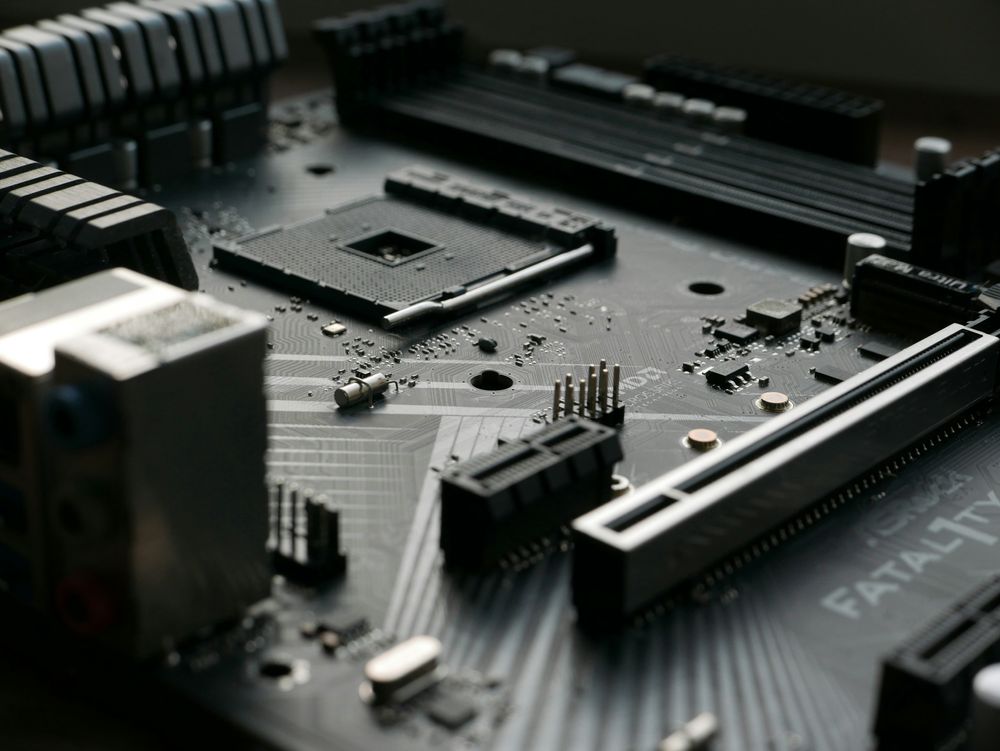
PCIe slots come in several sizes—x1, x4, x8, and x16.
The number represents how many data lanes the slot includes, similar to how a multi-lane highway allows more traffic.
x1 = 1 lane
x16 = 16 lanes (highest bandwidth)
A larger lane count means higher bandwidth and better performance for high-demand devices.
Backward Compatibility
PCIe slots and devices are backward compatible.
For example, a PCIe 4.0 card will work in a PCIe 3.0 slot—but it will operate at PCIe 3.0 speeds.

Common PCIe Device Types and Recommended Slots
Graphics Card (GPU)
Recommended Slot: PCIe x16
Why: GPUs require maximum bandwidth for rendering and computation. The x16 slot provides the ideal throughput for top performance.
Solid-State Drive (SSD)
Recommended Slot: PCIe x4 (via M.2 or PCIe adapter)
Why: Most NVMe SSDs run through M.2 slots using PCIe x4 lanes. If your motherboard lacks enough M.2 slots, an expansion card in a PCIe x4 slot can be used without bottlenecking the SSD.
Network Card (NIC)
Recommended Slot: PCIe x1 or x4
Why: Standard network cards require minimal bandwidth, making x1 slots sufficient. For multi-gigabit or enterprise-grade NICs, an x4 slot offers better stability.
Capture Card
Recommended Slot: PCIe x4 or x8
Why: Capture cards handle high-bandwidth video streams, especially for streaming or content creation. Wider lanes ensure smooth recording and low latency.
Important Things to Consider When Using PCIe
Match the Bandwidth to the Device
If you install a high-bandwidth device (like a GPU) into a low-lane slot, performance will be limited. Always pair demanding hardware with the correct slot size.
Check Physical Fit
PCIe cards must physically fit into the slot.
Small cards (x1) can fit into larger slots (x4/x8/x16)
Large cards (x16) cannot fit into smaller slots
Slot Priority on Motherboards
Most motherboards reserve the top PCIe x16 slot, closest to the CPU, for the GPU.
This slot often provides the best bandwidth and lowest latency. Installing high-priority devices in the correct slot ensures maximum performance.

Conclusion
PCIe slots play a crucial role in expanding the capabilities of your PC. Understanding the different PCIe sizes, lane counts, and recommended use cases helps you optimize system performance and choose the right slot for each component. Whether you’re adding a new GPU, installing more storage, or upgrading your network hardware, selecting the proper PCIe slot ensures your system runs at its full potential.