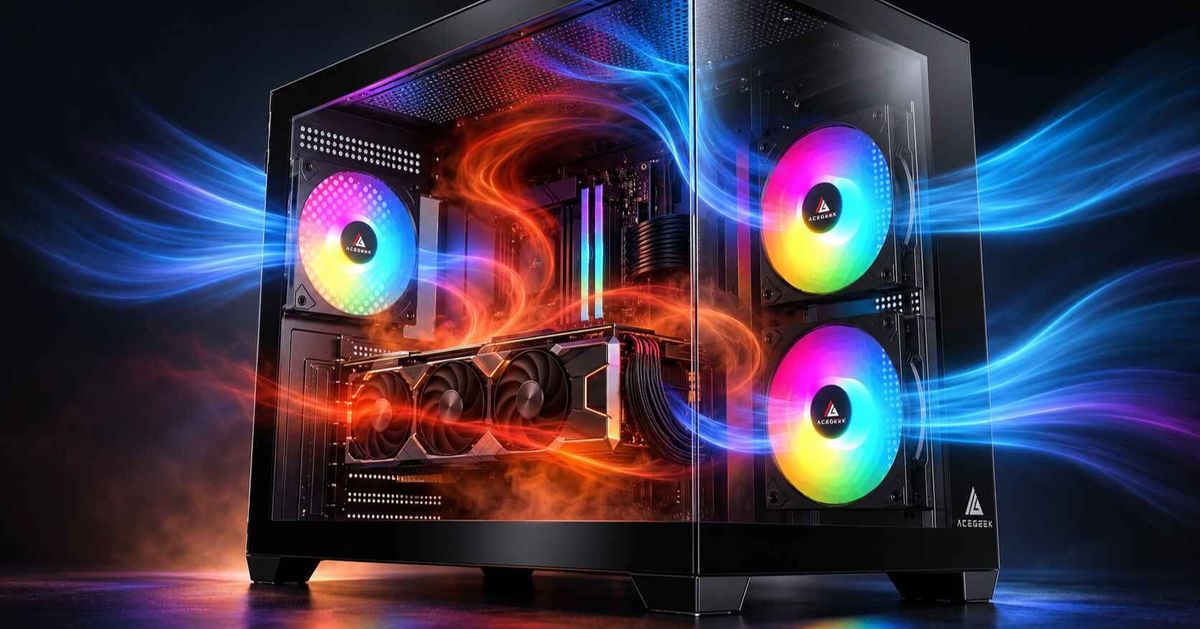
How to Balance CPU Cooling and GPU Airflow in the Same System
Most guides cheat. They tell you to “add more fans” as if a CPU that can pull 253 W at turbo and a GPU that can dump 450 W into the case are the same thermal problem, when they are not, because the CPU usually has a dedicated heatsink or radiator while the graphics card lives or dies by how well the chassis feeds it fresh air. Why are we still acting like fan-count is the whole story? Intel’s Core i9-14900K specs, NVIDIA’s GeForce compare page (Intel)
I’ll say the quiet part. In modern gaming rigs, PC airflow is usually a GPU problem first and a CPU exhaust problem second, and I’ve seen more builds hurt by “perfect” top exhaust layouts that starve the graphics card than by one mediocre rear fan left alone. That is the hard truth builders hate because it means the pretty diagram on the box may be wrong for their actual hardware. Intel’s throttling note makes it plain that once temperature pushes past TJ Max or Tcase, clock speed drops on purpose.
The thermal fight nobody explains clearly
The CPU and GPU want different things. The CPU cooler wants a steady path of reasonably cool air and a fast escape route for the heat it sheds, while the GPU wants a dense pocket of fresh intake air near the lower half of the case, especially around the PCIe area where most open-air cards recirculate heat back into the chassis. Isn’t that where most airflow diagrams fall apart?
Here is the industry mistake I keep seeing: builders optimize for the sensor they watch most. CPU package temp is right there in every dashboard, so they chase it, mount every fan as exhaust, and then wonder why the GPU hotspot climbs, the fans scream, and the whole system feels louder than it should. Tom’s Hardware’s March 10, 2026 guide made the same point in more diplomatic language: positive pressure helps dust control, but negative pressure can improve GPU temps in cases with restricted front panels because it pulls air through vents and PCIe gaps near the card.
And yes, the chassis matters more than people want to admit. ACEGEEK’s own article on how to choose the right PC case for your build gets one thing exactly right: cooling and fan support, plus GPU and CPU cooler clearance, are not filler specs; they decide whether your airflow plan is even physically possible. Their DIY PC build guide says the same in simpler language, pointing readers toward mesh intake, directed GPU airflow, and cable management that does not choke the case.
The data says layout beats fan-count theater
Geometry beats quantity. A June 28, 2025 Computational Fluid Dynamics study on gaming desktops found an ATX case could keep the processor below 55°C and the graphics card below 82°C with the right three-fan layout, and the authors flatly stated that an efficient three-fan configuration can outperform a six-fan setup when the flow distribution is cleaner. Still think six cheap fans automatically beat three well-placed ones?
That study matters because it kills the lazy advice. More fans can raise noise, turbulence, and internal recirculation without fixing the real issue, which is usually one of three things: a blocked intake path, an exhaust path that steals cool air before it reaches the GPU, or a case shape that was chosen for glass, not airflow. Tom’s Hardware also warns that adding more fans hits diminishing returns fast, especially in regular mid-tower systems.
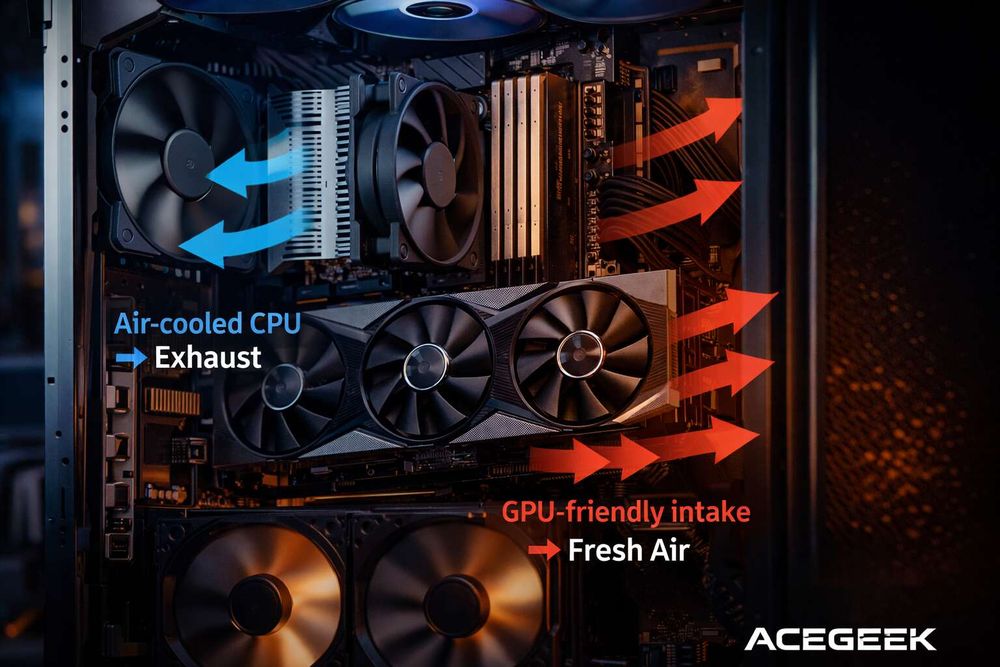
The fan map I actually trust
I do not use one “universal” case fan configuration. I start with the heat source, the panel restriction, and the cooler type, then I bias the airflow so the GPU gets first access to fresh air without trapping CPU exhaust.
System profileCPU cooling setupGPU airflow optimizationPressure targetFan map I’d start withWhat usually goes wrongMesh-front mid-tower with tower coolerFront-to-back air coolerLower front intake aimed at GPUSlight positive2–3 front intake, 1 rear exhaust, optional 1 top-rear exhaustTop-front exhaust steals intake air too earlyFront-mounted 360 mm AIORadiator as intakeAdd bottom or side intake if possibleNear-neutral to slight positiveFront radiator intake, 1 rear exhaust, 1 top-rear exhaustCPU looks great, GPU gets heat-soakedTop-mounted AIO in airflow caseRadiator as exhaustKeep front intake strong and unobstructedSlight positive3 front intake, top radiator exhaust, 1 rear exhaustExhaust overpowers intake and dust risesGlass-front or “ocean view” caseDepends on mount optionsPrioritize bottom/side intake near GPUNeutral to slight negative if front is blockedSide/bottom intake, rear/top exhaustBuilder copies mesh-case setup into a restricted chassisCompact mATX / ITXSpace-constrained air or 240 mm AIOKeep cable clutter off the GPU intake laneNear-neutralMinimum fans, clean path, no decorative dead zonesToo many fans create turbulence in too little space
If you run an air-cooled CPU
Keep it boring. In a mesh-front ATX or mATX case, I want the CPU cooler aligned with front intake and rear exhaust, not fighting against it, and I almost always avoid a top-front exhaust fan if the GPU already needs that column of air. That one fan position ruins more balanced PC cooling systems than builders realize because it can yank fresh air upward before it ever reaches the graphics card.
This is where a chassis like the Guardian D441 makes sense: front support for 3 x 120 mm or 2 x 140 mm fans, top support for 2 x 120 mm or 2 x 140 mm, a rear 120 mm mount, bottom 2 x 120 mm support, and a 360 mm front radiator option give you room to tune airflow instead of being trapped by the case. If you want a simpler mainstream layout, the Tempest A370 keeps the template straightforward with 3 front fans, 2 top, and 1 rear.
If you run a top-mounted AIO
Do not panic about the CPU “eating” all the cool air. A top-mounted radiator as exhaust is usually the cleanest compromise for gaming systems because it lets the front intake feed the GPU first, then lets the CPU dump its heat upward and out, but only if the intake side is strong enough to prevent the case from slipping into a dust-heavy negative-pressure mess. Tom’s defines positive pressure in the way builders should actually use it: intake CFM greater than exhaust CFM, not just counting fan frames.
And fan control matters. ACEGEEK’s 3-pin vs 4-pin PWM fan guide is worth linking here because PWM control lets you run separate intake and exhaust curves instead of slamming everything to one blunt voltage profile; that is how you keep the GPU fed at load without making the case sound like a leaf blower at idle.
If your case is glass-heavy or “seaview”
Now we get to the part the marketing photos never mention. Dual-glass and panoramic layouts can look fantastic, but ACEGEEK’s own Ocean View or Fish Tank case comparison admits what too many brands bury: airflow is more restricted than in a traditional chassis, so you often need extra fans just to claw back basic thermal behavior. That is why I think many seaview cases are thermal debt unless they offer serious side or bottom intake.
In that category, I would rather work with a case that at least gives me meaningful intake zones, such as the LunarisFlow, which supports triple-fan arrays at the top, side, and bottom, plus up to 400 mm GPU clearance and top support for a 420 mm or 360 mm AIO. That is not a cosmetic spec sheet; it is what lets you dedicate one airflow lane to the GPU and another to CPU exhaust.
How I balance CPU cooling and GPU airflow in real builds
Start with the GPU. In a gaming rig, the graphics card usually dumps the biggest sustained heat load into the case, so I make sure the GPU has direct access to the coolest intake path first, then I build the CPU cooling route around that instead of the other way around. If you are using a 24 GB RTX 4090-class card at 450 W, pretending the GPU is “secondary” is fantasy.
Then I decide whether the case deserves positive or negative pressure. In mesh-front airflow cases, slight positive pressure is still the safe default because it controls dust and creates a clean front-to-back path; in blocked-front or glass-heavy cases, I will accept near-neutral or slight negative pressure if that is what the GPU needs, but I do it knowingly because dust will rise and maintenance intervals will shrink. Tom’s says exactly that, and I agree with it.
After that, I tune fan curves by sensor, not ego. Intake fans should respond more to GPU temperature in gaming use, while top exhaust and radiator fans can bias harder to CPU temperature during rendering or compile workloads, and rear exhaust can sit in the middle to stabilize the whole case. So yes, I will happily run asymmetric fan behavior if it keeps the lower chamber cool and the CPU out of throttle.
And please test the side panel on and off. If removing the glass panel drops GPU temps by 5°C to 10°C, your problem is not paste, not fan RPM, and not software; it is intake restriction, and that means your case fan configuration is treating airflow as decoration. Who benefits from denying that?
The mistakes that keep showing up
Builders still mount a front AIO as intake, celebrate the CPU temp win, and then act shocked when the GPU breathes preheated radiator air. That setup can work, but only if the case gives the graphics card its own replacement intake path from the bottom or side, otherwise you just moved the thermal problem from one sensor to another.
They also overvalue exhaust. Yes, hot air rises, but case fans are not weather systems; they are pressure devices in a cramped box full of obstructions, and blind faith in “more exhaust” is how you end up pulling dusty air through every gap in the chassis while starving the front intake path you already paid for. Tom’s is blunt that negative pressure has a dust penalty, and Intel is blunt that overheating leads to clock reduction. That is the trade.
One more thing. Cable clutter is not just ugly. It interrupts the exact lower-front-to-GPU airflow lane most gaming systems need, which is why ACEGEEK’s DIY guide is right to treat cable management as a thermal issue, not just a cosmetic one. I have fixed more noisy builds with Velcro and fan curves than with expensive “premium” airflow kits.
FAQs
Should I prioritize CPU cooling or GPU airflow in a gaming PC?
You should prioritize the component that adds the most sustained heat to the case, which in most gaming systems is the GPU, while still giving the CPU cooler or radiator a direct exhaust path so the two cooling systems stop stealing each other’s air inside the same chassis. In practice, that means front, bottom, or side intake should favor the graphics card first, while rear and top exhaust handle CPU waste heat after it has already done its job.
Is positive or negative pressure better for PC airflow?
Positive pressure is a case airflow setup where total intake airflow exceeds total exhaust airflow, which usually improves dust control and works best in mesh-front cases, while negative pressure uses stronger exhaust than intake and can help GPU temperatures in restrictive-front cases at the cost of faster dust buildup. I start with slight positive pressure in airflow cases and only move toward near-neutral or slight negative when the chassis itself blocks intake.
Should I mount my AIO in the front or the top?
A top-mounted AIO is usually the better compromise for mixed CPU and GPU thermals because it lets front intake feed the graphics card first and then exhausts CPU heat upward, while a front-mounted AIO gives the CPU the coldest air but can raise internal case temperature and hurt GPU behavior. Front intake radiators are fine for CPU-heavy workloads, but gaming-first builds often behave better with top exhaust radiators and stronger front intake.
How many fans do I actually need for a balanced PC cooling system?
A balanced PC cooling system usually needs only enough fans to create one clear intake path and one clear exhaust path, which often means three to five fans in a mainstream mid-tower rather than filling every mount with spinning hardware that adds noise and turbulence. The 2025 CFD data is the best reality check here: an optimized three-fan layout can beat a sloppy six-fan build. So start with the path, not the count.
Your next move
Do this tonight. Open your case spec sheet, identify where the GPU gets its first fresh air, kill any top-front exhaust fan that steals that lane, set your intake curve to respond to GPU temperature, and then retest with the side panel on, not off, because that is the version of the system you actually live with. If you are still choosing hardware, start with ACEGEEK’s case selection guide, compare airflow-friendly options like the Guardian D441, Tempest A370, and LunarisFlow, and stop buying fan mounts you do not have a thermal reason to use. The best fan setup for CPU and GPU cooling is not the loudest one. It is the one that gives each heat source its own lane.