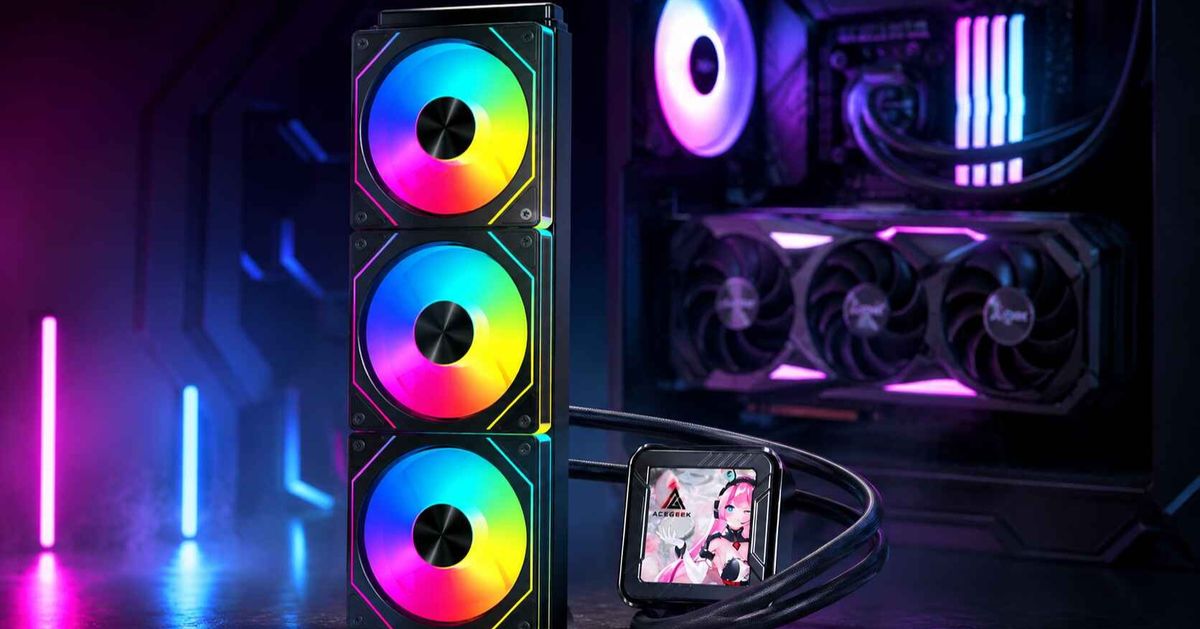
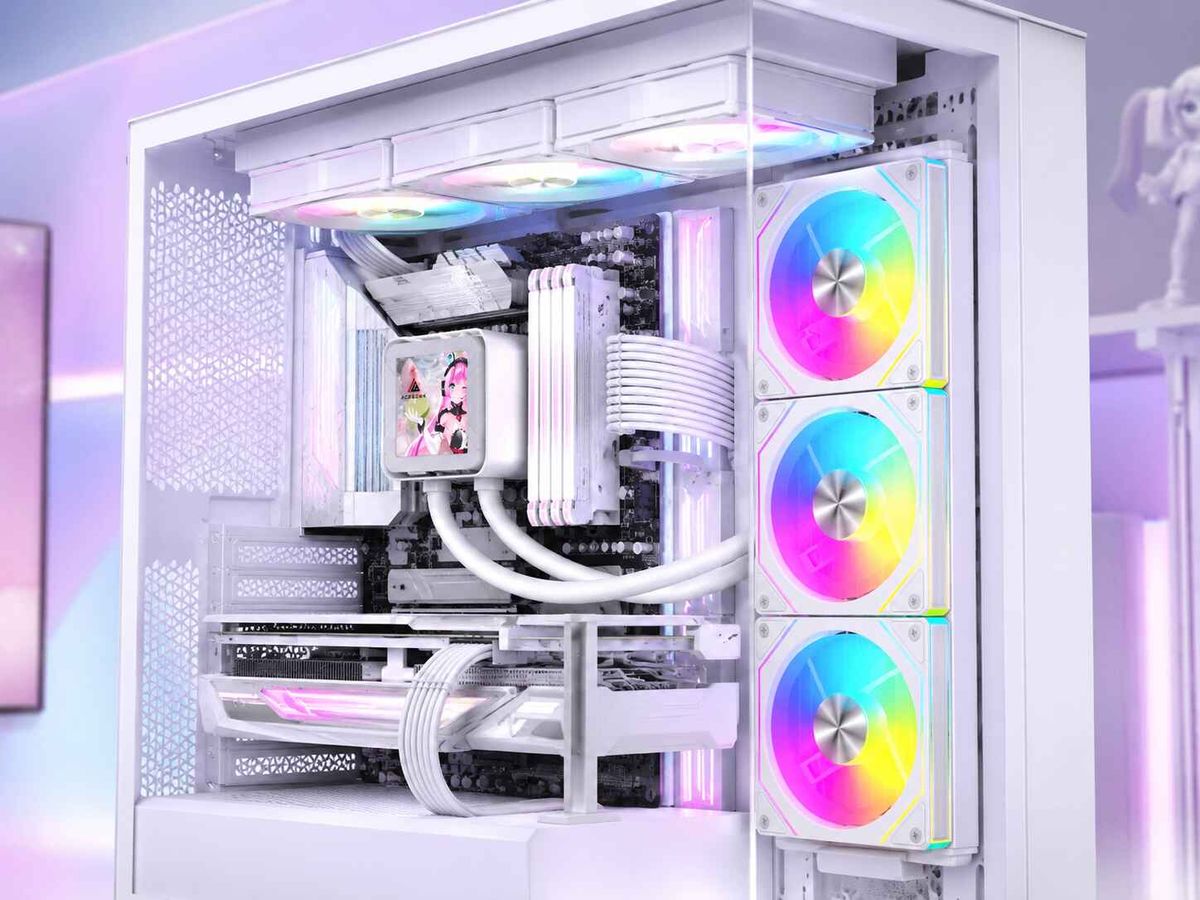
Avantages et inconvénients du montage latéral d'un radiateur AIO
L'argument du montage latéral que la plupart des constructeurs comprennent mal
Les configurations de refroidissement liquide tout-en-un (AIO) à montage latéral ont la cote, car les boîtiers modernes privilégient le verre, la symétrie et la mise en valeur des composants autrefois dissimulés derrière des panneaux en acier. Je comprends cet engouement. Un radiateur AIO monté latéralement offre un rendu plus épuré qu'un montage frontal et moins encombré qu'un montage supérieur, notamment dans les boîtiers à double compartiment ou de type « aquarium ».
La polémique prend une tournure politique.
Lorsqu'un radiateur latéral monopolise la seule entrée d'air frais d'un GPU consommant des centaines de watts, cette configuration pourtant esthétique cesse d'être une stratégie de refroidissement efficace et se transforme en un conflit permanent entre la température du processeur, celle du GPU, le bruit des ventilateurs, la pression de poussière et la géométrie des tubes. Alors pourquoi tant de personnes se fient-elles aux photos plutôt qu'au flux d'air pour juger un PC ?
Voici la dure réalité : monter un radiateur AIO sur le côté n’est pas une amélioration systématique. C’est un compromis. Parfois, c’est le meilleur emplacement pour un radiateur AIO dans tout le boîtier. Parfois, c’est simplement une façon plus esthétique d’alimenter votre carte graphique en air préchauffé.
Cette distinction est plus importante en 2026 qu'il y a cinq ans. Intel indique une consommation maximale de 253 W en mode Turbo pour le Core i9-14900K dans sa fiche technique officielle, tandis que les recommandations de NVIDIA pour la RTX 4090 préconisent une alimentation minimale de 850 W et mentionnent un câble d'alimentation PCIe Gen 5 de 450 W ou plus . Il ne s'agit pas d'une simple surchauffe, mais d'une véritable surchauffe. Vous pouvez vérifier ces chiffres précis dans les spécifications du Core i9-14900K d'Intel et dans les recommandations de NVIDIA pour la RTX 4090 .
C’est pourquoi j’apprécie l’approche d’Acegeek dans son guide sur l’équilibre entre le refroidissement du processeur et la circulation d’air de la carte graphique dans un même système : le refroidissement moderne ne se résume pas à ajouter des ventilateurs. Il s’agit de déterminer quel composant bénéficie en premier d’un apport d’air frais.
Qu’est-ce que le montage latéral d’un radiateur AIO change réellement ?
Le montage latéral d'un radiateur AIO consiste à le placer verticalement sur le côté, côté entrée ou sortie d'air du boîtier, généralement à côté du plateau de la carte mère ou dans une configuration à double compartiment, au lieu de le monter en haut, à l'avant ou en bas. Le radiateur peut être positionné à côté de la carte graphique, derrière un panneau latéral en mesh ou contre la paroi intérieure d'un boîtier vitrine.
Cela change immédiatement quatre choses :
Là où l'air frais entre
Où va la chaleur du radiateur ?
Comment les tubes se courbent
Que la pompe reste sous la poche d'air
Le quatrième point est souvent négligé. Le guide d'orientation des systèmes de refroidissement liquide tout-en-un de Corsair indique que le radiateur doit être placé au-dessus de la pompe, si possible, car tout circuit fermé contient de l'air et il est important d'éviter que cet air ne s'accumule dans la pompe. Ce guide recommande également un montage frontal avec les tubes vers le bas, le haut du radiateur étant alors positionné au-dessus de la pompe.
Les mêmes principes physiques s'appliquent à un montage latéral. L'appellation « latéral » ne protège pas miraculeusement la pompe.
Le manuel de transfert thermique du département de l'Énergie des États-Unis décrit la convection comme un transfert de chaleur par le mouvement et le mélange d'un fluide, et la convection forcée comme un mouvement induit par une force extérieure, telle qu'une pompe ou un ventilateur. Cela peut paraître théorique, jusqu'à ce qu'on comprenne qu'un système de refroidissement liquide tout-en-un (AIO) fonctionne exactement ainsi : un liquide, entraîné par une pompe, transporte la chaleur vers un radiateur, puis l'air, mis en mouvement par un ventilateur, évacue cette chaleur.
Alors, admission ou extraction AIO à montage latéral ? Voilà le vrai dilemme.
Prise d'air latérale
Un système de refroidissement liquide tout-en-un (AIO) monté latéralement aspire l'air extérieur plus frais à travers le radiateur. La température du processeur s'en trouve généralement améliorée, car le radiateur n'est pas alimenté par de l'air chaud provenant du boîtier. C'est la configuration que l'on retrouve fréquemment sur les captures d'écran, car elle permet d'obtenir un affichage clair et précis de la température du processeur.
Mais c'est l'intérieur du boîtier qui paie la facture.
L'air chaud évacué par le radiateur se dirige vers l'intérieur du boîtier, ce qui peut augmenter la température d'admission du GPU, de la carte mère, du SSD et du VRM. Si le GPU est déjà alimenté directement par des ventilateurs d'admission situés en bas, cela fonctionnera parfaitement. Dans le cas contraire, vous avez peut-être opté pour une configuration privilégiant le processeur au sein d'une machine où le GPU est prédominant.
Montage latéral comme échappement
Un système de refroidissement liquide tout-en-un (AIO) latéral aspire l'air de l'intérieur du boîtier à travers le radiateur et l'évacue sur le côté. Le processeur risque de chauffer davantage car le radiateur utilise l'air du boîtier et non l'air extérieur. En revanche, la carte graphique fonctionnera mieux si les entrées d'air avant et inférieures restent dédiées à son alimentation.
C'est généralement dans ce cas que je préfère l'évacuation des gaz d'échappement sur les systèmes principalement destinés aux jeux.
Le guide de configuration des ventilateurs de PCWorld souligne le même point fondamental concernant le placement du système AIO : les positions avant et supérieure du radiateur peuvent toutes deux convenir, mais placer le système AIO du processeur en haut, en mode extraction, tend à privilégier le refroidissement du GPU tout en rendant le processeur légèrement plus chaud.
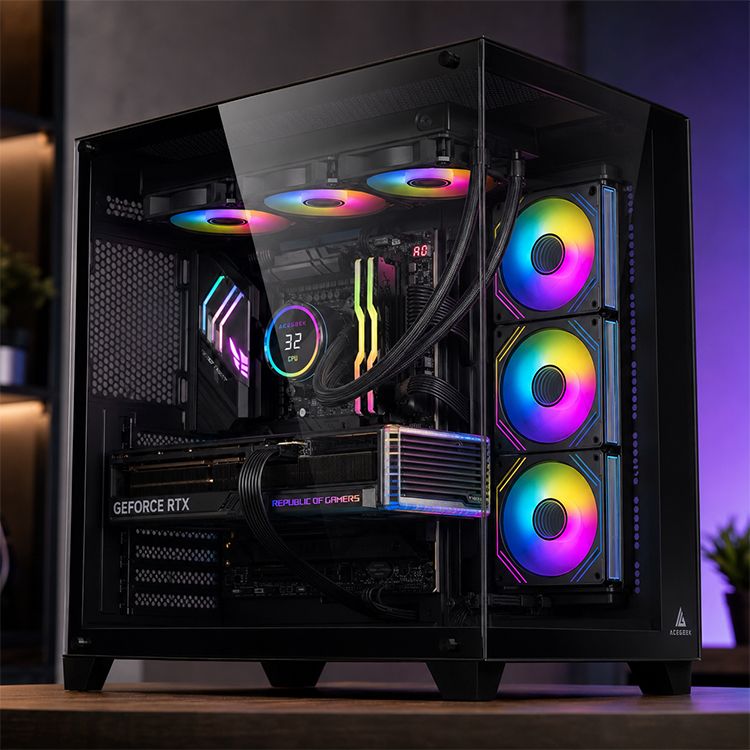
Avantages et inconvénients d'un radiateur AIO monté latéralement
Avantages et inconvénients du montage latéral d'un radiateur AIO : Mon avis : Température du processeur : L'entrée d'air latérale peut alimenter le radiateur en air extérieur plus frais, ce qui contribue souvent à maintenir les températures du processeur en charge. L'extraction latérale peut légèrement augmenter les températures du processeur car elle utilise l'air plus chaud du boîtier. Idéal pour les configurations privilégiant le processeur, moins évident pour les configurations axées sur le jeu. Flux d'air du GPU : L'extraction latérale peut laisser les entrées d'air avant et inférieures libres pour le GPU. L'entrée d'air latérale peut déverser de l'air chaud du radiateur dans la zone du GPU. À utiliser uniquement si le GPU dispose de sa propre entrée d'air frais. Cheminement des tubes : Le placement latéral peut réduire les risques de conflit d'espace avec la RAM, les câbles EPS ou les dissipateurs thermiques VRM. Les tubes peuvent se plier, s'étirer ou gêner le câble d'alimentation du GPU dans les espaces restreints. Mesurez avant d'acheter. Les photos sont trompeuses. Santé de la pompe : Un radiateur vertical peut fonctionner si son sommet reste au-dessus de la pompe. Une mauvaise disposition latérale peut placer la pompe près du flux d'air le plus important, augmentant ainsi le bruit et les risques d'usure. Il est impératif que la pompe soit placée sous le point le plus haut du radiateur. Bruit : Une plus grande surface latérale peut permettre de réduire la vitesse des ventilateurs si le panneau est respirant. Une restriction du côté du verre ou des filtres denses peuvent forcer un régime plus élevé et plus de turbulence. La grille est plus importante que le marketing. Maintenance : Les radiateurs latéraux peuvent être plus faciles d'accès dans les boîtiers à double chambre. La poussière s'accumule rapidement lorsque l'entrée d'air latérale utilise de grands panneaux filtrants. Privilégiez la facilité de nettoyage, pas seulement les photos du jour du lancement. Compatibilité : Peut éviter les problèmes de dégagement du radiateur supérieur dans les boîtiers ATX et M-ATX compacts. Les ensembles radiateur + ventilateur épais peuvent entrer en collision avec les câbles, les panneaux latéraux ou la largeur du GPU. Vérifiez simultanément l'épaisseur du radiateur, l'épaisseur du ventilateur et la profondeur de la chambre.
Le principal avantage réside dans la liberté d'agencement. Le principal inconvénient est l'illusion d'optique liée au refroidissement. Un radiateur AIO monté latéralement peut améliorer l'esthétique du processeur tandis que les performances du GPU se dégradent discrètement, et la plupart des utilisateurs ne s'en aperçoivent qu'une fois le système devenu plus bruyant en pleine charge de jeu.
C'est pourquoi je ne choisirais pas un radiateur AIO à montage latéral sans avoir vérifié le boîtier lui-même. La catégorie « Boîtiers PC » d'Acegeek est utile ici, car elle classe les boîtiers compatibles selon la taille de la carte mère et la compatibilité avec les systèmes de refroidissement liquide, notamment les AIO de 240 mm et 360 mm. Ce n'est qu'un point de départ, pas une fin en soi.
Les données que personne ne peut ignorer
Arrêtons de faire comme si la fixation d'un radiateur n'était qu'un simple emplacement pour un support.
Un radiateur est un échangeur de chaleur. Une carte graphique est une source de chaleur. Un boîtier est une enceinte sous pression. Les ventilateurs ne sont pas magiques ; ce sont de petits dispositifs rotatifs qui font des compromis.
Dans un PC de jeu moderne, la carte graphique est généralement la principale source de chaleur. Le processeur peut certes générer des pics de température importants, surtout un processeur Intel débloqué, mais une carte graphique de type RTX 4090 peut atteindre une consommation de près de 450 W lors de rendus intensifs ou de sessions de jeu prolongées. Si votre radiateur latéral est en aspiration et qu'il souffle l'air chaud vers la seule zone alimentant la carte graphique, vous n'avez pas résolu le problème : vous l'avez simplement déplacé.
C'est aussi pourquoi la meilleure position de montage du radiateur AIO n'est pas toujours celle où la température du processeur est la plus basse. Cette réponse est trop simpliste.
La meilleure position de montage pour un radiateur de système de refroidissement liquide tout-en-un (AIO) est celle qui assure la stabilité du processeur, l'alimentation en air de la carte graphique, empêche l'aspiration d'air par la pompe, évite la tension excessive sur les tubes et maintient une pression suffisante dans le boîtier pour que la poussière ne transforme pas le radiateur en une sorte de feutre après six mois. Banal ? Peut-être. Correct ? Absolument.
Le guide d'Acegeek sur l'espace disponible pour les radiateurs supérieurs met en lumière un point souvent négligé : un système de refroidissement liquide tout-en-un (AIO) de 360 mm n'est pas systématiquement meilleur qu'un AIO de 240 mm si le boîtier ne permet pas un dégagement suffisant ou une ventilation adéquate. Le même principe s'applique aux montages latéraux. Une configuration latérale propre avec un radiateur de 240 mm peut surpasser un radiateur latéral de 360 mm étouffé si ce dernier est coincé contre une vitre, des câbles ou un filtre mal ventilé.
Et l'épaisseur du radiateur compte. Énormément.
L'article d'Acegeek expliquant pourquoi l'épaisseur du radiateur compromet la compatibilité de certaines configurations met en lumière les problèmes liés au montage latéral, tels que la profondeur du compartiment, le passage des câbles, les coudes des tubes et l'orientation des ventilateurs. Ce sont des détails que les acheteurs se fient uniquement aux fiches techniques. Un radiateur de 30 mm et des ventilateurs de 25 mm forment déjà un ensemble de 55 mm avant même de prendre en compte les têtes de vis, les patins anti-vibrations, les coudes des câbles et l'espace disponible avec les panneaux latéraux.
Ma règle absolue : le montage latéral ne fonctionne que si la carte graphique bénéficie de sa propre ventilation.
Voici mon opinion impopulaire : le montage latéral d’un radiateur AIO est surévalué dans les boîtiers qui ne disposent pas d’une forte entrée d’air par le bas.
Pas toujours. Souvent.
Si la carte graphique est épaisse et à refroidissement ouvert, et que le boîtier n'a ni ventilateurs inférieurs, ni entrée d'air frontale inférieure, ni grille latérale propre, je ne souhaite pas installer un radiateur latéral en entrée d'air. Je préfère utiliser un système de refroidissement liquide tout-en-un (AIO) avec extraction par le haut, laisser l'entrée d'air frontale dégagée et laisser la carte graphique respirer en premier. Cela peut entraîner une légère hausse de température du processeur. Ce n'est pas grave. Un processeur à 75 °C n'est pas alarmant. En revanche, une carte graphique qui surchauffe et dont les ventilateurs tournent à plein régime est le signe que votre configuration a des priorités mal pensées.
Mais dans un boîtier à double chambre avec entrée d'air par le bas et panneau latéral ventilé ? C'est une autre histoire.
Un système de refroidissement liquide tout-en-un (AIO) monté latéralement peut être efficace si les ventilateurs inférieurs alimentent directement le GPU, le radiateur latéral alimente le CPU et l'extraction supérieure/arrière évacue la chaleur. C'est une véritable solution thermique, et non un simple élément décoratif.
Si vous n'avez pas encore choisi votre boîtier, consultez le guide d'Acegeek pour bien choisir votre boîtier PC avant de vous pencher sur l'emplacement du radiateur. La taille du boîtier, la compatibilité avec les ventilateurs et le radiateur, l'espace disponible pour la carte graphique et la disposition de la carte mère sont autant de facteurs qui déterminent si une comparaison entre un montage frontal et latéral pour un système de refroidissement liquide tout-en-un est pertinente.
Comment installer un radiateur AIO sur le côté sans construire de caisson chaud ?
Pour savoir comment monter un radiateur AIO sur le côté, ne commencez pas par les vis. Commencez par le sens du flux d'air.
Il faut d'abord déterminer si le radiateur latéral doit être en aspiration ou en extraction. Si le système sollicite fortement le processeur (rendu Blender, compilation de code, simulations, charges de travail importantes sur un processeur Intel série K), une aspiration latérale est préférable. En revanche, si le système est principalement utilisé pour les jeux avec une carte graphique puissante, une extraction latérale ou supérieure protège généralement mieux la carte graphique.
Deuxièmement, maintenez la pompe en dessous du point de condensation le plus élevé. Le réservoir supérieur du radiateur doit, si possible, se trouver au-dessus du bloc pompe. Évitez de monter le radiateur de manière à favoriser l'accumulation d'air dans la pompe. Les bruits, gargouillis et l'usure prématurée de la pompe ne sont pas des défauts inhérents à son fonctionnement ; ils sont dus à une mauvaise conception du circuit de refroidissement.
Troisièmement, vérifiez la courbure des tubes avant le montage définitif. Les tubes doivent former un arc naturel, sans se courber latéralement au contact de la RAM, des plaques arrière du GPU, des adaptateurs d'alimentation PCIe ou des arêtes vives du boîtier. Si les tubes semblent tendus, c'est qu'ils le sont.
Quatrièmement, assurez-vous que les ventilateurs soient adaptés à la résistance du radiateur. Les radiateurs denses et les panneaux latéraux filtrés nécessitent des ventilateurs capables de supporter la pression, et non pas seulement des ventilateurs affichant un débit d'air élevé. Si vous avez besoin de ventilateurs de boîtier supplémentaires, je recommande aux lecteurs de consulter la catégorie « ventilateurs internes » d'Acegeek, car le choix des ventilateurs fait partie intégrante du choix du radiateur et ne constitue pas un accessoire à considérer après coup.
Cinquièmement, effectuez systématiquement le test avec le panneau latéral en place. Les tests sans panneau latéral sont utiles pour le diagnostic, mais ne reflètent pas les conditions d'utilisation réelles d'un PC. Relevez la température du processeur, la température des cœurs du GPU, la température du point chaud du GPU, la température du SSD, la vitesse de rotation des ventilateurs et le niveau sonore à température ambiante constante. Privilégiez une session de jeu de 20 minutes plutôt qu'un test de performance de 90 secondes.
AIO à montage frontal ou latéral : la différence pratique
Le choix entre un radiateur monté à l'avant ou sur le côté pour un système de refroidissement liquide tout-en-un (AIO) dépend de l'espace disponible pour l'admission d'air dans votre boîtier. Un radiateur monté à l'avant offre souvent un excellent refroidissement au processeur grâce à l'apport direct d'air extérieur, mais il peut obstruer ou réchauffer l'entrée d'air principale du GPU. Un radiateur monté sur le côté permet de préserver l'entrée d'air avant, à condition que le panneau latéral soit suffisamment ventilé et que le compartiment soit assez profond.
Un support latéral n'est pas un support avant tourné sur le côté. C'est là l'erreur.
Les ventilateurs frontaux dirigent généralement l'air en ligne droite, d'avant en arrière. Les ventilateurs latéraux créent un flux d'air croisé. Dans les boîtiers à double chambre, ce flux croisé peut être avantageux car la chaleur du radiateur n'a pas à lutter directement contre l'entrée d'air frontale. Dans les boîtiers étroits en verre, cela peut engendrer des turbulences, notamment avec l'éclairage RGB.
Ma règle est simple :
Si le boîtier possède une entrée d'air en bas , une grille latérale et une sortie d'air en haut , le montage latéral d'un radiateur AIO peut être une excellente solution.
Si le boîtier possède une vitre pleine , un dégagement inférieur insuffisant et une carte graphique à refroidissement ouvert qui chauffe beaucoup , le montage latéral est souvent un piège.
Quand j'éviterais de monter un radiateur AIO latéralement
J'éviterais un radiateur AIO monté latéralement s'il est directement contre une vitre restrictive mal ventilée. Les ventilateurs ont besoin d'espace pour récupérer la pression. Un radiateur coincé derrière une fente décorative n'offre pas un refroidissement optimal ; c'est du théâtre thermique.
Je l'éviterais également lorsque les tubes du système de refroidissement liquide ne peuvent pas atteindre leur longueur naturelle. Une tension excessive sur les tubes ne justifie pas une photo plus nette. Le bloc pompe doit être bien positionné, les tubes ne doivent pas être courbés excessivement et le radiateur ne doit pas contraindre le câble d'alimentation de la carte graphique à une inesthétique courbure (12VHPWR).
J'éviterais les radiateurs latéraux épais dans les compartiments peu profonds, sauf si le boîtier est conçu pour cela. Un radiateur AIO classique mesure généralement entre 27 et 30 mm d'épaisseur, et les ventilateurs standards environ 25 mm. L'ensemble peut déjà être encombrant. Avec des radiateurs plus épais, le compartiment latéral ressemble alors à une salle serveur surchargée.
Et j'éviterais les entrées d'air latérales si la carte graphique n'a pas de système d'alimentation en air indépendant. C'est le point crucial. Dans la plupart des configurations de jeu, on tolère mieux un processeur plus chaud qu'une carte graphique sous-alimentée.
FAQ
Est-ce une bonne idée de monter un radiateur AIO latéralement ?
Le montage latéral d'un radiateur AIO est avantageux lorsque le radiateur bénéficie d'une circulation d'air optimale, que la pompe reste en dessous de la zone de refroidissement la plus haute du radiateur, que les tubes ne sont pas soumis à des contraintes et que le GPU est toujours ventilé par des ventilateurs situés à l'avant ou en dessous. Dans ce cas, le montage latéral peut s'avérer plus propre, plus efficace et plus silencieux qu'un montage supérieur exigu.
Le problème, c'est que beaucoup de monteurs copient le schéma d'installation sans vérifier la répartition de la pression dans le boîtier. Un radiateur AIO monté latéralement peut améliorer la température du processeur, mais dégrader celle du GPU s'il est utilisé en entrée d'air dans un boîtier où la carte graphique dépend de cette même ventilation.
Un système AIO à montage latéral doit-il être en aspiration ou en extraction ?
Un système de refroidissement liquide tout-en-un (AIO) à montage latéral doit être configuré en aspiration lorsque le refroidissement du processeur est prioritaire et que la carte graphique bénéficie d'une ventilation séparée. En revanche, il doit être configuré en extraction lorsque le refroidissement de la carte graphique est plus important et que le boîtier dispose déjà d'une bonne ventilation frontale ou inférieure. Le choix optimal dépend du composant qui génère le plus de chaleur de manière constante lors de votre utilisation.
Pour les PC de jeu, je privilégie généralement la protection du GPU. Pour le rendu CPU ou une utilisation en station de travail, une ventilation latérale peut être plus intéressante. Dans tous les cas, testez les deux options si votre boîtier le permet.
Quelle est la meilleure position de montage pour un radiateur AIO ?
La meilleure position de montage pour un radiateur AIO est celle qui maintient la pompe en dessous du point d'aspiration d'air du radiateur, assure un flux d'air suffisant et sans restriction, évite la tension excessive sur les tubes et garantit un apport d'air frais optimal pour la carte graphique. Dans de nombreuses configurations gaming équilibrées, l'évacuation d'air par le haut est la plus sûre, mais un montage latéral peut s'avérer plus performant dans certains boîtiers.
Il n'existe pas de montage idéal. Les montages par le haut, à l'avant et sur les côtés sont tous possibles si le boîtier les prend en charge correctement. Le montage par le bas est celui que je déconseille le plus pour les systèmes de refroidissement liquide tout-en-un, car le risque de mauvais positionnement de la pompe devient plus difficile à éviter.
Le montage latéral d'un radiateur AIO a-t-il une incidence sur la température du GPU ?
Le montage latéral d'un radiateur AIO peut influencer la température du GPU, car l'entrée d'air du radiateur peut repousser l'air chaud du processeur vers l'intérieur du boîtier, tandis que l'extraction d'air peut évacuer la chaleur interne mais utiliser de l'air plus chaud pour refroidir le processeur. Le résultat sur le GPU dépend du sens de rotation des ventilateurs, de la puissance de l'entrée d'air inférieure, de la ventilation des panneaux latéraux et du type de refroidissement de la carte graphique (à air libre ou de type turbine).
Surveillez la température du GPU, et pas seulement celle du cœur. Une configuration qui semble fonctionner correctement au niveau du capteur principal peut néanmoins être bruyante si la température du point chaud augmente et que le ventilateur de la carte réagit de manière excessive.
Comment installer correctement un radiateur AIO sur le côté ?
Pour installer correctement un radiateur AIO sur le côté, positionnez-le de façon à ce que son point le plus haut soit au-dessus de la pompe, acheminez les tuyaux sans coudes brusques, choisissez l'entrée ou la sortie d'air en fonction du flux d'air du GPU et vérifiez que l'ensemble radiateur + ventilateur ne gêne pas le compartiment latéral, les câbles, la carte mère et la carte graphique. Testez ensuite les températures avec le panneau installé.
Ne vous fiez pas au premier démarrage. Effectuez un test de charge reproductible pendant au moins 20 minutes, notez les températures du processeur et de la carte graphique, et comparez la vitesse de rotation des ventilateurs. Un bon montage latéral devrait améliorer l'ensemble du système, et pas seulement un indicateur du tableau de bord.
En conclusion : privilégiez la circulation de l’air plutôt que l’esthétique du support.
Monter un radiateur AIO sur le côté n'est ni génial ni stupide. C'est un choix d'agencement qui a des conséquences.
Utilisez-le si le boîtier offre une ventilation latérale, un passage de tubes propre, une profondeur de chambre suffisante et une entrée d'air dédiée pour le GPU. Évitez-le si le radiateur devient un élément chauffant étouffant pour votre carte graphique. C'est la limite.
Avant de vous décider, consultez la fiche technique de votre boîtier, vérifiez la compatibilité avec le radiateur, mesurez l'encombrement du radiateur et du ventilateur, repérez le sens d'entrée et de sortie de l'air et déterminez quel composant reçoit l'air le plus froid en premier. Ensuite, testez le système en conditions réelles de charge.
Si vous envisagez encore de monter votre PC, comparez la circulation d'air du boîtier et la compatibilité avec les systèmes de refroidissement avant tout achat. Commencez par consulter la gamme de refroidisseurs pour processeur et de boîtiers PC d'Acegeek, puis optez pour un montage latéral du radiateur AIO uniquement si le refroidissement optimal est justifié. L'esthétique est secondaire. La stabilité, elle, est essentielle.