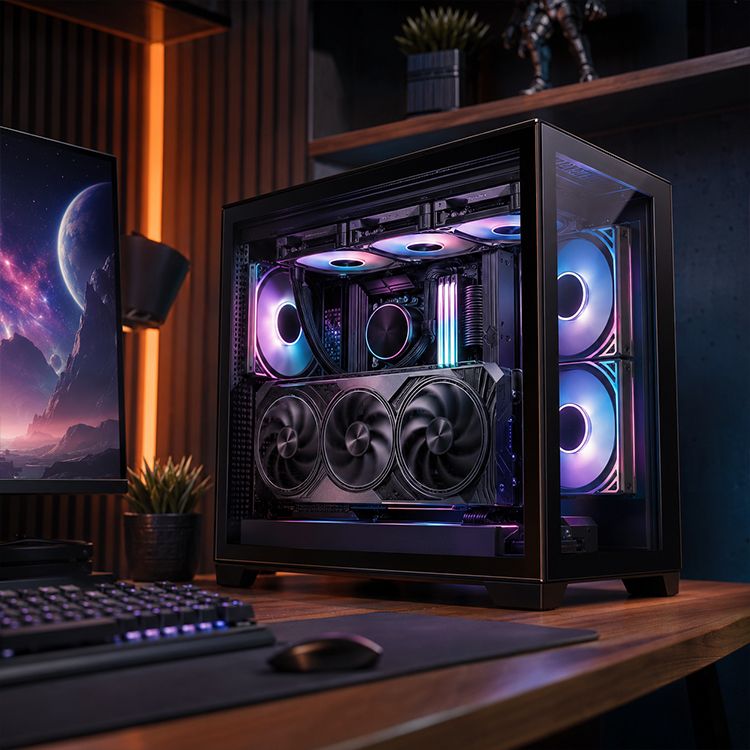
What PC Case Steel Thickness Affects: Structure, Noise, and Feel
I’ll say the quiet part first: most PC case buyers judge steel thickness too late.
They notice it when the side panel buzzes, when the rear PCIe bracket area bends under a heavy GPU, when the motherboard tray flexes during cable routing, or when the whole chassis gives off that cheap “oil-can” pop after one careless thumb press.
Thin steel talks.
And in the PC case business, it usually says one thing: somebody saved money where the customer was least likely to look.
The Real Meaning of PC Case Steel Thickness
PC case steel thickness is the measured gauge of the steel sheet used in the chassis frame, motherboard tray, panels, drive brackets, PSU shroud, and structural rails. In modern cases, common values often sit around 0.5 mm to 0.8 mm, with 0.6 mm SPCC steel appearing frequently in mainstream gaming chassis.
That definition sounds harmless. It is not.
When I inspect a case, I do not start by admiring the glass. I tap the rear frame, press near the expansion slots, flex the side panel slightly, check the motherboard tray, then look for the kind of shortcuts that do not appear in hero photos. If the steel is too thin, the case may still look good under RGB lighting, but it will punish you during assembly.
Why does this matter?
Because the case is not decoration. It is a mechanical structure holding a GPU that can weigh 1.5 kg to 2.5 kg, fans spinning at 800–1,800 RPM, a PSU, radiators, cable tension, tempered glass, storage cages, and sometimes a 360 mm AIO loop. A weak shell can still “work.” So can a cheap folding chair. That does not make it good.
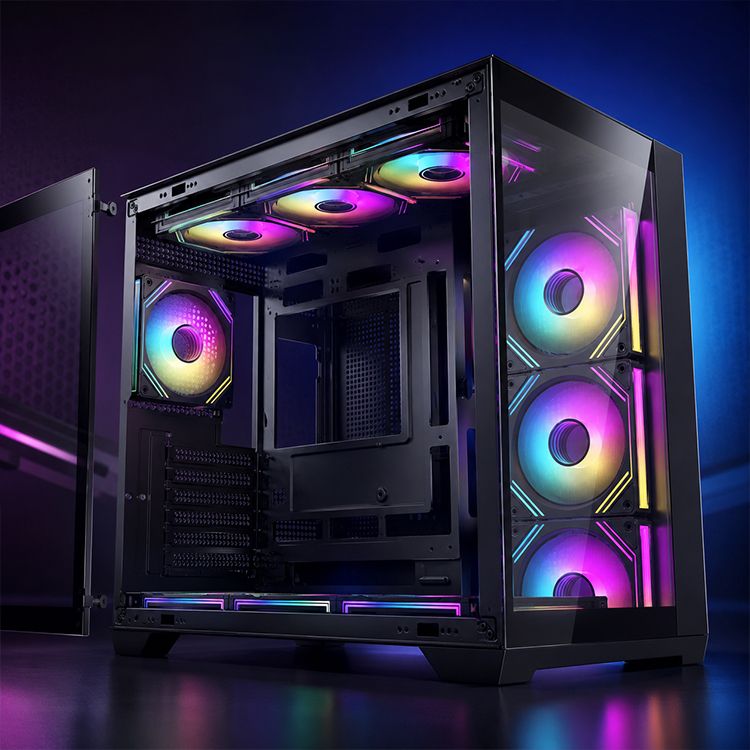
AceGeek’s own product pages show why this spec deserves attention. The Horizon ATX case lists 0.6 mm SPCC steel, 410 mm GPU clearance, 165 mm CPU cooler clearance, and 360 mm side AIO support. The Lucid back-connecting micro case also lists 0.6 mm SPCC steel with 400 mm GPU clearance and broad fan support. Those numbers tell a bigger story: steel thickness only matters when you read it beside geometry, component load, cooling layout, and panel size.
Structure: Where Thin Steel Starts to Betray the Build
A PC case does not fail like a bridge. It fails in small, annoying ways.
The motherboard tray flexes. The side panel rings. The PSU area twists when you drag the system across a desk. A heavy graphics card pulls against the rear slot area. The front panel loses that tight snap after a few removals. None of this is dramatic enough for a lawsuit. All of it is visible to people who build systems for a living.
Here is the hard truth: 0.6 mm SPCC can be perfectly acceptable when the case has smart folds, ribs, stamped reinforcement, short unsupported panel spans, and good fastening points. But 0.6 mm steel in a wide, flat, poorly braced panel can feel worse than a slightly thinner sheet used intelligently.
That is why PC case material thickness should never be read alone.
A case frame gains stiffness from three things: material thickness, geometry, and connection quality. Folded edges matter. Rivet placement matters. The shape of the motherboard tray matters. A 0.6 mm panel with rolled edges can feel stronger than a flat 0.7 mm sheet left unsupported like a cookie tray.
The cheap trick? Big flat panels.
They save tooling complexity, they look clean in photos, and they flex like a lunchbox lid when the steel is too thin. I have seen cases where the marketing page shouted “premium airflow,” but the rear fan mount vibrated because the stamped grill area had no local stiffness. That is not premium. That is metal doing what physics told it to do.
If you are choosing a chassis for real hardware, start with the basics in AceGeek’s 2026 gaming PC case buying guide: motherboard size, GPU clearance, radiator support, CPU cooler height, fan plan, and cable-routing space. Then add steel thickness to the inspection. Not before. Not after. Alongside.
Noise and Vibration: Thickness Helps, But It Is Not Magic
Steel thickness affects noise because thin panels vibrate more easily when excited by fans, HDDs, pumps, turbulent airflow, or desk contact. Thicker steel generally increases mass and stiffness, which can reduce panel movement, shift resonance behavior, and make the case sound less hollow during real use.
But let me be blunt: steel thickness is not acoustic foam.
A bad fan mounted to a thin panel will sound bad. A bad fan mounted to a thicker panel may sound less awful, but the source is still bad. According to NIOSH noise guidance from the CDC, 85 dBA over an eight-hour workday is the recommended exposure limit for occupational noise. Your PC should never be anywhere near that in normal use, but the benchmark matters because it reminds us that noise is not just “annoying.” It is measurable exposure.
The PC world abuses noise language. “Silent case” often means “we restricted airflow, then hoped fan curves would hide it.” That is why I trust thermal layout before I trust padding. AceGeek’s mesh vs glass vs closed PC case guide makes the right starting point: heat load, intake resistance, GPU clearance, radiator position, and fan control come before cosmetics.
Still, steel matters.
Penn State acoustics material on damped mass-spring systems explains the practical relationship between mass, stiffness, damping, and resonance behavior: when a system is near resonance, damping heavily affects displacement; at high frequencies, mass becomes the controlling factor. That maps neatly onto computer case behavior. A side panel is not just “a panel.” It is a vibrating surface attached to a noisy machine.
So what does thicker steel actually do?
It can lower the hollow “tinny” sound when you tap the panel. It can reduce visible panel flutter. It can make fan noise feel less sharp by reducing secondary vibration. It can help the chassis feel more settled when a pump or hard drive transfers vibration into the frame.
But it will not fix a blocked intake. It will not make cheap sleeve-bearing fans elegant. It will not save a case with glass choking the GPU.
Want the uncomfortable answer? A well-ventilated 0.6 mm steel case with decent fan mounts can sound better than a heavy sealed showcase box whose fans are screaming through restricted vents.
The Feel Factor: Why Builders Notice It Immediately
Feel is not imaginary. It is fast engineering judgment.
When you lift a case, remove the side panel, tighten motherboard screws, install a PSU, route the 24-pin cable, or lock in a GPU, your hands collect data. They feel torsional stiffness. They feel edge quality. They feel panel resonance. They feel whether the metal fights back or folds away.
This is where computer case steel thickness becomes emotional.
A thicker case feels more planted. Screws bite with less drama. Panels slide or hinge with more confidence. Cable management does not deform the tray as badly. The case is less likely to creak when moved. Even the sound of a panel closing changes.
I know that sounds subjective. It is subjective. It is also real.
A 0.5 mm chassis can pass a spec checklist and still feel disposable. A 0.6 mm chassis can feel good if the structure is well braced. A 0.8 mm chassis usually feels more premium, but it also costs more, weighs more, and may not cool better unless the airflow design is competent. That is the buyer’s trap: confusing mass with quality.
One more ugly truth: shipping damage tells on weak cases.
Thin rear frames bend. Front corners deform. Glass alignment gets fussy. PCIe slots shift just enough to make GPU installation irritating. The industry does not like discussing this because it makes packaging, logistics, tooling, and steel cost part of the quality conversation. But they are part of it.
Reuters reported in 2025 that U.S. hot-rolled coil steel prices were estimated to reach about $890 per short ton, around 15% above the previous year’s average, while steel and aluminum tariff pressure added cost stress across manufacturing. That matters because PC case brands do not buy “build quality” from the sky. They buy sheet metal, tooling time, finishing, freight volume, and labor. When steel gets expensive, thin metal becomes tempting.
Steel vs Aluminum PC Case: Stop Pretending It Is Only About Weight
Steel and aluminum PC cases behave differently because steel is denser and typically cheaper for structural chassis work, while aluminum is lighter, easier to position as premium, and often used for panels or boutique enclosures. Steel usually wins on cost and rugged stiffness per dollar; aluminum wins on weight, finish feel, and boutique aesthetics.
That is the clean answer.
Here is the messy one: many aluminum cases feel premium because the manufacturer also spent money on machining, panel thickness, fasteners, and finish quality. The material gets credit for decisions that are not purely material decisions.
Steel can feel cheap. Steel can feel excellent. Aluminum can feel luxurious. Aluminum can also buzz like a soda can if it is too thin and badly mounted.
If you are comparing steel vs aluminum PC case options, ask better questions:
Does the motherboard tray flex?
Are the side panels damped or tightly mounted?
Does the GPU slot area resist twisting?
Are the panels large and unsupported?
Are the fan mounts stamped into thin sheet or reinforced?
Does the case rely on tempered glass for visual value while underbuilding the frame?
The best cases answer these questions without drama. The worst cases hide behind photos.
Thickness Ranges I Actually Trust
The table below is not a universal law. It is a practical field guide for PC case build quality, based on what builders usually feel when working with mainstream chassis.
Steel ThicknessTypical Use CaseStructure FeelNoise/Vibration BehaviorMy Read0.5 mm or belowUltra-budget panels, light internal bracketsEasy to flex, often sharp or hollowMore prone to buzzing and panel ringingAccept only if the case is small and well-braced0.6 mm SPCCMainstream gaming PC casesGood if folded and reinforced correctlyUsually acceptable with decent fan mountsThe honest middle ground0.7–0.8 mmBetter mid-range or reinforced sectionsNoticeably more solidLess hollow, more resistant to vibrationMy comfort zone for heavier builds1.0 mm+Premium frames, heavy panels, industrial-style chassisVery rigid, heavier to ship and moveStrong acoustic feel, but not automatically quietGreat when airflow is not sacrificed
The key phrase is “not automatically quiet.”
Mass helps. Stiffness helps. Damping helps. Airflow still decides fan speed. If the case forces a GPU to breathe hot recycled air, the fans will punish you no matter how thick the panels are.
That is why I would pair this steel-thickness conversation with AceGeek’s high-airflow PC build guide before buying anything. A rigid case with bad airflow is just a well-built oven.
What PC Case Steel Thickness Affects in the Real World
PC case steel thickness affects five practical areas: chassis rigidity, vibration control, perceived quality, assembly confidence, and shipping durability. It does not directly determine cooling performance, but it influences the way fans, panels, drives, and structural loads behave inside the case.
Let’s break that down without marketing fog.
1. Motherboard Tray Stability
The motherboard tray is where cheap cases confess. If it flexes while you plug in the 24-pin cable, the steel is too thin, poorly supported, or both.
Back-connect cases make this even more important because rear cable pressure increases. A layout like AceGeek’s Lucid back-connecting micro case depends on clearance, cable paths, tray shape, and panel rigidity working together. Steel thickness is only one part of that system, but it is not a decorative part.
2. GPU Support and PCIe Slot Alignment
Modern GPUs are heavy enough to turn weak rear steel into a long-term annoyance. A thicker or better-braced expansion slot area helps keep the GPU aligned and reduces bracket flex during installation.
A sag bracket can help. But needing one because the case frame is flimsy is not a victory.
3. Fan and Pump Vibration
Fans do not only push air. They inject vibration into the mounting surface.
A thin top panel with three 120 mm fans can become a small percussion instrument. A side-mounted radiator can do the same thing. Rubber fan pads help, but the panel itself still needs stiffness and damping.
4. Side Panel Feel
This is the most obvious buyer-facing difference. Thin steel side panels rattle, bow, and ring. Thicker panels close with a duller sound and feel less disposable.
Tempered glass changes the comparison because glass is stiff and heavy, but glass also transfers different acoustic behavior into the frame. Again, design beats slogans.
5. Long-Term Serviceability
Good steel thickness helps when a case is opened repeatedly. Panels stay aligned. Screws hold better. Brackets tolerate rebuilds. The case does not feel tired after two GPU swaps and one PSU change.
That matters more than RGB software.
The Buying Rule I Wish More Reviewers Used
Here is my working rule: judge steel thickness only after checking panel span, fold design, fan layout, GPU weight, radiator support, and cable-routing pressure.
Measure first.
If a case has 0.6 mm SPCC steel, I do not reject it. I ask where that steel is used, how the panels are folded, how many fans are attached to unsupported areas, whether the GPU zone is stiff enough, and whether the side panel closes without fighting cable bulge.
The AceGeek CPU air cooler clearance guide makes a related point about physical margins: a listed 165 mm clearance does not always mean a 165 mm cooler is a safe, quiet, clean fit. The same logic applies to steel thickness. A listed number is the start of the investigation, not the verdict.
So what should you do?
For budget builds, I can tolerate 0.6 mm steel if airflow is good and the structure is reinforced. For heavy GPUs, frequent rebuilds, or radiator-heavy systems, I prefer stronger local structure around the tray, rear slots, and fan mounts. For showcase builds with large glass panels, I want even more confidence because glass makes alignment errors obvious.
And if a brand refuses to publish case material thickness at all? I treat that silence as data.
FAQs
Does PC case steel thickness really affect noise?
PC case steel thickness affects noise by changing how easily panels vibrate, resonate, and transmit fan, pump, or drive energy through the chassis. Thicker or better-braced steel can reduce hollow ringing and panel buzz, but airflow design, fan quality, damping, and mounting hardware usually decide the final acoustic result.
A thin case with excellent airflow may run quieter than a thick sealed case because fans do not need to work as hard. Do not buy steel thickness as a soundproofing substitute. Buy it as part of a better mechanical structure.
Is 0.6 mm SPCC steel good for a PC case?
0.6 mm SPCC steel is good for a PC case when the chassis uses smart bends, reinforced mounting zones, short panel spans, and solid fastener placement. It is a common mainstream thickness, but it can feel either sturdy or cheap depending on geometry, fan layout, side-panel size, and internal bracing.
I would not reject 0.6 mm automatically. I would inspect the motherboard tray, expansion slot area, top fan panel, and cable-management side. If those areas flex easily, the spec is not enough.
What is the best PC case material thickness?
The best PC case material thickness is usually 0.7 mm to 0.8 mm steel for buyers who want a stronger, less hollow chassis without excessive weight or cost. Budget cases can work at 0.6 mm, while premium or heavy-duty cases may use thicker steel in key structural areas.
For most gaming builds, the better target is not “maximum thickness.” It is balanced thickness, good airflow, reinforced structure, and sane component clearance.
Does thicker steel improve PC case build quality?
Thicker steel improves PC case build quality when it supports better rigidity, cleaner panel fit, stronger screw retention, and reduced vibration. However, thickness alone cannot rescue poor design, weak folds, bad rivets, blocked airflow, sharp edges, or careless quality control.
I trust thickness most when it appears in the right places: motherboard tray, rear expansion slots, PSU mount, fan/radiator areas, and large removable panels.
Is steel better than aluminum for a PC case?
Steel is better than aluminum for many PC cases when cost, stiffness, ruggedness, and mass are priorities, while aluminum is better when lower weight, premium surface finish, and boutique styling matter more. Neither material is automatically superior; sheet thickness, panel shape, fastening, damping, and airflow design decide the real result.
The lazy answer is “aluminum premium, steel budget.” The honest answer is that good engineering beats material snobbery.
Final Thoughts: Inspect the Metal Before You Trust the Marketing
Do not buy a PC case from photos alone.
Open the spec page. Check PC case steel thickness. Look for SPCC steel, panel design, GPU clearance, CPU cooler clearance, fan support, radiator placement, and cable-routing depth. Compare those numbers against your actual hardware, not an imaginary clean build with no cable tension and no heavy GPU.
Then use your hands when the case arrives. Press gently around the tray. Tap the panels. Check the fan mounts. Install the motherboard without forcing anything. Route the 24-pin cable and see whether the rear panel still closes without bending.
If the chassis feels wrong empty, it will not feel better full.
Your next step is simple: before choosing your next case, shortlist models from the AceGeek PC case collection, compare their steel thickness and clearance specs, then reject any case that treats structure, airflow, or service margin as an afterthought.