Mesh vs Glass vs Closed PC Cases: Which One Should You Choose?
Choosing a PC case involves more than deciding which design looks best on your desk.
The front panel, ventilation openings, fan placement, and internal layout all influence how effectively your computer stays cool and how much noise it produces.
Three common choices are mesh-front, glass-front, and closed-front PC cases.
For most gaming PCs, a well-designed mesh-front case is a practical starting point. A panoramic glass case can be equally suitable when it has effective side or bottom intake. A closed-front case may offer acoustic benefits, but only when its ventilation supports the installed hardware.
The important distinction is that no single panel design guarantees better cooling, quieter operation, or less dust.
A high-quality case should deliver enough fresh air to the CPU and GPU while providing sufficient component clearance, convenient maintenance, and an acceptable noise level.
This guide compares mesh vs glass vs closed PC cases, examines independent thermal testing, and explains how to select the right chassis for your gaming or productivity setup.
What Is the Difference Between Mesh, Glass, and Closed PC Cases?
Before comparing cooling performance, it helps to understand what these terms describe.
Mesh, glass, and closed are not always mutually exclusive PC case categories.
A computer can have a mesh front panel and tempered glass on the side.
A closed-front case can also feature a glass viewing window.
For a more useful comparison, we will focus on the design of the primary intake area.
Mesh-Front PC Cases
A mesh-front PC case uses a perforated front panel or another relatively open ventilation structure to supply outside air to the intake fans.
The airflow commonly follows this path:
Front Intake → CPU and GPU Cooling Area → Rear or Top Exhaust
Mesh-front designs are popular for gaming because they can provide a relatively direct path for fresh air.
However, mesh panels still introduce some resistance, and performance depends on the actual opening size, filters, and fan configuration.
Glass-Front and Panoramic PC Cases
A glass-front case uses tempered glass or another transparent panel across much of the front surface.
Since air cannot pass through solid glass, the chassis needs alternative intake openings.
These may include:
Side intake beside the motherboard.
Bottom intake beneath the GPU.
Ventilation slots near the front panel.
Openings around a secondary chamber.
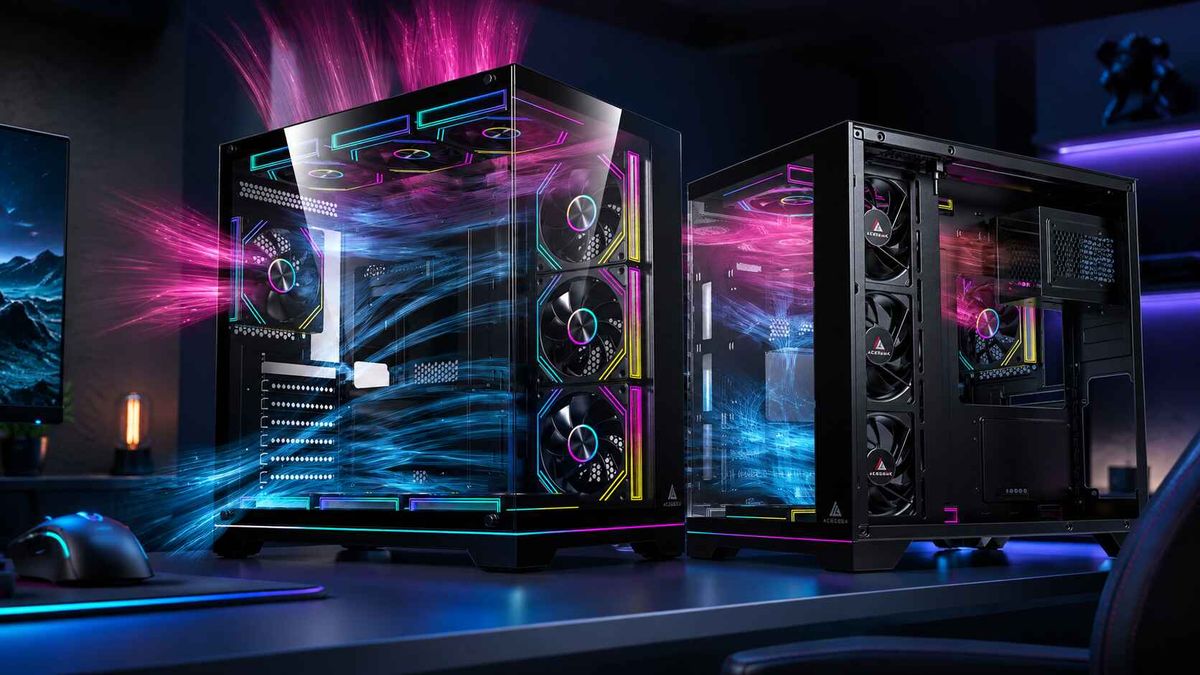
Panoramic cases often combine large front and side glass panels with dedicated side or bottom ventilation.
Their cooling performance depends on the effectiveness of those alternative airflow paths.
Closed-Front PC Cases
A closed-front PC case uses a mostly solid front panel, commonly made from steel, plastic, or a combination of materials.
Some models incorporate sound-dampening material to reduce the amount of noise escaping directly through the panel.
However, the case still needs ventilation.
Outside air may enter through openings along the panel edges, beneath the front cover, or through other chassis sections.
A closed-front case with insufficient intake area can restrict cooling under demanding workloads.
The choice should therefore depend on the complete ventilation design, not simply whether the front panel is solid.
Mesh vs Glass vs Closed PC Cases: Quick Comparison
FeatureMesh-Front CaseGlass-Front / Panoramic CaseClosed-Front CaseMain advantageDirect intake ventilationComponent visibilityPotential acoustic isolationMain limitationLess passive sound isolation at the intakeRequires alternative intake pathsMay restrict incoming airTypical intakeFront meshSide, bottom, or front-side slotsHidden front-side or other ventsGPU coolingOften straightforwardCan benefit from direct bottom intakeDepends on intake restrictionsCPU air coolingOften suits front-to-rear airflowDepends on side intake configurationDepends on available ventilationAIO radiator optionsCommonly front or topFrequently side or topDepends on chassisDust managementFilter quality and airflow balance matterSide/bottom filter access mattersDust still enters through intake ventsNoiseDepends on airflow and fan speedDepends on fan layout and panel designMay reduce direct sound leakageAppearanceFunctional, often with glass sideShowcase-orientedMinimalistUseful starting applicationPerformance-focused gamingRGB showcase and panoramic buildsQuiet productivity or selected gaming systems
These are common design characteristics rather than guaranteed performance results.
A well-designed panoramic case can outperform a restrictive mesh case.
Similarly, a properly ventilated closed-front case can operate quietly without compromising practical cooling requirements.
The correct comparison must consider the complete chassis.
Mesh-Front PC Cases: When Airflow Is the Priority
Mesh-front PC cases are a popular choice for gaming systems because their intake fans can draw air through a relatively open front surface.
A direct intake path can reduce the resistance encountered by the fans.
This becomes particularly useful when the graphics card generates substantial heat during long gaming sessions.
Why Mesh Can Improve Cooling
Many gaming GPUs use open-air heatsinks.
Their fans draw cooler air through the heatsink and release much of the resulting heat into the case.
The chassis must continuously replace that heated air.
In a mesh-front design, lower intake fans can potentially provide fresh outside air toward the graphics card.
Upper intake fans may support CPU cooling and the surrounding motherboard area.
Rear or top exhaust fans then help remove heated air.
A conventional starting configuration is:
Two front intake fans.
One rear exhaust fan.
Optional additional intake or top-rear exhaust fans where testing supports them.
Noctua recommends similar starting arrangements in its official case airflow guide.
Does Every Mesh Case Provide Good Cooling?
No.
The word "mesh" does not guarantee unrestricted airflow.
A mesh panel can still have:
Small ventilation openings.
Dense secondary filters.
Restrictive internal brackets.
Poorly positioned intake fans.
Limited clearance between fans and the outer panel.
The same case may also have a poorly positioned GPU or limited exhaust ventilation.
For this reason, intake design should be evaluated as a complete airflow path.
For a more technical explanation, see our guide to how front panel design affects PC case cooling.

When Should You Choose Mesh?
A mesh-front case is often an attractive choice when:
The GPU has a substantial sustained heat load.
You use a large tower CPU air cooler.
You want straightforward front-to-rear airflow.
The room temperature can be relatively warm.
Cooling performance matters more than an uninterrupted glass front.
You prefer a configuration that does not require many additional fans.
Mesh is a useful default for performance-oriented builds, but the exact model should still be evaluated for noise, component compatibility, and cooling efficiency.
Glass-Front PC Cases: Can You Have Style and Effective Cooling?
Tempered glass PC cases are popular because they allow builders to display their hardware.
A panoramic design can showcase the graphics card, RGB lighting, memory, motherboard, and liquid-cooling system through large transparent panels.
But the presence of glass does not automatically create a cooling problem.
What matters is whether the case provides an effective way for outside air to reach the components.
How Panoramic Cases Replace Front Intake
Many panoramic designs position intake fans along the side of the main chamber or beneath the graphics card.
A common arrangement uses:
Side fans as intake.
Bottom fans as intake.
Top fans as exhaust.
Rear exhaust where supported.
This layout allows cooler outside air to enter through openings that are not covered by the glass front panel.
Bottom intake can be particularly useful when the graphics card draws air from below.
Side intake can supply the motherboard and CPU cooling area.
However, each location needs appropriate external ventilation.
For example, bottom intake fans may receive insufficient air if the case sits on thick carpet or has restrictive filters.
What Does Independent Testing Show?
GamersNexus tested the Lian Li O11 Dynamic XL, a case with a glass-front design and alternative fan mounting locations.
In its standardized configuration, the case achieved approximately 46.7°C GPU temperature above ambient under its GPU torture workload.
The reviewers attributed much of this result to the effective bottom intake arrangement.
Source: GamersNexus — Lian Li O11 Dynamic XL Review.
This measurement is specific to the test configuration.
It does not mean every glass-front case will produce similar temperatures.
However, it demonstrates that a sealed glass front does not automatically prevent a case from providing effective GPU cooling.
When Should You Choose Glass?
A glass-front or panoramic case may be appropriate when:
You want a showcase-oriented gaming system.
You prefer an RGB-focused design.
The case provides suitable side or bottom ventilation.
Your GPU has adequate intake clearance.
The available fan and radiator positions match your cooling plan.
You are willing to manage additional cables and filters if required.
For more detailed build guidance, read our article on balancing aesthetics and cooling in tempered glass PC cases.
The best panoramic case is not necessarily the one with the most glass or fan mounts.
It is the one that combines the desired appearance with an effective cooling layout.
Closed-Front PC Cases: Are They Actually Quieter?
Closed-front cases are often associated with low-noise computing.
A solid front panel can reduce the direct path through which some fan noise escapes.
Some designs also use sound-dampening materials to reduce panel vibration or sound transmission.
However, the relationship between enclosure design and noise is more complicated.
A case can block some sound while also restricting the airflow available to the cooling fans.
If the CPU or GPU becomes warmer, the system's automatic fan controls may increase fan speed.
That can reduce or eliminate the acoustic advantage of the closed panel.
Fixed Fan Speed vs Equal Noise
Consider two cases using comparable cooling hardware.
At the same fan speed, a closed-front case may release less direct fan noise.
However, it may also produce higher component temperatures because the fans receive less air.
If both cases are adjusted to achieve similar CPU or GPU cooling, the closed-front model may need higher fan speeds.
The resulting noise difference can be smaller than expected.
This is why acoustic measurements should be considered alongside cooling performance.
Do Sound-Dampening Panels Help?
Sound-dampening materials can help reduce certain types of noise.
However, they cannot eliminate:
Fan bearing noise.
Strong airflow turbulence.
Mechanical rattling.
GPU coil whine.
Noise from fans operating at unnecessarily high speeds.
A quiet PC therefore depends on several factors, including fan quality, airflow resistance, component power consumption, and mechanical construction.
Can Closed-Front Cases Support High-Performance Hardware?
Yes, when the model provides sufficient ventilation and cooling capacity.
A solid front panel does not impose a universal GPU wattage limit.
Some closed-front cases have generous side intake openings, large internal fans, or configurable ventilation panels.
For example, Fractal Design's Define 7 Nano uses sound-dampened panel construction and allows the top panel to be changed between a closed steel configuration and a ventilated configuration.
Source: Fractal Design Define 7 Nano.
This illustrates how some case designs offer flexibility between acoustic isolation and additional ventilation.
The cooling capabilities of a particular closed-front model should be verified using independent testing rather than assumptions based on appearance.
What Independent Testing Reveals About Cooling and Noise
One of the clearest comparisons comes from GamersNexus's testing of the Corsair 4000D and 4000D Airflow.
These cases share nearly identical internal structures but use different front panel designs.
The standard 4000D has a more restrictive solid front panel.
The Airflow model uses a ventilated front panel.
Thermal Results
Using the included fans, GamersNexus measured:
Measurement4000D Solid Front4000D AirflowCPU temperature above ambient59°C50°CGPU temperature above ambient55°C51°CCase noise at full fan speed36.8 dBA37.4 dBA
Source: GamersNexus — Corsair 4000D vs 4000D Airflow.
In this test, the ventilated front panel produced a substantially lower CPU temperature rise and a smaller but meaningful GPU improvement.
However, it also allowed slightly more measured noise to escape at the tested full fan speed.
What Happened at Equal Noise?
GamersNexus also adjusted fan speeds to compare the cases at approximately 36 dBA.
The results were:
Measurement4000D Solid Front4000D AirflowNormalized noise level36 dBA36 dBACPU temperature above ambient61°C54°CGPU temperature above ambient56°C53°C
The ventilated case maintained lower component temperatures at the same measured system noise level.
This comparison explains why a less restrictive case can be useful even when the goal is quiet operation.
However, the results apply to these specific cases and test conditions.
They should not be used to predict a fixed temperature or noise difference between every mesh, glass, and closed case.
The broader lesson is that airflow efficiency and acoustic performance should be evaluated together.
Which PC Case Design Is Best for Dust Control?
Dust management is another important purchasing consideration.
A common assumption is that a closed-front PC case automatically collects less dust than a mesh case.
That is not necessarily true.
Dust enters through the openings used to supply air to the computer.
The amount and location of dust accumulation depend on ventilation, filtration, airflow pressure, room conditions, and maintenance.
Mesh Cases and Dust Filters
Mesh-front cases may have large intake openings, but these can be paired with removable dust filters.
Filtered intake helps collect dust before it reaches internal components.
However, the filters gradually accumulate debris.
If they become heavily clogged, airflow resistance increases.
Regular cleaning is therefore important.
Glass Cases and Hidden Intake
Panoramic cases often place their filters beneath the chassis or behind side ventilation panels.
These locations may be less visible than conventional front filters.
Check whether the filters can be removed without dismantling the entire computer.
A bottom filter that requires moving a heavy PC every time it needs cleaning may be inconvenient.
Closed Cases and Unfiltered Gaps
A closed front panel does not make a computer airtight.
Air must still enter somewhere.
If the case operates with negative pressure, replacement air may be drawn through unfiltered gaps.
This can increase dust accumulation in unexpected areas.
Slight positive pressure through filtered intake openings may help control this behavior, but actual pressure depends on airflow rather than fan count alone.
Which Is Easier to Maintain?
The answer depends on the exact case.
Look for:
Easily removable filters.
Accessible intake openings.
Cleanable ventilation grilles.
Enough space around fans and radiators.
Panels that can be removed safely.
A practical dust-management system is more valuable than choosing a particular front-panel material.
Which PC Case Should You Choose for Your Workload?
Different workloads place different demands on CPU and GPU cooling.
Use the following recommendations as starting points.
PC WorkloadUseful Starting ChoiceMain PriorityMainstream gamingMesh front or ventilated glassEffective GPU intakeHigh-power gamingAirflow-focused mesh or proven panoramic designSustained GPU coolingRGB showcase buildPanoramic glassVisibility and alternative intakeCPU rendering workstationWell-ventilated mesh or glass caseSustained CPU coolingQuiet office PCClosed-front or quiet airflow caseLow noise under typical loadLiving-room PCCompact ventilated or closed-front designSpace, noise, and ventilationMixed gaming and productivityIndependently tested ventilated caseBalanced CPU/GPU temperatures
These suggestions are not restrictions.
A closed-front case can cool demanding hardware when it has sufficient ventilation.
A mesh-front case can be quiet.
A panoramic glass case can support powerful gaming components.
The final decision should consider the exact model rather than the category alone.
Real PC Case Examples: ACEGEEK Tempest A370 vs Horizon
Two ACEGEEK models illustrate different approaches to ventilation and component presentation.
ACEGEEK Tempest A370: Traditional Mesh-Front Cooling
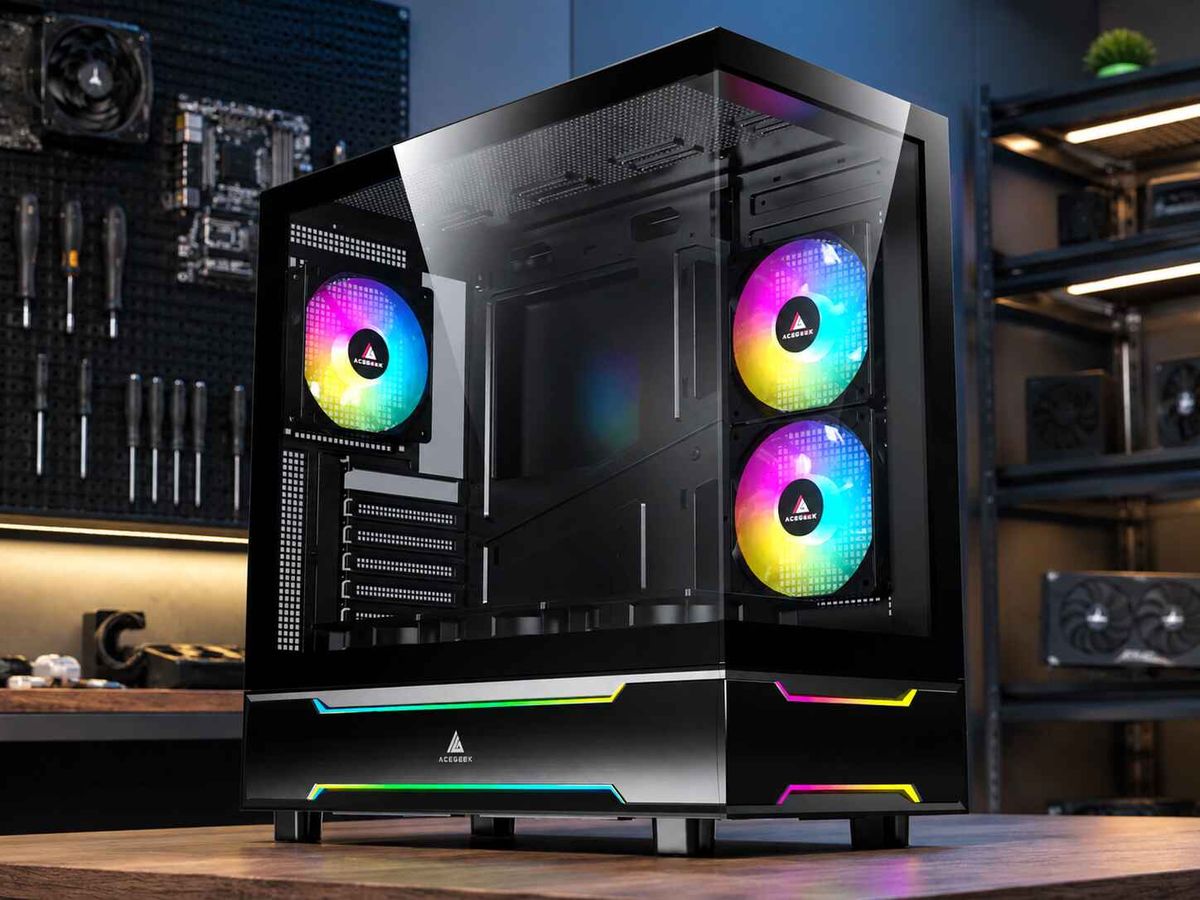
The ACEGEEK Tempest A370 uses a mesh-front design with a hinged tempered glass side panel.
Its published specifications include:
SpecificationACEGEEK Tempest A370Case dimensions370 × 210 × 435mmMotherboard supportATX / M-ATX / ITXMaximum GPU clearance360mmMaximum CPU cooler height160mmFront fan support3 × 120mmRear fan support1 × 120mmTop fan support2 × 120mmFront radiator support360mm AIO
The Tempest A370 demonstrates how a case can provide a glass viewing panel while maintaining a conventional mesh-front intake path.
Its fan mounting arrangement supports a straightforward front-to-rear airflow configuration.
However, these specifications do not establish actual cooling performance for every installed GPU or CPU cooler.
ACEGEEK Horizon: Alternative Side and Bottom Intake
The ACEGEEK Horizon uses a different case layout, emphasizing component visibility and alternative fan positions.
Its official specifications include:
SpecificationACEGEEK HorizonCase dimensions425 × 280 × 435mmMotherboard supportATX / M-ATX / ITXMaximum GPU clearance410mmMaximum CPU cooler height165mmSide fan support3 × 120mmBottom fan support3 × 120mmRear fan support1 × 120mmSide radiator support360mm AIO
The Horizon provides side and bottom fan locations that can be used to plan intake airflow without relying on a conventional mesh front.
This makes it relevant to builders who prefer a more visible hardware layout.
However, the published fan and radiator mounting specifications do not guarantee that every combination of graphics card, radiator, and fans will fit simultaneously.
Actual temperatures also depend on fan performance, ventilation resistance, and the complete system configuration.
What Can Buyers Learn From These Two Cases?
The Tempest A370 and Horizon represent different ventilation approaches.
The Tempest A370 offers a traditional front intake layout with a glass side panel.
The Horizon provides additional options for side and bottom intake with a showcase-oriented design.
Neither specification sheet independently proves which case produces lower GPU temperatures or less noise.
They demonstrate why comparing actual ventilation and compatibility is more useful than classifying cases only by their exterior materials.
How to Choose the Right PC Case Before Buying
Before selecting a mesh, glass, or closed-front chassis, verify the following requirements.
Step 1: Identify Your Hardware's Cooling Requirements
Check the CPU and GPU specifications.
Consider whether your workloads place sustained demand on the processor, graphics card, or both.
A high-performance gaming PC may benefit from direct GPU intake.
A CPU-intensive workstation may prioritize radiator or tower-cooler airflow.
Step 2: Examine the Actual Intake Path
For mesh cases, inspect the front ventilation and filters.
For panoramic cases, inspect the side and bottom intake openings.
For closed cases, determine where outside air enters and whether the openings provide sufficient ventilation.
Do not use the number of included fans as the only measure of cooling capability.
Step 3: Verify Component Compatibility
Confirm:
Motherboard form factor.
Full GPU dimensions and power cable space.
Maximum CPU air cooler height.
Radiator mounting and thickness clearance.
Power supply dimensions.
Cable-management space.
Fan and controller compatibility.
Front I/O connectivity.
A physically larger case does not automatically offer better cooling or fit every component.
For a comprehensive selection process, read our guide to choosing your first PC case by size, airflow, and budget.
Step 4: Compare Cooling at Similar Noise Levels
When possible, prioritize independent case reviews with controlled thermal and acoustic testing.
Temperature results are most useful when workload, ambient temperature, and fan conditions are comparable.
Noise-normalized testing can help determine which case provides better cooling without requiring louder fans.
Step 5: Check Maintenance and Placement
Determine whether dust filters and panels are easy to access.
Check the external space available around the case.
A well-ventilated chassis can still struggle if its intake or exhaust openings are blocked by furniture.
For more information, see our guide to PC case ventilation clearance around walls and desks.
How to Test Whether Your PC Case Has Enough Airflow
After building the PC, verify whether the case maintains suitable temperatures during realistic workloads.
Record a Thermal Baseline
Run a repeatable game benchmark or sustained productivity workload.
Keep the case fully assembled with its normal filters and panels installed.
Monitor:
MeasurementPurposeCPU package temperatureEvaluates processor coolingCPU package powerProvides CPU workload contextGPU core temperatureEvaluates GPU coolingGPU hotspot temperatureProvides additional GPU thermal informationGPU power consumptionConfirms comparable GPU loadGPU fan RPMShows graphics-card cooling demandCase fan RPMConfirms fan-control behaviorRoom temperatureAccounts for environmental differencesSystem noiseEvaluates acoustic performance
Allow enough time for temperatures to approach stable conditions.
Check for Ventilation Restrictions
If temperatures or fan speeds appear unusually high, inspect the case's intake path.
Check for clogged filters, incorrect fan orientation, obstructed vents, and insufficient external clearance.
If the manufacturer permits safe front-panel removal, a temporary diagnostic comparison may help reveal whether the panel restricts cooling.
Shut down and disconnect power before removing the panel, and do not operate with unsecured glass or exposed hazards.
Repeat the same workload under comparable conditions.
A consistent improvement with the intake panel removed may indicate an airflow restriction.
However, running without the panel should not automatically become a permanent cooling solution.
Evaluate Temperature and Noise Together
A useful improvement may appear as lower temperatures at similar fan speeds.
It may also appear as similar temperatures with lower GPU or case fan RPM.
That second outcome can provide a quieter system even when the displayed temperature changes very little.
If the current configuration already maintains stable performance, suitable temperatures, and acceptable noise, additional fans or case modifications may not be necessary.
Frequently Asked Questions
1. Why Is My Closed-Front PC Case Louder During Gaming?
A closed-front case may block some direct fan noise, but its intake openings can also restrict airflow.
During gaming, higher internal temperatures may cause CPU, GPU, or case fans to operate faster.
The additional fan noise can reduce or eliminate the acoustic benefit of the solid panel.
Check GPU power consumption, fan RPM, intake ventilation, and sustained temperatures.
If airflow is restricted, improving the intake path may be more effective than adding sound-dampening material.
2. Can a Glass-Front PC Case Cool a High-Power GPU?
Yes, provided it has an effective source of fresh air and suitable exhaust ventilation.
Side and bottom intake fans can supply outside air to high-performance graphics cards even when the front panel is glass.
However, the effectiveness depends on fan positioning, ventilation area, filters, GPU clearance, and workload.
Before buying, check the exact GPU dimensions and look for independent thermal testing of the case.
A large number of RGB fans does not automatically guarantee adequate cooling.
3. Does a Mesh PC Case Collect More Dust?
Not necessarily.
A mesh case may have large intake openings, but properly designed dust filters can capture particles entering through those openings.
Dust accumulation also depends on airflow pressure, room conditions, and cleaning frequency.
A closed-front case can still collect dust through side vents and unfiltered gaps.
For easier maintenance, prioritize accessible intake filters and a ventilation layout that allows routine cleaning.
4. Can I Switch Between Solid and Ventilated Panels?
Some PC cases support interchangeable or configurable panels.
For example, selected Fractal Design Define models provide different top ventilation arrangements.
However, most cases do not support arbitrary panel replacement.
Before purchasing a replacement front or top panel, confirm compatibility with the exact case model.
An incompatible panel may interfere with mounting hardware, ventilation, or structural retention.
Do not assume that a mesh panel from another product in the same series will fit.
5. How Can I Tell Whether My Front Panel Restricts Airflow?
Begin by recording CPU and GPU temperatures, component power consumption, and fan speeds under a repeatable workload.
Inspect the front intake for clogged filters or blocked openings.
If the manufacturer supports safe panel removal, a temporary comparison with the front panel removed may help identify intake restrictions.
Keep all other test conditions as consistent as possible.
If cooling improves repeatedly with a less restricted intake, the front-panel design may be limiting airflow.
Do not interpret one small temperature difference as definitive evidence without considering ambient conditions and measurement variation.
6. Does a Tempered Glass Side Panel Make a PC Run Hotter?
Not automatically.
A tempered glass side panel does not necessarily affect cooling when the case receives air through a separate mesh front, side vent, or bottom intake.
The important issue is whether the glass blocks a ventilation opening or sits too close to a component that requires fresh air.
For example, a vertically mounted graphics card positioned very close to solid glass may experience restricted intake airflow.
However, a conventional graphics card in a well-ventilated mesh-front case can operate effectively with a glass side panel installed.
Choose the PC Case Design That Fits Your Priorities
Mesh, glass, and closed-front PC cases each offer different design advantages.
A mesh-front case provides a straightforward way to supply outside air to gaming components.
A panoramic glass case emphasizes hardware visibility while relying on carefully designed alternative intake paths.
A closed-front case may reduce certain types of noise, but it still needs sufficient ventilation to maintain suitable temperatures.
The most important factor is how effectively the complete chassis moves air around the CPU and GPU.
Before purchasing, check the intake openings, exhaust paths, graphics card clearance, CPU cooling compatibility, and maintenance access.
Then compare real thermal and acoustic test results whenever possible.
Do not assume that a case with more fans is better cooled, that a glass case must run hotter, or that a closed case will always be quieter.
Choose the PC case that delivers the cooling your hardware needs, the noise level you prefer, and the appearance you want—without forcing unnecessary compromises.