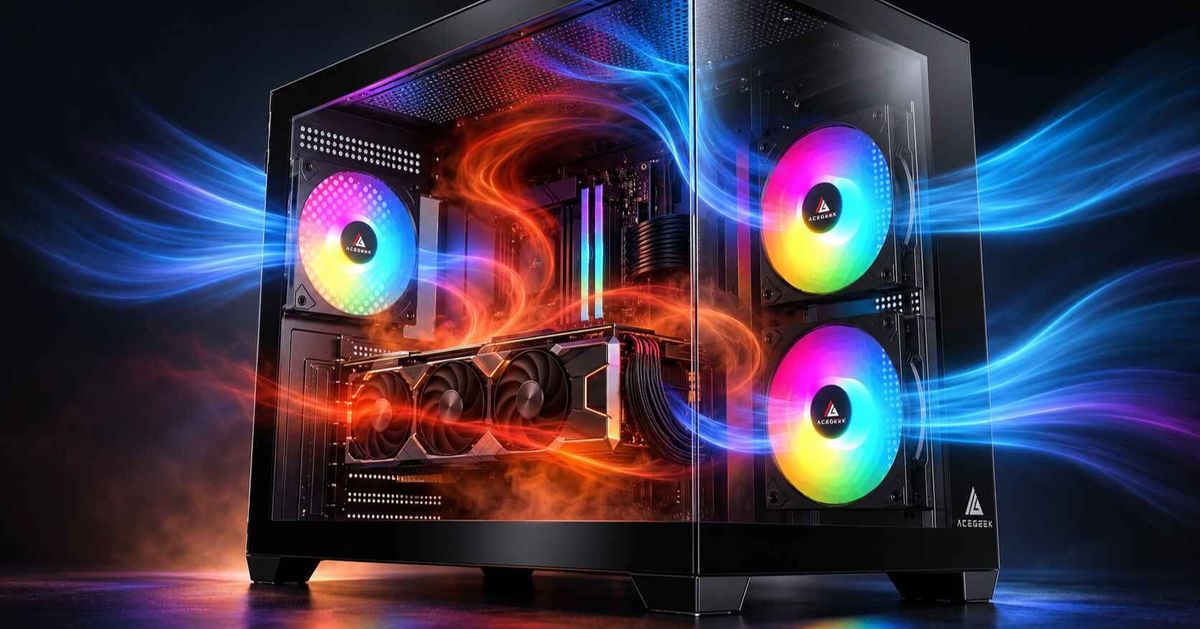
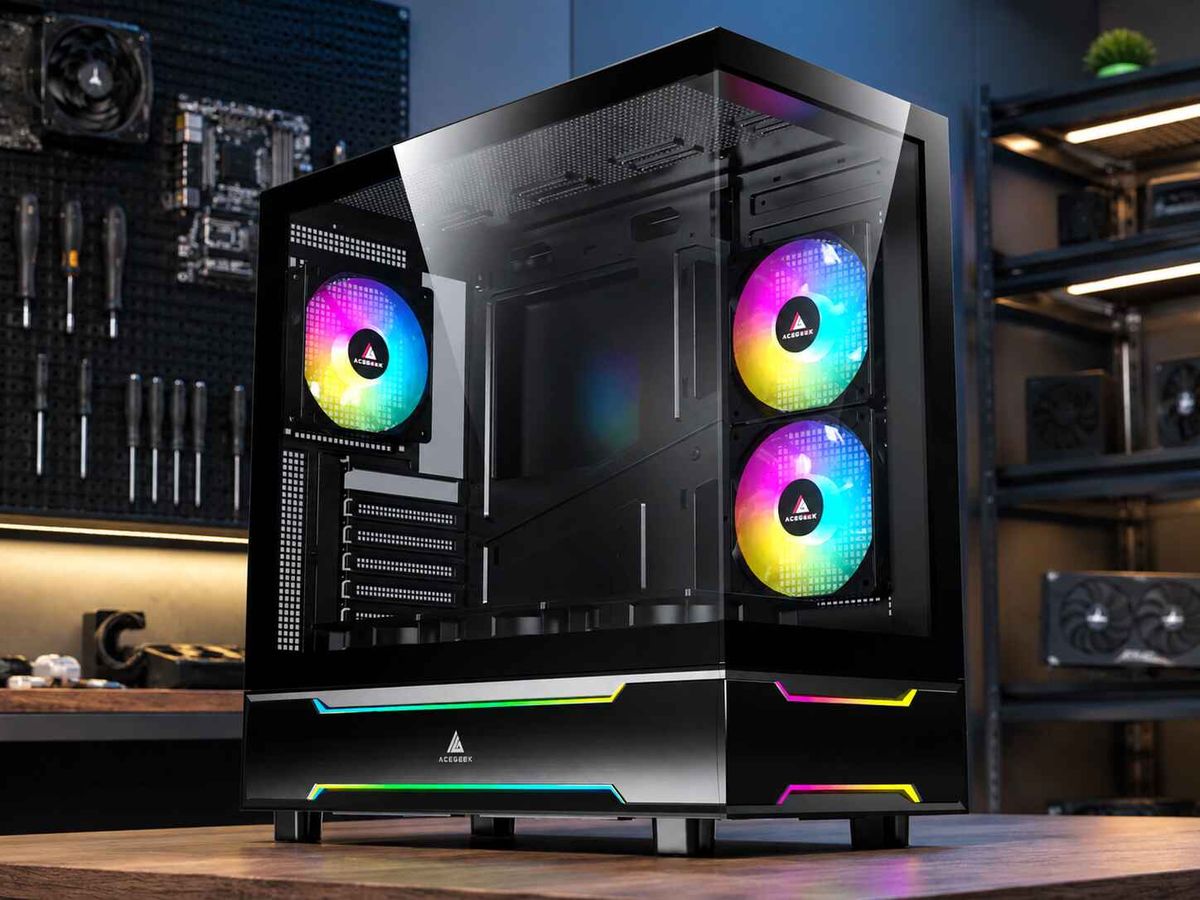
GPU-Focused Airflow: Why It Matters and How to Choose the Right PC Case
A PC case can support eight cooling fans and still struggle to keep a powerful graphics card cool.
The problem is not always the number of fans. It is how effectively fresh air reaches the GPU and how easily heated air leaves the chassis.
Modern graphics cards can generate substantial heat during gaming, rendering, and other demanding workloads. While traditional PC airflow layouts often emphasize front intake and rear exhaust, newer case designs increasingly provide additional airflow paths around the graphics card.
This approach is known as GPU-focused airflow.
Features such as bottom intake fans, side ventilation, perforated PSU shrouds, and dedicated GPU clearance are becoming important considerations when choosing a PC case.
However, not every case advertised as having improved GPU cooling will necessarily deliver better thermal results.
Understanding how these designs work can help you choose a chassis that provides effective cooling without unnecessary noise, wasted fan positions, or installation complications.
What Is GPU-Focused Airflow?
GPU-focused airflow is a PC case cooling approach that prioritizes the movement of fresh outside air toward the graphics card.
Instead of treating all internal components as though they receive air from the same path, this design considers the GPU's location, cooler orientation, and heat output.
Most modern gaming graphics cards use open-air coolers with multiple axial fans.
These fans draw air into the GPU heatsink, where heat is transferred from the graphics processor and surrounding components.
Much of that heated air is then released into the case interior rather than directly outside the chassis.
Without an effective ventilation path, some of this warm air can circulate back toward the graphics card.
This reduces the temperature difference between the GPU heatsink and the surrounding air, potentially making cooling less efficient.
A GPU-focused case attempts to address this through three basic principles:
Fresh air delivery: Provide a low-resistance intake path toward the GPU cooler.
Reduced recirculation: Limit the amount of heated air returning to the GPU intake.
Effective exhaust: Allow heated air to leave the chassis without unnecessarily obstructing incoming airflow.
The objective is not to direct every case fan toward the graphics card.
It is to create a balanced airflow path that supports the GPU while maintaining adequate cooling for the CPU and other components.
Why Are Graphics Cards Changing PC Case Airflow Design?
Graphics card power consumption is one important reason that manufacturers are reconsidering case ventilation.
NVIDIA lists the GeForce RTX 5080 at 360W Total Graphics Power (TGP) and the RTX 5090 at 575W TGP.
These are rated reference specifications rather than measurements of constant power consumption during every workload.
Nevertheless, they illustrate the substantial cooling demands that high-performance GPUs can place on a desktop system.
Most electrical power consumed by a graphics card ultimately becomes heat that must be transferred into the surrounding environment.
For an open-air GPU cooler, a significant portion of this heat enters the case interior.
If the chassis cannot efficiently replace heated air with cooler outside air, the graphics card may need to increase its fan speed to maintain suitable operating temperatures.
This can affect:
GPU core temperature.
GPU hotspot temperature.
Graphics card fan noise.
Sustained boost behavior.
Temperatures of nearby components.
However, GPU power consumption alone does not determine whether a particular case provides sufficient cooling.
Two graphics cards with similar power ratings can have different cooler designs, airflow requirements, and thermal behavior.
The case's internal geometry matters as well.
A lower-power GPU inside a restrictive compact chassis may experience greater airflow limitations than a higher-power model installed in a spacious, well-ventilated case.
For a more detailed buying approach, see our guide to choosing a PC case based on GPU power draw.
Three GPU Airflow Designs Worth Understanding
GPU-focused cooling does not require one specific case layout.
Bottom, side, and front intake configurations can all work effectively when implemented correctly.
Each design has different advantages and limitations.
1. Bottom Intake: Delivering Air Beneath the GPU
Bottom intake fans are installed underneath the graphics card, drawing outside air upward into the case.
This creates a relatively direct intake path toward the fans of a horizontally mounted GPU.
In a suitable chassis, the arrangement can reduce the distance incoming air must travel before reaching the graphics-card cooler.
Bottom intake can be particularly useful in dual-chamber and panoramic cases that provide dedicated ventilation beneath the motherboard compartment.
However, effectiveness depends on several details.
The case must have adequate clearance underneath its bottom panel.
Dust filters should not create excessive restriction.
The PSU shroud, fan tray, and surrounding structures must also allow air to reach the GPU.
If the case sits directly on thick carpet or has very little clearance beneath its intake openings, airflow can be restricted.
Bottom fans also need sufficient space between their outlets and the graphics-card intake.
Adding fans immediately beneath a GPU does not automatically guarantee an improvement.
2. Side Intake: Supplying Air Across the GPU Zone
Side intake fans are usually installed beside the motherboard area.
This configuration is common in panoramic cases where the front panel is made of glass rather than mesh.
Side-mounted fans can supply outside air to the graphics card and surrounding components without relying entirely on a traditional front intake.
Their effectiveness depends on the position of the side vents relative to the GPU.
For example, a lower side intake may provide useful fresh air near the graphics card.
However, the same fans can also redirect airflow toward the CPU or upper exhaust openings.
That means side intake should be evaluated as part of the complete cooling arrangement.
If you are planning a glass-front build, our guide to configuring side intake in a panoramic PC case explains the main installation considerations.
3. Front Mesh Intake: The Traditional Design Still Works
A well-designed mesh-front case can deliver excellent GPU cooling.
The traditional front-to-back airflow concept is not obsolete.
A spacious mesh panel with properly positioned intake fans can supply fresh air to both the GPU and CPU cooling zones.
In many conventional mid-tower cases, lower front intake fans help feed the graphics card, while rear and top exhaust fans remove heated air.
The limitation appears when the front panel significantly restricts airflow.
Dense filters, narrow side vents, decorative covers, and internal obstructions can reduce the amount of air reaching the graphics card.
A case may have three front fans but still provide poor GPU intake if the fans cannot draw enough outside air.
The useful distinction is therefore not simply front intake versus bottom intake.
It is whether the chosen layout creates an effective, low-resistance airflow path.
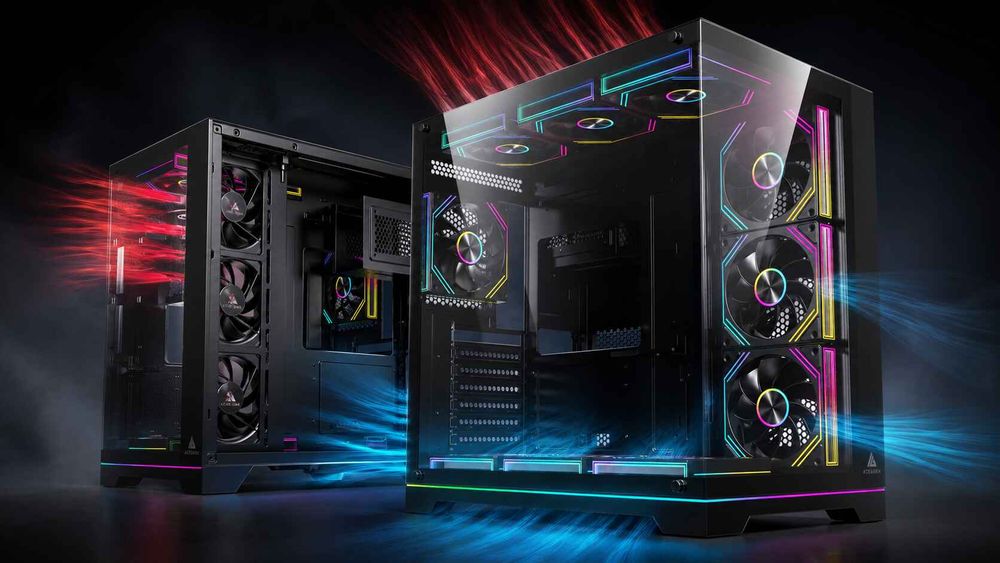
GPU Intake Layout Comparison
Intake ConfigurationMain AdvantagePotential LimitationBottom intakeDirect airflow toward a horizontal GPUFloor clearance and filter restrictionsSide intakeUseful alternative to a glass front panelAirflow direction depends on layoutFront mesh intakeSimple, effective whole-case ventilationPerformance depends on panel opennessCombined side and bottom intakeMultiple potential GPU air supply pathsRequires balanced fan positioning
There is no universally superior arrangement.
The best configuration depends on the case design, GPU cooler, radiator location, and available ventilation.
What Features Actually Improve GPU Cooling in a PC Case?
A GPU-focused design should offer more than extra fan mounting locations.
When evaluating a new case, pay attention to how the physical structure supports airflow.
Unrestricted Intake Openings
Large ventilation areas allow case fans to draw air with less resistance.
Mesh panels, bottom vents, and perforated side sections can be useful when they provide sufficient open area.
However, the appearance of mesh does not guarantee low airflow resistance.
The underlying frame, filter, and panel geometry also matter.
Adequate Space Around the Graphics Card
A large GPU needs more than enough room to fit inside the chassis.
Its fans also require space to draw air effectively.
Thick graphics cards may sit close to the PSU shroud, side panel, or neighboring components.
This can restrict the airflow entering the cooler.
Pay particular attention to:
GPU length and width.
Card thickness and slot occupancy.
Clearance beneath the GPU fans.
Power connector routing.
Vertical GPU mounting distance from the side panel.
A vertically mounted graphics card positioned too close to glass can experience restricted intake airflow.
Check the available clearance before choosing a mounting orientation.
Useful Exhaust Ventilation
Fresh-air intake is only one part of the cooling process.
Heated air must also leave the chassis.
Rear exhaust fans and appropriately positioned top exhaust fans can help remove heat released by the GPU and other components.
However, adding exhaust fans without considering their position can change the internal airflow path.
In some configurations, a top-front exhaust fan may remove incoming cool air before it reaches the components that need it.
This is why airflow direction and positioning should be tested rather than assumed.
Proper Cable and Component Clearance
Power cables, storage brackets, fan hubs, and radiator tubing can interfere with airflow when placed directly in an important intake path.
Cable management does not have to be visually perfect to support good cooling.
The practical objective is to avoid blocking ventilation openings and fan outlets.
For modern high-power graphics cards, also ensure adequate room for the power connector and its required cable routing.
Follow the graphics-card and connector manufacturers' instructions rather than forcing a tight cable bend against the side panel.
How Does Radiator Placement Affect GPU-Focused Airflow?
Installing an all-in-one CPU liquid cooler introduces another consideration.
A front-mounted intake radiator draws outside air through radiator fins before that air enters the main compartment.
This can provide favorable intake air conditions for CPU cooling.
However, the radiator also creates airflow resistance and transfers CPU heat into the incoming air.
For a GPU-heavy gaming build, this may increase the temperature of air reaching the graphics card.
The impact depends on CPU power consumption, radiator design, fan speed, and whether the case provides alternative intake paths.
A top-mounted exhaust radiator creates a different trade-off.
It generally allows front or side intake fans to supply outside air more directly to the graphics card.
However, the radiator may receive warmer air from inside the case, which can affect CPU cooling performance.
Neither installation is automatically better.
A Practical Example
Consider a system with a powerful open-air graphics card and a 360mm CPU radiator.
Layout A: Front Radiator Intake
Outside air passes through the CPU radiator before entering the case.
This may favor CPU radiator cooling, but some of the intake air reaching the GPU has already absorbed heat.
Layout B: Top Radiator Exhaust With Direct GPU Intake
Front, side, or bottom fans supply outside air toward the GPU.
The CPU radiator exhausts through the top panel.
This may provide the graphics card with a more direct intake path, although CPU radiator intake air can be warmer.
The preferred layout depends on the system's workload and the temperatures of both components.
Radiator thickness also affects installation clearance.
Before combining a large GPU with a front or side radiator, check our guide to GPU and radiator clearance in tight chassis designs.
How Can You Tell Whether a PC Case Has Good GPU Airflow?
A product page may advertise multiple fans, large mesh panels, and support for high-end graphics cards.
Those specifications are useful, but they do not directly prove cooling performance.
A stronger evaluation considers both physical design and measurable thermal behavior.
Check the GPU's Actual Air Intake Path
Imagine the case with all components installed.
Where does outside air enter?
Can it reach the graphics-card fans without passing through major restrictions?
Where does the hot air go after leaving the GPU heatsink?
If the airflow path is difficult to identify, the case may need closer inspection.
Look for Independent Thermal Testing
Independent case reviews can reveal differences that specifications cannot.
For example, GamersNexus has demonstrated through case airflow testing that fan positions can redirect intake air toward different components, changing CPU and GPU thermal results.
See the GamersNexus HAVN BF 360 Flow case analysis for a detailed example of airflow-path testing.
When comparing case reviews, pay attention to:
GPU temperature above ambient.
GPU fan speed during testing.
Standardized workloads.
Case fan configurations.
Noise-normalized thermal performance.
Whether the side panels and dust filters were installed.
These details are more meaningful than fan count alone.
Evaluate Case Specifications as Design Potential
For example, the ACEGEEK LunarisFlow lists support for up to three 120mm or 140mm bottom fans and three 120mm or 140mm side fans, along with a maximum GPU clearance specification of 400mm.
These features provide flexibility for planning GPU intake airflow.
However, available fan positions and clearance specifications should not be mistaken for verified thermal performance.
Actual results still depend on the installed fans, GPU design, cooling configuration, and operating conditions.
How to Improve GPU Airflow Without Replacing Your PC Case
If you already own a case, replacing it should not always be the first step.
Many cooling problems can be investigated through smaller adjustments.
Step 1: Establish a Thermal Baseline
Run a repeatable gaming or GPU-intensive workload.
Record GPU temperature, hotspot temperature if available, GPU power consumption, fan speed, and room temperature.
Allow the system enough time to reach a relatively stable operating condition.
Keep the case closed and dust filters installed during the baseline test.
Step 2: Inspect the Intake Path
Check whether the graphics card has a clear supply of outside air.
Look for dust buildup, blocked ventilation panels, loose cables, or components positioned directly in front of the GPU intake.
Clean filters and ventilation openings according to the case manufacturer's instructions.
Step 3: Review Case Fan Positioning
Check whether available intake fans are supplying the lower portion of the chassis.
If the case supports additional bottom or side fans, those locations may be worth testing.
Do not automatically install fans in every available position.
A new fan can change airflow distribution, and the result may vary depending on the existing setup.
Step 4: Balance CPU and GPU Cooling
Improving GPU airflow should not come at the expense of unacceptable CPU temperatures.
Monitor both components when adjusting fan positions or radiator configurations.
For example, increasing bottom intake may help a graphics card, but the overall airflow change should still be evaluated under combined CPU and GPU workloads.
Our guide to balancing CPU cooling and GPU airflow in the same system explains how to approach these competing cooling requirements.
Step 5: Compare Results Under Similar Conditions
Repeat the original workload after each meaningful adjustment.
Try to keep GPU power, ambient temperature, workload duration, and fan settings comparable.
If GPU temperatures decrease while fan speed and power consumption remain similar, the change may indicate improved cooling.
If temperatures remain unchanged but GPU fan speed drops, the airflow adjustment may still have improved acoustic performance.
Avoid changing several variables at once, because doing so makes it harder to identify which adjustment produced the result.
Frequently Asked Questions
1. Can Adding Bottom Case Fans Make GPU Cooling Worse?
Yes, in some configurations.
Bottom intake fans can improve fresh-air delivery to a horizontally mounted GPU, but their effectiveness depends on fan positioning, intake clearance, and the GPU cooler design.
Poorly positioned fans may create turbulence or alter airflow distribution without improving cooling.
Compare temperatures and noise before and after installation rather than assuming that additional fans will always help.
2. Why Are My GPU Fans Loud Even When the Core Temperature Looks Normal?
A graphics card can produce noticeable fan noise while maintaining an acceptable GPU core temperature.
Possible explanations include a relatively aggressive GPU fan curve, high hotspot or memory temperatures, high sustained power consumption, or restricted case intake airflow.
The fans may be operating faster to maintain the displayed temperature.
Check GPU power, core temperature, hotspot temperature where supported, fan RPM, and the case's ventilation path.
3. Does Vertical GPU Mounting Reduce Cooling Performance?
It can.
A vertically mounted GPU may receive less intake air if its fans sit close to a solid glass side panel.
However, a vertical mount with sufficient clearance and well-positioned ventilation can perform effectively.
The result depends on the mounting bracket, card thickness, case width, and intake design.
Verify compatibility and available breathing room before choosing a vertical GPU layout.
4. Is GPU-Focused Airflow Worth Considering for Midrange Graphics Cards?
Yes, although the cooling requirements may be less demanding.
A midrange GPU can still benefit from direct fresh-air intake, particularly in compact or restrictive cases.
However, it may not require an elaborate bottom and side fan configuration.
A well-ventilated mesh-front case with an appropriate number of fans may already provide sufficient cooling.
Choose the airflow layout according to actual heat output and case design rather than assuming every system needs the same configuration.
5. Should Case Fan Speed Follow GPU Temperature or CPU Temperature?
The most useful control sensor depends on the fan's location and the system workload.
For gaming systems where the graphics card generates substantial heat, GPU-based control can be useful for intake fans supplying the graphics card.
CPU radiator fans may be better controlled using CPU temperature or coolant temperature, depending on the available hardware.
Some controllers support combined temperature inputs.
Ensure that the chosen controller and software support the intended sensor, and maintain the required cooling safeguards for every component.
6. How Can I Test Whether Better Case Airflow Is Actually Helping My GPU?
Use a consistent GPU-intensive workload and record temperature, power consumption, fan speed, and ambient conditions.
After changing the fan configuration, repeat the same test under comparable conditions.
Look at sustained results rather than isolated temperature spikes.
An improvement may appear as a lower GPU temperature, reduced GPU fan speed at similar temperatures, or more stable operating behavior.
Monitor CPU temperatures as well to ensure that the new airflow arrangement has not introduced another cooling problem.
Final Thoughts: Choose Airflow Design Over Fan Count
GPU-focused airflow is becoming an increasingly important part of PC case design because modern graphics cards can generate substantial amounts of heat inside the chassis.
Bottom intake, side ventilation, mesh panels, and more flexible radiator placement provide different ways to deliver fresh air toward the GPU.
However, these features are useful only when the complete airflow path works effectively.
The best PC case is not necessarily the one with the most fans or the largest number of ventilation openings.
It is the case that provides suitable component clearance, reliable fresh-air intake, effective exhaust, and balanced cooling for the hardware being installed.
Before purchasing a new chassis, check your graphics card's dimensions, power requirements, cooler orientation, and available intake paths.
If you already own a case, measure its cooling behavior before making major changes.
Explore the ACEGEEK PC case collection to compare available chassis designs, GPU clearance specifications, radiator compatibility, and fan mounting options.