GPU and Radiator Clearance Math for Tight Chassis Designs
A graphics card does not care what the product page promised.
It cares about metal.
When a 304 mm GPU meets a case advertising 305 mm of GPU clearance, the specification technically says “compatible,” yet the builder still has to account for manufacturing tolerances, card insertion angle, front fans, cable covers, power-connector space, airflow, and the unpleasant possibility that removing the card later will require dismantling half the machine. Does that sound like a successful fit?
I call it mechanical debt.
The hard truth is that GPU clearance is not one measurement. It is a three-dimensional space budget involving card length, cooler thickness, card width, power-cable projection, radiator position, fan thickness, tubing, brackets, and the direction in which each component enters the chassis.
Before choosing hardware, start with AceGeek’s guide to choosing the right PC case for your build. Then stop reading clearance figures as isolated promises.
Start doing the math.
GPU Clearance Is an Equation, Not a Marketing Number
The basic front-radiator calculation looks simple:
Usable GPU length = Published case clearance − radiator intrusion − fan intrusion − bracket intrusion − reserve margin
But there is a catch.
You subtract a component only when it enters the same physical axis as the graphics card. A top-mounted radiator may reduce RAM, motherboard-heatsink, or CPU-block clearance without reducing GPU length at all. A side-mounted radiator may consume card-width space, tube-routing space, or intake volume rather than card length.
Wrong axis, wrong answer.
That distinction separates useful PC case compatibility analysis from someone blindly subtracting 52 mm because a case supports a radiator somewhere inside it.
The Three Axes You Must Measure
Length axis: Runs from the rear expansion slots toward the front of the case. Front radiators, front fans, reservoirs, drive cages, and cable covers can reduce this number.
Width axis: Runs from the motherboard toward the side panel. GPU width, power connectors, cable bends, vertical mounts, and side radiators compete here.
Thickness axis: Runs across the PCIe slots toward the case floor or PSU chamber. GPU cooler thickness, bottom fans, risers, and intake gaps compete here.
Length decides whether the card enters.
Thickness decides whether it breathes.
Width decides whether the panel closes without crushing a cable.
AceGeek’s small-case GPU compatibility checklist covers the broader component checks. Here, I am focusing on the arithmetic that catches bad combinations before checkout.
The Millimeter Budget Builders Usually Ignore
Most standard 120 mm fans are approximately 25 mm thick. Radiators vary more than many buyers realize.
ARCTIC lists its Liquid Freezer III 360 radiator at 398 × 120 × 38 mm and states that its thicker fin stack increases cooling surface by 23% compared with its previous design. Its P12 fan is 25 mm thick. That creates a 63 mm radiator-and-fan stack before brackets, screw heads, anti-vibration material, or tube fittings are considered.
Sixty-three millimeters.
A conventional 27 mm radiator with 25 mm fans consumes 52 mm. A 30 mm radiator with the same fans consumes 55 mm. A thicker 38 mm model consumes 63 mm.
Cooling configurationRadiator thicknessFan thicknessCombined stack340 mm case clearance after subtractionWith my 10 mm reserveSlim radiator + standard fans27 mm25 mm52 mm288 mm278 mm recommended GPU maximumMid-thickness radiator + standard fans30 mm25 mm55 mm285 mm275 mm recommended GPU maximumThick ARCTIC-style radiator + standard fans38 mm25 mm63 mm277 mm267 mm recommended GPU maximumThick radiator + slim fans38 mm15 mm53 mm287 mm277 mm recommended GPU maximum
The last column is not an industry regulation. It is my pass/fail rule for a build that must be assembled, transported, cleaned, and upgraded without turning every maintenance job into surgery.
Could you run with 3 mm of spare length?
Probably.
Should you design around it?
No.
Three Real Fitment Cases That Expose Bad Clearance Logic
Case 1: AceGeek Blade and an RTX 4090 Founders Edition
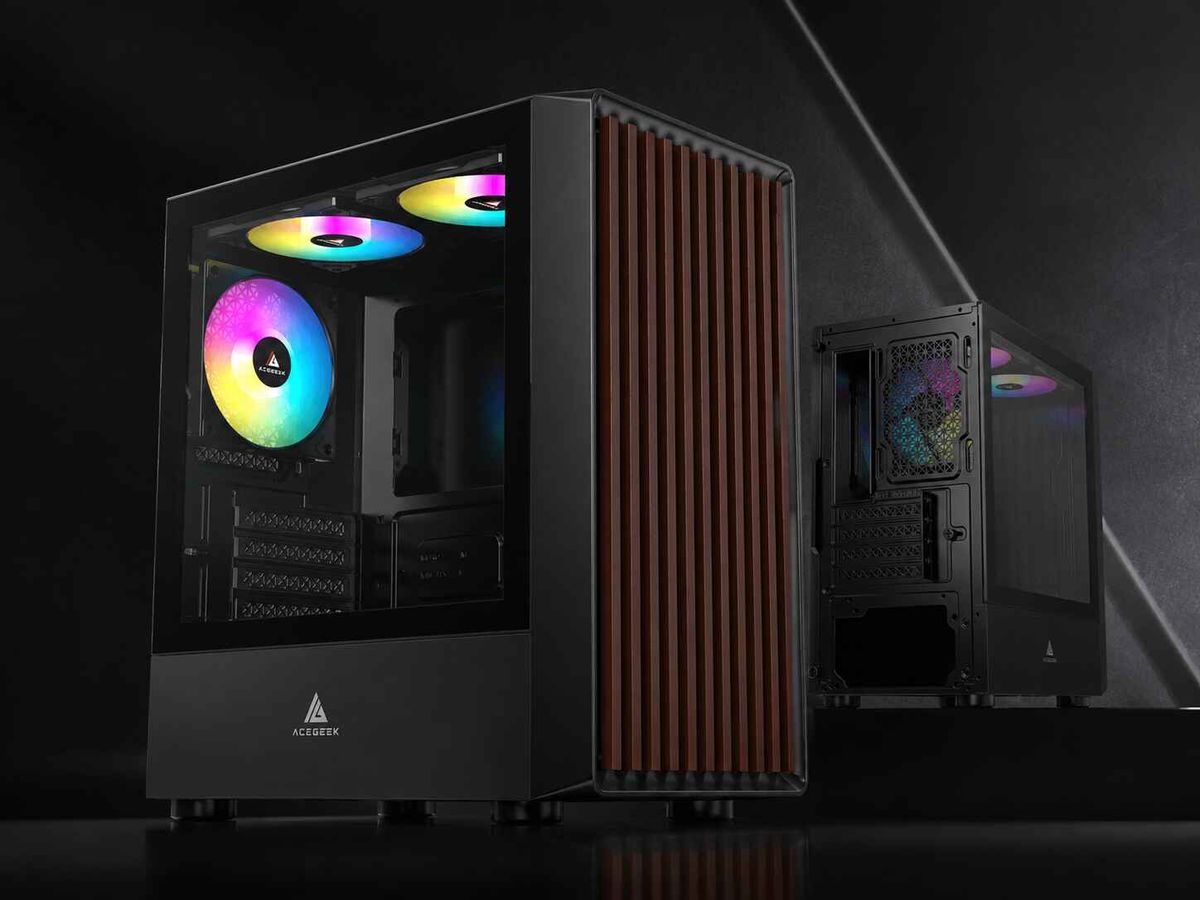
The AceGeek Blade M-ATX airflow case lists:
Maximum GPU clearance: 305 mm
Case dimensions: 348 × 218 × 400 mm
CPU cooler clearance: 180 mm
Four PCIe slots
Two front 120 mm fan positions
Two top, two bottom, and one rear 120 mm fan position
NVIDIA lists the GeForce RTX 4090 Founders Edition at 304 mm long, 137 mm wide, three slots thick, and 450 W total graphics power on its official GeForce comparison page.
The length equation is brutal:
305 mm case clearance − 304 mm GPU length = 1 mm gross margin
One millimeter lies.
It does not pay for sheet-metal tolerance, card angle during installation, a protruding internal fastener, vibration, front-cable routing, or the simple fact that human hands need room to release a PCIe latch.
On published length alone, the combination appears to fit. Under my standard, it fails.
And this is before discussing the 137 mm card width, the power connector, or airflow around a 450 W graphics card. NVIDIA’s installation guidance also tells builders to reserve extra room around high-end cards for airflow rather than pressing the cooler against adjacent hardware.
“Fits” is not the same as “belongs.”
Case 2: AceGeek Aquarium M345 and a 240 mm AIO
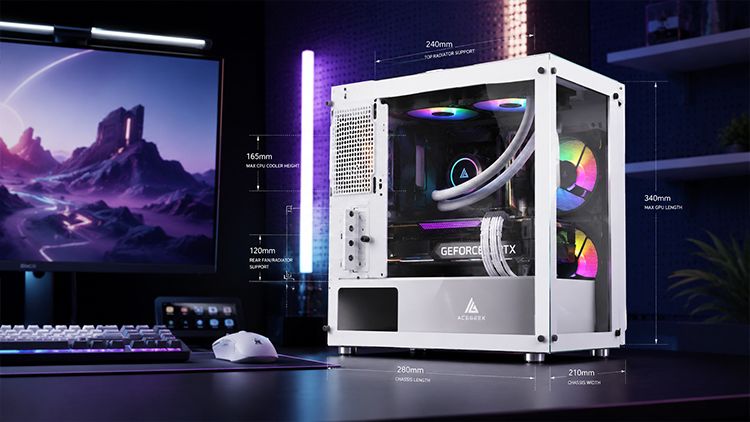
The AceGeek Aquarium M345 lists:
Maximum GPU clearance: 340 mm
Chassis dimensions: 358 × 275 × 360 mm
Top 240 mm radiator support
Side 240 mm radiator support
Two top, two side, two bottom, and one rear 120 mm fan positions
Maximum CPU cooler height: 155 mm
A 304 mm RTX 4090 or RTX 5090 Founders Edition produces this gross length margin:
340 mm − 304 mm = 36 mm
Better.
But do not subtract a 63 mm radiator stack automatically. The Aquarium M345 mounts its radiators at the top or side, not necessarily directly in front of the GPU nose. The correct question is whether the installed radiator, fans, fittings, or tubes physically overlap the card’s length, width, or thickness envelope.
This is why photographs are not enough. You need the mounting drawing or a ruler inside the actual chassis.
A top radiator may leave all 340 mm of card length intact while colliding with tall RAM, motherboard VRM heatsinks, or an EPS cable. A side radiator may preserve GPU length but restrict fresh air reaching the card.
Same hardware. Different collision.
Case 3: AceGeek Horizon, a Side-Mounted 360 mm AIO, and an RTX 5090
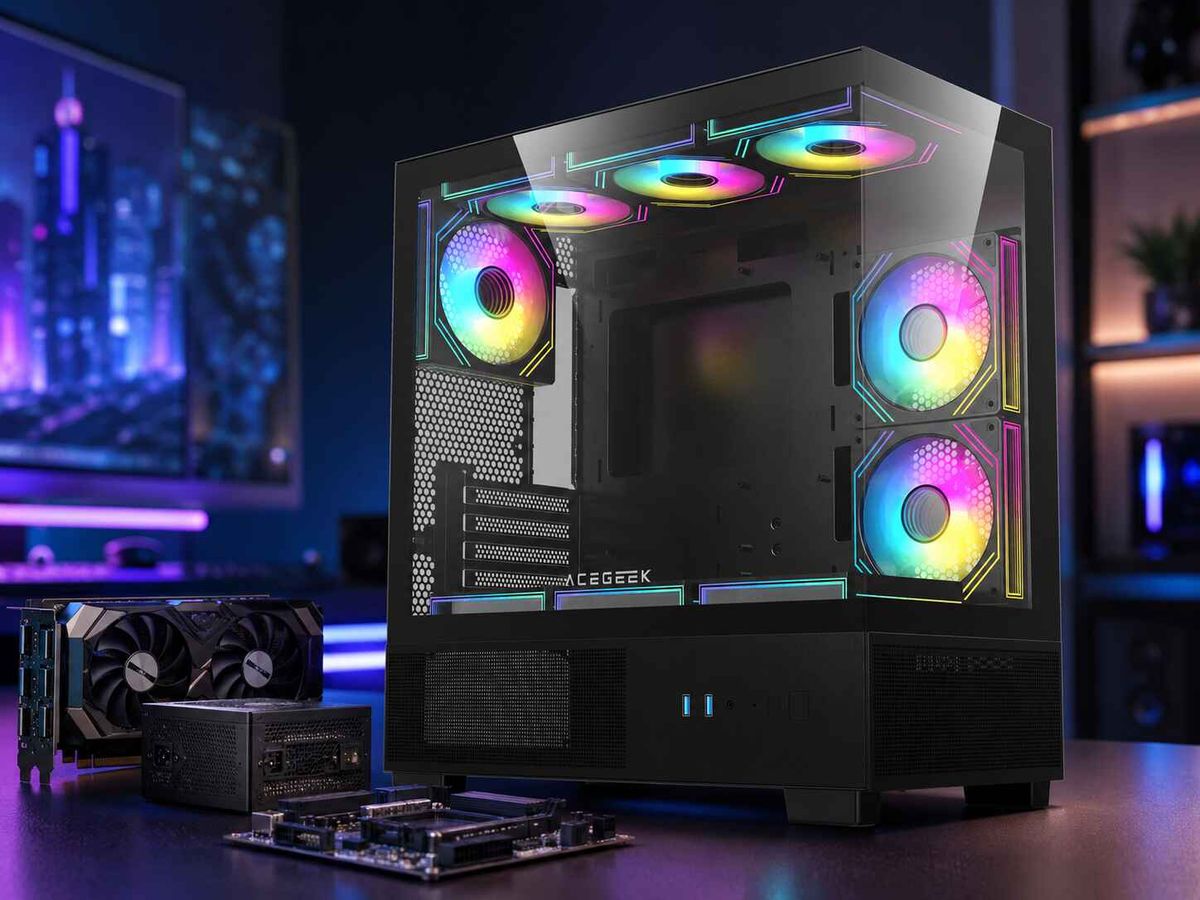
The AceGeek Horizon three-sided glass case lists:
Maximum GPU clearance: 410 mm
Side 360 mm AIO support
Three side 120 mm fan positions
Three bottom 120 mm fan positions
One rear 120 mm fan position
Maximum CPU cooler height: 165 mm
ATX, Micro-ATX, and Mini-ITX motherboard support
NVIDIA’s current comparison data lists the RTX 5090 Founders Edition at 304 mm long, 137 mm wide, two slots, 575 W total graphics power, and a 1,000 W required system power rating for its reference configuration.
The gross length margin is generous:
410 mm − 304 mm = 106 mm
So we are finished, right?
Not quite.
A side-mounted 360 mm AIO does not necessarily reduce that 106 mm length margin. Instead, it can compete with GPU width, tube-bend radius, side intake volume, fan wiring, and the space used to route a high-current PCIe Gen 5 power cable.
The Horizon has the better paper margin. It still needs a three-axis check.
And because a 575 W GPU can dump substantial heat into the case, I would prioritize the bottom intake path. Filling the side with a radiator and then blocking bottom airflow with cables would waste the chassis’s strongest thermal advantage.
Front Radiator GPU Clearance: The Honest Calculation
Imagine a chassis with a published GPU clearance of 340 mm.
You plan to install:
A 30 mm front radiator
Standard 25 mm fans
A 5 mm internal mounting bracket
A 10 mm service margin
The calculation becomes:
340 − 30 − 25 − 5 − 10 = 270 mm
Your practical GPU length limit is 270 mm, not 340 mm.
Now reverse the fan placement and mount the fans outside the main chassis cavity, behind a front panel that provides sufficient depth. If the fans no longer enter the card’s length axis, the equation changes:
340 − 30 − 5 − 10 = 295 mm
That is a 25 mm gain without changing the radiator.
This is why “supports a 360 mm radiator” tells me almost nothing about GPU compatibility. I need radiator location, fan location, internal rail position, fitting orientation, and actual overlap with the card.
My Five-Line Worksheet
Use these figures before buying anything:
Case published GPU clearance: ______ mm
Radiator intrusion into GPU axis: ______ mm
Fan/bracket intrusion into GPU axis: ______ mm
Exact GPU length: ______ mm
Remaining service margin: ______ mm
Then calculate:
Remaining margin = Case clearance − all intrusions − GPU length
My verdict:
20 mm or more: Comfortable length margin
10–19 mm: Usually workable after checking cables and airflow
5–9 mm: Risky; inspect exact mounting geometry
1–4 mm: Paper compatibility only
0 mm or less: Does not fit in that configuration
These are practical thresholds, not legal standards. I use them because components flex, product tolerances exist, and future upgrades rarely become smaller on command.
GPU Width and Power-Cable Space Are Safety Measurements
Builders love measuring card length because it is easy.
The power cable is where judgment disappears.
NVIDIA’s current RTX 5090 installation guidance tells users to plan 36 mm of additional space for power cables beyond the card body. That space belongs on the width axis, between the card connector and the side panel. It cannot be “borrowed” from unused length near the front of the case.
The safety record gives this issue teeth.
On February 8, 2024, the U.S. Consumer Product Safety Commission announced the recall of approximately 25,300 CableMod 12VHPWR angled adapters. The official CPSC recall notice reported:
272 reports of adapters becoming loose, overheating, or melting into GPUs
At least $74,500 in property-damage claims
Products sold for approximately $40
A stated fire and burn hazard
Immediate stop-use instructions
No injuries were reported, but the lesson is ugly enough.
Cable clearance is not cable management.
It is electrical fitment.
I would reject any chassis combination that requires the side panel to press the GPU power cable inward, forces a sharp bend immediately beside the connector, or depends on an improvised adapter merely because the card width was ignored during planning.
How to Measure GPU Clearance Before Buying
1. Use the Exact Graphics Card SKU
Do not search only for “RTX 5090 dimensions” or “RX 7900 XTX dimensions.” Board-partner models from ASUS, MSI, Gigabyte, Zotac, Sapphire, PowerColor, and PNY can use longer and thicker coolers than reference designs.
Record:
Overall card length
Overall card width
Cooler thickness in millimeters
Number of occupied slots
Power-connector location
Required connector type
Recommended power supply
The GPU chip name is not the physical product.
2. Draw the Cooling Layout Before Ordering It
Place the radiator on paper first.
Front, top, side, bottom, and rear mounts create different collisions. The AceGeek Aqua360 360 mm AIO, for example, should be matched against the case’s specific radiator position rather than treated as a generic “360 mm cooler.”
Write down the complete stack:
Radiator + fans + bracket + gasket + screw-head allowance
Do not use radiator thickness alone.
3. Measure the Narrowest Point
The widest-looking part of the case is often irrelevant.
Cable covers, folded sheet-metal lips, front-panel connectors, fan rails, reservoirs, drive cages, and internal decorative panels may create a narrower path near the GPU nose.
The card must pass through the installation opening and occupy the final position. Those are sometimes different measurements.
4. Check GPU Thickness Against Intake Space
A nominal three-slot card can sit extremely close to bottom fans, a PSU shroud, or a glass panel.
I want a visible intake gap.
The card may physically install with 2 mm below its cooler, but the fans will be fighting a high-resistance inlet. Temperatures rise. Fan speed rises. Noise follows.
Small form factor PC cases are not automatically bad. They are simply less forgiving.
5. Simulate Removal
Can you reach the PCIe latch?
Can you remove the card without pulling the radiator?
Can the power connector be released without levering it against the side panel?
Can the front fans be replaced without draining a custom loop?
Serviceability is part of compatibility. A computer is not a sealed sculpture.
The Fitment Rules I Refuse to Break
I do not approve a tight chassis design unless it passes all five tests:
Positive length margin: The installed GPU remains shorter than the usable clearance after every real intrusion is subtracted.
Relaxed power routing: The connector seats fully and the cable reaches the side panel without being crushed or sharply folded at the plug.
Open intake area: The GPU cooler has enough space to draw air without sitting directly against fans, glass, or a PSU chamber.
Accessible maintenance: The GPU, radiator fans, and power cable can be removed without dismantling unrelated hardware.
Upgrade allowance: The build retains at least some room for a future card, thicker cable, or revised cooling layout.
Barely compatible?
Then it is not compatible enough.
The industry tends to reward the smallest-looking case that can display the largest-looking GPU. I prefer the chassis that lets the hardware run, breathe, and come apart without swearing.
FAQs
How do I calculate GPU clearance with a front radiator?
GPU clearance with a front radiator is the case’s published maximum card length minus every item that physically enters the graphics card’s length axis, including radiator thickness, fan thickness, mounting rails, reservoirs, cable covers, and a practical service margin of at least 10 mm.
For example, a 340 mm case with a 30 mm radiator, 25 mm fans, a 5 mm bracket, and a 10 mm reserve has a practical card-length limit of 270 mm. Use the assembled stack thickness, not the radiator specification alone.
Will my GPU fit with a front radiator?
A GPU fits with a front radiator only when its exact length is shorter than the chassis’s remaining length after the complete radiator-and-fan stack, brackets, reservoirs, and reserve margin are subtracted, while its width, slot thickness, power connector, and airflow path also clear the assembled case.
Do not rely on the case’s original maximum GPU figure. That number may describe an empty front mount. Confirm whether fans sit inside or outside the card chamber and whether the radiator fittings overlap the GPU nose.
How much extra GPU clearance should I leave?
Extra GPU clearance is the unused physical space remaining after the card, cooling hardware, brackets, and other obstructions are installed; I recommend at least 10 mm of length margin for normal assembly, while 20 mm or more provides a safer allowance for tolerances, maintenance, vibration, and future upgrades.
Length margin does not replace side-panel cable clearance. A card can have 40 mm free at its nose and still fail because its power connector is pressed against the glass.
Does a top-mounted radiator reduce GPU clearance?
A top-mounted radiator usually does not reduce GPU length because it occupies the vertical area above the motherboard, but it can reduce clearance for RAM, motherboard VRM heatsinks, EPS power cables, radiator fittings, and tall pump components when the radiator-and-fan stack extends too far downward.
Measure the distance between the top mounting rail and the highest motherboard component. A 38 mm radiator with 25 mm fans creates a 63 mm stack, which can become the deciding number even when the GPU length remains unchanged.
Is GPU length the only measurement needed for PC case compatibility?
GPU length is only one part of PC case compatibility; builders must also verify card width, cooler thickness, occupied PCIe slots, side-panel power-cable space, intake clearance, radiator overlap, riser position, PSU cabling, and whether the card can be inserted, secured, powered, cooled, and later removed.
A 304 mm card may fit a 340 mm chassis and still be unusable because it blocks bottom fans, presses its connector against the side panel, or collides with a side radiator.
Calculate Before You Commit
Open the exact case specification. Open the exact GPU specification. Add the complete radiator-and-fan stack.
Then calculate all three axes.
Use AceGeek’s PC case range to compare published GPU, radiator, fan, and motherboard support, but treat those figures as the beginning of the decision—not the verdict.
Write down the numbers before placing the order. Reject combinations with forced cables, blocked intakes, or single-digit millimeter margins. And when two cases both hold the same hardware, choose the one that leaves room for air, hands, and the next upgrade.
Measure twice.
Build once.