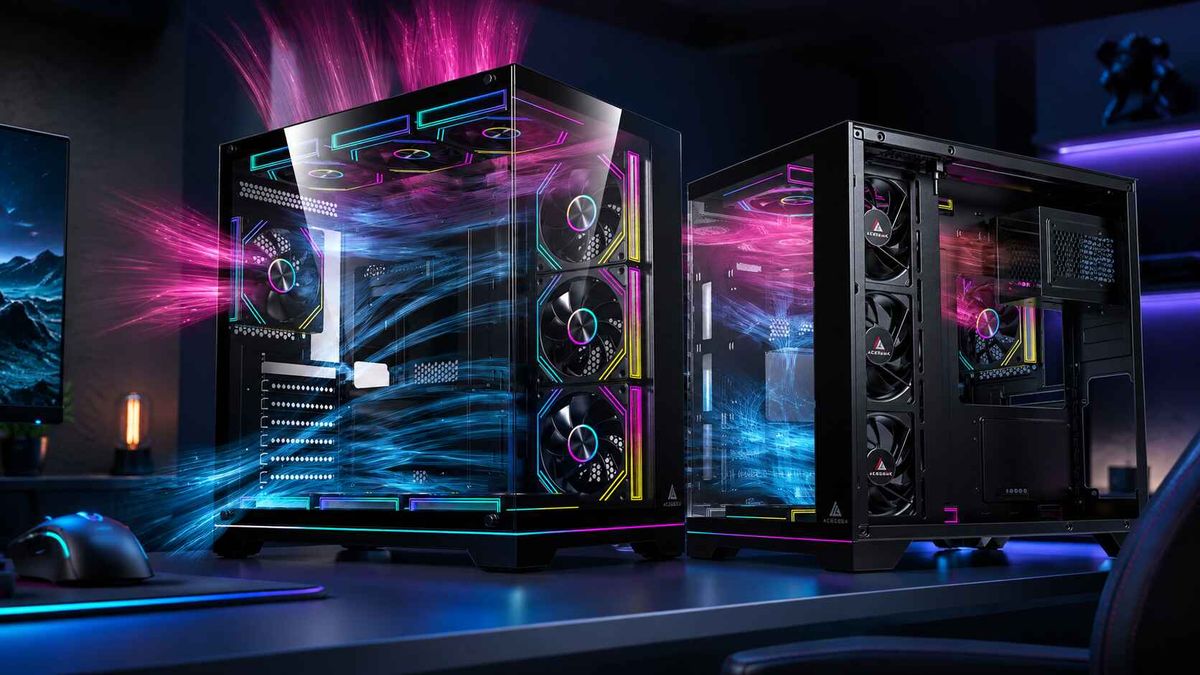
Are Three Front Fans Better Than Two?
The blunt answer nobody wants from a fan-count article
More fans lie.
A third front intake fan can improve PC case airflow when it feeds a real heat zone, especially the lower GPU area, but in a restricted glass-front case, behind a clogged dust filter, or in a chassis where the bottom fan blows straight into a PSU shroud, that extra fan may add noise while doing almost nothing useful. So why do builders still count fan frames like they are benchmark points?
Here is my hard answer: three front fans are better than two only when the third fan has a job.
Not a glow job. Not a spec-sheet job. A thermal job.
If the third front fan pushes cool air toward an RTX 4080, RTX 4090, RTX 5090, RX 7900 XTX, VRM zone, or bottom-half GPU intake path, I like it. If it sits below the GPU line and blasts into a basement shroud, I do not care how many ARGB LEDs it has. It is decoration with bearings.
The question “are three front fans better than two?” is really a question about pressure, intake restriction, component wattage, and airflow geometry. AceGeek makes a similar point in its guide on building a high-airflow PC without overspending: more fans can help, but only when they support the air path instead of disrupting it.
That is the part the industry sells poorly. Boxes advertise fan capacity. Builders need airflow behavior.
Two front fans vs three front fans: the practical verdict
For a normal ATX mid-tower with a mesh front, one rear exhaust, and a mid-range GPU, two good front intake fans are often enough. For a high-wattage gaming PC with an open front panel and a thick graphics card dumping 300W to 575W into the chassis, three front intake fans can make sense.
The difference is not magic. It is coverage.
Two 140mm front fans can often cover nearly the same vertical intake area as three 120mm fans, while running at lower RPM. Three 120mm fans may look better on paper, especially with a 360mm radiator mount, but if they are cheap, loud, poorly curved, or blocked by a decorative front panel, the airflow gain collapses fast.
I would rather run two strong 140mm front intake fans at 800-1000 RPM than three weak 120mm fans screaming through a narrow side vent. There. I said it.
Tom’s Hardware explains the same physics in its positive vs negative pressure airflow guide: positive pressure is not just “more intake fans,” it is more total intake airflow than exhaust airflow. That means fan size, CFM, static pressure, dust filters, radiator restriction, and RPM matter more than the number of spinning circles.
Quick comparison: 2 vs 3 front intake fans
Build conditionTwo front fansThree front fansMy verdictMesh-front ATX case, mid-range GPU under 250WUsually enoughSmall gain, often not worth extra noiseTwo wins on valueHigh-end GPU, 300W-575W heat loadMay leave lower GPU area underfedOften helps if aligned with GPU intakeThree can winGlass-front case with side ventsLimited by restrictionStill limited by restrictionCase design matters moreTwo 140mm vs three 120mmOften quieter, broader airflowBetter radiator alignment, more visual symmetryDepends on mountsFront 360mm AIO radiatorTwo fans usually unevenThree fans match radiator coverageThree usually winsDust-heavy room with petsWorks if filteredMore intake can help positive pressureThree helps only with filtersSmall form factor or compact mATXSpace and turbulence riskMay crowd airflow pathTest before adding
The real villain is not fan count. It is bad airflow geometry.
Airflow hates shortcuts.
When cool intake air enters the front of a case, it should pass across the GPU, CPU cooler, motherboard VRM, memory, and storage before leaving through rear or top exhaust. That sounds obvious, yet plenty of expensive builds ruin it with one dumb move: they mount a top-front exhaust fan that steals fresh front intake before it reaches the GPU.
Bad move.
This is why AceGeek’s article on balancing CPU cooling and GPU airflow in the same system is worth reading before buying more fans. The CPU and GPU are not asking for the same thing. The CPU cooler wants a clean exhaust route. The GPU wants first access to fresh intake air, especially near the PCIe area where open-air graphics cards recycle heat inside the case.
Modern GPUs made this problem nastier. NVIDIA lists the GeForce RTX 5090 Founders Edition at 575W total graphics power, a 90°C maximum GPU temperature, and a 1000W required system power rating on its official RTX 5090 specifications page. That is not a cute little heat source. That is a space heater with DisplayPort 2.1b.
So when someone asks whether three front fans are better than two, I ask back: what GPU are we feeding?
If the answer is a 150W graphics card, two front fans are fine. If the answer is a 450W RTX 4090-class card or a 575W RTX 5090-class card inside a glass-heavy chassis, I want stronger lower-front intake, bottom intake, or side intake before I trust a generic “two is enough” answer.
The data backs the boring answer
The boring answer is usually the true one.
Hardware Canucks tested seven fan configurations in the be quiet! Pure Base 500DX using 140mm fans, and the useful lesson from that case fan configuration test was not “fill every mount.” It was that layout, fan quality, and front-panel restriction decide whether extra fans do anything worth paying for.
The Department of Energy says the same thing at data-center scale, just with racks instead of gaming PCs. Its Best Practices Guide for Energy-Efficient Data Center Design recommends separating cold intake air from hot exhaust air, reducing recirculation, sealing cable openings, and maintaining front-to-back airflow. Different scale. Same sin. Hot air mixing with cold intake is wasted cooling.
That is why I do not worship three front fans. I worship clean lanes.
In a PC case, the “cold aisle” is the front, bottom, or side intake path. The “hot aisle” is the rear and top exhaust path. If those two streams mix early, your third front fan becomes a blender. If they stay separated long enough to feed the GPU and CPU cooler, even a simple 2-intake, 1-exhaust setup can perform better than a six-fan RGB circus.
AceGeek’s guide on case size and cooling performance gets this right by focusing on direct GPU intake, exhaust path, cable obstruction, and fan mounts that match the heat source. That is the mature way to think about PC case airflow.
When three front fans are actually better
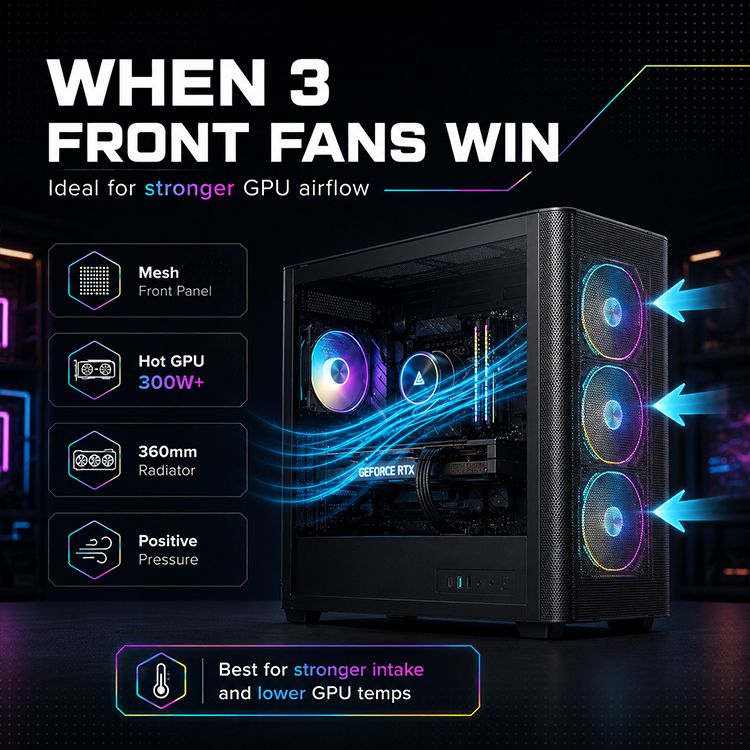
Three front fans are better than two when the case gives them low resistance, the GPU needs lower-zone intake, and the exhaust path can remove the added air without creating turbulence.
That usually means one of these setups:
A high-airflow mesh front case
If the front panel is mostly open mesh, three 120mm front intake fans can create a strong column of intake air from top to bottom. This is where three fans make real sense, especially when the bottom fan lines up with the graphics card.
This is also where AceGeek PC case options should be judged by intake geometry, not just glass shape. Look for mesh, side vents that are not fake, front clearance, radiator support, and a GPU airflow path that does not run into a cable wall.
A 360mm front radiator
A 360mm AIO radiator is built around three 120mm fan positions. Running only two fans on that surface leaves uneven airflow across the radiator. If you mount a 360mm radiator at the front, use three matched fans unless the manufacturer gives a very specific reason not to.
But here is the trade: front radiator intake improves CPU coolant temperature while feeding the GPU warmer air. For gaming, I usually prefer top radiator exhaust if the case supports it cleanly, because it lets front intake serve the GPU first.
A long, hot graphics card
Large open-air GPUs dump heat into the case. They do not politely send all their waste heat out the rear I/O bracket. A third lower-front intake fan can help if it pushes air toward the GPU fans instead of wasting pressure below the shroud.
This is where the 2 vs 3 front intake fan debate gets real. A three-fan intake wall can reduce GPU fan RPM, improve hotspot behavior, and lower perceived noise, even when the raw GPU core temperature only drops a few degrees Celsius.
A dust-controlled positive pressure setup
Positive air pressure in a PC case works best when filtered intake airflow exceeds exhaust airflow. Three front intake fans and one rear exhaust can create that setup cleanly, assuming the front panel is filtered and not strangled.
But positive pressure is not a religion. In restricted-front cases, controlled negative or near-neutral pressure can sometimes help GPU temperatures by pulling air through vents closer to the graphics card. It is dustier. It is uglier to maintain. It can still work.
When two front fans are the smarter move
Two front fans are smarter when the third mount does not feed a meaningful heat zone, the case front is restrictive, or two larger 140mm fans can move enough air with less noise.
I know that answer annoys people who already bought a 3-pack.
But it is true.
A lot of mainstream gaming PCs are perfectly happy with two front intake fans and one rear exhaust fan. If the CPU is a Ryzen 5 or Core i5-class chip, the GPU is under 250W, the case has a decent mesh front, and the room temperature is normal, the third fan may produce a boring result: one or two degrees Celsius lower at the cost of extra noise, dust, wiring, and money.
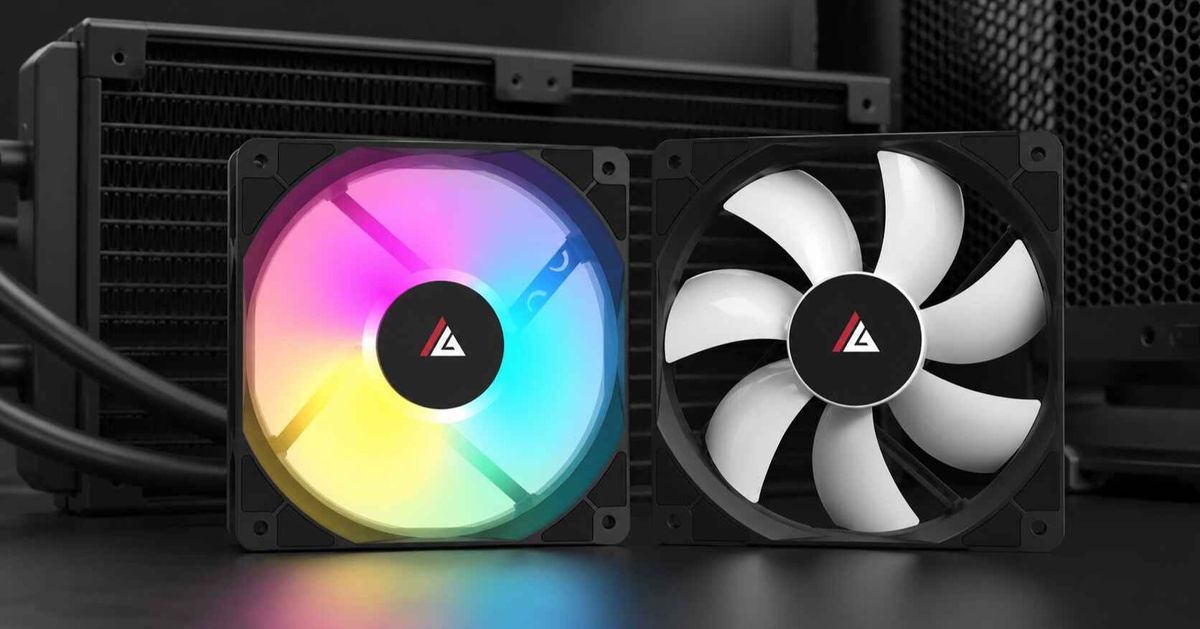
AceGeek’s cooling fan lineup is useful here because fan selection should follow the problem. Do you need airflow? Static pressure through a filter? ARGB matching? PWM control? A quiet curve? Buying three fans because the front panel has three holes is not strategy.
It is autopilot.
The 120mm vs 140mm trap
The 120mm vs 140mm fans debate is where beginners get tricked by symmetry.
Three 120mm front fans look complete. Two 140mm front fans often work better.
A 140mm fan has a larger blade area and can usually move similar air at lower RPM than a 120mm fan, which helps noise. Two 140mm fans also cover a large vertical section of the intake path in many ATX cases. But three 120mm fans can align better with 360mm radiators, narrower chassis designs, and cases where the GPU sits low.
Here is the rule I use:
If the case supports two 140mm front fans with clear mesh intake, I strongly consider them for quiet airflow. If the case supports three 120mm fans and the bottom fan directly feeds the GPU, I consider three 120mm fans. If the case has a restrictive front panel, I stop arguing about fan size and start questioning the case.
That last part matters. A blocked case does not become high-airflow because you installed another fan behind the wall.
AceGeek’s piece on why small cases struggle with high-TDP hardware makes the same point from the compact-build angle: routing beats decoration. A cramped case punishes lazy fan placement harder than a roomy ATX tower does.
My recommended PC case fan setup
For most builders, I would start with this:
Two or three front intake fans. One rear exhaust. Optional top-rear exhaust. No top-front exhaust unless testing proves it helps.
That setup is boring because it works.
For a mesh-front ATX gaming PC, I like either two 140mm front intake fans or three 120mm front intake fans, paired with one 120mm rear exhaust. If CPU heat is heavy, add one top-rear exhaust. If GPU heat is heavy, protect the front-to-GPU intake path and avoid stealing air upward too early.
For a front 360mm AIO, use three matched 120mm fans on the radiator, then add rear exhaust and possibly top exhaust depending on GPU temperature. For a top 360mm AIO, keep the front intake strong so the GPU gets fresh air first.
For glass-front cases, I am less generous. I test with the side panel on and off. If removing the side panel drops GPU temperature by 5°C to 10°C, the case is intake-starved. Adding a third front fan behind a restrictive panel may help a little, but it is treating the symptom, not the disease.
The test I trust more than internet arguments
Do not argue. Measure.
Run the same workload with two front intake fans, then three. Keep room temperature similar. Keep the side panel closed. Watch CPU package temperature, GPU core temperature, GPU hotspot, motherboard temperature, fan RPM, and noise.
Use a 20-minute gaming loop, not a 90-second screenshot. Cyberpunk 2077 with path tracing, Blender Classroom, 3DMark Speedway stress test, OCCT, or a real workload you actually run will tell you more than a forum slogan.
Track this:
MetricWhat to recordWhy it mattersGPU core temperature°C after 20 minutesShows main GPU cooling behaviorGPU hotspot°C after 20 minutesReveals local heat stressCPU package temperature°C under same workloadShows CPU cooler impactFan RPMIntake, exhaust, GPU fansLower RPM at same temp means a real winNoisedBA if possibleA 2°C gain with louder fans may be a bad tradeDust pathFiltered intake vs random gapsShows pressure behaviorSide-panel testPanel on vs panel offExposes intake restriction
If three front fans lower GPU temperature by 3°C to 6°C and reduce GPU fan RPM, I keep the third fan. If temperatures barely move and noise rises, I pull it. Pride is not a cooling method.
FAQs
Are three front fans better than two?
Three front fans are better than two only when the case has low-restriction front intake, the GPU is heat-heavy, and the third fan feeds a real thermal zone instead of pushing into a PSU shroud or blocked panel; otherwise, two front intake fans plus a rear exhaust can be cleaner, quieter, and cheaper. The best answer depends on case design, fan size, dust filters, radiator placement, and GPU wattage.
What is PC case airflow?
PC case airflow is the planned movement of cool intake air through a chassis and hot exhaust air out of it, designed to feed the GPU, CPU cooler, VRM, SSDs, and power components with fresh air while reducing recirculation, dust pull, stagnant pockets, fan noise, and thermal throttling. Good airflow is not just fan count. It is path control.
Should I use 120mm or 140mm front fans?
140mm front fans are often better than 120mm fans when the case supports them because they can move comparable air at lower RPM and noise, while 120mm fans make more sense in narrow mounts, 360mm radiator positions, or cases where three smaller fans align better with the GPU and motherboard zones. Two 140mm fans can beat three cheap 120mm fans if the case has a clean front mesh.
Is positive air pressure better for a PC case?
Positive air pressure in a PC case means intake airflow exceeds exhaust airflow, which usually helps dust control because air exits through unfiltered gaps instead of pulling dirt inward, but it only works well when the front or side intake is filtered, open, and strong enough for the installed CPU and GPU. For airflow-focused cases, I usually start slightly positive and then test.
How should I test a 2 vs 3 front intake fan setup?
The best way to test a 2 vs 3 front intake fan setup is to record CPU package temperature, GPU core temperature, GPU hotspot, fan RPM, and noise under the same workload with the side panel closed, then compare whether the third fan lowers temperatures enough to justify extra noise and dust. Do not judge by idle temperatures. Idle numbers are mostly theater.
Final Thoughts: Stop buying fans and start buying airflow
Here is the move: test your actual case before adding more hardware.
Run two front fans and one rear exhaust. Log GPU temperature, GPU hotspot, CPU package temperature, and noise. Then add the third front fan and repeat the same workload. If the third fan improves GPU cooling or lets the system run quieter, keep it. If it only fills an empty mount, spend your money on a better case, better fan curve, cleaner cable routing, or a less restrictive front panel.
Start with AceGeek’s PC case airflow buying options, match the chassis to the heat your hardware actually produces, and use the high-airflow PC guide before you throw another fan at the problem.
The verdict is simple: three front fans can be better than two, but only when the third fan moves air your components can actually use.