Was Wärmeleitpaste wirklich bewirkt – und was nicht
Das schmutzige Geheimnis: Wärmeleitpaste behebt Metallfehler
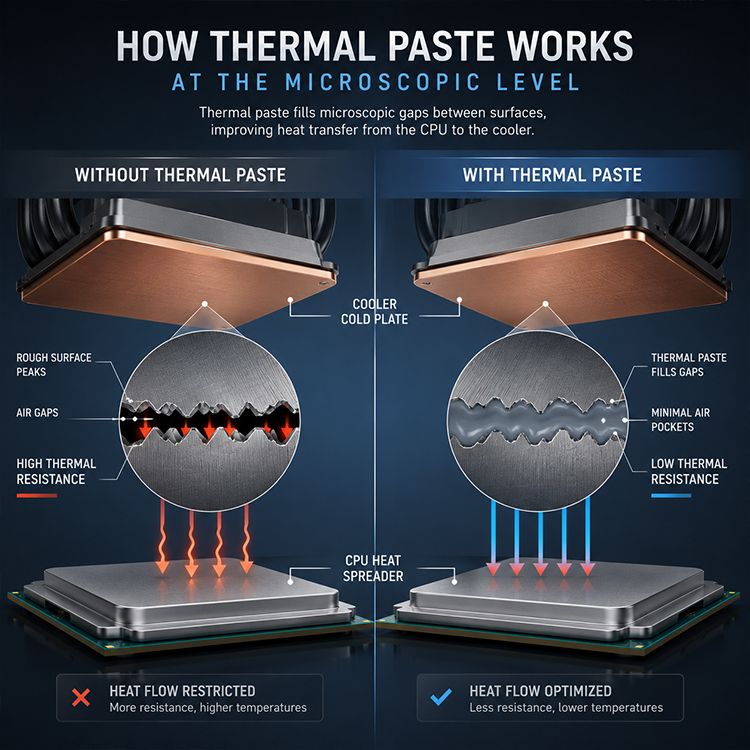
Paste füllt Lücken.
Ein CPU-Heatspreader und eine Kühlplatte mögen mit bloßem Auge glatt erscheinen, doch mikroskopisch betrachtet sind sie von Unebenheiten durchzogen: Kratzer, Vertiefungen, Oxidschichten, Bearbeitungsspuren, winzige Lufteinschlüsse, ungleichmäßige Druckzonen und Oberflächenrauheit beeinträchtigen die Wärmeübertragung erheblich, lange bevor die Lüfterkurve die Schuld trägt. Warum tun wir immer noch so, als ob „glänzendes Metall“ gleichbedeutend mit „gutem Kontakt“ wäre?
Wärmeleitpaste ist ein thermisches Schnittstellenmaterial (TIM). Intel beschreibt TIM als das Material, das einen effizienten Wärmeaustausch zwischen dem integrierten Heatspreader des Prozessors (IHS) und dem Lüfter-Kühlkörper ermöglicht. Intel empfiehlt in seiner offiziellen Anwendungsanleitung für Wärmeleitpaste, die TIM beim Wiedereinbau eines Prozessors oder Kühlkörpers zu erneuern, niemals neue Paste auf alte aufzutragen und den IHS vor dem Wiedereinbau mit Isopropylalkohol zu reinigen.
Das ist die nüchterne Wahrheit. Und nüchtern ist hier gut.
Ich misstraue der Werbung für Wärmeleitpasten, weil sie mit pathetischen Formulierungen über W/m·K-Werte, „Nano“-Füllstoffen, silberfarbenen Spritzen und Benchmark-Screenshots überladen ist, die Anpressdruck, Dicke der Klebefuge, Planlage des Kühlers, CPU-Leistungsaufnahme, Umgebungstemperatur und die Frischluftzufuhr zum Kühler völlig außer Acht lassen. Eine gute Wärmeleitpaste kann helfen. Sie kann die Gesetze der Physik nicht außer Kraft setzen.
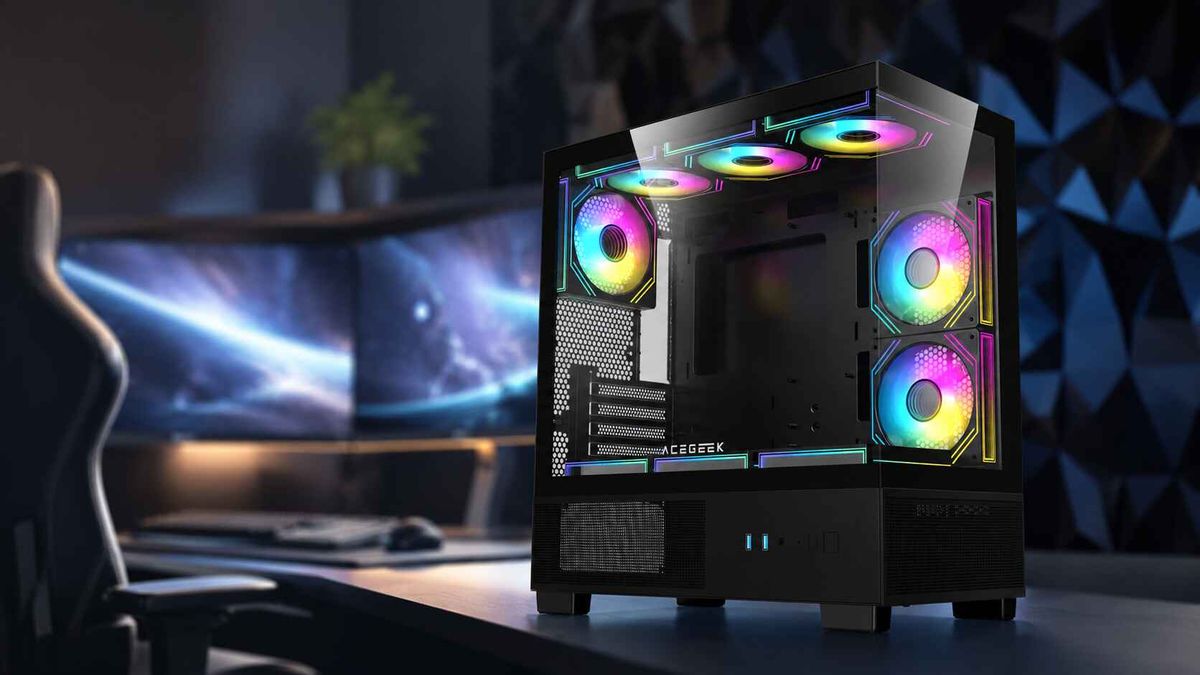
Wenn Sie sich bereits mit der Wärmeabfuhr im gesamten System auseinandersetzen, empfiehlt sich in Kombination mit Acegeeks Leitfaden zur Gehäusewahl hinsichtlich Kühlungsunterstützung und Platzangebot . Denn das Gehäuse entscheidet darüber, ob der Kühler saubere Ansaugluft erhält oder die Abluft der GPU umwälzt wird. Acegeeks eigener Gehäuseleitfaden behandelt Kühlungsunterstützung, Lüfterkompatibilität, Platzangebot für GPU und CPU-Kühler sowie die verfügbaren Stellflächen als Kaufkriterien und nicht als rein dekorative Aspekte.
So funktioniert Wärmeleitpaste, wenn sie ihre Aufgabe erfüllt
Luft ist Gift.
Nicht chemisch, versteht sich, sondern thermisch: Luft hat eine schlechte Wärmeleitfähigkeit, und ein dünner, eingeschlossener Luftspalt zwischen zwei Metalloberflächen ist genau die Art von kleinem Defekt, der einen erheblichen Wärmeverlust verursachen kann, wenn ein CPU-Gehäuse 65 W, 170 W, 253 W oder mehr über wenige Quadratzentimeter Kontaktfläche abführt. Was also bewirkt Wärmeleitpaste?
Sie ersetzt Lufteinschlüsse durch einen wärmeleitenden Füllstoff, der in einem Träger suspendiert ist. Gängige Wärmeleitpasten enthalten Silikonöle, synthetische Öle, Zinkoxid, Aluminiumoxid, Bornitrid, Kohlenstoffpartikel, Keramikfüllstoffe oder andere speziell entwickelte Partikel. Die Paste selbst ist in der Regel deutlich weniger leitfähig als Kupfer oder Aluminium. Das überrascht viele.
Kupfer kann Wärmeleitfähigkeiten im Bereich von mehreren hundert W/m·K aufweisen. Auch Aluminium ist hochleitfähig. Viele handelsübliche Wärmeleitpasten für CPUs erreichen Werte im einstelligen bis niedrigen zweistelligen W/m·K-Bereich. Die Paste muss jedoch nicht mit Kupfer mithalten können. Sie muss vielmehr Luft verdrängen, Hohlräume füllen, Oberflächen benetzen, stabil bleiben und eine dünne Klebeschicht gewährleisten.
Dieser letzte Teil ist wichtig.
Die 2024 veröffentlichte Studie „A Review of Advanced Thermal Interface Materials with Oriented Structures for Electronic Devices“ stellt fest, dass Oberflächen, die sich scheinbar berühren, nur über einen winzigen Bruchteil der nominellen Fläche tatsächlich Kontakt herstellen und dass die Wärmeleitfähigkeit von Luft etwa 0,026 W/(m·K) beträgt. Dieselbe Studie definiert den Gesamtwiderstand des Wärmeleitmaterials als Kombination aus Klebeschichtdicke, Wärmeleitfähigkeit des Wärmeleitmaterials und Kontaktwiderstand auf beiden Seiten der Grenzfläche.
Deshalb sage ich es immer wieder: Die beste Wärmeleitpaste ist nicht die dickste, die glänzendste oder die mit der auffälligsten Produktseite. Es ist die Paste, die unter dem richtigen Anpressdruck eine dünne, stabile und gut verdichtete Schicht zwischen zwei einigermaßen ebenen Oberflächen bildet.
Was Wärmeleitpaste nicht leistet, egal was auf dem Etikett steht.
Marketing lügt sanft.
Wärmeleitpaste kühlt die CPU nicht von allein, absorbiert Wärme nicht wie ein Zauberschwamm, gleicht keinen schwachen Kühler aus, behebt keine verstopften Lufteinlässe, korrigiert keine mangelhafte Kühlkörpermontage, löst keine Fehlpositionierungen des Radiators und verwandelt schon gar nicht ein kompaktes, luftstromarmes Gehäuse in eine thermische Workstation, nur weil die Spritze mehr kostet als ein Mittagessen. Ist das nicht genau der Teil, den niemand in der Produktbeschreibung haben will?
Hier die Kurzfassung:
Behauptung oder Mythos? Was tatsächlich passiert? Was Sie stattdessen überprüfen sollten: „Die beste Wärmeleitpaste senkt die CPU-Temperatur um 20 °C.“ Nur möglich, wenn die alte Installation mangelhaft, ausgetrocknet, verunreinigt oder schlecht montiert war. Montagedruck, Kühlerkontakt, Zustand der alten Paste, Lüfterkurve, Gehäuseluftstrom. „Mehr Wärmeleitpaste bedeutet bessere Wärmeübertragung.“ Zu viel Paste kann die Klebefuge verdicken, herausquellen, Verschmutzungen verursachen oder ungleichmäßigen Druck verursachen. Verwenden Sie genug, um nach dem Andrücken alles zu bedecken, aber nicht so viel, dass der Sockelbereich überflutet wird. „Wärmeleitpaste ersetzt einen guten Kühler.“ Paste verbessert lediglich die Kontaktfläche; Kühlkörper, Radiator, Lüfter und Luftstrom führen Wärme ab. TDP-Kapazität des Kühlers, Radiatorgröße, Lamellendichte, Ansaugpfad. „Eine hohe W/m·K-Bewertung sagt alles aus.“ Laborangaben vernachlässigen oft die Dicke der Klebefuge, den Druck, die Oberflächenrauheit, die Alterung und das Auspumpen. Reale Tests unter konstanter Last und kontrollierter Umgebungstemperatur. „Jede Wärmeleitpaste ist sicher.“ Einige Pasten können elektrisch leitfähig, chemisch reaktiv oder für bestimmte Metalle ungeeignet sein. Elektrische Leitfähigkeit, Materialverträglichkeit, Herstellerangaben. „Paste behebt Throttling.“ Paste kann den Grenzflächenwiderstand reduzieren, aber Throttling kann durch CPU-Leistungsgrenzen, VRM-Wärme, Gehäuseluftstrom oder Firmware-Verhalten verursacht werden. Sensorprotokolle, Paketleistung, Hotspot-Daten, Dauerlasttests.
Die Linux-Dokumentation von Intel zur thermischen Drosselung beschreibt die Mechanismen „Thermal Monitor 1“ und „Thermal Monitor 2“, die die Prozessorleistung reduzieren, sobald die Temperatur den Schwellenwert der thermischen Überwachung erreicht. Vereinfacht gesagt: Wird die Wärme nicht schnell genug abgeführt, schützt sich der Prozessor, indem er seine Leistung drosselt, bevor er Schaden nimmt. Lesen Sie die Linux-Kernel-Dokumentation zu den thermischen Drosselungsereignissen von Intel , und Sie werden sehen, wie empfindlich die Technologie auf mangelhafte Wärmeableitung reagiert.
Und genau hier setzt Acegeeks TDP-Leitfaden zur PC-Stabilität an. Der Artikel erklärt, dass die TDP die Wärmeabgabe der CPU und die Kühlleistung des Kühlers beschreibt und empfiehlt, die Kühlerleistung an die Wärmeabgabe der CPU anzupassen, um einen stabilen Betrieb zu gewährleisten.
Die Wärmeleitpaste ist nicht das System. Sie ist eine Dichtung im System.
Die übersehenen Variablen: Druck, Abpumpen, Trockenlaufen und Chemie
Der Druck entscheidet über alles.
Ein erbsengroßer Klecks, der mit einem stabilen und gleichmäßigen Montagesystem aufgetragen wird, kann eine sorgfältig von Hand aufgetragene, aber nur schwache Schicht übertreffen. Denn der eigentliche Feind ist nicht die Form vor dem Einbau des Kühlers, sondern die endgültige Dicke der Klebefuge, die Verteilung der Poren, die Benetzung der Oberfläche und die mechanische Stabilität, nachdem das System monatelang erhitzt, abgekühlt, vibriert und diesen Zyklus wiederholt hat. Warum beurteilen wir Klebeschichten immer noch wie Kuchenglasur?
Die Ausfallarten sind nicht exotisch:
Abpumpen
Das sogenannte „Pump-out“ tritt auf, wenn Wärmeleitpaste durch wiederholte Heiz- und Kühlzyklen langsam von der heißesten Stelle verdrängt wird. Laptops, GPUs, Mini-PCs und CPUs mit hoher Taktfrequenz sind häufig betroffen, da sie häufigen Temperaturwechseln und ungleichmäßiger mechanischer Belastung ausgesetzt sind.
Austrocknen
Austrocknung tritt auf, wenn flüchtige Bestandteile der Wärmeleitpaste verdunsten oder wandern und dadurch eine steifere, weniger wirksame Paste zurückbleibt. Alte Paste kann reißen, aushärten oder ihre Benetzungseigenschaften verlieren. Das bedeutet nicht, dass jeder PC alle sechs Monate neu wärmeisoliert werden muss. Es bedeutet aber, dass die alte Paste überprüft werden sollte, wenn die Temperaturen unter gleicher Belastung ansteigen.
Schlechte Chemie
Das ist keine Theorie mehr.
Im Oktober 2025 berichtete Tom's Hardware über eine Untersuchung der Wärmeleitpaste SGT-4 von Amech/Aimac. Tests und Benutzerberichte wiesen auf saure Dämpfe, Kupferkorrosion, Lochfraß und das Verkleben von Kühlkörpern mit Prozessoren hin. Die vermutete chemische Reaktion betraf die Acetoxyhärtung von RTV-Silikon und das Verhalten von Essigsäure. Methyltriacetoxysilan wurde bei der Untersuchung der Wärmeleitpaste SGT-4 als wahrscheinlicher Faktor diskutiert.
Die bittere Wahrheit: Ein niedriger Preis und eine hohe Online-Bewertung beweisen nicht, dass eine Wärmeleitpaste sicher ist. Sie beweisen lediglich, dass sie sich gut verkauft hat.
Bei der Arbeit mit Kupfer-Kühlplatten, vernickelten Sockeln, freiliegenden SMD-Bauteilen in der Nähe eines GPU-Dies oder Flüssigmetall-Wärmeleitpasten auf Galliumbasis ist die Materialverträglichkeit von entscheidender Bedeutung. Gallium kann Aluminium angreifen. Elektrisch leitfähige Verbindungen können Kurzschlüsse verursachen. Unbekannte Zusammensetzungen können mit der Zeit unkontrolliert altern. Ich würde daher lieber eine bewährte, gut dokumentierte Wärmeleitpaste für CPUs verwenden als eine unbekannte Tube mit unrealistischen Leitfähigkeitswerten.
Wärmeleitpaste vs. Wärmeleitpad: Hört auf, sie als austauschbar zu betrachten.
Die Polster füllen die Lücke.
Wärmeleitpaste eignet sich am besten, wenn zwei starre Oberflächen nahe beieinander liegen, ausreichend flach sind und unter gutem Druck stehen. Wärmeleitpads sind besser geeignet, wenn der Abstand größer oder uneben ist, wie beispielsweise bei VRAM, VRM-Phasen, SSD-Controllern oder Stromversorgungskomponenten, wo der Kühler nicht direkt auf einem einzelnen, flachen, integrierten Wärmeverteiler sitzt.
Schnittstellenmaterial | Beste Anwendung | Stärken | Schwächen | Meine Meinung | Wärmeleitpaste | CPU-IHS zu Kühlplatte, GPU-Die zu Kühlkörper | Dünne Klebeschicht und gute Benetzung | Erfordert guten Druck und saubere Oberflächen | Beste Standardlösung für CPUs | Wärmeleitpad | VRAM, VRM, SSDs, ungleichmäßige Spalten | Gleicht Distanzen und ungleichmäßigen Kontakt aus | Normalerweise höherer Widerstand als eine gute Wärmeleitpaste | Ideal, wenn die Paste die Spalte nicht überbrücken kann | Phasenwechselpad | OEM-Systeme, Laptops, wiederholbare Montage | Wird unter Hitze weich und kann die Kontaktkonsistenz verbessern | Erfordert das richtige Temperatur- und Druckprofil | Unterschätzt hinsichtlich der Wartungsfreundlichkeit | Flüssigmetall | Direkt-Die oder fortgeschrittene Enthusiasten-Systeme | Sehr hohe Leitfähigkeit | Leitfähig, unsauber, Risiken der Metallverträglichkeit | Leistungsstark, aber nicht für Anfänger geeignet
Hier beschädigen Leute die Hardware. Sie bauen den GPU-Kühler aus, sehen die Wärmeleitpads an den Speichermodulen, ersetzen sie durch Wärmeleitpaste und wundern sich dann über die extrem hohen Speichertemperaturen. Wärmeleitpaste kann einen 0,5 mm, 1,0 mm oder 1,5 mm breiten Spalt zwischen den Pads nicht überbrücken, es sei denn, die Kühlergeometrie ist für Wärmeleitpaste ausgelegt. Das war sie nicht.
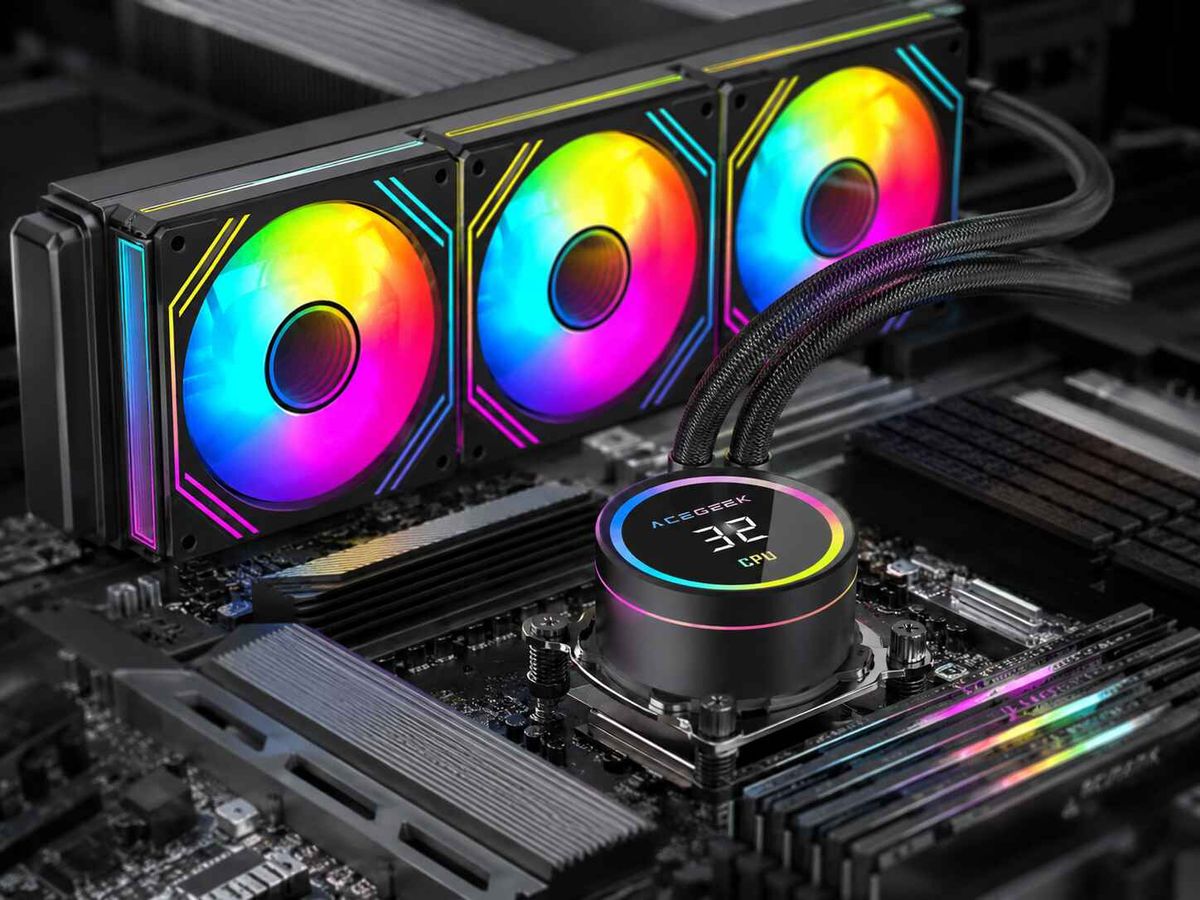
Für eine umfassendere Planung der Kühlung ist die CPU-Kühlerkategorie von Acegeek der richtige interne Link, da Wärmeleitpaste nur dann ihre volle Wirkung entfaltet, wenn der Kühler selbst korrekt dimensioniert ist. Acegeek bietet in seinem CPU-Kühlerkatalog verschiedene AIO-Kühler mit 120 mm, 240 mm und 360 mm Durchmesser an.
Sobald die Hitze die Kühlrippen oder den Radiator erreicht, übernimmt der Luftstrom. Aus diesem Grund gehört Acegeeks Sortiment an Lüftern unbedingt in den Blickfeld der Leser, insbesondere für diejenigen, die sich eher mit der Gehäusebelüftung als mit der Wärmeleitpaste beschäftigen.
Warum Wärmeleitpaste bei steigender Hardware-Temperatur immer wichtiger wird
Watts deckt Abkürzungen auf.
Wenn ein CPU-Kühler ausreichend Spielraum hat, kann eine mittelmäßige Wärmeleitpaste durch geringe Lüftergeräusche und akzeptable Gehäusetemperaturen kaschiert werden. Doch wenn moderne Prozessoren aggressiv takten, GPUs Hunderte von Watt in dasselbe Gehäuse abgeben und kleine Gehäuse die gesamte Wärme in enge Luftkanäle drängen, werden die Nachteile einer mangelhaften Wärmeleitpaste deutlich sichtbar. Senkt Wärmeleitpaste die CPU-Temperatur? Ja, wenn die alte Wärmeleitpaste schlecht genug war.
Die Internationale Energieagentur (IEA) prognostiziert in ihrem Basisszenario einen weltweiten Stromverbrauch von rund 945 TWh für Rechenzentren bis 2030. Der Verbrauch soll von 2024 bis 2030 jährlich um etwa 15 % steigen; für Server mit höherer Leistung im Zuge der KI-Einführung wird sogar ein noch schnelleres Wachstum von rund 30 % pro Jahr erwartet. Diese Daten beziehen sich zwar nicht auf Wärmeleitpaste für Desktop-PCs, verdeutlichen aber die gleiche industrielle Problematik: Die Wärmedichte ist heute ein zentrales Konstruktionskriterium und darf nicht länger vernachlässigt werden.
Das NIST behandelt die Wärmemessung ebenfalls als Problem auf Halbleiterebene. In seinem Thermoreflexionsprojekt stellt das NIST fest, dass Wärmeleitfähigkeit, Wärmekapazität und Grenzflächenleitfähigkeit die Leistung, Zuverlässigkeit, das Wärmemanagement und die Lebensdauer mikroelektronischer Bauelemente bestimmen; das NIST merkt außerdem an, dass diese Eigenschaften im Rahmen seines Thermoreflexionsmesstechnikprojekts auf der Ebene von Bauelementen schwer zu charakterisieren sind.
Das ist der professionelle Kontext. Wärmeleitpaste ist kein Hobbyzubehör. Sie ist die Lösung für ein viel größeres Problem der Industrie: Wie lässt sich Wärme über unvollkommene Oberflächen ableiten, ohne Leistung, Lebensdauer, Geräuschentwicklung oder Energie zu beeinträchtigen?
Die Checkliste zum Wiedereinkleben, der ich wirklich vertraue
Zuerst reinigen.
Mir ist es völlig egal, wie teuer die Spritze ist, wenn die alte Wärmeleitpaste noch immer eine graue Kruste um den Heatspreader bildet, die Schrauben des Kühlers ungleichmäßig angezogen sind, der Radiator durch die Glasabdeckung nicht ausreichend gekühlt wird oder die Lüfterkurve so tut, als ob Geräuschlosigkeit wichtiger wäre als die Stabilität der Komponenten. Was genau wollen wir damit eigentlich beweisen?
Nutzen Sie diesen Arbeitsablauf:
Herunterfahren, Netzstecker ziehen und das System abkühlen lassen.
Falls die alte Paste festklebt, kann der Kühler durch leichtes Drehen entfernt werden.
Reinigen Sie den CPU-IHS und die Kühlplatte mit hochreinem Isopropylalkohol.
Entfernen Sie die gesamte alte Wärmeleitpaste; mischen Sie die alte und die neue Paste nicht.
Je nach CPU-Form und Kühlerdruck einen kleinen Punkt in der Mitte auftragen oder die Fläche kontrolliert verteilen.
Montieren Sie den Kühler gleichmäßig in einem Kreuzmuster.
Protokollieren Sie Leerlauf-, Last- und Dauertemperaturen, bevor Sie den Sieg verkünden.
Vergleichen Sie Lüfterdrehzahl, CPU-Leistungsaufnahme, Umgebungstemperatur und Arbeitslast, nicht nur einen Screenshot.
Überprüfen Sie den Gehäuseluftstrom erneut, falls der Gewinn geringer als erwartet ausfällt.
Wenn das System in einem kompakten Gehäuse verbaut ist, sollten Sie Acegeeks Analyse zur Kühlung kleiner Gehäuse für Hardware mit hoher TDP lesen, bevor Sie erneut die Wärmeleitpaste verantwortlich machen. Der Artikel liefert die richtige Argumentation: Kompakte Systeme haben Probleme, weil Leistung, Luftstrom, Platz und Dichte aufeinandertreffen.
Häufig gestellte Fragen
Was bewirkt Wärmeleitpaste?
Wärmeleitpaste ist eine wärmeleitende Substanz, die mikroskopisch kleine Luftspalte zwischen dem Heatspreader der CPU und der Kühlplatte füllt und so den Grenzflächenwiderstand verringert, damit die Wärme gleichmäßiger in den Kühlkörper oder Radiator gelangen kann. Sie erzeugt jedoch keine Kühlleistung und behebt auch keinen zu geringen Anpressdruck.
In der Praxis verbessert es die Kontaktqualität. Es ist jedoch kein Ersatz für einen echten Kühler, eine optimale Luftzirkulation oder ein Gehäuse, das die Wärmeabfuhr ermöglicht.
Wie funktioniert Wärmeleitpaste?
Die Wärmeleitpaste funktioniert, indem sie die eingeschlossene Luft zwischen zwei unvollkommenen Metalloberflächen durch eine dünne Schicht aus leitfähigem Füll- und Trägermaterial ersetzt. Dadurch kann die Wärme die Schnittstelle zwischen CPU und Kühler mit weniger Widerstand passieren, als es bei trockenem Kontakt und mikroskopisch kleinen Lufteinschlüssen allein der Fall wäre.
Die letzte komprimierte Schicht ist wichtiger als das Muster vor der Montage. Punkt-, Linien-, X- oder Flächenmuster funktionieren alle, wenn der Kühldruck stimmt.
Senkt Wärmeleitpaste die CPU-Temperatur?
Wärmeleitpaste kann die CPU-Temperatur senken, wenn die vorhandene Kontaktfläche trocken, uneben, verunreinigt, zu dünn, zu dick oder schlecht verdichtet ist, da der Austausch dieser schlechten Kontaktfläche den Wärmewiderstand zwischen CPU und Kühler verringert. Die Verbesserungen sind jedoch in der Regel gering, wenn die ursprüngliche Anwendung bereits gut war.
Eine Verbesserung um 1 °C bis 5 °C ist in einem intakten System normal. Ein Abfall um 10 °C bis 20 °C deutet in der Regel auf eine fehlerhafte vorherige Installation hin.
Was passiert, wenn man zu viel Wärmeleitpaste verwendet?
Die Verwendung von zu viel Wärmeleitpaste kann zu einer dickeren Klebeschicht führen, die Paste über den CPU-Heatspreader hinausdrücken, die Reinigung erschweren und in seltenen Fällen ein Risiko in der Nähe freiliegender Bauteile darstellen, wenn die Paste elektrisch leitfähig oder chemisch ungeeignet ist, während sie gegenüber einer ordnungsgemäß komprimierten dünnen Schicht keinen wirklichen Vorteil bietet.
Die meisten modernen nichtleitenden Pasten sind tolerant. Toleranz ist jedoch nicht dasselbe wie optimale Leistung.
Wärmeleitpaste vs. Wärmeleitpad: Was ist besser?
Wärmeleitpaste eignet sich besser für dünne, hochdruckfeste Kontakte zwischen CPU-IHS und Kühlplatte, während Wärmeleitpads besser geeignet sind für größere Spalten, unebene Oberflächen, VRAM, VRM-Komponenten und SSD-Controller, bei denen die Kühlergeometrie eine Materialstärke anstelle einer dünnen Benetzungsschicht erfordert.
Die Kühlpads dürfen nicht durch Wärmeleitpaste ersetzt werden, es sei denn, der Kühler ist für die Verwendung mit Wärmeleitpaste ausgelegt. Die Angabe zur Spalthöhe ist keine Empfehlung.
Wie oft sollte die Wärmeleitpaste der CPU ausgetauscht werden?
Die Wärmeleitpaste der CPU sollte in der Regel dann erneuert werden, wenn der Kühler abgenommen wird, wenn sich die Temperaturen unter Last unter den gleichen Bedingungen verschlechtern, wenn die Paste sichtbar trocken oder rissig ist oder wenn ein älteres System nach jahrelangem Hitzezyklus gewartet wird, und nicht einfach nur, weil ein Kalenderdatum erreicht war.
Bei einem stabilen Desktop-PC ist ein Inspektionszeitraum von zwei bis fünf Jahren angemessen. Bei Laptops und leistungsstarken GPUs sind die Symptome wichtiger als das Alter.
Schlussgedanken: Hört auf, die Spritze zu vergöttern.
Wärmeleitpaste ist wichtig. Nur eben in einem engeren, weniger glamourösen Sinne, als es die Industrie gerne darstellt.
Mein Rat ist einfach: Betrachten Sie Wärmeleitpaste für die CPU als Material zur Steuerung der Wärmeleitfähigkeit, nicht als Wundermittel. Kaufen Sie eine bewährte, nichtleitende Wärmeleitpaste von einem seriösen Hersteller. Tragen Sie sie sauber auf. Montieren Sie den Kühler gleichmäßig. Überprüfen Sie anschließend die tatsächliche Wärmekette: CPU-Leistung, Kühlleistung, Lüftersteuerung, Gehäuseansaugung, GPU-Abluft, Staubfilter und Raumtemperatur.
Beginnen Sie mit der Wärmeleitpaste, falls diese alt oder verdächtig ist. Sollte Ihre CPU nach dem Erneuern der Wärmeleitpaste weiterhin heiß laufen, suchen Sie nicht länger nach der Ursache, sondern überprüfen Sie das restliche System. Lesen Sie Acegeeks Leitfaden zur TDP-Stabilität , prüfen Sie die Belüftung Ihres PC-Gehäuses und passen Sie Kühler und Lüfter an die tatsächliche Wärmeentwicklung an.
Erledige die Arbeit. Dann kann deine Wärmeleitpaste endlich ihre kleine Aufgabe erfüllen.