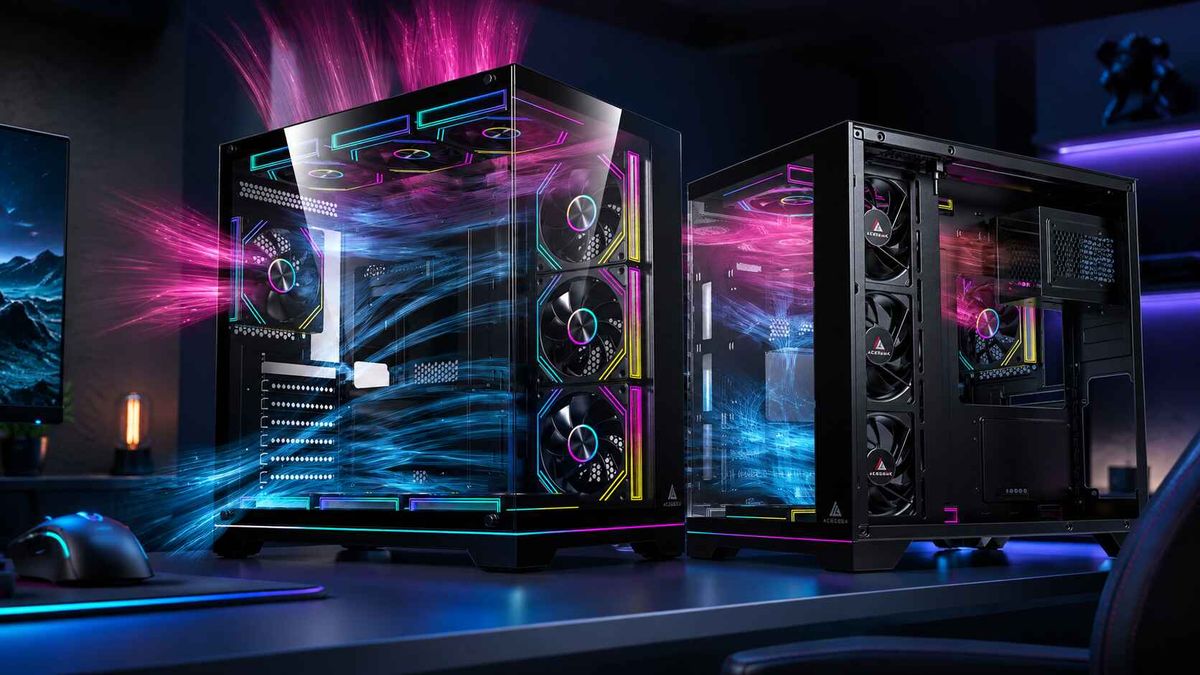
PC Case Airflow Design Rules for OEM and SI Thermal Planning
Airflow is margin
Bad thermals ship. I have watched too many OEM and SI teams treat the chassis as packaging, then act surprised when the support queue fills with “random” crashes, fan noise complaints, GPU hot-spot spikes, and CPU clocks that look healthy in a lab screenshot but fall apart after 45 minutes of sustained load in a warm room with dust already building on the filters. Why are we still pretending the box is secondary?
The timing is awkward, too. Reuters reported in April 2024 that global PC shipments returned to growth, up 1.5% year over year to 59.8 million units in Q1 2024, which means refresh volume is back and the cost of every lazy thermal decision scales faster than many teams want to admit.
Here is the hard truth. OEM thermal planning is not about whether a case can physically hold three fans, or five, or ten; it is about whether the intake path, component clearance, pressure balance, and exhaust escape route still work when the customer installs a 61 mm-thick GPU, routes ugly cables, adds two SSDs, leaves the PC on for 14 hours, and never cleans it until quarter three. Does your airflow model survive that user?
The numbers get ugly faster than the marketing deck admits
Heat adds up. According to Intel’s Core i9-14900K specifications, the chip carries 125 W Processor Base Power and 253 W Maximum Turbo Power; NVIDIA’s GeForce RTX 4090 specs list 450 W Total Graphics Power, 24 GB GDDR6X memory, a 304 mm card length, and a 61 mm thickness; AMD’s Ryzen 9 9950X page lists a 170 W default TDP on TSMC 4 nm and 6 nm process nodes. In plain English, a 14900K plus RTX 4090 tower asks the chassis to manage at least 703 W of silicon heat, while a 9950X plus RTX 4090 build still lands around 620 W before VRM, SSD, memory, and PSU waste heat even enter the chat. That is not cosmetic airflow; that is thermal debt.
And this is why I do not buy the old SI excuse that “a modern case is a modern case.” No. A thermally advantaged chassis is a routing device for energy. Everything else is a liability with tempered glass attached.
The airflow rules that still work after the first RMA
Rule 1: Start with heat class, not motherboard form factor
ATX is not a thermal class. Micro-ATX is not a thermal class. “Mid-tower” is definitely not a thermal class. I start with expected sustained heat load, GPU thickness, radiator target, and dust profile, and only then do I decide whether the system belongs in an E-ATX, ATX, or M-ATX enclosure. That is why a reader moving from ACEGEEK’s guide to choosing the right PC case into the thermal conversation should immediately land on the TDP guide for PC stability, because size alone tells you almost nothing about whether the box can actually dissipate the build you are about to sell.
Rule 2: Intake geometry beats raw fan count
This matters more. GamersNexus’ 2024 case roundup showed top CPU thermals around 41°C above ambient in leading cases, and its Antec Flux Pro benchmark showed a conventional 2x140 mm intake plus 1x120 mm exhaust arrangement averaging 38°C above ambient on the CPU; Tom’s Hardware’s NZXT H7 Flow (2024) review made the same point in softer language, praising the mesh front and extra fan support as the reason the chassis remained a strong thermal performer. The lesson is obvious: fan holes do not cool components, low-impedance air paths do. Why do brands still sell sealed fronts with “airflow” in the name?
Rule 3: Give the GPU its own air lane
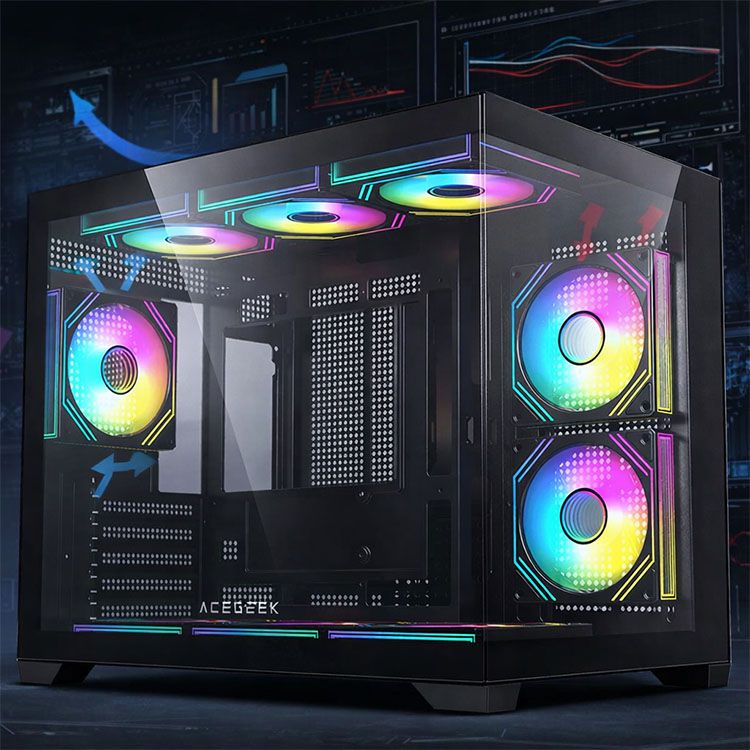
GPUs dominate. An RTX 4090-class card is not just hot; it is physically intrusive, with NVIDIA listing 304 mm length, 61 mm thickness, and 450 W Total Graphics Power on the reference spec page. That means the card can become its own air dam inside a poorly planned tower, especially when side glass, dense cable bundles, or fixed drive structures choke the intake side. This is exactly where a case like ACEGEEK’s LunarisFlow airflow case, with side and bottom fan support, or the Cruiser L460 Pro airflow case, with bottom intake capacity and E-ATX headroom, becomes a thermal planning decision rather than a style pick.
Rule 4: PWM control is not optional for serious SI work
Control matters. ACEGEEK’s current 3-pin vs 4-pin fan guide correctly notes that 4-pin PWM fans allow automatic speed adjustment based on temperature, with smoother control and faster response than basic 3-pin voltage control. For OEMs and SIs, that translates into tighter acoustic management, better transient response when GPU and CPU loads spike together, and fewer fan curves that need to be brute-forced just to hide weak airflow design. Would you rather fix the air path or mask it with RPM?
Rule 5: Clearance is a thermal spec, not a fitment checkbox
Space is airflow. ACEGEEK’s LunarisFlow lists 400 mm GPU clearance, 180 mm CPU cooler clearance, support for top 420 mm or 360 mm AIOs, and fan positions across top, side, rear, and bottom; the Cruiser L460 Pro lists 410 mm GPU clearance, E-ATX support, top 360 mm radiator support, and bottom intake positions; the Vault lists 285 mm GPU clearance, M-ATX/ITX support, a top 240 mm radiator, and seven total 120 mm fan positions across top, front, rear, and bottom. Those are not random spec-sheet brag lines. They tell you which thermal envelope each chassis is willing to tolerate before you start fighting recirculation, dead zones, and customer-side cable chaos.
What ACEGEEK’s current internal link structure gets right, and where I would tighten it
The bones are there. ACEGEEK already has a public content stack that includes a blog with Buying Guides, Future Trends, and Maintenance & Cleaning, plus article-level coverage for case selection, fan connector behavior, and TDP, alongside a current PC case catalog that surfaces LunarisFlow, Cruiser L460 Pro, Vault, and other chassis families. That is enough to build a real topic cluster around PC case airflow instead of a loose pile of product pages.
Here is how I would wire it. This article should link upward to the educational pages, then downward to the appropriate chassis pages. The reader path I trust is simple: start with the guide to choosing the right PC case, move to the TDP guide for PC stability, resolve control questions in the 3-pin vs 4-pin fan guide, and then send the buyer into a case that matches actual thermal intent, whether that is the LunarisFlow airflow case, the Cruiser L460 Pro airflow case, or the Vault M-ATX airflow budget case. Six links. One clear journey. No wasted crawl path.
Three ACEGEEK chassis that map cleanly to real thermal roles
Based on the current ACEGEEK product pages, these are the cleanest internal destinations for a thermal-planning article built around PC case airflow.
ACEGEEK chassisAirflow-relevant hardwareBest OEM / SI useMy blunt takeLunarisFlow10 fan positions, top 420/360 mm AIO, side 240 mm AIO, 400 mm GPU clearance, 180 mm air cooler clearance, 0.7 mm SPCCFlagship ATX gaming or creator towers with GPU-first airflow prioritiesThis is the cleanest “feed the GPU first” option in the current set.Cruiser L460 (Pro)9 fan positions, top 360 mm radiator, side 240 mm radiator, 410 mm GPU clearance, E-ATX support, 0.7 mm SPCCWorkstations and mixed CPU/GPU loads that need room without going absurdly largeBetter for broad compatibility, especially where motherboard and storage density matter.Vault7 fan positions, top 240 mm radiator, 285 mm GPU clearance, M-ATX/ITX support, 0.4 mm structureCompact budget systems where controlled airflow matters more than raw component ambitionFine for disciplined builds; a mistake if someone tries to cram flagship thermals into a small budget shell.
The numbers above are compiled from ACEGEEK’s current product pages, and they tell a useful story: the site already has a natural ladder from compact budget airflow to broader workstation airflow to more aggressive multi-zone airflow, which is exactly what a sane internal linking system should surface.
The industry keeps relearning the same thermal lesson
Big companies miss this, too. In November 2024, Reuters reported on Nvidia Blackwell server overheating issues, noting concerns around systems designed to hold up to 72 chips in a rack. Yes, that is hyperscale gear, not a gaming tower. But the engineering lesson is identical: thermal planning fails when density outruns airflow assumptions, and prestige does not cancel physics. If Nvidia can get bitten by packaging heat badly enough to trigger redesign concern, no desktop OEM or SI gets to call airflow review “nice to have.”
I will say something unfashionable here. The “fish-tank plus extra fans” school of chassis design is often a tax on discipline. It can work, sure. Almost anything can work if you throw enough fan speed at it. But that is not the same thing as efficient thermal planning. The better rule is uglier, and I trust ugly rules: short intake path, direct GPU feed, unobstructed exhaust, PWM control, and enough clearance that the system still breathes after the customer installs real hardware instead of review-sample hardware.
FAQs
What is PC case airflow?
PC case airflow is the managed path that pulls cool room air through intake zones, drives it across the GPU, CPU cooler, VRM, memory, and SSD surfaces, and then ejects heated air fast enough to prevent recirculation, local hot spots, throttling, and excess fan noise. In OEM and SI work, that definition should sit next to TDP math and fan-control strategy, not in a beginner glossary.
What is the best airflow setup for a PC case?
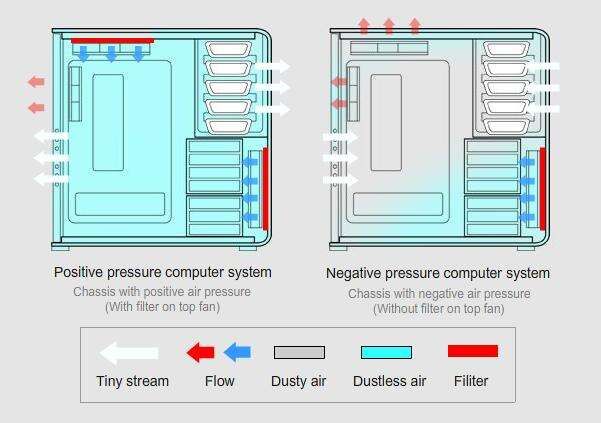
The best airflow setup for a PC case is usually a front, side, or bottom intake bias with a smaller rear and top exhaust path, creating slight positive-pressure airflow that feeds the GPU first, supports the CPU second, and limits dust through unfiltered openings. In practice, that is why mesh intake geometry and sensible fan placement keep beating flashy fan counts in real reviews.
Is positive or negative pressure better for OEM and SI builds?
Slight positive pressure is a chassis condition where intake airflow exceeds exhaust airflow by a small margin, so air leaves through gaps instead of entering through them, which usually cuts dust buildup and makes long-run thermals more predictable for OEM and SI fleets. I prefer it because fleet behavior matters more than a single open-bench screenshot.
How many case fans do OEMs and system integrators actually need?
For most OEM and SI towers, the right fan count is the minimum number needed to hold component temperatures stable under sustained load without dead zones, turbulence, or needless noise, which usually means three to six quality PWM fans rather than a wall of cheap RGB spinners. More fan mounts are useful, but only when the airflow path and heat class justify them.
Your next move
Do this now. Audit one live SKU, one planned SKU, and one support-heavy SKU against the rules above: total sustained heat, GPU air lane, intake impedance, pressure balance, and real component clearance. Then tighten the internal path on ACEGEEK so this article feeds the six pages that already make sense, instead of dumping readers into a generic browsing loop. That is how you turn “PC case airflow” from a nice keyword into a revenue-protecting topic cluster.
And yes, I mean revenue. Because the companies that treat airflow as styling keep paying for it later in fan noise complaints, thermal throttling, dust-related service tickets, and specs that looked brave until a real customer used the machine like a real customer.