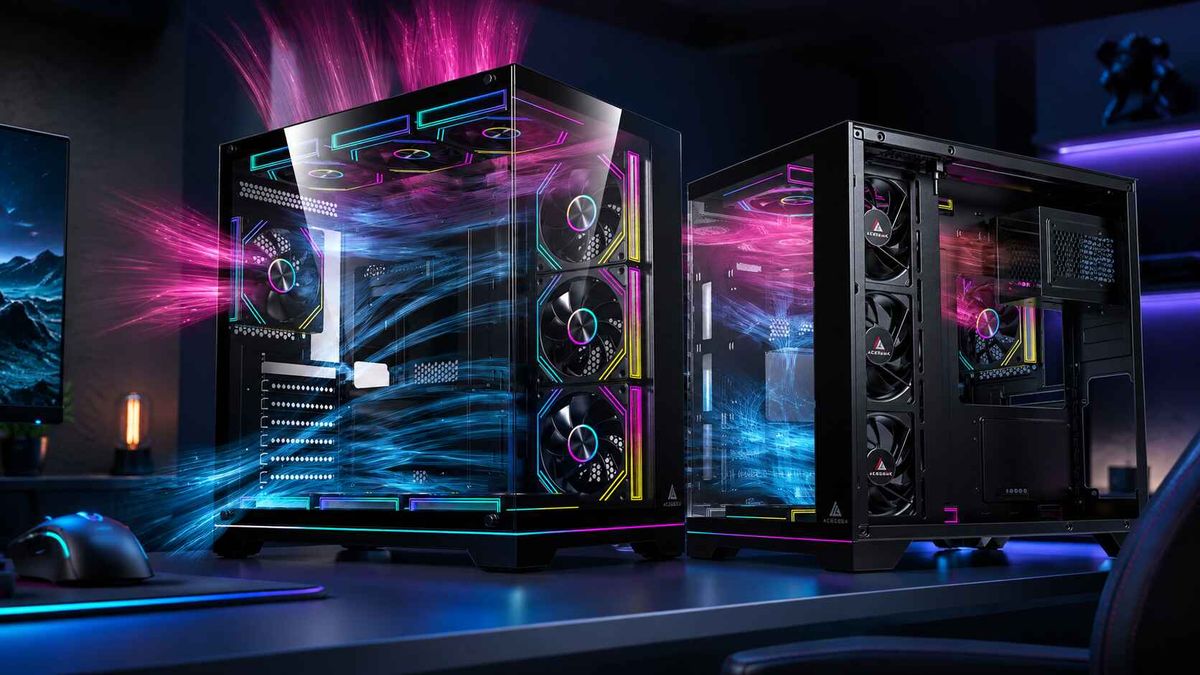
How Much Airflow Do Modern GPUs Actually Need?
The Uncomfortable Truth About GPU Airflow
Most builders overbuy fans and underthink airflow.
That sounds harsh, but I have watched the same mistake repeat across premium gaming PCs, creator workstations, compact M-ATX builds, and glass-heavy showcase rigs: people count fan mounts, admire RGB diffusion, install a massive graphics card, then wonder why the GPU fans sound like they are filing a complaint. What did they expect?
Airflow is simple.
But modern GPU airflow becomes messy because a graphics card is not a passive object sitting inside the case; it is a 250W, 315W, 450W, or even 575W heat source with its own fans, its own heatsink, its own exhaust behavior, and its own ugly dependence on the air surrounding it.
Here is my unpopular opinion: most modern GPUs need less “more airflow” and more correct airflow.
A badly planned six-fan case can run louder than a cleaner three-fan setup. A mesh case can lose if the bottom intake is choked by carpet. A glass case can survive if it has side intake and honest exhaust. And a huge triple-slot GPU can still suffocate if the case gives it 3 mm of breathing room and a cable bundle parked under the fan blades.
NVIDIA’s own RTX 4090 Founders Edition data gives us the shape of the problem: 450W Total Graphics Power, 315W average gaming power, 90°C maximum GPU temperature, and 850W required system power listed on the official NVIDIA GeForce RTX 4090 specifications page. The RTX 5090 pushes harder: 575W Total Graphics Power, 1000W required system power, 32 GB GDDR7, and a 512-bit memory interface on NVIDIA’s official GeForce RTX 5090 specifications page.
That is not marketing trivia. That is heat.
How Much Airflow Does a GPU Actually Need?
A modern GPU usually needs a direct intake path, clear space around its cooler, and enough case exhaust to keep internal air from rising far above room temperature during sustained load. For most gaming builds, the target is not a magic CFM number; the target is stable GPU temperature, stable hotspot behavior, controlled fan RPM, and no heat recirculation.
I know people want a number. Fine. Here is the number I trust least: fan CFM printed on a box.
Why? Because 65 CFM in open air is not 65 CFM behind a dense filter, a decorative front panel, a radiator, a cable mess, and a GPU cooler fighting backpressure. CFM is lab language. Case airflow is street language.
The better question is: does the GPU get fresh air before the CPU, radiator, PSU, and case panels ruin it?
If you are building from scratch, start with AceGeek’s PC case buying guide, because case size, fan support, GPU clearance, and CPU cooler clearance decide the thermal ceiling before the GPU ever boots. Then sanity-check the layout against AceGeek’s guide on balancing CPU cooling and GPU airflow, because the CPU and GPU often fight over the same air path.
The Real Airflow Math: Watts Beat Fan Count
Watts tell truth.
A 200W-class GPU can often tolerate mediocre airflow without becoming unbearable, especially in a roomy ATX case with a decent front intake, but a 450W RTX 4090 or 575W RTX 5090 changes the equation because the graphics card is no longer just another component; it becomes the dominant thermal event inside the chassis. Why pretend a flagship GPU is just a bigger mid-range card?
Here is the brutal way I think about it:
GPU / Build ScenarioTypical Heat BehaviorAirflow PriorityMy Field Verdict150W–220W GPU, mid-tower caseManageable heat, forgiving fan speedFront intake plus rear exhaustEasy to cool if the case is not sealed250W–320W GPU, gaming buildNoticeable case heat under long sessionsDirect front or bottom intakeNeeds real intake, not cosmetic ventsRTX 4090-class 450W GPUGPU exhaust dominates internal airIntake aimed at GPU plus strong exhaustClearance matters as much as fan countRTX 5090-class 575W GPUCase becomes a heat-management systemHigh-flow intake, open exhaust, cable disciplineBad cases get exposed fastCompact M-ATX / ITX with high-TDP GPUHeat density rises sharplyBottom/side intake and short exhaust pathFit does not mean cool
This is where the industry quietly plays games.
Many product pages sell “supports 10 fans” as if that is the same as cooling. It is not. Ten fans mounted around a restrictive case can create turbulence, dead zones, and noise. Three well-placed fans can beat that if the GPU gets first access to intake air.
AceGeek’s small-case high-TDP hardware analysis gets this right: small cases do not fail because they are small; they fail when watts per liter exceed what the intake and exhaust path can support. Pair that with the real impact of case size on cooling performance, and the pattern becomes obvious: volume helps, but geometry wins.
Case Airflow Is a Supply Chain, Not a Fan Show
Think of GPU airflow as a supply chain.
Fresh air enters.
It moves through filters, panels, fan frames, cables, GPU fins, radiator exhaust, motherboard zones, and case exits, and every restriction in that chain taxes the GPU cooler before the sensor dashboard tells you anything useful. Why obsess over a 2°C thermal paste change when the card is breathing recycled heat?
Thermal paste has a job. Aluminum oxide, Al₂O₃, zinc oxide, ZnO, and silicone-based compounds can improve contact between a die, IHS, or cooler plate. But paste is not airflow. A premium compound cannot fix a sealed front panel, blocked bottom intake, or GPU fans starved by a vertical mount too close to glass.
The hard truth: graphics card cooling is usually limited by the case before it is limited by the GPU cooler.
That is why I like bottom intake for modern open-air GPUs when the case supports it. Side intake can also work. Front intake works in many ATX towers. But top-front exhaust? Dangerous if it steals fresh air before it reaches the graphics card. I have seen builders install top fans because empty mounts made them nervous, then accidentally pull intake air out before the GPU could use it.
More fans lied.
For fine control, AceGeek’s 3-pin vs 4-pin fan guide is worth using as a supporting read. PWM control matters because GPU temperature airflow problems are not only about maximum cooling; they are also about smooth response. A fan curve that jumps from 700 RPM to 1500 RPM every time a scene loads is not tuned. It is panicking.
Mesh, Glass, and the Lie of “Premium” Case Design
Mesh usually wins.
But I am not religious about it, because a smart glass case with side intake, bottom intake, real spacing, and a short exhaust path can outperform a lazy mesh case with bad fan placement and cable clutter. Still, if two cases look equally good and one has a breathable front or side panel, I know where my money goes.
The problem is buyer psychology. People shop with their eyes first. The GPU pays later.
AceGeek’s front mesh vs tempered glass case design breakdown fits naturally here because the modern airflow debate is not glass versus mesh as a style argument. It is intake resistance versus heat density. If a case blocks intake, the fans compensate with RPM. If RPM rises, noise rises. If noise rises, users cap fan curves. If users cap fan curves, temperatures climb.
That loop is how good hardware gets blamed for bad chassis design.
The data-center world already learned the same lesson at larger scale. The U.S. Department of Energy says data centers’ share of total annual U.S. electricity consumption rose from 1.9% in 2018 to 4.4% in 2023, with projections of 6.7% to 12% by 2028, and notes that these facilities require reliable cooling methods to stop servers from overheating on its Geothermal and Data Centers page. Reuters reported in December 2024 that U.S. data-center power demand could nearly triple by 2028, driven partly by GPU-heavy AI servers and intense cooling systems in its DOE-backed data-center power report.
Desktop PCs are smaller. Physics is not.
The GPU Airflow Checklist I Actually Trust
Start boring.
Before I judge a cooling setup, I want room temperature, GPU temperature, GPU hotspot, GPU fan RPM, board power, case fan RPM, CPU package power, and whether the side panel is installed. Without that, “my GPU runs hot” is just a mood.
Here is the checklist I would use before blaming the graphics card:
CheckpointWhat I Want to SeeRed FlagGPU clearanceAt least one open slot or meaningful breathing space near intakeGPU pressed against glass, PSU shroud, or riser panelIntake pathFront, side, or bottom fans feeding the GPU directlyIntake air blocked by filter, cables, carpet, or decorative panelExhaust pathRear and top-rear exhaust removing GPU/CPU heatTop fans stealing intake before it reaches the GPUFan controlPWM curves tied to real system heat, not twitchy spikesCase fans reacting only to CPU temperatureCable routingNo cable bundle under GPU fansPCIe cables blocking GPU fan intakeDust stateFilters cleaned under real-use schedule“Clean-looking” case with packed bottom filterWorkload testing20–30 minutes of gaming, rendering, or AI loadOnly checking idle temperature
And yes, I would tune fans only after the physical airflow path makes sense. AceGeek’s fan curve optimization guide belongs in this workflow because fan curves should refine a good layout, not hide a bad one.
What “Enough” GPU Cooling Looks Like in Real Use
Enough GPU cooling does not mean the lowest possible temperature.
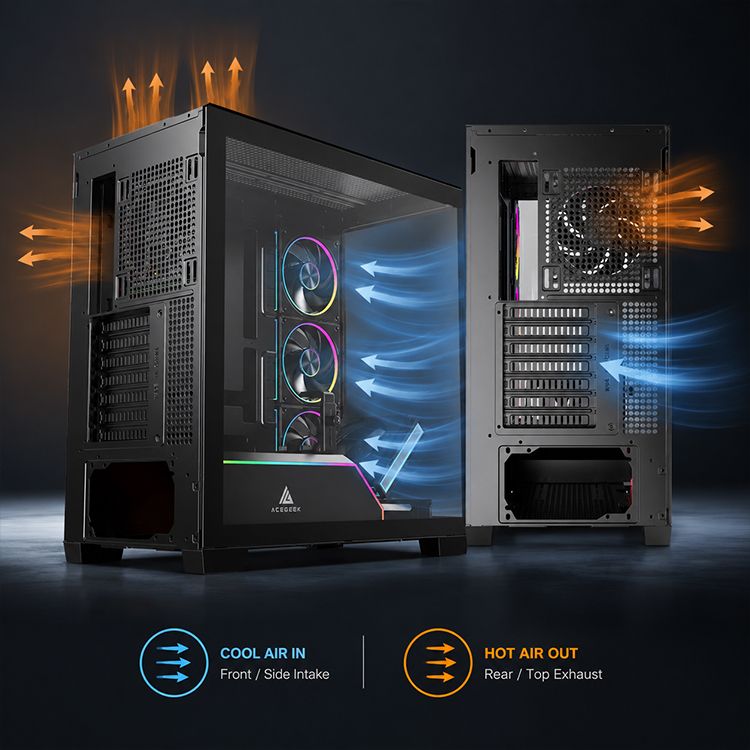
It means the GPU can hold expected boost behavior under sustained load without loud fan spikes, hotspot runaway, or heat soaking the rest of the system, while the case fans move air in a predictable front/bottom/side intake to rear/top exhaust pattern. That is the answer professionals should care about.
For a modern gaming PC, I would rather see:
GPU temperature staying below the manufacturer limit during sustained gaming
GPU hotspot not climbing wildly above the core temperature
Fan RPM rising smoothly instead of surging
CPU temperature not worsening badly when the GPU is loaded
Side panel installed during testing
No major temperature drop when the side panel is removed
That last point matters. If removing the side panel drops GPU temperature by 8°C, 10°C, or more, the case airflow is guilty. Not the GPU. Not the thermal paste. Not some mysterious silicon problem.
But there is nuance. A 3°C side-panel drop is normal in many builds. A 5°C drop may be acceptable depending on noise. A 10°C drop is evidence. The case is restricting airflow or recycling heat.
Best Airflow Setup for GPU: My Blunt Layout Rules
The best airflow setup for GPU cooling gives the graphics card first access to cool intake air, then removes GPU exhaust before it contaminates the CPU cooler, motherboard VRM area, RAM, and PSU zone. In most tower cases, that means front or bottom intake, rear exhaust, controlled top-rear exhaust, clean cable routing, and fan curves that respond to sustained heat.
My practical setup rules:
Use front intake for classic ATX towers.
Use bottom intake if the case gives the GPU direct breathing room.
Use side intake when front glass blocks the normal path.
Avoid top-front exhaust if it steals intake air early.
Keep rear exhaust simple and reliable.
Keep cables away from the GPU fan face.
Test with the side panel on.
Stop chasing idle temperatures.
Here is the part nobody likes hearing: your GPU airflow strategy should be chosen before the case purchase, not after the GPU overheats.
That is why internal planning matters. Use AceGeek’s PC case guidance first, then the CPU/GPU airflow article, then the fan curve article. That sequence mirrors how heat actually behaves: enclosure first, air path second, control logic third.
FAQs
How much airflow does a modern GPU need?
A modern GPU needs enough airflow to supply fresh intake air directly to the graphics card cooler, prevent hot exhaust from recirculating, and keep sustained GPU temperature, hotspot temperature, and fan RPM stable under real workloads such as gaming, rendering, or local AI inference for at least 20–30 minutes.
In plain language, do not hunt for a universal CFM number. Test the actual system. If removing the side panel produces a large temperature drop, your case airflow is the bottleneck.
What is the best airflow setup for GPU cooling?
The best airflow setup for GPU cooling is a case layout where front, side, or bottom intake fans feed the graphics card first, while rear and top-rear exhaust fans remove heated air without pulling fresh intake away before it reaches the GPU cooler during sustained load.
For most ATX builds, front intake plus rear exhaust is the baseline. For high-power cards, bottom intake aimed at the GPU can be excellent if the case has enough floor clearance and clean dust filters.
Does more case airflow always lower GPU temperature?
More case airflow does not always lower GPU temperature because fan placement, intake restriction, pressure balance, cable obstruction, dust filters, GPU cooler design, and exhaust routing decide whether added fans deliver fresh air to the graphics card or simply create turbulence, noise, and short-circuited airflow paths.
I would rather run three purposeful fans than six confused ones. Fan count is not strategy. Air path is strategy.
Is GPU temperature airflow more important than CPU airflow?
GPU temperature airflow can be more important than CPU airflow in gaming PCs because the graphics card often dumps more sustained heat into the case than the processor, especially with high-power GPUs such as RTX 4090-class or RTX 5090-class cards under long gaming, rendering, or AI workloads.
That does not mean ignoring the CPU. It means the CPU and GPU must stop fighting over the same warm air.
Do modern GPUs need bottom intake fans?
Modern GPUs do not always need bottom intake fans, but bottom intake can help significantly when the case gives the graphics card direct access to fresh air, enough floor clearance, clean dust filtration, and unobstructed fan space beneath the card’s cooler.
Bottom intake is especially useful in compact cases and dual-chamber layouts. But if the case sits on carpet or the bottom filter is clogged, bottom intake becomes a polite fiction.
Why does my GPU run cooler with the side panel removed?
A GPU runs cooler with the side panel removed when the case is restricting intake, trapping exhaust heat, or forcing the graphics card to reuse warm internal air instead of drawing fresh room-temperature air through a clean and direct airflow path.
A small drop is normal. A dramatic drop is a diagnosis. The case, fan layout, or cable routing is the problem.
Final Thoughts: Stop Buying Fans and Start Auditing Air
Do this before your next upgrade.
Log your GPU temperature, hotspot, fan RPM, board power, and room temperature during a real 20–30 minute workload. Then remove the side panel and repeat the same test. If the numbers improve sharply, stop shopping for miracle thermal paste and audit the airflow path: intake, exhaust, GPU clearance, cables, filters, and fan curves.
Modern GPU airflow is not mystical. It is not solved by fan-count theater. It is a chain of decisions.
So make the chain honest. Start with the case. Feed the GPU first. Exhaust the heat cleanly. Tune the fans after the physical layout earns it.