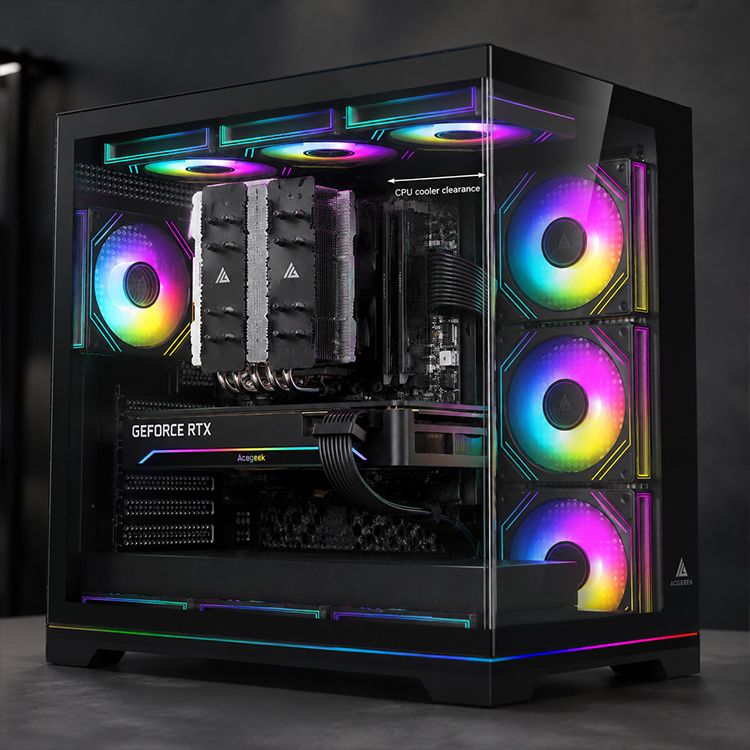
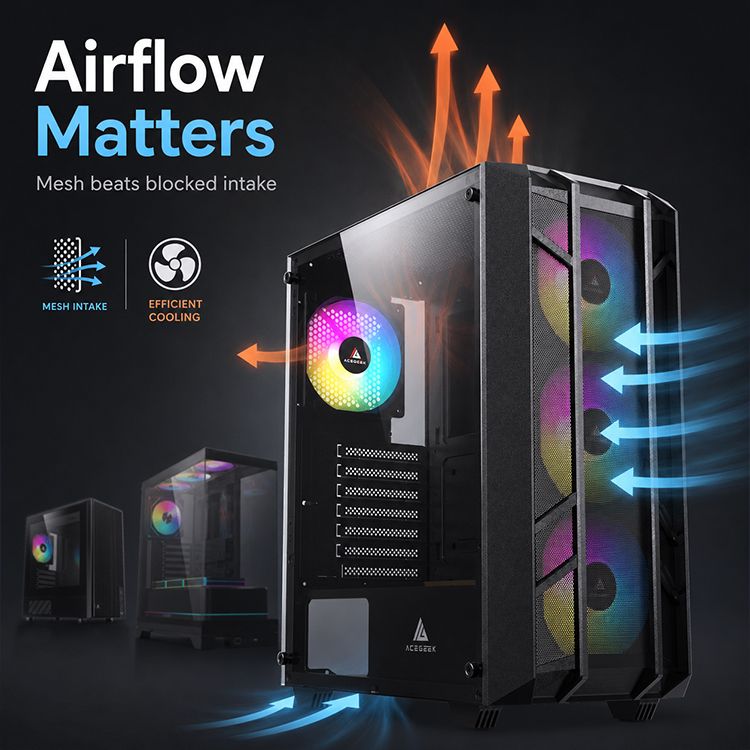
2026 Gaming PC Case Buying Guide
Stop Shopping by Glass Panels First
Looks lie.
I have seen clean, expensive-looking gaming PC cases behave like sealed lunchboxes once a hot GPU, a boosted CPU, a 360mm radiator, cable extensions, dust filters, and three hours of real gaming load all start fighting for the same air inside one metal shell. Why do we still let marketing photos make thermal decisions for us?
The hard truth: a gaming PC case is not decoration. It is a cooling system, a compatibility filter, a noise-control box, a dust-management tool, and a long-term upgrade bet. If it fails at those jobs, the RGB does not matter.
Start with the boring questions. Does the GPU get fresh intake air? Can the case handle an ATX or M-ATX board without turning cable routing into surgery? Is there enough CPU cooler clearance for a 165mm to 180mm tower cooler? Can the top mount actually fit a 240mm, 360mm, or 420mm radiator after RAM height and motherboard heatsinks are counted? Does the front I/O include USB-C, or are you buying a “modern” case with yesterday’s ports?
If you are early in the buying process, I would begin with AceGeek’s PC case collection, then cross-check the basics against its guide on how to choose the right PC case. That internal path makes sense because size, motherboard support, cooler clearance, fan support, and airflow are not separate decisions. They are the same decision wearing different labels.
The 2026 Heat Problem Is Real, Not Forum Drama
Modern hardware got hotter.
NVIDIA lists the GeForce RTX 5090 Founders Edition at 575W Total Graphics Power, with a 1000W required system power guideline on its official RTX 5090 specification page. Intel’s Core i9-14900K is commonly listed at 125W Processor Base Power and 253W Maximum Turbo Power, which means the CPU alone can dump serious heat into the case under sustained boost behavior. So tell me again why the front panel design is “just aesthetics”?
This is where I get opinionated: the best PC case for gaming in 2026 is usually not the biggest one. It is the smallest case that still gives your components clean airflow, honest clearance, and enough fan or radiator support without turning the build into a loud box of turbulence.
The numbers outside the PC industry point the same way. The U.S. Energy Information Administration reported that total average electricity revenues rose to 14.18 cents/kWh in March 2026, up 7.2% year over year, in its Electricity Monthly Update. That does not mean your case will bankrupt you. But it does mean efficiency, fan behavior, and heat management are not nerd vanity anymore. A loud, hot, wasteful system is just bad engineering.
And disposal matters too. The ITU and UNITAR’s Global E-waste Monitor 2024 reported 62 billion kg of e-waste generated globally in 2022, with only 22.3% formally collected and recycled. A case that survives two or three builds is not just better value. It is the sane choice.
My Buying Rule: Air Path Before Everything
Mesh usually wins.
But not always, and anyone who says “all glass bad” is selling a bumper sticker instead of analysis. A tempered-glass case can work when it has generous side intake, bottom intake, strong stock fans, and enough internal spacing around the GPU. The problem is that many cheap glass-front designs rely on narrow side vents, then pretend you can fix poor intake geometry by buying more fans.
You often can’t.
If you are comparing front mesh and glass-heavy designs, read AceGeek’s front mesh vs tempered glass case design breakdown. The useful question is not “mesh or glass?” The useful question is: where does cool air enter, what component gets it first, and how does hot air leave?
For most builders asking “what PC case should I buy,” my answer starts here:
Gaming-first build with RTX 4070 Ti Super, RTX 4080 Super, RTX 5080, RTX 5090, RX 7900 XTX, or similar heat output: choose an airflow PC case with direct GPU intake.
Quiet productivity build: choose controlled airflow, PWM fans, and dust filters that do not choke after three weeks.
Showcase RGB build: fine, but do not buy a display box unless the airflow math still works.
Small desk build: M-ATX can be excellent, but check GPU length, PSU shroud design, and bottom intake clearance.
High-end AIO build: top radiator clearance matters more than the product render.
This is why AceGeek’s real case size cooling analysis is worth threading into the buying journey. ATX mid tower cases are popular because they often hit the sweet spot: enough room for cooling, enough clearance for modern GPUs, fewer noise issues than cramped cases, and less wasted volume than oversized full towers.
The Buyer’s Scorecard: What Actually Matters
Here is the blunt comparison table I would use before buying any gaming computer case in 2026.
Buying FactorWhat to CheckGood Target for 2026 Gaming BuildsRed FlagGPU clearanceMax GPU length after front fans/radiator350mm–410mmClearance listed without radiator/fan contextCPU cooler clearanceTower cooler height support165mm–180mm“Supports air cooling” with no height numberRadiator supportTop/side/front AIO fit240mm minimum, 360mm preferred for high-end CPUsTop 360mm claim with RAM clearance conflictsIntake designFront, side, or bottom airflow pathMesh, large vents, or direct lower GPU intakeSealed glass front with tiny side slitsFan control3-pin DC vs 4-pin PWM4-pin PWM for quieter rampingCheap fixed-speed fansDust controlFilters and accessRemovable filters that do not block too much airDecorative mesh that traps dust fastFront I/ODaily usabilityUSB-C, USB 3.0, audioUSB 2.0-heavy layout on a “modern” caseBuild qualitySteel thickness, panels, cable room0.6mm–0.8mm SPCC or better, sane cable routingFlexing panels and cramped rear cable space
One detail buyers miss: fan connector type. AceGeek’s 3-pin vs 4-pin PWM fan guide explains why 4-pin PWM fans give smoother temperature-based control. I care about this because bad fan control makes a good case feel cheap. The PC ramps up. Then it ramps down. Then it hunts again. After a week, you stop calling it “performance” and start calling it annoying.
ATX Mid Tower Is Still the Default Answer, but Not the Lazy One
ATX mid tower is the safe bet.
That does not mean every ATX mid tower case is good; it means the format gives most gaming PC builders the best chance of fitting a full-size GPU, standard ATX motherboard, 240mm or 360mm liquid cooler, multiple SSD/HDD options, and sane cable routing without paying for a full tower they do not need. Why buy empty space if the airflow path is worse?
AceGeek’s lineup shows the spread clearly. The LunarisFlow lists ATX/M-ATX/ITX motherboard support, 0.7mm SPCC, 400mm max GPU clearance, 180mm CPU cooler clearance, top support for 420mm/360mm AIO, side 240mm AIO, and Type-C front I/O. That is the kind of spec stack I expect in a serious airflow-first case.
The Mercury R425X RGB takes a different route: 425 × 280 × 420mm, 410mm GPU clearance, 165mm CPU cooler clearance, top and side 360mm radiator support, and fan positions at the top, side, rear, and bottom. That looks more showcase-oriented, but the clearance numbers are still meaningful.
Then there is the Qube, which supports E-ATX, ATX, M-ATX, and ITX, uses a 400 × 220 × 445mm footprint, and lists front, side, top, rear, and bottom fan positions. It is a reminder that “budget” or “simple” does not automatically mean thermally useless.
My unpopular opinion: people overpay for “premium” cases and under-check the last 20mm of clearance. The final 20mm decides whether your radiator blocks RAM, whether the GPU power cable bends too hard, whether the side panel closes, and whether the lower intake actually feeds the GPU.
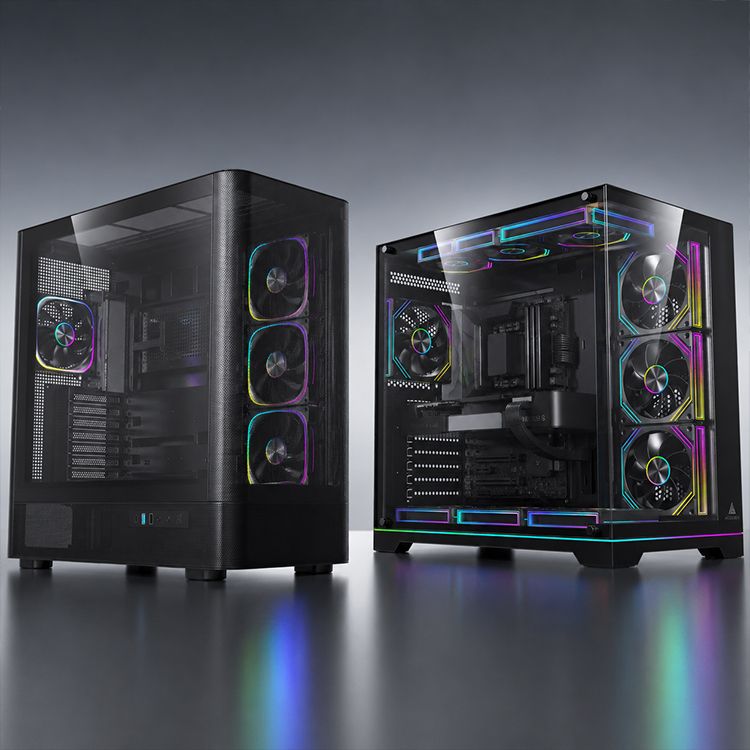
The Glass Case Trap: Pretty Now, Noisy Later
Glass sells.
I understand why. A panoramic case makes the build feel expensive before you even power it on, and for brands, it photographs better than a boring airflow box. But I have no patience for glass cases that hide weak intake behind lifestyle photography.
A glass-heavy gaming PC case can be a smart buy if it has side intake, bottom intake, wide ventilation channels, and real fan hardware. It becomes a bad buy when the front or side panel turns airflow into a negotiation. Then the builder compensates with higher fan RPM, more fans, more dust pull, and more noise.
That is the tax.
If you want a showcase build, use AceGeek’s PC Case Showdown: Ocean View or Fish Tank as the reality check. The point is not to shame glass. The point is to stop pretending visual access is free. Every design gives something and takes something.
For a mid-range CPU and a modest GPU, a glass layout can be fine. For a hot GPU, high boost CPU, 360mm AIO, and long gaming sessions, I would lean airflow-first almost every time.
The Hidden Fitment Math Nobody Wants to Do
Measure first.
Before buying any gaming PC case, write down your motherboard size, GPU length, GPU thickness, CPU cooler height, radiator size, radiator thickness, fan thickness, PSU length, storage needs, and front-panel connector requirements. Boring? Yes. Cheaper than returning a case? Also yes.
Here is the order I trust:
Choose the motherboard size: ATX, M-ATX, ITX, or E-ATX.
Confirm GPU clearance after front fans or radiator.
Confirm CPU air cooler height or top radiator clearance.
Confirm power supply length and cable-routing space.
Confirm fan layout: intake first, exhaust second, aesthetics third.
Confirm front I/O: USB-C, USB 3.0, audio, reset, power.
Confirm dust-filter access.
Only then judge color, glass, ARGB, and brand styling.
This is where AceGeek’s Understanding TDP guide fits naturally. TDP is not just a CPU cooler keyword. It affects the case, radiator choice, fan behavior, motherboard power behavior, and noise profile. A high-TDP build inside a weak intake case is not “enthusiast.” It is self-inflicted heat.
Also watch supply-chain pricing. Reuters reported in April 2025 that smartphones, computers, and certain electronics were excluded from some steep reciprocal tariffs, while other China-related duties and semiconductor trade investigations remained part of the story in its coverage of electronics and tariff exclusions. Translation for buyers: PC part pricing can move for reasons that have nothing to do with whether a case is good. Buy based on fit and airflow, not panic.
Best Gaming PC Case 2026: My Practical Shortlist by Use Case
I do not believe in one universal “best gaming PC case 2026” answer. That phrase is useful for search. It is not useful in a workshop.
For most builders, the best gaming PC case is one of these:
Best for Most Gaming Builds: Airflow ATX Mid Tower
Choose this if you are building around a mainstream or high-end GPU and want quiet, stable performance. Look for front or side mesh, bottom intake, 165mm+ CPU cooler clearance, 350mm+ GPU clearance, and at least one clean exhaust route.
Best for Showcase Builds: Ventilated Panoramic Case
Choose this if you care about visual presentation but refuse to sacrifice all airflow. Demand side intake, bottom intake, or wide ventilation channels. If the case relies on tiny hidden vents, walk away.
Best for Compact Setups: M-ATX Airflow Case
Choose this if desk space matters and you are not building around extreme heat. M-ATX can be excellent when the GPU has clean air and the PSU shroud does not block intake.
Best for Workstation-Gaming Hybrids: Large ATX or E-ATX Case
Choose this if you need 420mm radiator support, heavy storage, E-ATX boards, or oversized GPUs. Do not buy a full tower for ego. Buy it because the hardware requires it.
Best for Budget Builders: Simple Mesh Case with Real Clearance
Choose this if every dollar matters. Skip decorative complexity. Buy airflow, clearance, filters, and decent fans first. Add lighting later.
FAQs
What is the best gaming PC case to buy in 2026?
The best gaming PC case to buy in 2026 is an airflow-first chassis that fits your motherboard, GPU, CPU cooler, radiator plan, fan-control hardware, and desk space while giving the graphics card direct access to cool intake air and enough exhaust capacity to remove heat under long gaming sessions. For most people, that means a well-vented ATX mid tower rather than a giant full tower or sealed glass showcase.
After that, check specifics: 350mm–410mm GPU clearance, 165mm–180mm CPU cooler clearance, 240mm–360mm radiator support, USB-C front I/O, removable dust filters, and 4-pin PWM fan support. Pretty panels should come after the thermal checklist.
How do I choose a PC case for gaming?
To choose a PC case for gaming, match the case to your motherboard size, GPU length, CPU cooler height, radiator position, fan layout, intake design, front I/O needs, and future upgrade plans before judging RGB, glass, or brand styling. That order prevents the classic mistake: buying a beautiful case that fights your hardware.
Use the AceGeek PC case buying guide for the size decision first, then compare airflow and cooling behavior. If the GPU cannot breathe, the build is already compromised.
Is an ATX mid tower case enough for a high-end gaming PC?
An ATX mid tower case is enough for most high-end gaming PCs when it provides direct intake, strong exhaust, enough GPU clearance, adequate CPU cooler or radiator support, and clean cable routing without blocking fan paths. Size alone does not cool hardware; airflow geometry and clearance quality decide whether the case performs well.
I would only move beyond ATX mid tower for E-ATX motherboards, custom loops, 420mm radiators, unusual storage needs, or massive workstation hardware. For normal gaming builds, a good ATX mid tower is still the adult choice.
Is mesh better than tempered glass for a gaming PC case?
Mesh is usually better than tempered glass for a gaming PC case because it lowers intake resistance, lets fans pull cooler air with less effort, and typically reduces GPU and CPU temperature under sustained load. Tempered glass can still work, but only when the case includes wide side vents, bottom intake, or strong multi-zone airflow.
My rule is simple: mesh gets the benefit of the doubt; glass must prove itself. A glass case with poor intake is not premium. It is a thermal bill with lighting.
How many case fans do I need for a gaming computer case?
A gaming computer case usually needs three to five well-placed fans, not every available fan mount filled, because airflow direction, intake quality, exhaust path, fan curve control, and obstruction matter more than raw fan count. A clean three-intake and one-exhaust layout often beats six confused fans fighting each other.
For high-end GPUs, prioritize lower-front, side, or bottom intake that feeds the graphics card. For hot CPUs, make sure top or rear exhaust removes heat without stealing cool air before it reaches the GPU.
Final Thoughts: Buy the Case That Will Still Make Sense in 2028
Do this before you buy.
Open your parts list and write down the exact motherboard size, GPU length, GPU thickness, CPU cooler height, radiator size, fan plan, PSU length, and front I/O needs. Then compare those numbers against a real case, not a product render. Start with AceGeek’s PC case collection, validate your cooling plan with the case size and cooling guide, and sanity-check the visual tradeoff with the mesh vs tempered glass breakdown.
If a case still looks good after that audit, buy it. If it only looks good before the audit, leave it on the product page.