10 Things to Know Before Building in a Panoramic PC Case
A panoramic PC case is not a magic display box. It is a thermal negotiation with glass.
Glass sells fast.
But when I look at a panoramic PC case, a fish tank PC case, or any curved glass PC case with three visible sides, I do not start with RGB. I start with the boring stuff: where the GPU breathes, how warm air leaves, whether the bottom intake is real, and whether the cable chamber turns into a dusty pressure pocket after two months of daily gaming.
Pretty is cheap. Quiet is harder.
So here is my blunt opinion: the best panoramic PC case is not the one with the most glass. It is the one that lets you show the build without cooking the graphics card. That means a panoramic PC case build needs airflow planning before cable extensions, before fan color matching, before animated LCD screens, and definitely before posting “rate my setup” photos.
1. A Panoramic PC Case Is a Showcase First, a Cooling Product Second
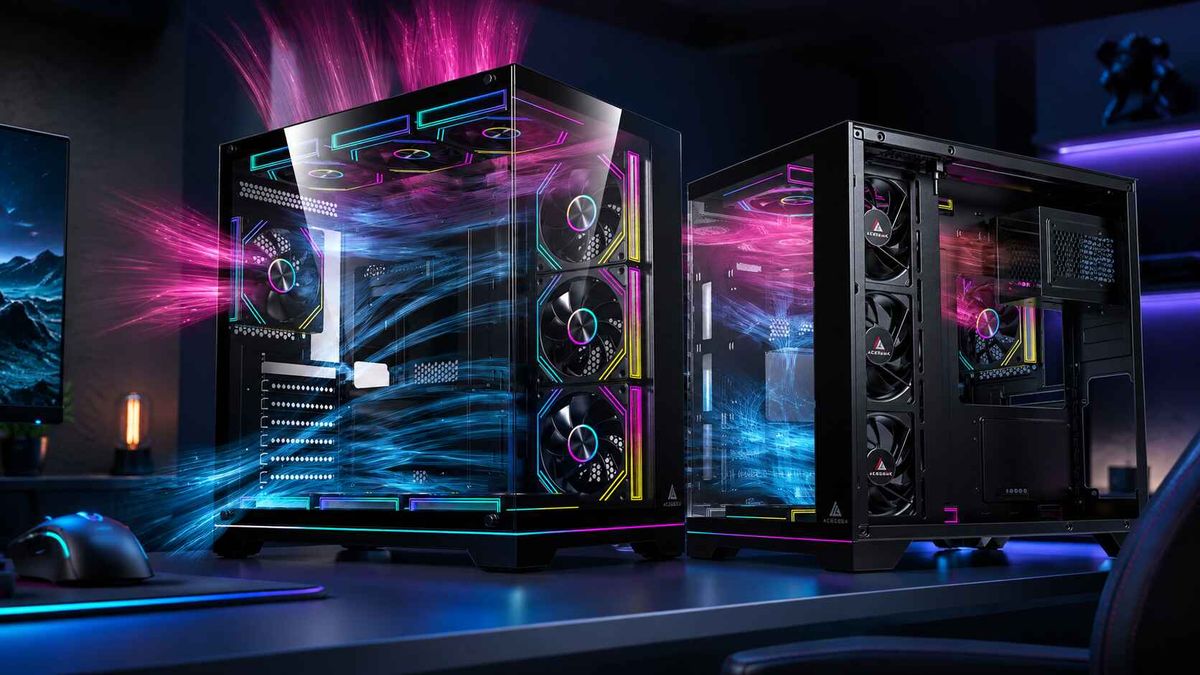
A panoramic PC case is a computer chassis built around wide glass visibility, usually through front-and-side glass or wraparound tempered glass panels, so the motherboard, GPU, cooling hardware, fans, and lighting become part of the visual design.
That sounds harmless. It is not.
The industry learned something very profitable: PC builders will pay more when the case makes hardware look like jewelry. A dual chamber PC case hides the power supply and cable clutter. A tempered glass PC case shows the GPU, AIO pump, RAM lighting, and fan layout. A fish tank PC case makes even a mid-range build look custom.
But airflow is the bill collector.
Noctua’s own case airflow guidance says good cooling depends on a continuous stream of cool air reaching components while warm air exits at nearly the same rate. That is the basic physics vendors try to bury under beauty shots.
I trust the air path. Not the render.
For a starting point, compare the layout options in AceGeek’s PC case collection, because the page makes one useful thing obvious: modern cases are no longer just “ATX boxes.” They split into back-connect layouts, three-side glass designs, seaview cases, airflow-first towers, and compact M-ATX builds. That variety is good. It also means lazy buying is more dangerous.
2. GPU Clearance Is Not Just a Length Number
GPU clearance is the physical space a PC case provides for the graphics card after accounting for front fans, radiators, power cables, vertical mounts, side panels, and the card’s actual thickness.
This is where buyers get burned.
A listing may say 410 mm GPU clearance. Fine. But does that number survive a side-mounted 360 mm radiator? Does the 12V-2x6 or PCIe power cable have room to bend without pressing into glass? Does the GPU sit near bottom intake, or does it recycle warm air from the motherboard tray?
Look at the numbers honestly. NVIDIA lists the GeForce RTX 5090 Founders Edition at 304 mm long with 575 W total graphics power and a 1000 W required system power rating on its official RTX 5090 specifications. AMD lists the Radeon RX 7900 XTX at 355 W typical board power with an 800 W minimum PSU recommendation on its official RX 7900 XTX specifications.
That heat goes somewhere.
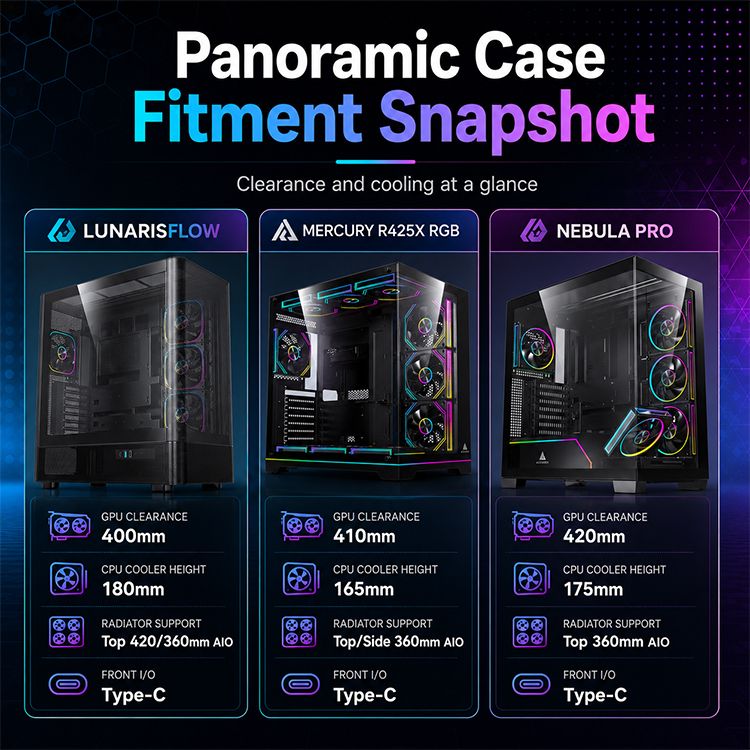
A case like AceGeek’s Mercury R425X RGB seaview case lists 410 mm max GPU clearance, 165 mm CPU cooler clearance, top and side 360 mm radiator support, and fan positions at the top, side, rear, and bottom. Those are the kinds of specs I want to see before I trust a panoramic layout.
The hard question is simple: after everything is installed, does the GPU still get first access to cool air?
3. Tempered Glass Is Not the Enemy. Restricted Intake Is.
Tempered glass is heat-treated safety glass used in PC cases because it is stronger than ordinary glass, looks premium, resists scratches better than acrylic, and gives builders a clear view of internal hardware.
Now the bad news.
Tempered glass does not move air. It blocks it. A glass case can cool well only if the design compensates with side intake, bottom intake, wide ventilation channels, breathable filters, and enough internal spacing around hot components.
Glass lies beautifully.
The worst panoramic PC case designs use big front glass, narrow side slits, and marketing copy that says “optimized airflow” without showing intake area, fan placement, or pressure logic. That is not design. That is costume jewelry.
AceGeek’s LunarisFlow curved airflow case is a better direction to study because it combines a curved mesh design with a glass side, 400 mm GPU clearance, 180 mm CPU cooler clearance, top 420/360 mm AIO support, side 240 mm AIO support, and multiple 120/140 mm fan positions. Whether you buy it or not, the lesson is useful: the visual panel must not be allowed to suffocate the thermal path.
4. Dual Chamber Cases Make Cable Management Easier, but They Can Hide Bad Decisions
A dual chamber PC case separates the visible motherboard/GPU area from the power supply, storage, and cable-management area, usually placing the PSU behind or beside the main hardware chamber instead of underneath it.
I like dual chamber cases. I also distrust them.
Why? Because they make a messy build look clean. That is useful for presentation, but it can trick builders into ignoring cable bulk, controller clutter, fan hub placement, SATA power daisy chains, and rear-panel pressure.
The back chamber matters.
If your rear side panel barely closes, you do not have cable management. You have compression. If three ARGB controllers, two fan hubs, excess PCIe cable, SATA power, and front-I/O wires are stuffed behind the tray, serviceability drops fast. Then one fan fails and you need twenty minutes just to trace the cable.
A panoramic PC case build should be clean because it is planned, not because the mess is hidden behind steel.
5. Radiator Placement Can Help the CPU and Hurt the GPU
Radiator placement is the decision of where to mount an AIO liquid cooler inside the case, commonly at the top, side, or front, and it affects CPU temperature, GPU temperature, noise, pump orientation, and internal air temperature.
Top radiator? Usually safe.
Side radiator? Often attractive.
Front radiator? Sometimes a GPU tax.
In a panoramic PC case, side-mounted radiators are common because the front and side glass areas are part of the look. But a side radiator can feed warmed air into the chassis if used as intake. A top radiator can exhaust CPU heat cleanly, but it needs clearance above the motherboard VRM heatsinks and RAM. A front radiator can cool the CPU well while preheating air before it reaches the GPU.
So what is the rule?
For high-end gaming builds, I favor protecting the GPU first. The graphics card often dumps the largest sustained heat load into the case during gaming. If the GPU sits in a warm pocket, fan RPM rises, noise rises, hotspot temperature rises, and the case suddenly feels much less premium.
AceGeek’s CPU cooler range belongs in the planning stage, not the checkout afterthought stage. Match the cooler to the case before buying either one.
6. Fan Count Is Not Airflow Strategy
PC case airflow is the planned movement of cool intake air through heat-producing components and warm exhaust air out of the chassis, controlled by fan placement, fan speed, panel restriction, pressure balance, and cable obstruction.
More fans can help. More fans can also make a bad case louder.
There, I said it.
A panoramic PC case with nine fans is not automatically better than one with five. If the intakes fight each other, if top fans steal fresh air before it reaches the CPU cooler, if bottom fans are choked by a desk mat, or if filters clog within weeks, the fan count becomes decoration.
Use a simple layout test:
Build AreaWhat to CheckGood SignRed FlagGPU intakeBottom or side fans feeding the graphics cardDirect cool air pathGPU blocked by PSU shroud, glass, or cablesCPU coolingTower cooler or AIO exhaust pathClear rear/top exitWarm GPU air pulled through CPU coolerFan pressureIntake vs exhaust balanceSlight positive pressure with filtered intakeDust pulled through every open gapRadiator fitTop/side/front support after motherboard install240/360 mm support with clearanceRadiator claim ignores RAM or VRM heightCable routingRear chamber depth and tie pointsLoose bends, serviceable routingSide panel forces cables flatDust accessFilter placement and removalBottom/side filters slide out easilyFilter requires moving the whole PCNoise controlPWM fan support and curve tuningFans ramp graduallyFixed-speed fans or sudden RPM spikes
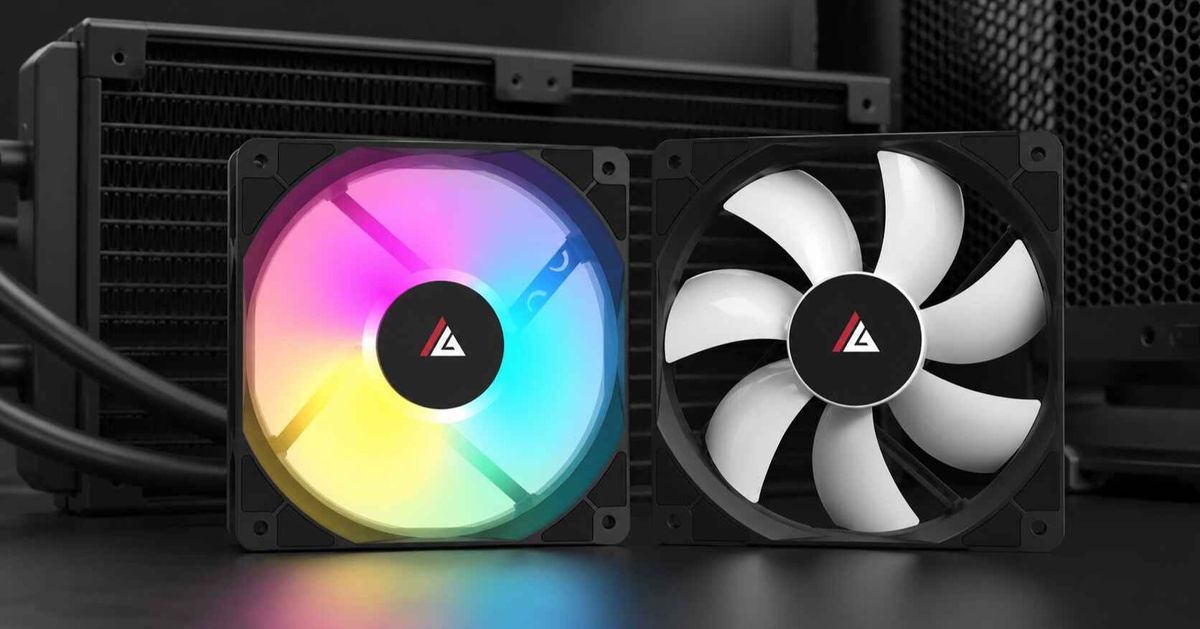
For fan upgrades, AceGeek’s cooling fan lineup is the internal link I would use naturally because case airflow is a system, not a case-only promise.
7. Front I/O Still Matters More Than People Admit
Front I/O is the set of ports and buttons on the PC case exterior, usually including USB-A, USB-C, audio, power, reset, and sometimes lighting or fan-control buttons.
This is not glamorous. It is daily life.
A panoramic PC case can look stunning and still annoy you every day if the front I/O is weak. Content creators need USB-C. Gamers with wireless headsets, capture gear, external SSDs, controllers, and DACs need accessible ports. A case with beautiful glass and a cheap I/O panel is the classic “expensive-looking, cheap-feeling” product.
Check the connector behind the port too. USB-C on the case requires the right motherboard header. USB 3.0 needs internal header support. Audio cables must reach cleanly. And if the case has an RGB or fan button, know whether it connects to a proprietary controller or motherboard software.
This is where AceGeek’s Nebula Pro case is worth using as a spec example: it lists Type-C, USB 3.0 ports, HD audio, 420 mm GPU clearance, 175 mm CPU cooler clearance, and top 360 mm AIO support. Again, the lesson is not “buy only this.” The lesson is to read the full spec stack.
8. Power Supply Planning Is a Safety Issue, Not Just a Wattage Flex
Power supply planning means matching PSU wattage, cable type, connector quality, efficiency, physical length, safety labeling, and 12 V output capacity to the CPU, GPU, motherboard, storage, cooling, and upgrade path.
Builders love oversized PSUs because the number feels safe. Sometimes it is. Sometimes it is just expensive.
But cheap power is dangerous.
The U.S. Consumer Product Safety Commission posted an April 16, 2026 recall involving Manik and Apex-branded ATX computer power supplies, covering about 17,730 units in the U.S., because the units lacked permanent warning labels for shock and electrocution hazards if opened or disassembled; the notice also warned consumers not to open or service the PSU under any circumstances in the official CPSC recall.
That is not internet paranoia. That is a government safety notice.
For a panoramic PC case build, PSU planning also affects cable aesthetics. A 1000 W or 1200 W unit with stiff cables can ruin a glass-side build if the rear chamber is shallow. Custom cables can look better, but only use reputable cables designed for the exact PSU model. Mixing modular PSU cables across brands is one of those mistakes that sounds harmless until hardware dies.
9. Dust Control Gets Worse When the Case Is Designed Like Furniture
Dust control is the use of filtered intake, controlled pressure, accessible cleaning paths, and sensible fan placement to reduce dust buildup on fans, radiators, GPU heatsinks, motherboard surfaces, and glass panels.
A panoramic case makes dust visible. That is both good and embarrassing.
Dust exposes lazy airflow.
If the case runs negative pressure, it may pull unfiltered air through rear slots, side gaps, PCIe covers, cable cutouts, and panel seams. If the case runs strong positive pressure through poor filters, it may choke airflow after a few weeks. If the bottom intake sits close to carpet, the GPU becomes a vacuum cleaner.
My rule: clean intake should be stronger than random intake.
Keep the PC off carpet. Leave space under bottom intakes. Clean filters monthly in dusty rooms. Avoid placing the glass case directly beside fabric curtains, pet beds, or open windows. And if the case looks incredible only when spotless, understand that you are buying maintenance, not just hardware.
10. The Best Panoramic PC Case Is the One That Matches the Build, Not the Trend
The best panoramic PC case is the case that fits your motherboard, GPU, cooler, radiator, PSU, storage, fan layout, cable plan, desk space, thermal load, and maintenance habits while still delivering the glass-heavy aesthetic you want.
That definition is boring. Good.
Because the market is not getting simpler. Jon Peddie Research reported on March 3, 2026 that Q4 2025 PC GPU shipments reached 756 million units, PC CPU shipments reached 66.8 million units, and discrete GPU penetration in PCs is projected to hit 25% over the next five years in its Q4 2025 GPU market report. More GPU-heavy PCs means more people learning, often painfully, that case airflow is not a visual feature.
A fish tank PC case can be excellent. A curved glass PC case can be excellent. A dual chamber PC case can be excellent.
But only when the air path is real.
For a deeper internal buying path, readers should move from AceGeek’s 2026 gaming PC case buying guide to the case size and cooling performance analysis, then compare actual models in the PC case category. That is the right order: learn the thermal rules, check fitment, then choose the glass.
The Builder’s Checklist Before You Buy
Before ordering a panoramic PC case, write these numbers down:
Motherboard size: E-ATX, ATX, M-ATX, or ITX
GPU length, thickness, slot width, and power-cable bend room
CPU cooler height or radiator size
Radiator thickness plus fan thickness
PSU length and modular cable space
Front I/O requirements: USB-C, USB 3.0, audio
Fan size support: 120 mm, 140 mm, or mixed
Filter access from the bottom, side, and top
Desk clearance around side intake and bottom intake
Whether your build favors silence, maximum cooling, or display aesthetics
Measure twice.
Then buy.
FAQs
What is a panoramic PC case?
A panoramic PC case is a showcase-style computer chassis with wide glass visibility across the front, side, or multiple panels, designed to display internal components such as the GPU, motherboard, fans, liquid cooler, RGB lighting, and cable layout while still housing standard PC hardware.
In plain terms, it is the case people often call a fish tank PC case, seaview case, or curved glass PC case. The visual payoff is high, but the design has to compensate for glass with side intake, bottom intake, and clean exhaust paths.
Is a fish tank PC case bad for airflow?
A fish tank PC case is not automatically bad for airflow, but it can perform poorly when glass panels restrict intake, bottom vents are blocked, fan placement is decorative, or the GPU receives recycled warm air instead of direct cool intake.
The better fish tank layouts use side and bottom intake, controlled exhaust, open internal spacing, and accessible filters. The bad ones rely on narrow hidden vents and extra fans to disguise a weak air path.
How do you build in a panoramic PC case?
To build in a panoramic PC case, plan the airflow path first, confirm GPU and radiator clearance, install the power supply and cables cleanly, mount intake and exhaust fans strategically, test thermals before final cable styling, and keep glass panels off until troubleshooting is finished.
Do not start with RGB. Start with heat. Once the system passes thermal testing under gaming or rendering loads, then make the visible chamber beautiful.
What matters most in a tempered glass PC case?
The most important factor in a tempered glass PC case is not the glass itself, but the airflow design around it, including intake area, exhaust path, fan pressure, GPU clearance, radiator position, dust filters, and whether the case can cool high-wattage hardware quietly.
Tempered glass is fine when the chassis has real ventilation. It becomes a problem when the case uses glass where the GPU or radiator needs fresh air.
Are dual chamber PC cases better for cable management?
Dual chamber PC cases are usually better for cable management because they move the PSU, storage, and cable bulk into a separate hidden chamber, leaving the main glass-visible chamber cleaner, easier to style, and better suited for showcase builds.
The catch is rear-chamber space. If the back panel compresses cables, fan hubs, ARGB controllers, and PSU leads into a tight slab, serviceability gets worse even if the front view looks clean.
What is the best panoramic PC case for gaming?
The best panoramic PC case for gaming is one that gives the GPU direct intake air, supports the needed radiator or CPU cooler, leaves enough cable clearance, uses filtered airflow, and avoids forcing high fan RPM just to overcome glass-panel restriction.
For serious gaming hardware, prioritize 350–420 mm GPU clearance, bottom or side intake, 240/360 mm radiator support, and a predictable exhaust path. The “best” case is build-specific.
Final Thoughts: Build the Air Path Before You Build the Aesthetic
A panoramic PC case can be the centerpiece of a desk setup, but it should never be treated like furniture with a motherboard inside. Start with GPU airflow. Confirm radiator clearance. Choose the right PSU. Keep cables serviceable. Use fans with a purpose. Then make it beautiful.
Your next step is simple: pick your GPU and cooler first, map where cool air enters and where hot air exits, then compare real chassis specs in AceGeek’s PC case collection. If you cannot draw the airflow path in 30 seconds, do not buy the case yet.