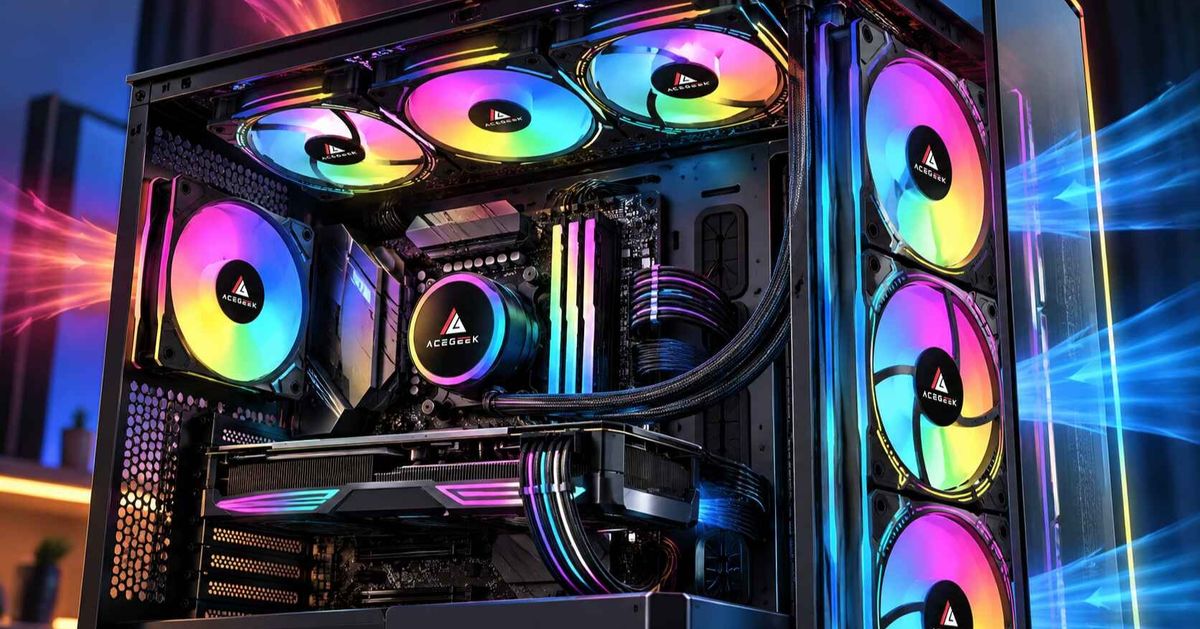
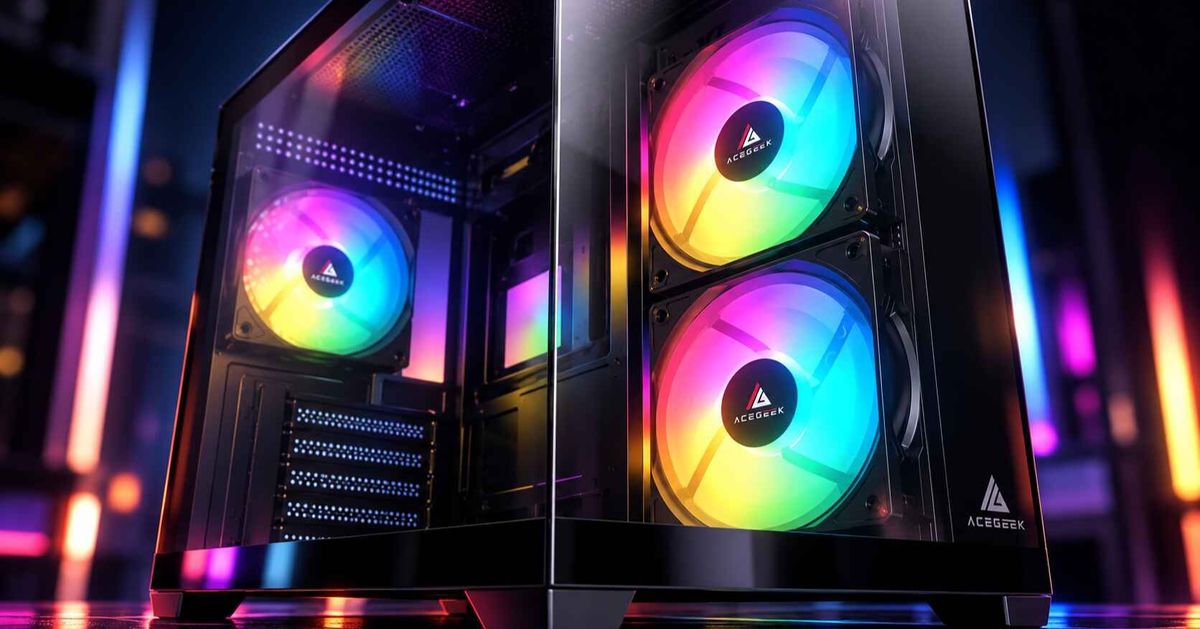
Dual-Chamber vs Traditional PC Cases: Cooling, Space, and Cable Management Compared
Choosing between a dual-chamber and a traditional PC case is about more than appearance.
Both designs can accommodate powerful gaming hardware, large graphics cards, and modern cooling systems. However, they organize components differently, which affects airflow, cable management, installation space, and everyday maintenance.
A dual-chamber PC case typically places the power supply and most cables in a separate compartment behind the motherboard. A traditional PC case usually keeps the power supply beneath the motherboard, often hidden by a PSU shroud.
Neither design automatically provides better cooling.
The right choice depends on your hardware, preferred cooling method, available desk space, and how much flexibility you want when building or upgrading your PC.
This guide compares dual-chamber vs traditional PC cases and explains which layout makes more sense for different types of builds.
What Is the Difference Between Dual-Chamber and Traditional PC Cases?
The biggest difference is how internal space is organized.
Dual-Chamber PC Cases
A dual-chamber case separates the main components from supporting hardware.
The primary chamber generally contains:
Motherboard and processor.
Graphics card.
CPU cooler or liquid-cooling block.
Case fans and radiators.
Visible lighting and other components.
The secondary chamber typically accommodates:
Power supply.
Storage drives.
Excess power cables.
Fan and RGB controllers.
Internal wiring.
By moving the PSU away from the main component area, the design creates a cleaner interior and additional opportunities for fan or radiator placement.
This configuration is particularly common in panoramic cases with glass front and side panels.
However, dual-chamber and panoramic are not interchangeable terms. One describes internal structure, while the other describes the case's visual design.
Traditional PC Cases
Traditional PC cases generally place the motherboard, graphics card, and power supply within one main chassis layout.
The power supply often sits at the bottom beneath a protective shroud.
Cables are routed through openings in the motherboard tray and organized behind it.
Many traditional mid-tower cases use front intake fans and rear or top exhaust fans.
This arrangement provides a straightforward airflow path and can be particularly effective with tower-style CPU air coolers.
However, traditional cases vary considerably.
Some include extensive cable-management space, flexible radiator mounts, and sophisticated ventilation systems.
A traditional layout should not automatically be considered outdated or less capable.
Dual-Chamber vs Traditional PC Case: Key Differences
FeatureDual-Chamber CaseTraditional CasePSU locationSeparate rear or side compartmentUsually below the motherboardCable managementMore dedicated utility spaceUsually a narrower rear routing areaTypical airflow layoutSide/bottom intake, top/rear exhaustFront intake, rear/top exhaustCase dimensionsOften widerOften narrowerGPU coolingCan benefit from direct bottom intakeCan benefit from direct front intakeRadiator optionsFrequently includes side and top mountsCommonly offers front and top mountsCPU air coolingDepends on CPU cooler height and airflowOften suits front-to-back tower coolingShowcase appearanceMain chamber typically less clutteredDepends on shroud and cable designInstallationMore room for wiring, but more layout choicesOften a more familiar assembly processMaintenanceMore hidden components and cable zonesOften a simpler internal arrangementTotal fan costDepends on included fans and intended layoutAlso depends on included fans and airflow needs
The most important distinction is not which design has more features.
It is how effectively the available space supports your components.
Which PC Case Design Provides Better Airflow?
A dual-chamber case does not automatically provide better airflow than a traditional case.
Cooling performance depends on ventilation openings, fan placement, airflow resistance, and how effectively fresh air reaches the CPU and GPU.
Traditional Cases: Direct Front-to-Back Airflow
Many conventional gaming cases use a mesh front panel.
Outside air enters through front intake fans, travels across the motherboard and graphics card area, and exits through the rear or top.
This layout is relatively easy to configure.
For example, a traditional air-cooled system might use:
Two or three front intake fans.
One rear exhaust fan.
An optional top-rear exhaust fan.
A tower CPU cooler can direct heated air toward the rear exhaust.
Meanwhile, lower front intake fans can supply cooler air toward the graphics card.
However, the front panel needs sufficient ventilation.
A restrictive solid front panel can reduce airflow even when several high-performance fans are installed.
Dual-Chamber Cases: Side and Bottom Airflow
Many panoramic dual-chamber cases rely on side and bottom intake positions because the front panel is made of glass.
A common starting configuration uses:
Side fans as intake.
Bottom fans as intake.
Top fans as exhaust.
Rear fan as exhaust, where supported.
Bottom fans can deliver fresh air toward a horizontally installed graphics card.
Side fans can provide additional airflow around the motherboard and CPU cooling area.
The effectiveness depends on how the air moves through the main chamber.
For example, restrictive bottom dust filters or inadequate clearance beneath the case can limit bottom intake performance.
Likewise, side fans positioned behind narrow ventilation openings may move less air than their specifications suggest.
For more detailed setup instructions, read our guide to configuring side intake fans in a panoramic PC case.
What Does Independent Testing Show?
GamersNexus evaluated the Lian Li O11 Dynamic XL, a dual-chamber case featuring side and bottom intake options.
Its testing demonstrated that changing fan positions and airflow configurations can significantly affect component temperatures.
The case achieved competitive thermal results in several configurations despite its glass-front design.
However, those results were specific to the tested chassis and hardware.
They do not establish that dual-chamber cases are inherently better than traditional cases.
Source: GamersNexus — Lian Li O11 Dynamic XL Case Review.
The more useful lesson is that fan placement and unrestricted ventilation matter more than the number of internal chambers.
How Does a Dual-Chamber Design Affect GPU Cooling?
Graphics card cooling is an important consideration for modern gaming systems.
Many powerful GPUs use open-air coolers that release much of their heat into the case interior.
The chassis must provide fresh air to the GPU while allowing heated air to escape.
GPU Cooling in a Traditional Case
In a mesh-front tower, lower front intake fans may deliver outside air toward the graphics card.
This arrangement can work effectively when the GPU intake path is relatively open.
However, a front-mounted CPU radiator can introduce additional airflow resistance and warm incoming air before it reaches the graphics card.
GPU Cooling in a Dual-Chamber Case
A dual-chamber case with bottom intake fans may supply outside air directly beneath the GPU.
This can be useful for graphics cards that draw air through fans on the underside of their heatsink.
Meanwhile, side intake can support the rest of the main chamber.
However, installing additional bottom fans does not guarantee lower GPU temperatures.
The result depends on fan speed, filter resistance, ventilation area, and GPU position.
Which Layout Is Better for High-Power GPUs?
Both can work well.
A traditional mesh-front case may provide a direct and efficient cooling path with relatively few fans.
A dual-chamber design may offer additional opportunities to deliver air directly to the GPU.
Rather than choosing based on case category, examine the actual intake openings and look for independent temperature testing.
Also verify the exact graphics card dimensions.
For a detailed compatibility check, see our guide to how much GPU clearance you really need in a PC case.
Is Cable Management Easier in a Dual-Chamber Case?
Cable management is one of the most noticeable advantages of many dual-chamber designs.
By placing the PSU behind the motherboard area, the case provides a separate compartment for power cables, storage connections, and fan controllers.
This can reduce visible clutter in the main chamber.
For a PC using several RGB fans, a liquid cooler, and multiple storage drives, the extra routing space may simplify assembly.
The Advantages of a Separate Cable Chamber
A dedicated rear compartment can provide:
Additional room for modular PSU cables.
Space for RGB and PWM fan controllers.
More accessible storage drive connections.
Cleaner cable routing around the motherboard.
Less visible wiring behind the glass panel.
These features can make the build easier to organize.
However, additional hidden space does not eliminate the need for proper cable management.
Why Rear Clearance Still Matters
A dual-chamber case can still have cable-routing problems if too many cables are compressed into one area.
Large motherboard power connectors, GPU power cables, and fan hubs need adequate space.
The rear side panel should close without forcing connectors or sharply bending cables.
Before buying, check the available cable-routing depth, PSU location, tie-down points, and controller mounting options.
A traditional case with well-designed cable channels can also provide a clean and practical installation.
The best cable-management layout is one that keeps connections accessible and properly supported, not simply hidden from view.
Which Layout Is Better for AIO Liquid Cooling?
Liquid cooling is another area where the two case designs can offer different advantages.
Traditional cases commonly support front and top radiator installations.
Many dual-chamber cases provide additional side radiator mounting options.
This flexibility can be useful when planning airflow for both the CPU and GPU.
Side-Mounted Radiator in a Dual-Chamber Case
A side-mounted AIO radiator can operate as intake, drawing outside air through the radiator.
This may benefit CPU cooling because the radiator receives relatively cool air.
However, the radiator transfers CPU heat into the air entering the main chamber.
That warmer air may influence GPU temperatures.
A dual-chamber layout with independent bottom intake can help provide a separate source of fresh air for the graphics card.
The result still depends on the complete configuration.
For more information, explore our guide to the advantages and disadvantages of side-mounted AIO radiators.
Top-Mounted Radiator
A top-mounted exhaust radiator removes CPU heat through the upper ventilation area.
This can leave side or front intake fans available to supply fresh air toward the graphics card.
However, the radiator may receive air already warmed by internal components.
Neither radiator position is universally better.
The appropriate choice depends on workload, CPU power consumption, GPU cooling requirements, and case compatibility.
Does a Dual-Chamber Case Require Liquid Cooling?
No.
Many dual-chamber cases support conventional CPU air coolers.
The main requirements are sufficient cooler-height clearance and an effective airflow path.
A traditional mesh-front case may make front-to-back tower cooling easier to configure, but a well-ventilated dual-chamber case can also support air cooling effectively.
Choose the cooling method based on the processor's requirements and the exact case specifications.
Do Dual-Chamber Cases Take Up More Desk Space?
Dual-chamber cases often use a wider chassis because the PSU and utility compartment sit beside or behind the main component area.
This increases the width required for the case.
However, the overall length or height may be smaller than that of a traditional tower.
The result is a different footprint rather than a guaranteed increase in every dimension.
What to Measure Before Buying
Check the manufacturer's complete exterior dimensions and compare them with the space available on your desk or under it.
Remember to allow room for:
Ventilation openings.
Power and display cables.
Side-panel removal.
USB and front-panel access.
Routine cleaning and maintenance.
A case that fits physically may still be inconvenient if its side panel cannot open or its intake vents are obstructed.
Real Product Comparison: Two Different Case Layouts
To understand how case layouts affect hardware planning, consider two ACEGEEK models with different internal space priorities.
Specification<text weight="medium">ACEGEEK Mercury R425 (Pro)</text><text weight="medium">ACEGEEK Guardian D441</text>Listed dimensions425 × 280 × 420mm390 × 200 × 456mmMotherboard supportATX / M-ATX / ITXATX / M-ATX / ITXMaximum GPU clearance410mm320mmMaximum CPU cooler height165mm155mmFront fan positions—3 × 120mm or 2 × 140mmSide fan positions3 × 120mm—Bottom fan positions3 × 120mm2 × 120mmTop fan positions3 × 120mm2 × 120mm or 2 × 140mm360mm radiator supportTop or sideFront
Official product specifications: ACEGEEK Mercury R425 (Pro) and ACEGEEK Guardian D441.
The Mercury R425 illustrates a wider panoramic-style layout with side and bottom fan positions.
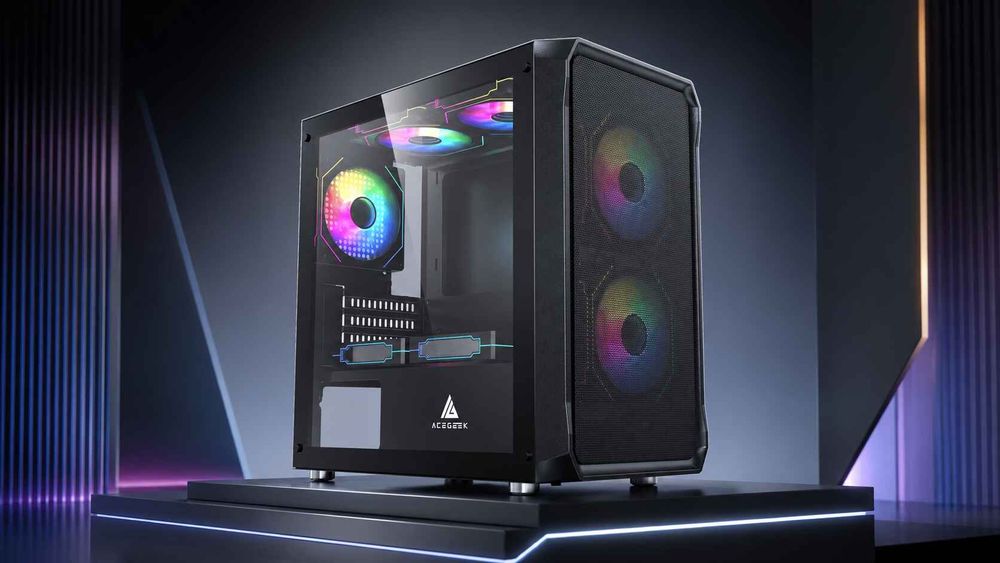
The Guardian D441 represents a more conventional front-intake-oriented layout.
What Can Buyers Learn From These Specifications?
The Mercury R425 provides greater published GPU length clearance and offers side or top radiator mounting.
Its side and bottom fan positions provide several potential airflow arrangements.
The Guardian D441 offers a narrower exterior profile and a more familiar front-fan configuration.
Its front radiator support may be useful for builders planning a conventional liquid-cooling layout.
However, neither product's published specifications establish superior thermal performance.
Actual cooling depends on the installed fans, components, filters, airflow configuration, and operating conditions.
The comparison demonstrates how different case designs allocate space rather than which model produces lower CPU or GPU temperatures.
What Should You Check Before Choosing a PC Case?
Before purchasing either design, compare the following requirements.
Your PriorityWhat to EvaluateGaming performanceGPU intake airflow and thermal testingClean RGB buildCable visibility and controller spaceCPU air coolingCooler height and intake-to-exhaust pathAIO liquid coolingRadiator positions, thickness, and airflowLimited desk spaceComplete external dimensionsLong graphics cardsGPU length, thickness, and power cable clearanceMultiple storage drivesDrive mounting and maintenance accessLow noiseIntake restrictions and cooling performance at similar noise levelsEasy maintenancePanel removal, dust filters, and cable accessibilityBudgetCase price plus any required additional fans or controllers
A dual-chamber case can be an excellent choice for a showcase build or a system with extensive cooling and lighting hardware.
A traditional case can be equally effective for a straightforward gaming PC, especially when it provides unobstructed front intake and practical component access.
Before committing to either layout, check the exact hardware configuration rather than relying on the case category.
Frequently Asked Questions
1. Will a Dual-Chamber PC Case Fit on a Standard Desk?
It depends on the case dimensions and available desk space.
Dual-chamber cases are frequently wider than traditional mid-towers because they position the PSU and cables behind or beside the motherboard.
However, they may be shorter in length.
Measure the case's complete exterior dimensions and ensure enough room remains for ventilation, cables, and panel removal.
Do not assume that a case described as a mid-tower will have the same footprint as another mid-tower model.
2. Do Dual-Chamber PC Cases Require AIO Liquid Cooling?
No.
Dual-chamber cases can support air cooling, liquid cooling, or both, depending on the design.
For an air-cooled build, check maximum CPU cooler height and the airflow path through the main chamber.
For liquid cooling, verify radiator mounting dimensions, fan thickness, tubing clearance, and pump installation requirements.
The dual-chamber layout provides additional design possibilities, but it does not make liquid cooling mandatory.
3. Can the Power Supply Overheat in a Separate Chamber?
A power supply can experience inadequate cooling if its ventilation openings are blocked or the surrounding compartment cannot supply sufficient air.
This concern applies to both traditional and dual-chamber cases.
For a dual-chamber design, check the PSU's mounting orientation, ventilation openings, and available clearance.
Avoid placing excess cables directly against the PSU's intake or exhaust.
Follow the power supply and case manufacturers' installation instructions.
A separate PSU compartment is useful for organizing hardware, but it does not eliminate the need for proper ventilation.
4. Do I Need to Install Fans in Every Dual-Chamber Fan Position?
No.
The appropriate number of fans depends on the hardware, airflow restrictions, and cooling requirements.
Installing fans in every available position may increase cost, wiring complexity, and noise without providing proportional cooling benefits.
Begin with a sensible intake and exhaust configuration.
Then monitor CPU and GPU temperatures under realistic workloads.
Add or adjust fans when testing shows that more airflow would provide a meaningful benefit.
Fan positioning and ventilation quality matter more than simply filling every mounting location.
5. Does a Wider Dual-Chamber Case Automatically Support Larger CPU Coolers and GPUs?
No.
Exterior width does not directly determine CPU cooler height clearance or graphics card compatibility.
A large portion of a dual-chamber case's width may be allocated to the rear PSU and cable compartment.
The main chamber may therefore offer less usable cooler height than expected.
GPU compatibility also depends on card length, height, thickness, power connector location, and nearby cooling hardware.
Always use the manufacturer's published internal clearance specifications for the exact case model.
Choose the PC Case Layout That Matches Your Build
Dual-chamber and traditional PC cases organize the same essential hardware in different ways.
A dual-chamber design can provide a cleaner visible interior, more dedicated cable-management space, and flexible fan or radiator mounting options.
A traditional case may offer a narrower footprint, a straightforward airflow path, and a simpler installation process.
Neither design guarantees better cooling or quieter operation.
The best choice depends on the actual ventilation layout, component dimensions, cooling configuration, and the space available around the PC.
If your priority is a panoramic showcase build with extensive lighting and flexible liquid-cooling options, a dual-chamber design may be appealing.
If you prefer a more compact footprint and straightforward front-to-back airflow, a traditional mesh-front case may be the more practical choice.
Before purchasing, compare the exact specifications and independent cooling results for the models you are considering.
Choose the case that gives your components enough room, your cooling system a clear airflow path, and your cables a practical place to go.