How Much GPU Clearance Do You Really Need in a Modern PC Case?
The easy answer is to compare the graphics card length with the maximum GPU clearance printed on the PC case specification sheet.
The easy answer is also incomplete.
Margins matter now.
Modern graphics cards have become long, tall, thick, power-hungry assemblies, and once front radiators, intake fans, 16-pin power cables, anti-sag brackets, vertical mounts, side panels, and airflow requirements enter the calculation, a case that supposedly supports a 360 mm GPU may become uncomfortable with a 350 mm card surprisingly fast.
So why are people still shopping as if GPU clearance were a single number?
As of August 2026, NVIDIA lists the GeForce RTX 5090 Founders Edition at 304 mm long and 137 mm wide, with a 575 W Total Graphics Power rating. NVIDIA also tells builders to provide room equivalent to a 304 × 137 × 61 mm three-slot envelope and to plan roughly 36 mm of additional space for power cables.
Then look at a partner card.
The ASUS ROG Astral GeForce RTX 5090 measures 357.6 × 149.3 × 76 mm and occupies 3.8 slots.
Same GPU generation. Same RTX 5090 badge.
But the ASUS card is 53.6 mm longer than NVIDIA's Founders Edition.
That difference is exactly why I do not think "supports RTX 5090" is a serious PC case specification. Give me millimeters.
The Short Answer: Aim for More Than a Technical Fit
For most modern gaming PCs, I would treat the difference between the case's usable GPU length and the graphics card's actual length like this:
Remaining Length After Installing GPUMy AssessmentBest Use0–5 mmTechnically possible, practically poorOnly tightly controlled builds5–10 mmVery tightCompact builds with verified components10–20 mmAcceptableMainstream builds without front obstructions20–30 mmComfortableRecommended starting point30–50 mmVery comfortableHigh-end triple-fan GPUs50+ mmUpgrade-friendlyFlagship and future GPU planning
These are planning margins, not NVIDIA, AMD, PCI-SIG, or case-manufacturer standards. They are deliberately conservative because the advertised GPU clearance number rarely tells the whole mechanical story.
My general working rule is simple:
Exact GPU length + 20–30 mm is a sensible minimum target for a normal high-performance build.
And if I am buying a chassis specifically to survive another flagship-GPU upgrade, I would rather have 40–60 mm of spare longitudinal room than celebrate a 4 mm victory.
For a deeper look at oversized cards, ACEGEEK's guide to choosing a PC case for large triple-fan GPUs covers exactly why nominal fit and useful fit are different things.
GPU Length Clearance Is Only the First Measurement
Most product pages make GPU length the headline because length is easy to understand.
That does not make it sufficient.
A serious PC case GPU compatibility check requires at least four measurements:
GPU length
GPU height or width from the PCIe slot
GPU thickness or slot occupancy
Power-connector and cable clearance
And I would add a fifth: breathing room around the cooler.
Length: The Number Everyone Checks
GPU length is measured from the rear mounting bracket toward the front of the card.
Simple enough.
AMD, for example, lists the reference Radeon RX 7900 XTX at 287 mm long and 2.5 slots thick.
NVIDIA lists both the RTX 5090 and RTX 5080 Founders Edition at 304 mm long and 137 mm wide.
Those cards fit into many mid-towers.
But partner models can change the calculation dramatically, as the 357.6 mm ROG Astral RTX 5090 demonstrates.
This is why GPU size compatibility must be checked against the exact model number, not merely "RTX 5080," "RTX 5090," or "RX 7900 XTX."
Width: Where the Side Panel Starts Fighting Back
This is the dimension I think buyers underestimate most often.
A card can easily clear the front of a case while creating problems at the side panel because the cooler, PCB, and power connector extend far outward from the motherboard.
NVIDIA's RTX 5090 guidance is especially useful here. The company specifies approximately 36 mm of additional room for power cables beyond the card envelope.
That is not trivial.
A 149.3 mm-wide partner card plus a stiff 16-pin connector is a very different installation problem from a 112 mm-wide mainstream graphics card using smaller connectors.
And forcing the cable against tempered glass is not my definition of compatible.
Thickness: A Four-Slot GPU Changes the Airflow Geometry
The ROG Astral RTX 5090 is listed at 76 mm thick and 3.8 slots.
That matters for more than motherboard expansion-slot availability.
A thick graphics card moves the GPU fans closer to:
PSU shrouds
Bottom fans
Vertical-mount glass
Sound-damping panels
Cable covers
Adjacent expansion cards
NVIDIA's own RTX 5090 case guidance recommends reserving clearance around the card equivalent to an unused expansion slot where possible to improve airflow.
That advice deserves more attention.
A GPU cooler cannot move much air if its intake fans are breathing through a tiny gap.
The 5090 Problem Shows Why "Maximum GPU Length" Is Misleading
Let's put the current numbers side by side.
Graphics CardOfficial LengthWidth / HeightThicknessBoard PowerNVIDIA GeForce RTX 5090 FE304 mm137 mm2-slot card; NVIDIA advises planning a 61 mm case envelope575 W TGPNVIDIA GeForce RTX 5080 FE304 mm137 mm2-slot360 W TGPASUS ROG Astral RTX 5090357.6 mm149.3 mm76 mm / 3.8-slotRTX 5090-classAMD Radeon RX 7900 XTX Reference287 mmModel-specific width2.5-slot355 W typical board power
The lesson is not that every PC needs a gigantic case.
The lesson is that GPU dimensions vary far more than the GPU name suggests.
NVIDIA even formalized its SFF-Ready Enthusiast GeForce Card guideline around a defined physical envelope: up to 304 mm long, 151 mm high including power-cable bend radius, and 50 mm or 2.5 slots thick.
That framework exists because physical compatibility has become important enough to require more precise language.
And I think the mainstream ATX market should learn from it.
"Supports GPUs up to 400 mm" tells me something.
"Supports RTX 5090" tells me almost nothing.
How to Calculate Real GPU Clearance
The basic calculation is:
Nominal GPU Margin = Case Maximum GPU Length − Actual GPU Length
If your case provides 400 mm of GPU clearance and your card measures 357.6 mm:
400 − 357.6 = 42.4 mm
That sounds comfortable.
But do not stop there.
The useful equation is closer to:
Usable GPU Margin = Published GPU Clearance − GPU Length − Front-Side Obstructions
Those obstructions can include:
Front radiator
Radiator fans
Front fan frame
Pump/reservoir hardware
Drive cage
Cable-management cover
GPU support bracket
Internal display panel
ACEGEEK's GPU and radiator clearance math guide goes deeper into this interaction, and it is worth checking whenever a front-mounted radiator shares the same longitudinal space as the GPU.
Example 1: A 304 mm GPU in a 340 mm Case
Published GPU clearance: 340 mm
GPU length: 304 mm
Remaining margin: 36 mm
That is reasonable.
But install a 30 mm obstruction in the GPU path and suddenly only 6 mm remains.
Still compatible?
Perhaps.
Comfortable?
Not in my book.
Example 2: A 357.6 mm GPU in a 400 mm Case
Published clearance: 400 mm
GPU length: 357.6 mm
Remaining margin: 42.4 mm
Much better.
You have useful room for installation, airflow, and some tolerance.
Example 3: A 357.6 mm GPU in a 360 mm Case
Published clearance: 360 mm
GPU length: 357.6 mm
Remaining margin: 2.4 mm
Technically, the arithmetic says yes.
I say no.
A 2.4 mm margin leaves almost no tolerance for manufacturing variation, installation angle, brackets, cables, fan frames, or future changes.
That is a specification-sheet victory and a builder's headache.
Front Radiators Can Destroy GPU Length Clearance
This mistake keeps appearing because buyers see:
GPU support: 400 mm
and
Front radiator support: 360 mm
Then they mentally combine both numbers as if those pieces occupy different dimensions.
Sometimes they do.
Sometimes they absolutely do not.
A front-mounted radiator and its fans can consume 50 mm or more of longitudinal space, depending on the exact radiator and fan combination.
If a case's published GPU-clearance specification assumes no front radiator, your 400 mm case could effectively become something closer to a 350 mm GPU environment after the cooling hardware is installed.
That is enough to turn an oversized RTX 5090 partner card from comfortable to impossible.
This is why I would always ask:
Is the published maximum GPU clearance measured with the front radiator installed or removed?
If the product page does not say, investigate before buying.
GPU Power Cable Clearance May Matter More Than Another 20 mm of Length
Here is the uncomfortable part.
People obsess over whether their card is 330 or 350 mm long, then ignore the connector hanging off its side.
For a modern high-end GPU using a 16-pin power connection, the distance between the card and the side panel deserves its own compatibility check.
NVIDIA explicitly recommends approximately 36 mm of additional space for power cables in its RTX 5090 case guidance.
So when asking how much GPU clearance do I need, do not think only front-to-back.
Think in three dimensions:
Length: Can the card enter and sit in the chassis?
Height: Can the power cable leave the card without being crushed against the side panel?
Thickness: Can the cooler fans breathe?
This is also why I prefer cases with reasonable chassis width for flagship builds. A long case that is too narrow can still be a bad match.
Airflow Clearance Is Real Clearance
A graphics card does not merely need empty physical space.
It needs air.
The RTX 5090 Founders Edition carries a 575 W TGP, according to NVIDIA. That is an enormous heat load for a desktop graphics card.
So imagine placing a multi-hundred-watt GPU one centimeter away from a solid panel.
It fits.
Who cares?
If you are working with 350 W, 450 W, or 575 W-class hardware, read ACEGEEK's PC case guide based on GPU power draw alongside the physical dimensions.
Heat changes what "enough clearance" means.
Intake-Side Clearance
Open-air GPUs pull air through fans mounted on the cooler.
If those fans sit close to glass, a PSU shroud, or another flat obstruction, airflow resistance rises.
I want visible open volume around the GPU intake.
Front-End Clearance
Some coolers exhaust or move substantial air near the end of the card.
Leaving 20–30 mm rather than 2–3 mm can prevent that area from becoming a cable-filled dead zone.
Exhaust Clearance
Hot GPU air must leave the chassis.
This is why side, bottom, rear, and top ventilation should be evaluated as a system rather than counting fan mounts.
What a 400–420 mm PC Case Gives You in Practice
This is where bigger GPU-clearance numbers begin to make sense.
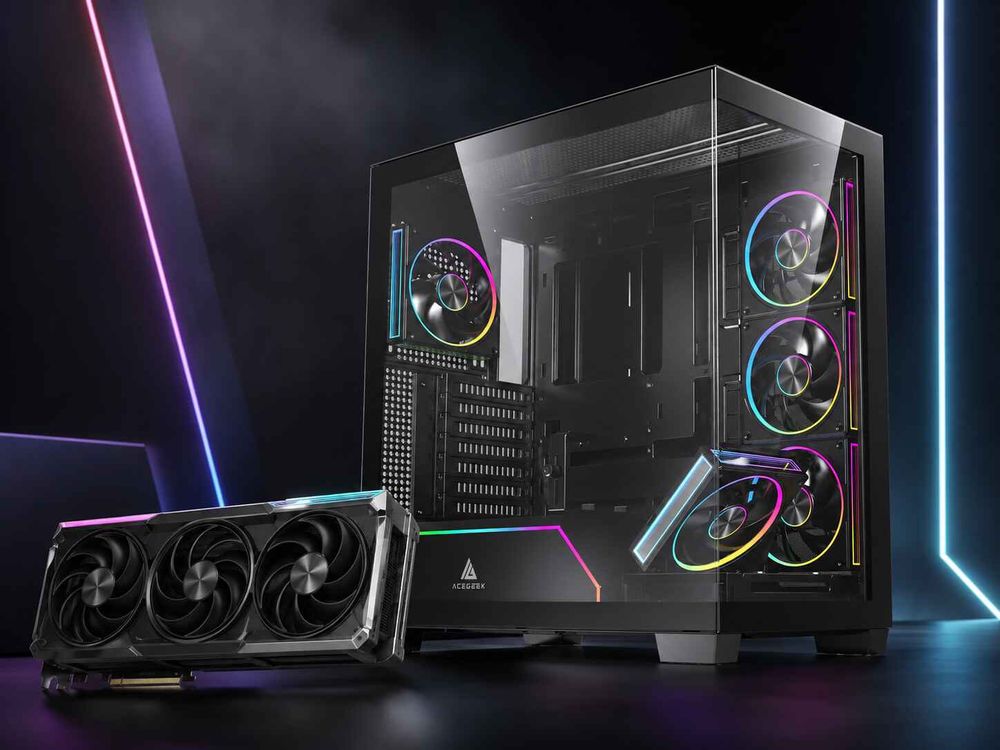
ACEGEEK's LunarisFlow publishes 400 mm maximum GPU clearance, along with top, side, and bottom fan positions and top support for 420 mm or 360 mm AIO cooling.
Consider that against the 357.6 mm ROG Astral RTX 5090.
Nominal remaining length:
400 − 357.6 = 42.4 mm
That is the kind of margin I actually like.
The ACEGEEK Photon goes further with 420 mm maximum GPU clearance.
Against the same 357.6 mm card:
420 − 357.6 = 62.4 mm
Now we are talking about upgrade room rather than survival.
Does every gamer need 420 mm?
Of course not.
But if the buyer expects to keep the chassis through two or three GPU generations, extra GPU clearance is one of the cheapest forms of insurance a case can provide.
ACEGEEK's future-proof PC case guide for GPU upgrades explores the same idea from an upgrade-cycle perspective.
My GPU Clearance Targets for Different Builds
Here is how I would approach the market.
Mainstream GPU Build
For a 250–300 mm graphics card:
Target case clearance: roughly 320–340 mm or more
That gives enough room for installation without turning the chassis into an unnecessarily large tower.
Large Triple-Fan GPU
For a 300–330 mm graphics card:
Target case clearance: roughly 350–380 mm
Now there is useful breathing room around the card.
Oversized Flagship Partner Card
For cards approaching 350–360 mm:
Target case clearance: 390–410 mm or more
This is where 400 mm-class PC cases make sense.
Upgrade-Focused Flagship Build
If I were choosing a case without knowing what GPU might replace today's card:
Target: around 400 mm or greater, assuming the chassis also has sufficient width and slot clearance.
That final qualification matters.
Four hundred millimeters of length does not fix a narrow side panel.
How to Check GPU Clearance Before Buying a PC Case
I would use this process rather than trusting a compatibility badge.
Step 1: Find the Exact GPU Model
Do not search:
"RTX 5090 dimensions."
Search:
"ROG Astral RTX 5090 dimensions."
Or whatever exact SKU you plan to buy.
Step 2: Record All Three Dimensions
You need:
Length
Width/height
Thickness
Slot count
Do not stop at length.
Step 3: Check the Case's Published Maximum GPU Clearance
Then determine whether that number assumes:
Front fans installed
Front radiator installed
Drive cage installed
Vertical GPU bracket installed
If the manufacturer does not specify the configuration, be conservative.
Step 4: Calculate the Length Margin
Use:
Case GPU clearance − exact GPU length = nominal margin
My preference:
Under 10 mm: avoid unless necessary
10–20 mm: workable
20–30 mm: sensible
30–50 mm: comfortable
50+ mm: strong upgrade margin
Step 5: Check the Power Connector
For RTX 5090-class hardware, account for NVIDIA's published 36 mm additional cable-space recommendation.
A side panel that closes only by pushing the cable inward does not pass my compatibility test.
Step 6: Check GPU Thickness Against Intake Space
A 3.8-slot card needs more than four expansion slots.
It needs air in front of its fans.
If the cooler sits directly beside glass, a vertical GPU bracket, or the PSU chamber, reconsider the layout.
Step 7: Check Your Cooling Configuration
A front radiator can reduce usable GPU length.
A side-mounted radiator can affect cable and airflow space.
Bottom fans can conflict with very thick GPUs or support brackets.
Everything shares the same box.
The Biggest GPU Clearance Mistakes I Would Avoid
Buying the Case Before Choosing the GPU Class
This reverses the sensible order for high-end builds.
If the GPU will be the most expensive, hottest, and physically largest component in the system, design around it.
Treating Maximum GPU Length as a Target
A case rated for 360 mm does not mean a 359 mm graphics card is an ideal pairing.
Maximum means maximum.
Not recommended.
Ignoring Partner-Card Dimensions
This is perhaps the biggest mistake in the RTX 5090 era.
304 mm RTX 5090 FE.
357.6 mm ROG Astral RTX 5090.
That 53.6 mm difference can decide whether a case works at all.
Forgetting Front Radiator Thickness
A radiator is not transparent.
Neither are its fans.
Subtract them when they occupy the same space as the graphics card.
Ignoring Cable-Bend Space
A closed side panel does not automatically mean a healthy installation.
Do not force a large GPU's power cable into an uncomfortable bend just because the glass technically attaches.
Does a Bigger PC Case Automatically Solve GPU Compatibility?
No.
This is where enthusiasts sometimes overcorrect.
Large chassis can offer more GPU length clearance, but size alone does not guarantee:
Better GPU airflow
Better side-panel cable clearance
Better fan positioning
Better radiator compatibility
Better vertical-GPU spacing
A badly designed full tower can cool worse than a well-designed mid-tower.
The useful question is not:
How big is the case?
It is:
How much usable three-dimensional space exists around my exact GPU after every other component is installed?
That is real PC case GPU compatibility.
FAQs
How Much GPU Clearance Do I Need?
GPU clearance is the usable space a PC case provides around a graphics card after accounting for the card's exact length, height, thickness, power connector, cooling hardware, and nearby obstructions; for a normal high-performance build, I would generally target at least 20–30 mm of spare longitudinal clearance rather than matching the card to the case maximum exactly.
For oversized 350–360 mm partner cards, a case with roughly 390–410 mm or more of published GPU clearance is much easier to work with. Upgrade-focused buyers may reasonably prefer 400 mm-plus chassis, provided the case also has enough width and cooling space.
How Do I Check GPU Clearance in a PC Case?
Checking GPU clearance means comparing the exact graphics card's length, height, thickness, and connector requirements with the case's usable internal dimensions while subtracting any space occupied by front radiators, fans, brackets, drive cages, or other hardware that shares the same installation area.
Start with the exact partner-card specification rather than the GPU family. Then calculate case clearance minus card length, inspect side-panel cable room, verify slot thickness, and examine airflow around the GPU cooler.
Is 10 mm of GPU Clearance Enough?
Ten millimeters of spare GPU length can be enough for a verified build with no front radiator, cable obstruction, support bracket, or airflow problem, but it leaves relatively little tolerance for installation differences and future hardware, making 20–30 mm a more comfortable target for most conventional ATX gaming systems.
I would accept 10 mm in a deliberately compact build. I would not choose it voluntarily for a new flagship ATX system when a slightly roomier chassis is available.
Is 400 mm GPU Clearance Enough for an RTX 5090?
Four hundred millimeters of GPU clearance is enough for many RTX 5090 designs, including a 357.6 mm ASUS ROG Astral RTX 5090 with roughly 42.4 mm of nominal remaining length, but compatibility still depends on card width, 3.8-slot thickness, power-cable clearance, airflow, and whether radiators or fans reduce the case's usable space.
The RTX 5090 Founders Edition is only 304 mm long, illustrating why the exact manufacturer model matters far more than the RTX 5090 name alone.
How Much Space Does an RTX 5090 Power Cable Need?
NVIDIA's RTX 5090 case guidance recommends planning approximately 36 mm of additional space for power cables beyond the card's required case envelope, making side-panel clearance an important measurement for high-end GPUs even when the chassis provides far more than enough front-to-back GPU length clearance.
That means case width can become a compatibility limit before case length does, especially with unusually tall partner cards and tempered-glass side panels.
Is More GPU Clearance Better for Cooling?
Additional GPU clearance can improve the conditions available for cooling by giving intake fans more unobstructed air volume and reducing congestion around the card, but extra empty length alone does not guarantee lower temperatures because panel restriction, fan placement, GPU thickness, intake direction, exhaust routing, and ambient temperature still control the airflow system.
I would rather buy a 400 mm-clearance case with direct bottom or side intake than a 450 mm-clearance case that traps the GPU behind restrictive glass.
Measure Before You Buy the Case
Stop asking whether a PC case "supports RTX 5090."
Ask for millimeters.
Find the exact GPU dimensions. Record the length, width, thickness, slot count, and connector requirements. Compare those numbers with the chassis. Subtract radiator and fan interference. Then leave a real margin rather than designing your build around the manufacturer's absolute maximum.
For most builds, 20–30 mm beyond the card's actual length is a sensible starting target.
For large triple-fan cards, I prefer 30–50 mm.
And for a case intended to survive future flagship upgrades, 400 mm or more of total GPU length clearance is increasingly reasonable—as long as the chassis also gives the GPU enough width, cable space, and fresh air.
A card that barely enters the chassis is not a well-fitted card.
Build around the GPU you actually own—or the one you realistically expect to buy next.