How to Measure GPU Thickness Before Choosing a PC Case
A graphics card can be shorter than a case's published GPU limit and still not fit. The reason is often thickness: the depth of the cooler measured across the expansion slots, toward the PSU shroud or the case floor. Spec sheets describe this dimension in at least three different ways, as a slot count, as millimeters, or not at all, and cases rarely publish a matching number for the space below the card.
This guide explains how to measure GPU thickness, how to convert slot counts into millimeters, and how to measure the space inside a case that the thickness has to fit into. It is written for system integrators, case buyers, and product teams who need to confirm fit before placing an order. The central decision is simple: which thickness figure do you trust, and what do you compare it against?
What Does GPU Thickness Mean on a Spec Sheet?
Direct answer: GPU thickness is the distance the card occupies perpendicular to its circuit board, from the backplate face to the outermost point of the cooler shroud or fan frame. It determines how many expansion slots the card blocks and how close the fans sit to whatever is below them.
Thickness is easy to confuse with the other two dimensions because manufacturers label them inconsistently. GamingPCBuilder's fit guide notes that ASUS and Sapphire list length × width × height, where "width" is the card's height above the slot and "height" is the thickness. The ASUS ROG Astral RTX 5090 specification page follows that pattern: it lists 357.6 × 149.3 × 76 mm and a slot figure of 3.8. The 76 mm is the thickness.
Before using any number, identify which of the three it describes:
Length: the longest value, measured from the rear bracket toward the front of the case.
Height (or "width"): how far the card rises above the PCIe slot, toward the side panel. This is the figure that matters for power-cable room.
Thickness: the smallest of the three, or the slot count.
If a manufacturer only publishes a slot count, treat the thickness as unconfirmed until you find millimeters.
Why Slot Count Is a Nominal Figure, Not a Measurement
Expansion slots in a standard ATX layout are spaced 20.32 mm apart, a pitch that GamingPCBuilder's guide uses to convert slot counts into millimeters. Multiplying out gives these nominal values:
2 slots: about 40.6 mm
2.5 slots: about 50.8 mm
3 slots: about 61.0 mm
3.5 slots: about 71.1 mm
4 slots: about 81.3 mm
These are arithmetic conversions, not guaranteed card dimensions. A card marketed as 3.8-slot will not necessarily measure 3.8 × 20.32 mm. The ASUS card above lists 76 mm, which works out to roughly 3.74 slots, so the label is rounded. Manufacturers also round differently, and a backplate, a protruding fan frame, or an anti-sag accessory can add millimeters that the slot count does not capture.
The second problem is that slot count describes what the card blocks at the rear bracket, not the space the cooler needs inside the case. NVIDIA's GeForce RTX 5090 page is a useful illustration. It lists the Founders Edition as a 2-slot card measuring 304 mm × 137 mm, yet its clearance note asks for room for a 304 mm × 137 mm × 3-slot (61 mm) card plus 36 mm of additional space for power cables. A buyer who read only "2-slot" would plan for roughly 41 mm. NVIDIA's own clearance guidance plans for 61 mm. That figure applies to the Founders Edition, not to partner cards.
How to Measure GPU Thickness Accurately
There are two situations: you already own the card, or you are choosing a card and a case together. The approach differs.
If You Already Own the Card
Power down and unplug the system before removing the card.
Place the card on a flat, non-conductive surface, cooler side up, with the backplate resting on the surface.
Measure at the thickest point with a digital caliper or a rigid steel rule. Check the fan frame, the shroud's raised edge, and any exposed heat-pipe housing, not just the center of the card.
Exclude the rear I/O bracket flange, which is a separate dimension.
Record the maximum value and note where it occurred. Thickness varies across the card, and the case has to clear the highest point.
Add any accessory. A support bracket, a vertical-mount adapter, or a GPU stand adds its own depth.
If You Have Not Bought the Card Yet
Open the board partner's official product page for the exact model, not the GPU family. Two cards using the same GPU chip can differ by a full slot.
Look for thickness in millimeters. If only a slot count appears, search the manufacturer's PDF or manual.
Write down which figure is a nominal slot count and which is a measured value.
If the manufacturer publishes no thickness, ask the seller or manufacturer directly. Do not guess from the slot count.
For a broader view of how length, height, and thickness interact, ACEGEEK's guide to GPU clearance across length, height, and thickness lays out the full measurement set.
How to Measure the Space Inside the Case
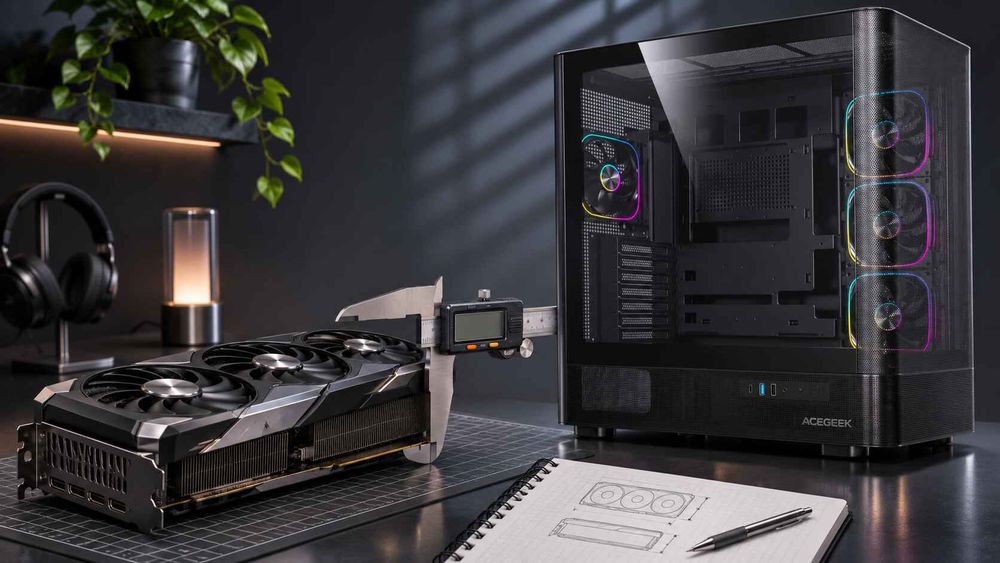
A thickness figure has no meaning until you compare it with the space that exists in the case. Many case makers publish maximum GPU length but not the space beneath the card, so this is often a number you must request or measure.
The relevant distance runs from the plane of the card's circuit board in the primary PCIe slot to the nearest obstruction on the cooler side. Depending on the case, that obstruction can be:
the top of a PSU shroud or PSU cover,
a bottom-mounted fan,
a bottom radiator,
the case floor,
a drive cage or a cable-routing cover, or
a vertical-mount bracket and riser assembly.
Measure the narrowest point along the card's path, not the widest-looking part of the case. Check the position the card will actually occupy. If you plan to use a lower PCIe slot, measure from that slot, because the available space shrinks as the card moves toward the floor.
If you do not have the case, request an internal drawing from the manufacturer showing the slot plane and the bottom-side obstructions. Marketing photographs are not a substitute.
Which Components Does GPU Thickness Collide With?
Thickness affects more than a single clearance. Each of the following is a separate check, and a card can pass one and fail another.
Bottom fans and PSU shroud
What it affects: whether the card physically fits, and how freely its fans can draw air.
What to verify: the gap between the cooler's fan side and the shroud or fan frame, with the fans installed.
Adjacent expansion slots
What it affects: whether lower PCIe slots remain usable for capture cards, network cards, or M.2 adapters.
What to verify: how many rear slot covers the card's bracket and body occupy, and which motherboard slots sit beneath the cooler.
GPU support hardware
What it affects: an anti-sag stand or bracket can need floor space beneath the card.
What to verify: the bracket's footprint against the bottom fan layout.
Vertical mounts and riser brackets
What it affects: supported card thickness and the distance between the cooler and the side panel.
What to verify: the mount's rated thickness, plus the gap to the glass.
Front and bottom radiators
What it affects: a bottom radiator or fan stack can reduce the vertical space for a thick card.
What to verify: the stack depth, using the same approach described in ACEGEEK's guide to GPU and radiator clearance math.
Does a Bigger Gap Under the Card Always Improve Cooling?
Not automatically. The common assumption is that more space between the cooler and the nearest surface means lower temperatures. That is directionally sensible, but it depends on where the card breathes from.
On a conventionally mounted card, the fans usually face the floor or the PSU shroud, so the gap beneath the card and the case's intake path matter. A generous gap in front of a closed shroud, with no air path feeding it, can perform worse than a smaller gap with a direct intake. Space is also shared: giving a card more room on the thickness axis can take it away from a bottom radiator or fan stack.
Vertical mounting turns the side panel into the intake surface. GamersNexus tested this in 2018 with a Cooler Master H500M. The GPU core measured 44°C over ambient in the horizontal position and with CableMod's vertical bracket, which held the card farther from the glass. The case's stock vertical mount, which kept the card nearer the glass, measured 50°C over ambient. That is one case and one older card, so it shows direction, not a millimeter threshold. For a deeper look at panel-side gaps, see ACEGEEK's guide to the GPU-to-side-panel gap.
No published standard defines a minimum intake gap. The practical test is to run the same card with the panel on and off and compare temperatures and fan noise.
Worked Example: Comparing Two Cards Against One Case
This is an illustrative calculation with hypothetical numbers, not a real product or customer case.
An integrator measures a case and finds 68 mm between the primary PCIe slot plane and the top of the PSU shroud.
Card A is listed at 61 mm thick. The nominal margin is 68 − 61 = 7 mm. It fits, but a 7 mm gap is small for a fan intake, so the integrator tests it with the panel closed.
Card B is listed at 76 mm thick. The margin is 68 − 76 = −8 mm. It does not fit in that slot, whatever its length.
Length is not the deciding factor here. A case with a generous GPU length figure can still reject Card B. The same method works in reverse: if the card's listed thickness is only a slot count, convert it, add a tolerance for the backplate and shroud, and confirm the figure with the manufacturer before relying on it.
Compact Cases and Large Triple-Fan Cards
Smaller chassis leave less room on every axis, so thickness can become the limiting dimension before length does. ACEGEEK's small-case GPU compatibility checklist covers the broader component checks for compact builds.
For high-power cards with large three-fan coolers, thickness, intake space, and support hardware all matter together. The guide to choosing a PC case for large triple-fan GPUs walks through those checks. Buyers who also plan a liquid-cooled setup should review front radiator GPU clearance, since a radiator can reduce usable space on the length axis even when thickness is acceptable.
What Should Buyers Specify Before Requesting a Quote?
When sourcing cases from a manufacturer or comparing OEM/ODM options, thickness-related requirements are often left out of the first request. Include these so the supplier can answer with real numbers:
Target GPU list: exact board models, with length, height, thickness in millimeters, and slot count for each.
Largest card to support: the thickest card sets the requirement, not the average.
Primary and secondary PCIe slot positions: which slot the card will occupy.
Space beneath the card: the distance from the slot plane to the PSU shroud, bottom fans, or floor, with fans installed.
Rear slot count and bracket handling: the number of slot covers and how a multi-slot bracket seats.
Mounting orientation: horizontal only, vertical option, or both, with the card-to-glass distance for vertical.
Bottom cooling plan: fan or radiator positions and their stack depth.
Support hardware: whether an anti-sag bracket will be used and where it will sit.
Validation expectations: a production sample and panel-on and panel-off thermal checks with the named cards.
Ask the supplier to confirm each dimension on a production sample. Dimensions from a render or a similar model do not necessarily carry over.
Frequently Asked Questions
How do I measure GPU thickness?
Place the card cooler-side up and measure with a caliper from the backplate face to the highest point of the shroud or fan frame, excluding the bracket flange. Record the maximum value. Or use the manufacturer's listed millimeter figure for the exact model.
How thick is a 3-slot graphics card?
Nominally about 61 mm, calculated from a 20.32 mm slot pitch. NVIDIA's RTX 5090 clearance guidance uses 61 mm for a 3-slot card. Actual thickness varies by model, so confirm the measured figure for the specific card.
Is slot count the same as GPU thickness?
No. Slot count is a rounded nominal figure. ASUS lists its ROG Astral RTX 5090 as 3.8-slot and 76 mm thick, which is about 3.74 slots. Use millimeters when available and treat slot count as an approximation.
Does a thick GPU affect cooling?
It can. A thick cooler sits closer to the shroud, bottom fans, or side panel, which can restrict intake. The effect depends on case airflow design. Testing with the panel on and off is the reliable way to check.
Which dimension does a GPU spec sheet call "height"?
It varies. Some manufacturers use "height" for the thickness and "width" for how far the card rises above the slot. Identify each number by size and orientation rather than by its label.
Can a case with plenty of GPU length still reject a thick card?
Yes. Length and thickness are separate axes. A case can accept a 340 mm card lengthwise and still lack the space below the slot plane for a 76 mm cooler. Check both before ordering.