Why Cooler Specs Alone Do Not Predict Real Thermal Results
The Dirty Secret Behind CPU Cooler Performance
Specs lie quietly.
A cooler can advertise a fat TDP rating, a 360mm radiator, three ARGB fans, 70+ CFM airflow, and a heroic noise figure, yet still lose badly once it is bolted onto a hot modern CPU inside a restrictive case with a lazy fan curve and a motherboard that lets boost power run wild. So why do buyers still trust the box?
Because the box is easy.
Real CPU cooler performance is not easy. It is a fight between heat density, contact pressure, pump behavior, fin geometry, case airflow, fan static pressure, ambient temperature, motherboard voltage behavior, and the workload itself. I know that sounds like the kind of answer marketing teams hate. Good. They should hate it.
The hard truth: cooler specs are not fake, but they are incomplete. A 360mm AIO can be excellent. A 240mm liquid cooler can be enough. A large dual-tower air cooler can embarrass flashier liquid units. And a smaller cooler can look “bad” in one benchmark but sensible in a compact build where fit, noise, and maintenance matter more than one Cinebench run.
That is why I would never judge a build by cooler TDP alone. I would start with the full thermal path: CPU die → solder or paste → IHS → thermal paste → cold plate → heat pipes or water block → fins or radiator → fan curve → case exhaust → room air. Miss one link, and the spreadsheet becomes theater.
If you are building around Acegeek hardware, this is exactly why I would compare the cooler, the case, and the fan plan together instead of shopping from isolated numbers. Start with the Acegeek CPU cooler lineup, then cross-check case clearance and airflow using the brand’s own PC case selection guide. A cooler that does not breathe is not a cooler. It is decoration.
TDP Is a Design Clue, Not a Thermal Prediction
TDP is where the confusion begins.
Intel’s own support documentation says TDP is a design target for thermal solution selection, and it also notes that power can exceed TDP during turbo or workloads such as Intel AVX until the CPU hits a thermal or power limit. That single sentence should make every “this cooler supports 250W” claim feel less magical. Read Intel’s TDP explanation carefully, not casually.
Here is the ugly bit: TDP is not a universal courtroom-grade measurement. Intel has also stated in its technical material that “there is no industry standard for TDP,” and that different companies use different definitions and implementations. That matters because a cooler vendor’s “250W” does not automatically mean your Intel Core i9-14900K, Core Ultra 9 285K, Ryzen 7 9800X3D, or Ryzen 9 9950X3D will land at a specific temperature. See Intel’s mobile processor technical specifications for the plain-language warning.
I’ll be blunt. TDP matching is beginner logic.
It is not useless. It is a first filter. But if someone says, “My CPU is 125W, so any 125W cooler is fine,” I already know they have not looked at boost behavior, motherboard defaults, acoustic limits, or case airflow. That is how people end up with “technically compatible” coolers that scream at 2,000 RPM while the CPU still touches 95°C.
Acegeek’s own TDP stability guide is a useful internal reference because it frames TDP as a cooling requirement signal. I would push that idea further: TDP tells you where to begin the investigation, not where the investigation ends.
The Spec Sheet Trap
Spec Sheet ClaimWhy Buyers Trust ItWhy It Fails in Real Thermal Results240W / 250W / 300W cooler TDPLooks like a direct CPU-to-cooler matchTesting conditions are often hidden, and CPU boost behavior can exceed nominal assumptions70 CFM fan airflowBigger airflow number feels betterFree-air CFM does not equal airflow through dense radiator fins or restrictive case panelsHigh static pressureSounds more technical than CFMPressure matters, but only with the right radiator density, fan curve, and noise target360mm radiatorBigger surface area usually helpsPoor pump tuning, bad mounting pressure, case heat soak, or weak exhaust can erase the advantageLow dBA ratingBuyers want quiet coolingDistance, room noise, test method, tone quality, and RPM curve can make dBA claims misleadingARGB fan packageLooks premium in product photosLEDs do not move heat; blade geometry, bearing quality, and control logic do
CFM vs Static Pressure: The Fan Numbers People Misread
Fan specs are a swamp.
CFM measures airflow volume, often in open-air conditions. Static pressure measures a fan’s ability to push air through resistance, such as radiator fins, mesh filters, dust buildup, cable clutter, and tight front panels. Neither number tells the whole story alone.
That is why “fan CFM vs static pressure” is not a school debate. It is a build-specific decision. A high-CFM fan may look impressive on a rear exhaust mount with little resistance. Put that same fan against a dense 360mm radiator, and the result can be mediocre. A pressure-optimized fan may do better through fins, but it can sound worse at certain RPM ranges. And yes, tone matters. A 32 dBA fan with a sharp motor whine can feel more irritating than a smoother 35 dBA fan.
Small detail. Big consequence.
PWM control also matters because the best fan is not the one that blasts at full speed; it is the one that ramps predictably, avoids hunting, and holds load temperatures without turning your PC into a hair dryer. Acegeek’s guide to 3-pin vs 4-pin PWM fans is worth linking here because fan control is not cosmetic. It changes how thermal performance feels during gaming, rendering, compiling, and long idle sessions.
And here is my unpopular take: many buyers overpay for radiator size and underthink fan behavior. A better curve on a decent cooler often beats a louder curve on a supposedly superior one. Noise-normalized testing exposes this fast.
The Benchmark Evidence: Real Tests Punish Lazy Assumptions
The best public cooler reviews do not ask, “Which cooler has the biggest number?” They ask, “At the same noise level, which cooler removes heat better?”
That is the difference between marketing and testing.
GamersNexus updated its cooler test platform for AM5 and ran 2025 cooler comparisons using Ryzen 7 9800X3D and Ryzen 9 9950X3D heat loads, including 157W and 276W test conditions. Its 2025 CPU cooler benchmark roundup is valuable because it separates out-of-box thermals from noise-normalized performance. That separation matters more than most buyers realize.
Look at the lesson, not just the winner.
In one example from that testing, the Sudokoo SK700 delivered 60.9°C Tdie at 31.9 dBA under a Ryzen 7 9800X3D workload. Another section of the same dataset used a 25 dBA noise-normalized target, where liquid and air coolers could be compared without letting one product brute-force the chart through noise. That is the kind of CPU cooler benchmark that tells you something real.
But what does this mean for Acegeek readers?
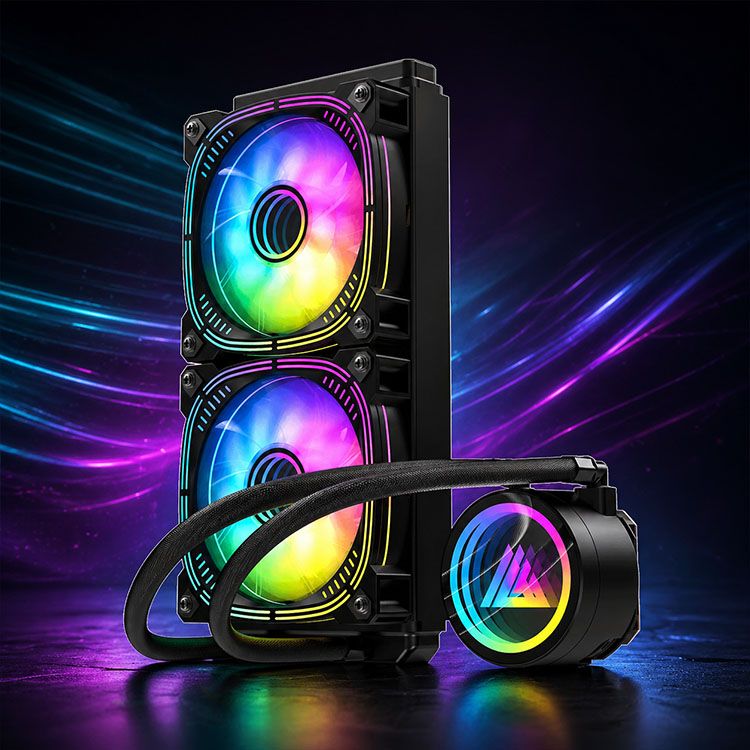
It means a product page should be read as a compatibility map, not a verdict. The Acegeek Cryoscreen 360 belongs in the conversation for high-surface-area liquid cooling builds, while the Acegeek Aqua360 ARGB 360mm AIO makes sense when the build calls for a 360mm radiator, temperature display features, and visual integration. But neither product should be judged by “360mm” alone. Ask where the radiator mounts. Ask what air enters it. Ask whether the case exhaust path is sane.
The same logic applies to a smaller unit like the Acegeek Flow240 Black ARGB 240mm cooler. A 240mm AIO can be the right answer for a mid-power CPU, a compact case, or a noise-managed build. The wrong answer is pretending that “240mm” predicts the final CPU temperature without knowing the processor, mounting, airflow, and fan curve.
Why Real-World Thermal Performance Is a System Problem
Thermal performance is not local. It is systemic.
A CPU cooler does not operate in empty space. It operates inside a PC case that may have glass panels, dust filters, bottom intake fans, a hot GPU dumping 250W to 450W into the chassis, and a power supply shroud that quietly wrecks airflow. A cooler test on an open bench tells you something. A cooler inside a real case tells you something else.
That is why case airflow can flip a buying decision.
A front-mounted 360mm AIO may feed the CPU cooler with cooler intake air, but it can also raise GPU internal temperature if the warmed radiator exhaust enters the case. A top-mounted radiator may help GPU thermals but feed the radiator warmer internal air. A tower air cooler may perform beautifully in a clean front-to-back airflow case, then fall apart in a glass-heavy enclosure with weak intake.
This is not theory. The entire data-center industry is spending serious money because heat removal is becoming a power and reliability problem, not just a hardware spec problem. The U.S. Department of Energy reported that data centers’ share of annual U.S. electricity use rose from 1.9% in 2018 to 4.4% in 2023, with projections of 6.7% to 12% by 2028, while noting the need for reliable cooling to prevent overheating.
The U.S. Energy Information Administration also projected in 2025 that commercial computing could grow from 8% of U.S. commercial sector electricity consumption in 2024 to 20% by 2050, with added ventilation and space cooling demand tied to data-center heat. That is not a gaming PC article, obviously. But the physics rhyme. More compute means more heat, and more heat punishes lazy cooling assumptions.
Even Wall Street is following the heat trail. Reuters reported in November 2025 that Eaton planned to buy Boyd Corporation’s thermal business for $9.5 billion, partly to strengthen its data-center position as demand for power and cooling rises around AI infrastructure. That deal is not about RGB fans. It is about thermal control becoming a boardroom issue.
So when a consumer cooler spec sheet pretends heat is solved by one number, I laugh a little.
Then I check the test method.
The Mounting Problem Nobody Wants to Admit
Mounting is boring until it ruins everything.
Contact pressure, paste spread, cold-plate flatness, CPU IHS shape, socket bending, bracket design, and pump orientation can all change real-world thermal results. This is why two builders can use the same cooler and same CPU, then report different temperatures. One mount is clean. The other has uneven pressure, too much paste, trapped air, or a radiator positioned in a way that encourages pump noise.
Copper helps. Aluminum helps. Water helps. None of them fixes bad contact.
Copper, or Cu, moves heat well. Aluminum, or Al, gives radiator fins lightweight surface area. Water, H2O, carries heat through liquid loops. Thermal paste fills microscopic air gaps because air is a lousy conductor. But the chain only works when every interface behaves.
I have seen people blame a cooler after using the wrong standoffs. I have seen people blame a CPU after leaving the pump header on a quiet fan curve. I have seen people blame “bad paste” when the real problem was a top-mounted radiator choking under a glass panel with poor exhaust. The industry sells clean answers because messy answers slow down checkout.
But messy is honest.
How to Compare CPU Cooler Performance Without Getting Played
If I were auditing a cooler before recommending it, I would ignore the loudest number first. Then I would ask five questions.
1. What CPU and workload are we cooling?
A Ryzen 7 9800X3D gaming load, a Ryzen 9 9950X3D all-core render, an Intel Core i9-14900K unlimited power workload, and a quiet workstation compile job are not the same thermal problem. The cooler does not know your marketing category. It only sees watts, heat density, and time.
2. Is the benchmark noise-normalized?
A cooler running at 100% fan speed can win a chart and lose your room. Noise-normalized results, such as 25 dBA testing, are more useful because they show efficiency at a controlled acoustic target. That is the difference between “cooler is powerful” and “cooler is livable.”
3. What is the case airflow path?
The radiator or heatsink needs intake air and exit air. If your case layout traps heat, cooler specs become optimistic fiction. Check CPU cooler clearance, radiator support, intake positions, and exhaust options before buying, especially in panoramic or glass-heavy cases.
4. Does the fan match the job?
For radiators and restrictive mesh, static pressure matters. For low-resistance exhaust, airflow can matter more. For daily use, PWM behavior and bearing quality matter because most systems live between idle and medium load, not at benchmark maximum.
5. Are the numbers repeatable?
One mount is not a verdict. One benchmark is not a law. Good testing repeats mounts, controls ambient temperature, reports noise, and separates CPU package power from claimed TDP. Anything less is useful only with caution.
Specs That Matter More Than the Box Wants You to Notice
CPU cooler specs are still useful, but only when you read them like an investigator.
Radiator size tells you surface area potential. Fan diameter tells you possible airflow at lower RPM. Heat pipe count tells you part of the conduction story. Pump design tells you something about liquid movement. Noise rating gives a clue, not a guarantee. Socket support tells you whether the thing physically mounts. Case clearance tells you whether your plan survives first contact with reality.
But the missing numbers are often more revealing.
Where was the dBA measured? At 30 cm or 1 meter? Was the cooler tested open-air or inside a case? What was ambient temperature, 21°C or 28°C? Was the CPU power-limited? Was the motherboard enforcing Intel limits, AMD Eco Mode, or board-vendor “performance enhancement”? Was the paste fresh? Was the radiator used as intake or exhaust?
One missing condition can move the result. Several missing conditions can turn the whole claim into vibes.
That is why the smart buyer does not ask, “What is the best cooler?” The smart buyer asks, “Best for which CPU, in which case, at what noise level, under what workload, at what room temperature?”
Annoying question. Correct question.
FAQs
What is CPU cooler performance?
CPU cooler performance is the real thermal, acoustic, and sustained-clock behavior a cooler delivers after it is mounted on a specific CPU, inside a specific case, with a specific fan curve, workload, ambient temperature, paste application, motherboard power policy, and noise target. In plain terms, it is not the sticker rating; it is what happens after installation.
For SEO people, that means “CPU cooler performance” should never be treated as a synonym for TDP rating. The better comparison includes CPU cooler benchmarks, noise-normalized thermals, case airflow, fan CFM vs static pressure, radiator placement, and workload duration.
Why does cooler TDP not predict CPU temperature?
Cooler TDP is a loose manufacturer rating that estimates heat dissipation capacity under conditions the label rarely reveals, which is why a 240W, 250W, or 300W claim should be treated as a screening clue, not a prediction of actual CPU temperature. CPU boost behavior, case airflow, and test method can overwhelm the rating.
A cooler can match the CPU’s published TDP and still run hot if the motherboard allows higher sustained package power, if the CPU die has high heat density, or if the cooler is installed inside a restricted case. TDP helps you avoid obviously wrong matches. It does not replace thermal testing.
How should I compare CPU cooler benchmarks?
CPU cooler benchmarks should be compared by matching CPU model, heat load, ambient temperature, fan speed, noise level, test duration, case condition, and mounting method before judging the temperature result. The best benchmark is not always the lowest temperature chart; it is the most controlled test that explains how the result was produced.
Noise-normalized testing is especially useful because it stops one cooler from winning just by being louder. Look for 25 dBA or similar controlled acoustic targets, repeat mounts, and separate results for liquid coolers, air coolers, 240mm AIOs, and 360mm AIOs.
Is fan CFM or static pressure more important for real thermal performance?
Fan CFM and static pressure matter in different airflow conditions: CFM matters more when air moves through low-resistance paths, while static pressure matters more when fans push through radiators, dust filters, tight mesh, or dense heatsink fins. The best fan choice depends on placement, restriction, RPM range, and noise tolerance.
For radiators, I care more about pressure behavior and acoustic quality than raw free-air CFM. For rear or top exhaust in a low-restriction case, airflow can take priority. For daily PC use, PWM control may matter as much as either number.
Does a 360mm AIO always beat a 240mm AIO or air cooler?
A 360mm AIO does not always beat a 240mm AIO or air cooler in real-world use because radiator size is only one part of the thermal system, and mounting quality, pump behavior, fan noise, case airflow, CPU heat density, and radiator position can change the final result. Bigger is often better, but not automatically.
A 360mm AIO usually has more surface area, which helps under heavy sustained loads. But a strong dual-tower air cooler or well-tuned 240mm AIO can be the better practical choice in a quieter, smaller, or airflow-optimized build.
Your Next Steps
Stop buying coolers like you are buying a number.
Pick your CPU first. Confirm the real workload: gaming, rendering, streaming, compiling, AI inference, or mixed office use. Check your case airflow and radiator support. Decide your noise limit. Then compare real CPU cooler benchmarks against your build conditions instead of worshiping TDP, CFM, or radiator length.
For an Acegeek build, start with the CPU cooler category, match the cooler to your case using the PC case airflow and clearance guide, and use PWM fan guidance to tune the system after assembly.
Measure first. Buy second.
That is how you get real thermal results instead of expensive disappointment.