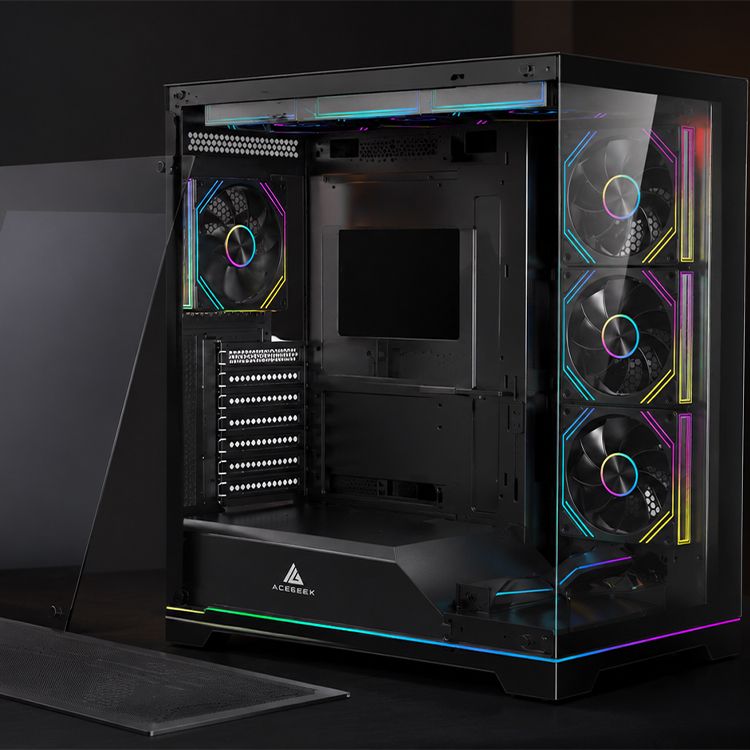
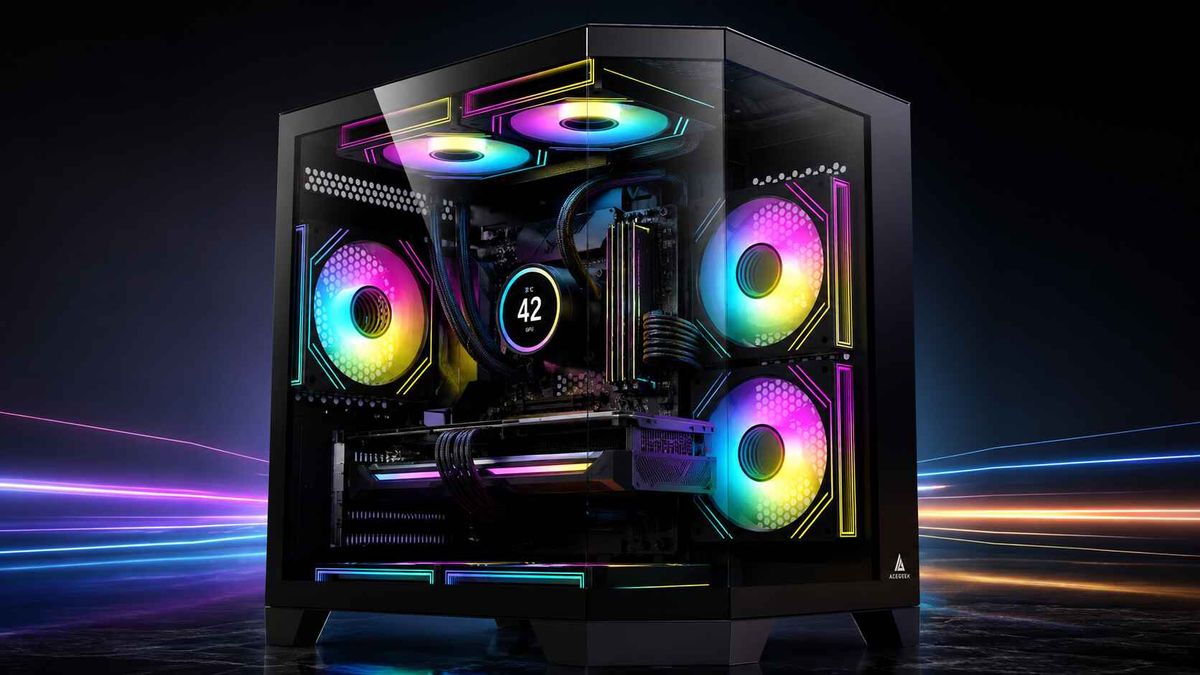
What Comes After Panoramic PC Cases? Better Access and Serviceability
Pretty cases peaked.
Once every mid-tower adopted corner glass, hidden cable chambers, vertical GPU mounts, and a row of RGB fans, the panoramic PC case stopped being a design revolution and became a category template that manufacturers could reproduce at almost every price point.
So what can the industry sell next?
My answer is not more glass. It is access.
The next meaningful phase of PC case design will be the serviceability-first modular PC case: removable motherboard trays, detachable cooling frames, tool-free panels, replaceable front I/O modules, adjustable fan rails, rear-connector motherboard support, and clear access to parts that owners actually clean or replace.
That sounds less exciting than a curved glass panel. Good.
The PC case market has spent years optimizing the first 30 seconds of ownership—the product photo, the unboxing shot, the RGB reveal—while giving far less attention to the next five years of dust removal, GPU upgrades, fan replacements, cable corrections, storage changes, and troubleshooting.
That priority is backward.
Panoramic PC Cases Won the Showroom, Not the Workshop
A panoramic PC case solves a legitimate problem: people want to see the expensive hardware they purchased.
Motherboards now carry decorative covers. Graphics cards have illuminated logos and sculpted shrouds. AIO pumps include LCD screens. RAM, fans, extension cables, GPU brackets, and even power supplies are sold as visual components.
Hiding all of that behind an opaque steel panel makes little commercial sense.
But panoramic design has become predictable. Most models now use some combination of:
Front and side tempered glass
Side-mounted intake fans
Bottom intake support
A dual-chamber layout
Hidden PSU and cable routing
Vertical GPU mounting
Rear-connector motherboard compatibility
ARGB fan packages
ACEGEEK’s own analysis of 2026 PC case trends shows how panoramic glass, back-connect layouts, and high-airflow structures have already converged into the same design conversation. Its separate guide to building in a panoramic PC case also exposes the practical issues behind the showroom view: radiator clearance, intake location, cable depth, GPU space, and maintenance access.
The hard truth is simple: glass is no longer enough to separate one chassis from another.
A manufacturer can change the corner radius, add another lighting strip, move the I/O ports, and call the result a new visual language. Buyers may notice. Experienced builders notice something else.
How difficult is it to work inside?
The Next PC Case Metric Is Time-to-Component
When I assess a future PC case design, I am less interested in how fast the side panel opens than in how many actions stand between the owner and the failed component.
Call it time-to-component.
How long does it take to reach:
The front intake filter?
The rear cable hub?
The top radiator screws?
The lower M.2 slot?
The power supply connectors?
The front I/O board?
The fan controller?
The GPU release latch?
The motherboard backplate?
The pump or reservoir mount?
A side panel that pops off in two seconds is useful. But it does not make a case serviceable when the front filter is trapped behind a brittle fascia, the radiator must be unscrewed inside the chassis, or the cable hub sits beneath a permanent steel cover.
This is why quick-release PC case panels matter only as part of a larger access system. A hinged glass door may improve component access, while a removable front panel improves fan and filter maintenance. They solve different jobs.
A properly serviceable PC case should reduce four things:
Tool count: How many tools are needed for routine access?
Disassembly depth: How many unrelated parts must be removed first?
Handling risk: Must the user support heavy glass, a radiator, or a large GPU while releasing another component?
Reassembly uncertainty: Can panels, brackets, and connectors be installed incorrectly?
This is where the industry should be heading.
Panoramic-First Versus Serviceability-First Design
The difference is not whether a case has glass. It is what the chassis architecture prioritizes after the glass is installed.
Design AreaPanoramic-First PC CaseServiceability-First Modular PC CasePrimary objectiveVisual hardware presentationFaster building, maintenance, and upgradesSide accessRemovable or hinged glassTwo-sided access with secure tool-free retentionMotherboard installationFixed internal trayRemovable or rotatable motherboard trayCooling mountsFans and radiators screwed directly to chassisDetachable radiator frames or adjustable mounting railsFront I/OFixed ports integrated into top or front panelReplaceable or repositionable I/O moduleCable managementHidden rear chamberAccessible rear chamber with removable covers and usable depthDust maintenanceFilters may require fascia removalIndependent slide-out filters with defined pull pointsHardware evolutionSupports current component standardsAdjustable mounts and replaceable modules support later buildsFailure repairWhole case may need partial dismantlingFailed panel, port, rail, or bracket can be replaced separatelyMarketing advantageGlass area, RGB, and visual symmetryLower service time and longer usable chassis life
The best future cases will combine both columns.
They will still photograph well. But they will also tolerate repeated opening, cleaning, rebuilding, testing, and transportation without loose clips, stripped threads, rattling panels, or discontinued proprietary brackets.
That is a much harder engineering problem than adding another glass wall.
Three Cases Showing Where the Market Is Moving
This shift is not theoretical. Several current chassis designs already reveal parts of the next phase.
Corsair FRAME 4000D: Modularity at a Mainstream Price
The Corsair FRAME 4000D is one of the clearest commercial signals.
Corsair describes it as a fully modular mid-tower with an InfiniRail fan-mounting system, dual 360 mm radiator support, rear-connector motherboard compatibility, and upgradeable components such as the motherboard tray and front I/O panel. When checked on July 21, 2026, Corsair’s US product page listed the base case at $104.99.
That price matters.
A removable or replaceable system is not especially disruptive when it exists only inside a $500 showpiece. The stronger signal comes when modular architecture reaches the roughly $100 mid-tower market, where ordinary builders can judge whether it improves ownership rather than merely increasing prestige.
My criticism? Modular accessories must remain available.
A replaceable I/O panel has little long-term value when the manufacturer stops selling compatible parts after two product cycles. Real modularity requires a parts program, published compatibility, and enough standardization to prevent the chassis from becoming an abandoned platform.
MSI MEG MAESTRO 900R: The Motherboard Tray Becomes a Workbench
The MSI MEG MAESTRO 900R retains the triple-sided panoramic presentation, but its more interesting feature is the detachable, four-way rotatable motherboard tray.
MSI says the tray can operate as an external test bench, allowing the builder to assemble, cable, and validate major components outside the full-tower enclosure. The chassis supports E-ATX boards up to 280 × 305 mm, GPUs up to 440 mm, as many as fourteen 120 mm fans, and two 420 mm radiators.
This is where panoramic design becomes useful rather than merely decorative.
Building on a removable tray gives the user direct access to EPS power connectors, cooler backplates, memory slots, M.2 drives, fan headers, and cable routes. It can also allow CPU, RAM, GPU, and power-on testing before the completed assembly disappears inside a large chassis.
But there is a tradeoff.
Rotatable trays, riser systems, large glass structures, movable I/O modules, and separated heat zones add mechanical complexity. More joints mean more tolerance control. More removable structures mean more possible vibration points. A premium modular PC case must feel rigid in every configuration, not only in the orientation used for promotional photography.
Cooler Master MasterFrame 600: The Chassis as a Platform
The Cooler Master MasterFrame 600 takes a more structural approach. Cooler Master positions it as an open-frame ATX case built around its FreeForm 2.0 modular platform, with flexible motherboard positioning and interchangeable panel options.
This idea has more long-term potential than it first appears.
The case becomes a base structure rather than a fixed finished product. Panels, cooling arrangements, mounting positions, and exterior materials can change without replacing the complete frame.
That could be the real successor to the panoramic era: not one dominant visual style, but a chassis architecture that can accept multiple styles and functions.
The risk is obvious. Proprietary ecosystems can become expensive collections of accessories that fit one generation and nothing else.
Modularity without continuity is just delayed obsolescence.
Serviceability Is Also a Safety Issue
PC case access is often discussed as a convenience feature. That is too narrow.
The chassis controls mechanical support, electrical separation, cable bend paths, riser mounting, cooling position, airflow restriction, and component retention. A poor decision in any of those areas can create more than an irritating build.
On February 12, 2021, the US Consumer Product Safety Commission announced the recall of approximately 32,000 NZXT H1 computer cases in the United States, plus about 1,024 sold in Canada. According to the CPSC recall notice, metal screws attaching the PCIe riser assembly could short the printed circuit board and cause overheating.
The lesson is not that removable screws are dangerous or that compact cases should be avoided.
The lesson is that screws, risers, brackets, panel clearances, and mounting systems are functional engineering components. They cannot be treated as minor details beneath the styling.
A serviceable design can help by making inspection and replacement easier. It can also make matters worse when tool-free retention is weak, conductive parts can shift, or users can reinstall a bracket in an unsafe orientation.
So I would ask manufacturers harder questions:
Does every removable bracket have a defined installation direction?
Can a latch contact a cable or circuit board?
Can the motherboard tray lock in an incomplete position?
Are captive fasteners used where loose hardware creates risk?
Can a user visually confirm that a panel is secured?
Are replacement clips, risers, cables, and mounting parts available?
Has the mechanism been tested across hundreds of access cycles?
A satisfying click is not a safety standard.
Repair Policy Is Changing Product Expectations
A PC case is not necessarily covered by every repair law aimed at complete consumer electronics. Still, the direction of travel is impossible to ignore.
The European Commission states that the EU Directive on common rules promoting the repair of goods was adopted on June 13, 2024, entered into force on July 30, 2024, and must be applied by member states from July 31, 2026. The European Commission’s repair directive overview frames repair as part of sustainable consumption.
Reuters reported during the directive’s legislative process that the European Commission associated premature disposal of still-usable consumer goods with 35 million metric tons of waste and 260 million metric tons of greenhouse-gas emissions annually. The measure was approved by the European Parliament in April 2024 by 584 votes to three, with 14 abstentions.
Those figures cover a much broader category than PC chassis. But the commercial message reaches the PC industry anyway.
Products increasingly need to demonstrate:
Longer usable life
Access to repairable parts
Replaceable modules
Clear disassembly procedures
Spare-part availability
Fewer unnecessary barriers to maintenance
A steel PC case should already be one of the longest-lived parts in a computer. CPU sockets change. GPUs grow. Cooling standards shift. Front I/O ages. Fans fail. USB formats move forward.
The frame can survive all of that.
Yet many cases are discarded because one port breaks, one glass panel is unavailable, the cooling bracket will not support a later build, or the cable chamber cannot accommodate a new connector layout.
That is waste created by design.
What a Truly Serviceable PC Case Should Include
I would not call a case serviceable merely because the side glass uses magnets.
A strong serviceability package should include the following.
Removable Motherboard Work Surface
A detachable motherboard tray gives the builder access from every direction. It can make cooler installation, cable connection, M.2 replacement, troubleshooting, and pre-installation testing far easier.
The tray must remain rigid. It must also return to the same alignment without forcing the PCIe slots, rear I/O opening, or GPU bracket out of position.
Detachable Cooling Frames
Top and side radiator frames should come out of the case.
Trying to hold a 360 mm radiator, three fans, twelve screws, and several cables above an installed motherboard is bad workflow. A removable cooling frame allows the radiator assembly to be completed on a desk and lowered into place as one controlled unit.
Independent Dust-Filter Access
Owners should not need to remove a glass panel, disconnect cables, or pull off a fragile decorative fascia just to clean an intake filter.
A filter should have:
A visible pull point
A straight removal path
Enough rigidity to avoid folding
No interference from feet or cables
A washable and replaceable construction
Maintenance delayed becomes thermal performance lost.
ACEGEEK’s analysis of case size and cooling performance makes the same broader point: raw chassis volume does not guarantee better cooling. Intake restriction, component placement, pressure, and airflow paths decide whether the available space works.
Replaceable Front I/O
USB ports receive repeated physical stress. Audio jacks wear. Buttons fail. Cable standards move.
The front I/O board should not be permanently trapped inside a cosmetic top panel. A replaceable module could allow a chassis to move from USB-A-heavy layouts to more USB-C ports, higher data rates, or later connector standards without replacing the complete case.
Rear-Connector Motherboard Support
ASUS BTF, MSI Project Zero, and Gigabyte Project Stealth-style layouts move many motherboard connectors behind the tray.
That can improve the visible build, but it also changes service access. The rear chamber needs enough depth for 24-pin ATX cables, EPS leads, fan connectors, SATA power, front-panel wiring, and high-current GPU cable paths.
A back-connect case with a shallow rear chamber is not advanced. It is a cable press.
Replaceable Retention Hardware
Hinges, glass latches, push pins, ball studs, thumbscrews, drive trays, GPU brackets, and dust-filter rails should be replaceable.
These are wear parts, whether the product page admits it or not.
How to Choose a Serviceable PC Case
Do not buy based on the words “modular” or “tool-free.” Neither term guarantees anything.
Use a practical inspection process.
Count the Access Steps
Choose five routine tasks:
Clean the front intake filter.
Remove the graphics card.
Replace a top fan.
reach the rear cable hub.
Remove the power supply.
Then count how many panels, screws, cables, and brackets must be moved for each task.
Fewer steps usually mean lower maintenance resistance.
Inspect Both Sides
The visible chamber gets the marketing images. The rear chamber determines whether the build remains pleasant.
Look for:
Cable-channel depth
Tie-down placement
Removable cable covers
Access to storage mounts
Space around rear-facing motherboard connectors
A panel that closes without crushing cables
Direct access to fan and lighting hubs
Verify What “Tool-Free” Actually Covers
It may mean only the glass panel.
Check the front fascia, cable-side panel, dust filters, drive mounts, radiator frames, GPU bracket, and expansion slots separately.
Check Parts Availability
Ask whether the manufacturer sells:
Replacement glass
Front I/O modules
Dust filters
Panel clips
Hinges
Drive trays
Fan rails
Riser cables
GPU brackets
A serviceable PC case without service parts is unfinished thinking.
Put Compatibility Before Style
Start with motherboard size, GPU length and thickness, CPU cooler height, radiator dimensions, PSU length, fan layout, and cable clearance.
ACEGEEK’s first PC case buying guide provides a useful compatibility baseline, while the broader ACEGEEK PC case collection shows how airflow towers, panoramic cases, compact models, and quick-release structures now overlap.
Then judge the glass.
Not before.
FAQs
What comes after panoramic PC cases?
After panoramic PC cases comes a serviceability-first modular PC case: a chassis designed around removable work surfaces, tool-free access, replaceable mounting systems, rear-connector support, and clear maintenance paths, so builders can install, test, clean, upgrade, and repair hardware without repeatedly dismantling the entire computer.
Panoramic glass will remain popular, but it will become a visual layer over better mechanical architecture rather than the main innovation.
What is a serviceable PC case?
A serviceable PC case is a chassis that minimizes the time, tools, force, and disassembly needed to reach commonly maintained parts, including dust filters, fans, radiators, storage drives, cable hubs, the graphics card, and the motherboard, while keeping panels secure and replacement components obtainable.
Serviceability should be judged across the ownership period, not only during the first build.
Is a modular PC case better than a standard case?
A modular PC case is better for frequent builders and long-term owners when its removable trays, adjustable rails, interchangeable panels, and replaceable brackets solve real compatibility or maintenance problems; it is not automatically better when modularity adds weak joints, proprietary accessories, noise, cost, or structural flex.
The quality of the locking mechanisms and the availability of future parts matter more than the number of removable pieces.
Are tool-free PC case panels worth it?
Tool-free PC case panels are worth paying for when they shorten repeated access to filters, fans, cables, radiators, and storage without rattling, accidental release, broken clips, or awkward alignment; their value comes from dependable service access across years of use, not from removing one screwdriver step.
Captive thumbscrews may still be better than magnets or plastic clips in systems that are transported frequently.
How do you choose a serviceable PC case?
To choose a serviceable PC case, check which panels are genuinely tool-free, whether the radiator and motherboard trays are removable, how easily filters slide out, whether rear-connector boards fit, how much hand clearance surrounds the GPU, and whether replacement panels, clips, and I/O modules are available.
Review internal photographs and manuals rather than relying only on the front-facing product render.
Will panoramic PC cases disappear?
Panoramic PC cases will not disappear because visible hardware, tempered glass, and RGB remain commercially attractive, but the stronger future designs will combine that showroom presentation with side or bottom airflow, removable trays, two-sided access, safer cable paths, and service parts that extend the chassis beyond one build cycle.
The fish-tank look will survive. The difficult-to-maintain fish tank should not.
Your Next PC Case Should Survive More Than One Build
Do not judge your next chassis by the completed build photo alone.
Imagine the GPU failing two years later. Imagine replacing a top radiator. Imagine cleaning the bottom filter under a desk. Imagine moving from a conventional ATX board to a rear-connector motherboard. Imagine one USB-C port wearing out while the steel frame remains perfectly usable.
Then inspect the case again.
Choose a modular PC case that gives you direct access, replaceable working parts, safe retention, realistic cable space, and enough structural flexibility for the next hardware cycle.
Panoramic glass made the PC visible.
Better serviceability will make it last.