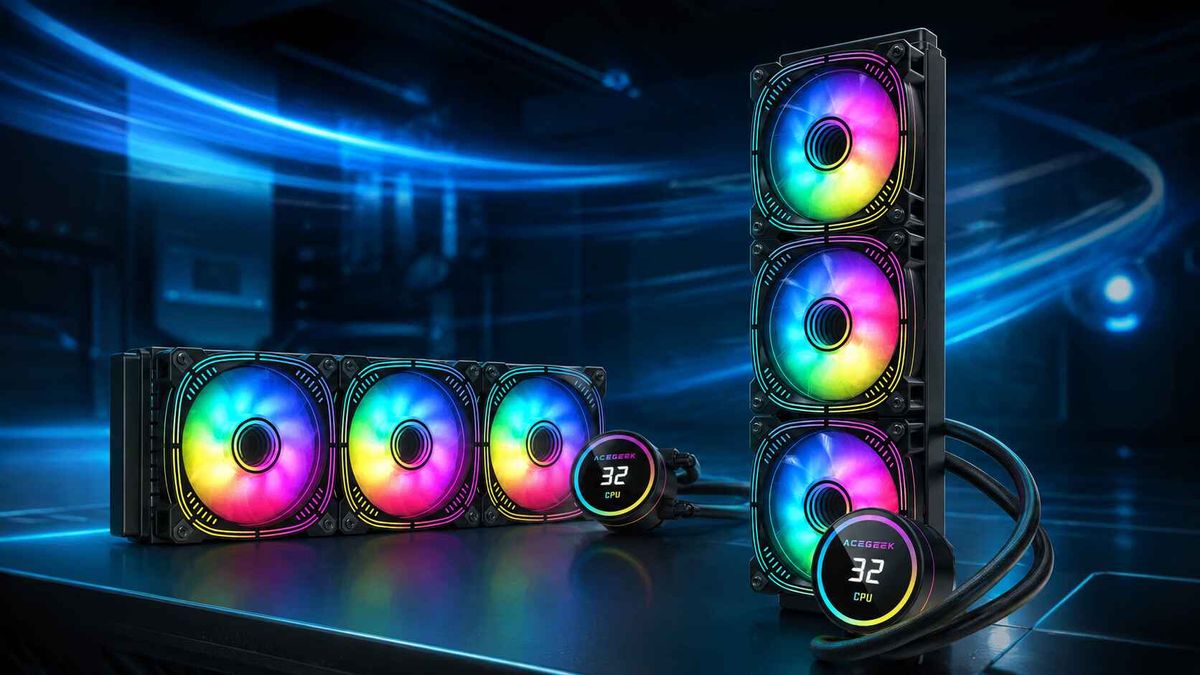
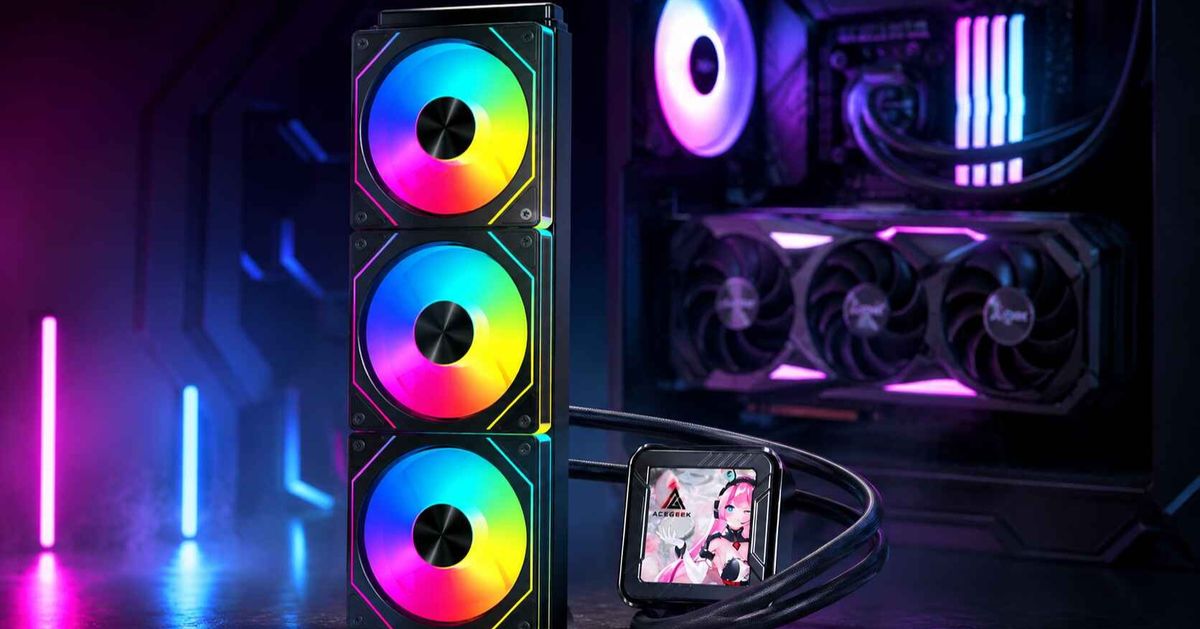
Why High-End PCs Use LCD AIO Coolers—and Are They Worth It?
A high-end gaming PC is no longer just about powerful components. For many enthusiasts, the appearance of the finished system, access to real-time performance information, and control over cooling hardware also influence the buying decision.
This helps explain the growing presence of LCD AIO coolers in premium gaming PCs, creator workstations, and panoramic showcase builds.
Unlike a conventional all-in-one liquid cooler, an LCD AIO adds a display to the CPU cooling assembly. Depending on the model, that screen can show system temperatures, fan speeds, hardware utilization, animated graphics, or personalized artwork.
But does an LCD screen actually make the cooler better?
The display itself does not improve CPU cooling. Its value comes from monitoring, customization, and how those features integrate with the rest of the PC.
For some builders, these capabilities justify the additional cost. Others may be better served by a high-performance liquid cooler without a screen.
This guide explains why LCD AIO coolers appeal to high-end PC builders, what they can realistically do, and how to decide whether one is worth buying.
What Is an LCD AIO Cooler?
An LCD AIO cooler is an all-in-one liquid CPU cooling system equipped with an integrated display, usually positioned on or above the CPU water block.
The underlying cooling system operates much like a conventional AIO.
A cold plate transfers heat from the processor into the cooling loop. The pump circulates coolant through the radiator, where fans move air across metal fins to release heat.
The LCD adds an information and visual customization interface.
Depending on the manufacturer's design, the screen may display:
CPU temperature.
GPU temperature.
Coolant temperature, when a compatible sensor is available.
CPU or GPU utilization.
Pump and radiator fan speed.
Static images or animated GIFs.
Custom graphics, logos, or supported widgets.
Not every LCD AIO supports all these functions.
Available metrics depend on the sensors, firmware, controller, and software provided with the product.
Likewise, some displays are basic temperature readouts, while others offer customizable high-resolution graphics.
The important distinction is that the screen is a feature of the cooling product rather than the component responsible for removing CPU heat.
Why Are LCD AIO Coolers Popular in High-End PC Builds?
Several factors make display-equipped liquid coolers appealing to premium PC buyers.
However, these advantages are not equally valuable to every user.
1. They Combine CPU Cooling With Real-Time Monitoring
One of the most useful features of an LCD AIO is the ability to display hardware information directly inside the case.
For example, a user running a lengthy CPU rendering workload might want to monitor processor temperature without constantly switching between applications.
A gaming enthusiast may prefer to display CPU and GPU temperatures together.
A creator workstation might use the display for CPU temperature, utilization, or other supported performance metrics during exports.
This information can be convenient because the display remains physically visible through the side panel.
However, on-block monitoring has limitations.
An LCD typically shows data provided by software or supported onboard sensors.
Readings can vary depending on the selected sensor, update frequency, and monitoring application.
The display should therefore be treated as a convenient status panel, not a replacement for detailed performance logging or diagnostic tools.
2. High-End Cooling Systems Offer a Natural Platform for Displays
Performance-oriented PCs may already require substantial CPU cooling capacity.
Modern high-end desktop processors can generate significant heat during sustained workloads such as rendering, encoding, compilation, and simulation.
A larger radiator may help dissipate that heat while providing additional flexibility for lower fan speeds.
However, the processor's product category alone does not determine the required cooler size.
A high-end CPU used primarily for gaming may have different cooling requirements from the same processor running sustained all-core workloads.
Once a buyer has determined that a premium AIO is appropriate, an LCD-equipped version becomes another feature option.
Instead of comparing an entry-level air cooler with an expensive display model, the buyer may be choosing between two capable liquid coolers with different interfaces and customization features.
The decision then becomes whether the additional display functionality justifies the price difference.
For more guidance on cooler sizing and CPU heat loads, read our article on choosing the right CPU cooler for Intel Core i9 and Ryzen 9.
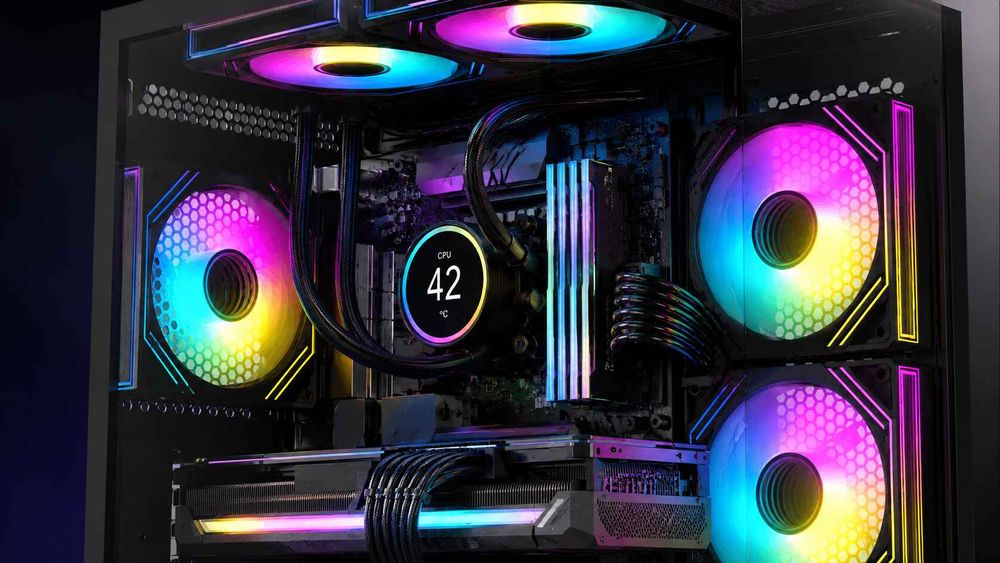
3. Panoramic PC Cases Make the CPU Display More Visible
The popularity of glass-heavy PC cases creates another reason to consider LCD cooling.
In a conventional case with limited visibility, the CPU block may be difficult to see.
In a panoramic chassis, the motherboard, GPU, memory, cooling fans, and CPU block become part of the visible design.
An LCD screen positioned over the processor can serve as a visual centerpiece.
It may display a coordinated color theme, animated artwork, system information, or a personalized logo.
This can be especially appealing when the rest of the system uses matching components, carefully routed cables, and synchronized ARGB lighting.
However, appearance should not dictate an unsuitable cooling installation.
The case must still provide sufficient ventilation, radiator clearance, and effective airflow for the graphics card.
A visually attractive LCD AIO cannot compensate for restricted radiator airflow or poor mounting contact.
4. They Offer More Personalization Than Basic RGB Lighting
Conventional RGB lighting allows users to change colors, patterns, and lighting effects.
An LCD display adds another level of customization because it can show images and information instead of illumination alone.
For example, supported software may allow users to upload:
Personalized artwork.
Gaming-themed animations.
Company or team logos.
Animated GIFs.
System monitoring layouts.
Supported application widgets.
This makes display-equipped AIOs attractive to enthusiasts who want more control over the visual identity of their builds.
Streamers and system integrators may also use the screen for branding or identifying individual computers.
However, customization capabilities differ substantially between products.
A cooler that displays a fixed temperature or simple animation should not be assumed to provide the same functionality as a fully customizable display.
LCD AIO vs Regular AIO: What Are You Actually Paying For?
Both cooling systems perform the same fundamental task: transferring heat away from the CPU.
The additional value of an LCD AIO comes from its display hardware and associated control features.
LCD AIO vs Standard AIO Comparison
FeatureStandard AIO CoolerLCD AIO CoolerCPU cooling functionPump, cold plate, radiator, fansSame fundamental cooling processThermal performanceDepends on actual cooler designAlso depends on actual cooler designOn-block displayUsually absentAvailableReal-time monitoringTypically through external softwareMay be shown on the cooler itselfCustom images and animationsUsually unavailable on the coolerAvailable on supported modelsSoftware requirementsVary by modelAdditional display software may be requiredInternal connectionsVary by coolerMay require additional USB or controller connectionsInstallation complexityModel-dependentCan involve extra display configurationTypical pricingUsually less at comparable tiersOften includes a display premiumBest suited forCooling and value-focused buildsMonitoring and customization-focused builds
An LCD model is not automatically a higher-performance cooler.
For example, GamersNexus's testing of the screen-free ARCTIC Liquid Freezer III 360 demonstrated strong noise-normalized cooling performance against more expensive competitors.
Source: GamersNexus — ARCTIC Liquid Freezer III Review.
This illustrates why cooling performance should be evaluated separately from the screen.
A more expensive display does not guarantee lower CPU temperature or quieter operation.
When Is the LCD Premium Worth Paying?
Consider whether the display will provide ongoing value.
If you regularly monitor hardware temperatures, customize your setup, or use the screen as part of a showcase build, the additional functionality may be worthwhile.
However, if you intend to display the default logo indefinitely, a conventional AIO with comparable cooling performance may be the better purchase.
The most useful comparison is between the complete coolers under similar thermal and acoustic conditions—not simply their radiator sizes or LCD specifications.
What Can an LCD AIO Display Tell You About CPU Cooling?
A display becomes more useful when it shows information that can help users understand system behavior.
However, not every displayed temperature provides the same information.
CPU Package Temperature
CPU package temperature is a useful overall thermal reference on many Intel desktop processors.
It reflects package-level thermal sensor behavior rather than the temperature of one arbitrarily selected core.
It can help users monitor processor temperatures during demanding workloads.
CPU Core Temperature
Individual CPU core temperatures can change rapidly as workloads move between cores and processor boost behavior changes.
A brief high reading does not automatically mean the AIO is malfunctioning.
For everyday monitoring, displaying a representative processor temperature alongside power consumption or utilization often provides better context than showing one isolated core.
For more information, read our guide to CPU package temperature vs core temperature for AIO users.
Coolant Temperature
Coolant temperature describes the thermal condition of the liquid-cooling loop when a suitable sensor is available.
Unlike CPU temperature, coolant temperature typically changes more gradually.
This makes it useful for understanding sustained heat buildup.
For example, an increase in coolant temperature during a lengthy rendering workload may indicate that the radiator is receiving more heat than it was at idle.
However, coolant temperature is not available on every AIO.
Some LCD-equipped coolers do not expose a liquid-temperature sensor to their display software.
Do not assume that a screen showing "CPU temperature" is measuring the coolant.
Which Information Should You Display?
The most helpful combination depends on your workload.
Primary UseUseful Display MetricsGamingCPU temperature + GPU temperatureCPU renderingCPU temperature + CPU utilization or package powerAIO cooling monitoringCPU temperature + coolant temperatureFan tuningCoolant temperature + radiator fan RPMGeneral PC monitoringCPU temperature + GPU temperature + utilizationShowcase displayCustom artwork or graphics
These combinations require the selected cooler and software to support the relevant readings.
For deeper guidance on cooling behavior, see our article on coolant temperature vs CPU temperature for AIO fan control.
An LCD display is most useful when it presents information that helps you understand the workload rather than simply showing the largest possible temperature number.
Real LCD AIO Examples: Different Ways to Use a CPU Display
Products from different manufacturers demonstrate how LCD functionality can vary.
NZXT Kraken Elite 360
The NZXT Kraken Elite 360 includes a 2.72-inch IPS LCD with a 640 × 640 resolution and 60Hz refresh rate.
According to NZXT, its supported display functions include system performance monitoring, images, GIFs, and selected software integrations.
These features make it an example of an AIO designed to combine cooling with a customizable display interface.
Source: NZXT Kraken Elite 360 Official Product Page.
Corsair iCUE LINK LCD AIO
Corsair's iCUE LINK LCD coolers use a software-controlled display system that can show monitoring information and custom graphics.
The company's official documentation also describes hardware screen settings that can operate when the desktop control software is not running.
For supported models, this may allow a saved image or basic status display during startup.
However, the available offline functionality depends on the exact product and firmware.
Source: Corsair iCUE LINK LCD AIO Installation and Software Guide.
ACEGEEK Cryoscreen 360
The ACEGEEK Cryoscreen 360 is part of ACEGEEK's display-equipped liquid-cooling range.
Its official product page offers black and white versions and provides a dedicated driver download.
This makes it relevant to builders interested in a display-focused 360mm liquid cooler.
However, buyers should confirm the exact screen functionality, radiator dimensions, supported sockets, software requirements, and electrical connections before purchasing.
The existence of a dedicated driver does not establish compatibility with every operating system or monitoring application.
These examples demonstrate different approaches to LCD cooling, rather than proving that one model provides the best thermal performance.
What Should You Check Before Buying an LCD AIO Cooler?
An LCD screen introduces extra purchasing considerations beyond radiator size and CPU socket support.
Before choosing a model, examine both the cooling system and its display ecosystem.
1. CPU Socket Compatibility
Confirm that the cooler supports your exact processor socket.
A model advertised for a particular Intel or AMD platform should include the appropriate mounting hardware.
Check whether the cooler supports your motherboard and processor generation.
Do not assume that a product's general "Intel compatible" or "AMD compatible" description covers every socket.
2. Radiator and Fan Clearance
A 360mm AIO generally uses three 120mm radiator fan positions, but the complete radiator assembly is larger than its nominal classification.
Radiator thickness and fan thickness also affect installation.
For example, a hypothetical 27mm radiator combined with 25mm fans creates a nominal 52mm assembly.
A 38mm radiator with the same fans creates a 63mm assembly.
These dimensions can affect compatibility with motherboard heatsinks, memory, cables, and nearby case structures.
A case advertised as supporting a 360mm radiator does not necessarily accommodate every 360mm AIO.
For a detailed measurement process, read our guide to top-radiator clearance for RAM, tubing, and motherboard components.
3. LCD and Pump-Block Clearance
The display assembly may increase the overall height of the CPU block.
This matters in compact cases where the side panel sits relatively close to the motherboard.
Check the complete height of the LCD-equipped pump unit.
Also consider nearby RAM modules, GPU backplates, cable connections, and decorative motherboard heatsinks.
The cooler should fit without pressing against the side panel or surrounding hardware.
4. Internal USB and Power Connections
Some LCD coolers require an internal USB 2.0 connection for display communication.
Others use proprietary controllers, additional power cables, or integrated connection systems.
For example, Corsair's iCUE LINK documentation identifies separate controller, power, and USB connections.
Before purchasing, check:
Available motherboard USB headers.
Controller compatibility.
Required power connections.
Fan and pump connections.
Cable routing.
Whether any compatible splitter or hub is required.
This is especially important in Mini-ITX builds with limited motherboard headers.
Do not assume that an LCD AIO uses the same electrical connections as a conventional ARGB fan.
5. Software Compatibility and Offline Behavior
LCD configuration often depends on the manufacturer's software.
Before buying, confirm that the software supports your operating system and intended display features.
Also investigate what happens when the software is closed.
Some coolers support saved hardware display modes.
Others may revert to a default screen or require software services for particular monitoring features.
If reliable temperature monitoring is your priority, check whether the required readings remain available under your normal operating conditions.
6. Warranty and Long-Term Support
An LCD AIO combines a conventional liquid-cooling system with additional electronics.
The complete product may include a pump, fans, display panel, controller, and other integrated components.
Before purchasing, check the manufacturer's warranty conditions.
Important questions include:
Does the warranty cover the LCD?
Is the display covered for the same period as the pump?
What support is available for software or firmware issues?
Can a failed display module be replaced separately?
Will basic cooling controls remain available if display software is unavailable?
Not every brand or model provides the same answer.
A longer warranty can be useful, but its coverage should be evaluated alongside actual cooling performance and software support.
Who Should Choose an LCD AIO Cooler?
An LCD AIO is most useful when its additional features match how the computer will be used.
Showcase Gaming PC Builders
An LCD cooler can complement a panoramic case, coordinated RGB fans, and carefully selected components.
It provides a customizable visual element around the CPU socket.
For these buyers, display appearance may be an important part of the overall build.
Streamers and Content Creators
A customizable screen can provide system information or visual branding.
Depending on software support, it may show temperatures, utilization, custom images, or other widgets.
This can be useful for creators who want their computer to remain visually distinctive while providing basic hardware information.
Performance-Monitoring Enthusiasts
Users who regularly tune fan curves, monitor CPU workloads, or compare cooling configurations may appreciate having selected metrics visible on the CPU block.
However, an LCD cannot replace comprehensive monitoring software when investigating thermal throttling or system stability.
Buyers Who May Not Need an LCD
An LCD AIO may offer limited value for:
PCs with opaque side panels.
Budget-focused gaming builds.
Systems with modest cooling requirements.
Users who prefer minimal software dependencies.
Builders primarily interested in cooling performance per dollar.
A screen-free AIO or suitable air cooler may be a more efficient purchase for these systems.
The goal should be to select useful features rather than paying for complexity that will not be used.
Frequently Asked Questions
1. Why Is My LCD AIO Screen Black While the Fans Still Spin?
A black LCD screen does not automatically mean the entire liquid cooler has stopped operating.
The display and cooling hardware may use different electrical connections or control systems.
Possible causes include an incomplete USB connection, missing controller power, software detection problems, or display firmware issues.
First, verify CPU temperature and pump operation using a supported monitoring method.
If the CPU is overheating or the pump is not operating correctly, shut down the system and investigate the cooling hardware.
If cooling is normal, follow the manufacturer's display troubleshooting instructions.
Power off and disconnect the computer before reseating internal connectors.
2. Does an LCD AIO Need an Internal USB 2.0 Header?
Many LCD AIO coolers use an internal USB connection for communication with their display controller, but the exact requirement depends on the product.
Some models connect directly to a motherboard USB 2.0 header.
Others use a proprietary hub or an integrated connection system.
If the motherboard has limited internal USB headers, check whether the manufacturer supports a compatible splitter or powered USB hub.
Do not assume that an ARGB header can replace a required USB connection.
Always verify the exact cooler's installation requirements.
3. Can the LCD Show Temperatures Without the Control Software Running?
Some LCD AIO coolers support hardware display modes that operate without the desktop control application running.
For example, supported Corsair LCD systems can use saved hardware screen settings.
However, real-time sensor availability and display behavior may differ between software-controlled and offline modes.
Other models may require their software to remain active for particular readings or custom animations.
Before buying, check whether the display can show the information you need without a continuously running background application.
4. Why Does My LCD AIO Show a Different CPU Temperature Than Monitoring Software?
Different applications may display different temperature sensors.
For example, one program may show CPU package temperature while another shows an individual core temperature or a motherboard-derived reading.
Update frequency and averaging behavior can also differ.
As a result, two readings may not match even when both applications are functioning correctly.
Check the exact sensor selected in the LCD software and compare it with the corresponding sensor in your monitoring application.
For troubleshooting, also consider CPU power consumption, effective clock speed, and thermal-throttling indicators.
5. Can I Upgrade the Screen Without Replacing the Entire AIO?
Sometimes.
Certain cooler ecosystems offer compatible replacement or upgradeable LCD modules.
For example, Corsair provides display upgrade modules for selected iCUE LINK AIO cooling systems.
However, these modules are not universally compatible with other coolers.
A different mounting design, controller interface, or power connection can prevent installation.
Before purchasing a replacement screen, confirm that the module is explicitly supported by the exact AIO model.
Do not attempt to attach an incompatible display simply because the pump housing appears similar.
6. What Should I Check If My LCD AIO Stops Displaying Custom GIFs?
First, confirm that the display is still recognized by the manufacturer's software.
Then check whether the selected file format, resolution, and file size are supported.
Some controllers may have restrictions on animation playback or stored content.
Also review software updates, device firmware, internal USB connections, and supported display profiles.
If the screen continues to display basic system information but no longer plays custom animations, the issue may involve software configuration rather than cooling hardware.
Follow the manufacturer's troubleshooting guidance before replacing the display.
Choose an LCD AIO for the Features You Will Actually Use
LCD AIO coolers appeal to high-end PC builders because they combine liquid cooling with visible system monitoring and greater personalization.
For gaming enthusiasts, the screen can complement a carefully designed showcase build.
For creators and hardware enthusiasts, it may provide convenient access to selected system information.
However, the display does not determine how effectively the cooler removes heat.
Before buying, compare the actual cooling performance, fan noise, radiator compatibility, and installation requirements.
Then evaluate screen quality, available monitoring functions, software support, electrical connections, and warranty coverage.
If a display will improve how you use or personalize your computer, an LCD AIO can be a worthwhile upgrade.
If your only priority is lower CPU temperature, a well-designed screen-free cooler may offer better value.
You can explore the ACEGEEK CPU cooler collection to compare available liquid-cooling options, including the display-equipped Cryoscreen 360.
Choose the cooling system for its thermal performance—and the LCD for the additional experience it provides.