لماذا أصبح تصميم صناديق الكمبيوتر يعتمد على التبريد أكثر من أي وقت مضى؟
غيّرت الحرارة السيناريو
لقد غيّرت الحرارة كل شيء.
لسنوات، نجح مصنّعو صناديق الحاسوب في الترويج لفكرةٍ زائفة مفادها أن الزجاج المقسّى وشرائط إضاءة RGB وبعض فتحات التهوية البسيطة تُعتبر "مميزة"، لكن هذه الحيلة التسويقية باتت عصية على التبرير عندما نجد أن معالج Intel Core i9-14900K يستهلك طاقة أساسية تبلغ 125 واط وطاقة قصوى تصل إلى 253 واط في وضع التيربو، بينما يستهلك معالج AMD Ryzen 9 9950X طاقة افتراضية تبلغ 170 واط، وبطاقة رسومات NVIDIA RTX 4090 تستهلك 450 واط، وبطاقة NVIDIA RTX 5090 تقفز إلى 575 واط. ما الذي كان يتوقعه هذا القطاع من هذه الحرارة الهائلة داخل صندوقٍ ضيق؟ تُوضح مواصفات معالج Intel Core i9-14900K ، وصفحة معالج AMD Ryzen 9 9950X ، وملف PDF الخاص ببنية NVIDIA RTX Blackwell، حقيقة الأمر.
سأقولها بوضوح.
كانت معظم تصاميم صناديق الحاسوب الشائعة تُعطي الأولوية للجماليات مع تبريرات تتعلق بالحرارة، وقد رأيت الكثير من مُجمّعي الحواسيب يُنفقون مبالغ طائلة على السيليكون ليُخفوه وراء قيود جمالية، ثم يُلقون باللوم على المُبرّد أو منحنى سرعة المروحة أو درجة حرارة الغرفة بدلاً من إلقاء اللوم على الهيكل نفسه. أليس هذا تفكيراً خاطئاً؟
يُشير المسار الداخلي المُحسّن على موقع AceGeek إلى الاتجاه الصحيح، خاصةً إذا بدأ القراء بكيفية اختيار صندوق الحاسوب المناسب ، ثم انتقلوا إلى فهم استهلاك الطاقة الحرارية (TDP) قبل تحديد حجم المُبرّد ، ثم قرأوا كيفية تحقيق التوازن بين تبريد المعالج وتدفق الهواء لوحدة معالجة الرسومات في النظام نفسه . تتناسب هذه الصفحات مع هذا الموضوع لأنها تربط بين حجم الصندوق، والمساحة المتاحة، ودعم المراوح، واستهلاك الطاقة الحرارية، ومسار تدفق الهواء، بدلاً من التعامل معها كخيارات شراء منفصلة.
الأرقام أصبحت بشعة
الأرقام مهمة الآن.
كان المنطق القديم بسيطًا: إذا بقي المعالج المركزي ضمن نطاق تردده الأقصى، وكان غطاء الجهاز دافئًا فقط، فإن الهيكل "جيد". لكن الأجهزة الحديثة غيّرت ذلك، إذ يمكن للأجهزة الحديثة أن تدفع حرارة مستمرة إلى نفس الهيكل من اتجاهات متعددة في آن واحد، حيث تتنافس عوامل مثل تردد المعالج المركزي، وإدارة النقاط الساخنة في وحدة معالجة الرسومات، وتبريد منظم الجهد، ودرجات حرارة محركات الأقراص الصلبة على نفس الهواء المتحرك. فلماذا ما زلنا نراجع صناديق الحاسوب كما لو كنا في عام ٢٠١٨؟
هذا هو جدول ميزانية الحرارة الذي أعتمد عليه عندما أريد أن أشرح لماذا أصبح تدفق الهواء في علبة الكمبيوتر هو القصة الحقيقية للمنتج.
بيانات الحرارة/الطاقة الرسمية للمكونات: لماذا أصبح تصميم الهيكل أكثر أهمية؟ معالج Intel Core i9-14900K: استهلاك طاقة أساسي 125 واط / أقصى استهلاك طاقة توربو 253 واط: لم يعد العادم العلوي وموضع المبرد والتهوية الخلفية خيارات إضافية. بطاقة رسومات AMD Ryzen 9 9950X: استهلاك طاقة افتراضي 170 واط: يبدأ اختيار المبرد وجودة مدخل الهواء في تحديد مستوى الضوضاء وسلوك التعزيز. بطاقة رسومات GeForce RTX 4090: استهلاك طاقة 450 واط: أصبح تدفق الهواء النقي من أسفل مقدمة أو أسفل بطاقة الرسومات شرطًا أساسيًا في التصميم. بطاقة رسومات GeForce RTX 5090: استهلاك طاقة 575 واط: أصبح تدفق الهواء متعدد المناطق، ومساحة مدخل الهواء الأكبر، وتقليل قيود اللوحة الأمامية من أساسيات التصميم.
هذا الجدول ليس مجرد دعاية.
إنها ببساطة طريقة أكثر وضوحًا للتعبير عما تُظهره وثائق المورّد الرسمية بالفعل: أصبح الهيكل الآن جزءًا من عملية تقديم الأداء، وليس مجرد حاوية شحن للأجزاء، وبمجرد أن يصبح الهيكل جزءًا من الأداء، يتوقف المصممون عن التفكير أولًا في كيفية ظهور اللوحة الأمامية في الصور ويبدأون بالتفكير في كيفية دخول الهواء إلى الهيكل، وعبره، وخروجه منه. ولماذا لا يفعلون ذلك؟
الحقيقة الصعبة حول تدفق الهواء في صندوق الكمبيوتر
عادةً ما يفوز الميش.
أعلم أن هذا يزعج العلامات التجارية التي تعتمد على صور منتجات براقة، لكنني أثق بتصميم تدفق الهواء أكثر من لغة التسويق، وقد أكدت الاختبارات العملية هذا الحدس لسنوات؛ فقد وجد موقع Tom's Hardware أن هيكل Fractal Meshify C يخفض درجة حرارة المعالج بمقدار 8 كلفن كاملة مقارنةً بهيكل Define C، بينما وجد موقع GamersNexus أن التصميم الأكثر تقييدًا يتراجع أداؤه مع زيادة عدد المراوح. أليست هذه هي خلاصة الحجة؟ لا تزال مراجعة Tom's Hardware لهيكل Meshify C واختبار GamersNexus له مقابل Define C مهمين لأنهما كشفا حقيقةً مُرّة في هذا المجال: لا يمكن للمراوح الإضافية أن تُصلح مسار سحب هواء سيئًا بشكل كامل.
لكن الفروق الدقيقة مهمة.
لا يُعدّ الهيكل ذو الغطاء الزجاجي الكثيف كارثة حرارية بالضرورة إذا كانت مساحة التهوية الجانبية واسعة، والمراوح عالية الجودة، والمسافات الداخلية مناسبة. لهذا السبب، ظلّ هيكل Cooler Master H500M مثالًا مفيدًا في اختبارات Tom's Hardware، ولهذا السبب أيضًا لا أختزل المسألة برمتها إلى منطق "الشبك جيد، والزجاج سيئ" المُبتذل. أليس السؤال الحقيقي هو: هل مسار تدفق الهواء سليم؟ تُعدّ مراجعة Tom's Hardware لهيكل Cooler Master H500M استثناءً يُؤكّد القاعدة.
يكون المحتوى الداخلي الخاص بموقع AceGeek أقوى عندما يعتمد على هذه الصراحة.
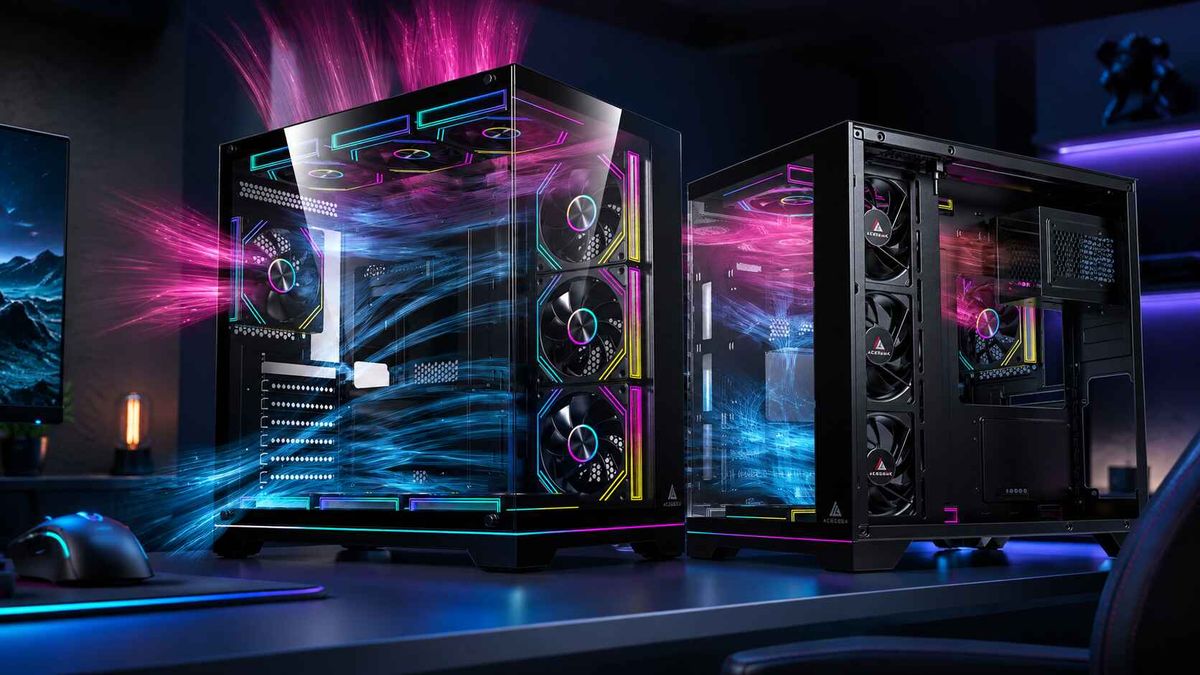
يُشير التحليل الأخير لتصميمات صناديق الحاسوب ذات الواجهة الشبكية مقابل الزجاج المقوى بوضوح إلى أن أجهزة الألعاب ذات استهلاك الطاقة العالي تستفيد من مقاومة أقل للهواء الداخل، بينما يُقرّ الدليل القديم لتصميمات صناديق الحاسوب ذات الواجهة الزجاجية المزدوجة بأنها عادةً ما تحتاج إلى مراوح إضافية لأن تدفق الهواء يكون أكثر تقييدًا. فلماذا نُخفي أهم المعلومات في التفاصيل الدقيقة بينما يجب أن تكون هي العنوان الرئيسي؟
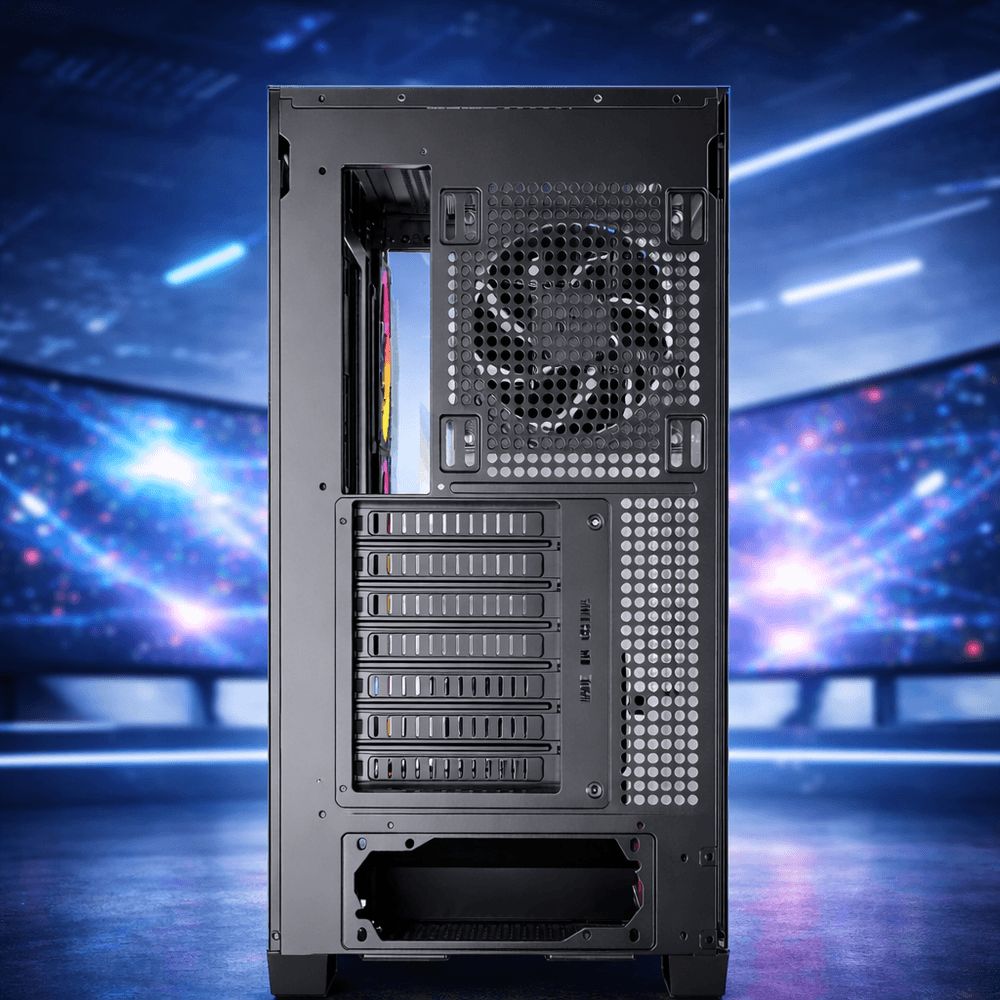
يعتمد الأداء الآن بشكل كبير على المساحة الحرارية المتاحة.
يؤدي التبريد إلى تغيير الناتج.
اختبرت شركة Puget Systems معالج 14900K بقدرة 125 واط و253 واط، ووجدت أن الإعداد ذو القدرة الأعلى يُحسّن أداء وحدة المعالجة المركزية لمحرك Unreal Engine بنسبة 8.5% تقريبًا في المتوسط، مع مكاسب أكبر في بعض مهام المعالجة الرسومية المكثفة مثل Blender وV-Ray وCinebench. هذا الأمر مهم لأنه يُثبت أن التبريد لم يعد يقتصر على السلامة فقط، بل يتعلق أيضًا بالجهاز الفعلي الذي يحصل عليه المشتري بعد انتهاء اختبار الأداء. لماذا لا تزال العديد من مراجعات صناديق الحاسوب تُعامل الحرارة كمعلومة جانبية بدلًا من كونها المعلومة الرئيسية؟ تحليل استهلاك الطاقة والتبريد من Puget Systems كان ينبغي أن يجعل ذلك الحوار أمراً لا مفر منه.
ويزداد الأمر سوءًا بمجرد انضمام وحدة معالجة الرسومات إلى الغرفة.
لا يهمّ جهاز الكمبيوتر المخصص للألعاب مدى كفاءة مُبرّد المعالج إذا كانت بطاقة الرسومات تسحب هواءً ساخنًا، ولهذا السبب أعتقد أن أفضل مرجع داخلي من AceGeek هنا هو كيفية تحقيق التوازن بين تبريد المعالج وتدفق الهواء إلى بطاقة الرسومات في نفس النظام : فهو يُعالج وصول الهواء إلى بطاقة الرسومات كمسألة أساسية، وليس مجرد إضافة ثانوية، ويربط تصميم مسار سحب الهواء بسلوك المكونات الفعلي بدلاً من التركيز على عدد المراوح. أليست هذه هي الطريقة الأمثل للحديث عن تبريد أجهزة الكمبيوتر المخصصة للألعاب؟
نعم، أنا صاحب رأي.
إذا كانت مراجعة الحالة لا تزال تركز بشكل أكبر على لون الزجاج، وانتشار RGB، و"مظهر المكتب النظيف" بدلاً من مقاومة الإدخال، ومساحة المبرد، ودعم المروحة السفلية، ومساحة تهوية وحدة معالجة الرسومات، فسأتوقف عن أخذ تلك المراجعة على محمل الجد لأنها تقيّم الاختبار الخاطئ.
إشارة الصناعة أكبر من مجرد أجهزة الكمبيوتر المكتبية
هذا الأمر سيرتفع أكثر.
يؤثر نفس الضغط الحراري الذي يُعيد تشكيل تصميم علب أجهزة الكمبيوتر المكتبية على كامل منظومة الحوسبة، وأقوى دليل على ذلك ليس إطلاق علبة كمبيوتر مميزة، بل إعادة تصميم البنية التحتية للحوسبة فائقة السرعة والذكاء الاصطناعي بما يتناسب مع حدود التبريد، ومحاكاة تدفق الهواء، والكثافة الحرارية. هل تعتقد حقًا أن أجهزة الكمبيوتر المكتبية مُستثناة من هذه القوانين الفيزيائية؟
أعلنت وزارة الطاقة الأمريكية في ديسمبر 2024 أن نمو أحمال مراكز البيانات قد تضاعف ثلاث مرات خلال العقد الماضي، ومن المتوقع أن يتضاعف أو يتضاعف ثلاث مرات أخرى بحلول عام 2028. في الوقت نفسه، يركز عمل مختبر لورانس بيركلي الوطني في مجال التبريد بشكل صريح على نمذجة ديناميكيات الموائع الحسابية عالية الدقة ونمذجة الأنظمة لتحسين تدفق الهواء الداخلي وتوزيع السوائل. لا يُعد هذا مجرد هامش هندسي متخصص، بل هو اعتراف واسع النطاق بأن التصميم الحراري بات يُوجه بنية الأنظمة. ويؤكد ملخص تقرير وزارة الطاقة لعام 2024 وبرنامج "التبريد من أجل الذكاء الاصطناعي" التابع لمختبر لورانس بيركلي الوطني هذه النقطة بوضوح تام.
ثم جاء الإحراج.
أفادت رويترز بأن شحنات بلاكويل الأولى من الخوادم ذات الكثافة العالية شهدت ارتفاعًا في درجة الحرارة، مما استدعى إعادة تصميمها في المناطق التي تتطلب فيها السوق الكثافة والسرعة بشكل أساسي. وأعتقد أن هذه المعلومة مهمة لمستخدمي أجهزة الكمبيوتر المكتبية لأنها تُفنّد الاعتقاد السائد بأن مشاكل الحرارة يُمكن حلها "لاحقًا" بعد انتهاء فريق التصميم الصناعي من عمله. فعندما تبدأ الحرارة بتأخير طرح المنتج، ما الدليل الذي يحتاجه المرء أكثر من ذلك؟ كان تقرير رويترز عن ارتفاع درجة حرارة بلاكويل بمثابة تذكير بأن حتى أغنى شركات الحوسبة لا تزال تعتمد على تدفق الهواء والمسافات بين المكونات وأنظمة التبريد.
كيف يبدو تصميم علبة الكمبيوتر التي تعمل بنظام التبريد الحراري في الواقع
الأمر يصبح عملياً.
لا يبدأ تصميم هيكل حاسوب يعتمد على التبريد الحراري بسؤال "كمية الزجاج التي يمكننا بيعها؟"، بل بمساحة مدخل الهواء، ومقاومة الهواء، ومنطق تركيب المراوح، والمسافة حول منطقة مدخل الهواء لوحدة معالجة الرسومات، وسلوك مخرج الهواء العلوي، وسماكة المبرد، وإمكانية ضبط النظام دون الحاجة إلى التعامل مع الهيكل المعدني نفسه. لماذا لا يزال يُنظر إلى هذا الأمر على أنه شأن يخص فئة معينة من المستخدمين؟
أُعرّف ترتيب الأولويات الحديث كالتالي: أولاً مسار تدفق الهواء، ثم التوزيع الحراري، ثم مساحة المبرد والهيكل، ثم الأداء الصوتي، وأخيراً المظهر الجمالي؛ ولهذا السبب أيضاً يستحق التحكم الدقيق في مروحة الكمبيوتر (PWM) - سواءً كان ثلاثي الأطراف أو رباعي الأطراف - رابطاً خاصاً هنا، لأن التحكم الدقيق في المروحة جزء لا يتجزأ من التصميم الحراري، وليس مجرد تفصيل تقني للمهتمين بالمواصفات. أليس من الأجدر أن تُقرّ المزيد من الشركات المصنعة بأن دعم تقنية PWM ومنحنيات سرعة المروحة المناسبة جزء من قيمة صندوق الحاسوب؟
الحقيقة الصعبة مملة.
أفضل صندوق حاسوب من حيث تدفق الهواء هو الذي يمنح وحدة معالجة الرسومات (GPU) الأولوية في الحصول على الهواء النقي، ويحافظ على مسار طرد الهواء من وحدة المعالجة المركزية (CPU) قصيرًا وواضحًا، ويترك مساحة كافية للمراوح والمبردات الحرارية، ولا يُجبر المستخدمين على شراء ستة مراوح إضافية لمجرد الحصول على لوحة أمامية مزخرفة. قد يبدو هذا أقل جاذبية من "تحفة فنية بإطلالة بانورامية على البحر"، ولكنه السبب وراء بقاء أحد الجهازين سريعًا وهادئًا بينما يتحول الآخر إلى صندوق صاخب ساخن ومليء بالغبار.
الأسئلة الشائعة
ما هو تدفق الهواء في علبة الكمبيوتر؟
يُعدّ تدفق الهواء داخل صندوق الحاسوب عمليةً مُتحكَّمًا بها، حيث يتمّ توجيه الهواء البارد الداخل عبر وحدة المعالجة المركزية، ووحدة معالجة الرسومات، واللوحة الأم، ووحدة تنظيم الجهد، ووحدة التخزين، ثمّ يتمّ طرد الهواء الساخن الخارج، وذلك للحفاظ على استقرار درجات حرارة التشغيل، والحدّ من التباطؤ الحراري، وتجنّب الضوضاء غير الضرورية، وتراكم الغبار، وتكوّن جيوب ساخنة راكدة أثناء الأحمال التشغيلية المتواصلة. لهذا السبب، لم يعد تدفق الهواء داخل صندوق الحاسوب مجرّد مواصفة ثانوية، بل أصبح أساسًا لجميع قرارات التبريد الأخرى داخل الصندوق.
لماذا عادةً ما يكون تبريد علبة الكمبيوتر ذات الواجهة الشبكية أفضل من علبة الكمبيوتر ذات الواجهة الزجاجية؟
عادةً ما توفر صناديق الحاسوب ذات الواجهة الشبكية تبريدًا أفضل لأن مسار سحب الهواء فيها يُقلل من مقاومة الهواء الداخل، مما يسمح للمراوح بتزويد مُبرد وحدة معالجة الرسومات ووحدة المعالجة المركزية بهواء أنقى بجهد أقل. في المقابل، تعتمد التصاميم ذات الواجهة الزجاجية على فتحات جانبية أضيق تُقلل من كفاءة سحب الهواء وتُضعف تأثير المراوح الإضافية. هذا لا يعني أن جميع صناديق الحاسوب ذات الواجهة الزجاجية سيئة، ولكنه يعني أن تصميم صندوق الحاسوب ذي تدفق الهواء يجب أن يُقاس بهندسة سحب الهواء، وليس بمظهره الجذاب.
كم عدد مراوح التبريد التي يحتاجها جهاز كمبيوتر ألعاب عالي الأداء فعلياً؟
يحتاج جهاز الكمبيوتر المخصص للألعاب عالي الأداء عادةً إلى عدد كافٍ من المراوح لتوفير مسارين نظيفين لسحب الهواء وإخراجه، وهو ما يعني غالبًا استخدام من ثلاث إلى خمس مراوح موزعة بشكل جيد في هيكل ATX عادي، بدلًا من ملء جميع فتحات التهوية، لأن جودة تدفق الهواء وتوزيعه يتفوقان على مجرد عدد المراوح عند وجود عوائق أو اضطرابات أو ضوضاء. لا أثق في "دعم الحد الأقصى للمراوح" كحجة شراء بحد ذاتها، ولا ينبغي للقراء الذين يهتمون بالحرارة أكثر من إضاءة RGB أن يثقوا بها أيضًا.
هل تصميم علبة الكمبيوتر الشخصي الذي يعتمد على الحرارة مهم فقط للمتحمسين ومحبي كسر السرعة؟
لا يقتصر تصميم صناديق الحاسوب الذي يعتمد على الحرارة على المتحمسين أو هواة كسر السرعة فحسب، بل يهم أي شخص يشتري أجهزة حديثة، لأن أداء المعالجات المركزية ووحدات معالجة الرسومات اليوم يتأثر بتدفق الهواء داخل الصندوق، خاصةً عند استخدام مكونات عالية الكثافة في نفس الهيكل أثناء الألعاب أو عمليات الرندر أو التجميع أو مهام الذكاء الاصطناعي. أما من لا يكترثون للحرارة فهم مستخدمو الأجهزة منخفضة الطاقة أو من لا يلاحظون ارتفاع صوت أجهزتهم وبطء أدائها.
خطوتك التالية
افعل هذا اليوم.
راجع مكونات جهازك الحالي أو قائمة مكوناتك المستقبلية بنظرة أكثر دقة: تأكد من حصول وحدة معالجة الرسومات (GPU) على كمية كافية من الهواء البارد، وتأكد من أن اللوحة الأمامية تدعم المراوح أو تعيقها، وتأكد من أن فتحة التهوية العلوية لا تسحب الهواء مبكرًا جدًا، وتأكد من أن نظام التبريد الذي اخترته يتناسب مع قدرة المعالج الذي تستخدمه على تحمل الحرارة. إذا كنت ترغب في قراءة أكثر تفصيلًا على موقع AceGeek، فابدأ بكيفية اختيار صندوق الكمبيوتر المناسب ، ثم اقرأ عن فهم استهلاك الطاقة الحرارية (TDP) قبل اختيار حجم نظام التبريد ، ثم انتقل إلى كيفية تحقيق التوازن بين تبريد المعالج وتدفق الهواء لوحدة معالجة الرسومات في نفس النظام ، واختتم بمقارنة تصميم صندوق الكمبيوتر ذي الواجهة الشبكية الأمامية مع تصميم صندوق الكمبيوتر ذي الواجهة الزجاجية المقسّى . إذا لفت انتباهك صندوق كمبيوتر ما بعد ذلك، فمن المحتمل أنه يستحق الشراء.