120mm PC Fan Buying Guide: Which Specs Actually Matter?
Numbers can deceive.
A 120mm case fan promising 70 CFM airflow, 3.0 mmH₂O static pressure, and 2,000 RPM might look excellent on a specification sheet, but those figures reveal surprisingly little about how it will perform behind a dust filter, inside a restrictive chassis, or against a radiator.
So why do we keep buying fans as if the biggest number wins?
I think the PC cooling industry has made fan selection unnecessarily confusing. Manufacturers emphasize maximum ratings because they are easy to advertise. What buyers actually need—cooling performance at a tolerable noise level, under realistic airflow resistance—is harder to communicate.
Here is the distinction that matters: the best 120mm case fan is not the fastest or the most powerful on paper. It is the fan that moves enough air through your particular installation without producing unnecessary noise.
Independent testing supports that argument. And the differences between tested fans are large enough to change buying decisions.
Which 120mm Case Fan Specs Actually Matter?
Before comparing brands, I would rank fan specifications according to their practical value.
SpecificationPriorityWhat Buyers Should Look ForAirflow at equal noise levelsVery HighIndependent airflow measurements at 20–30 dB(A)Static pressureHighPerformance through radiators, filters, and restricted openingsPWM speed controlHighAdjustable speed and motherboard compatibilityNoise characteristicsHighMeasured noise and motor or airflow toneFan thicknessHigh25mm, 28mm, or 30mm compatibilityBearing typeMediumReliability, acoustic behavior, and warrantyMaximum RPMMediumAvailable speed range, not cooling efficiencyMaximum CFMMediumFree-air airflow potential, not installed airflowARGB lightingOptionalAppearance and controller compatibility
The priorities change with the mounting position.
For a rear exhaust fan, I would emphasize quiet airflow. For a liquid-cooling radiator, I would pay closer attention to pressure performance. For filtered front intake, I would look for a balanced design that performs well against resistance.
And I would always check physical clearance before comparing premium models.
CFM vs Static Pressure: Why Maximum Ratings Don't Tell the Whole Story
CFM Measures Airflow, but Not Necessarily Inside Your PC
CFM stands for cubic feet per minute. It measures the volume of air a fan moves.
A manufacturer advertising 65 CFM is describing airflow measured under particular test conditions, usually with little resistance.
That doesn't guarantee 65 CFM through your PC case.
Install the same fan behind a restrictive mesh panel, add a dust filter, or attach it to a radiator, and its operating airflow will generally decrease.
The reason is simple: airflow resistance requires pressure.
Static Pressure Tells You How the Fan Handles Resistance
Static pressure is commonly measured in millimeters of water column (mmH₂O). One mmH₂O equals approximately 9.81 pascals.
Higher maximum static pressure can indicate greater ability to overcome resistance, but it does not automatically guarantee better airflow through every obstruction.
Here is the engineering detail that marketing materials often omit.
Maximum CFM and maximum static pressure are normally measured at opposite ends of a fan's performance curve.
Maximum airflow occurs near zero pressure resistance. Maximum static pressure occurs near a blocked-airflow condition.
Real installations operate somewhere between those extremes.
The U.S. Department of Energy's fan performance sourcebook explains why airflow and developed pressure must be considered together through a fan performance curve. Although written for industrial systems, the same physical relationship applies to PC fans.
That relationship is known as a P-Q curve.
Instead of showing just two maximum numbers, a P-Q curve shows how much pressure a fan can develop at different airflow rates.
For a closer look at the engineering, AceGeek's guide to static pressure curves for PC cooling fans explains how to interpret these measurements.
My buying rule: If two fans advertise similar maximum CFM but one performs significantly better through resistance in independent testing, I would choose based on the installed application—not the advertised maximum.
Independent Testing: What the Best 120mm Case Fans Actually Deliver
This is where the discussion becomes useful.
Test 1: Noctua, Phanteks, and ARCTIC at the Same Noise Level
In June 2025, Tweakers published independent test results for the Noctua NF-A12x25 G2 alongside competing 120mm fans.
Instead of relying on maximum-speed specifications, the testing compared airflow and static pressure at controlled acoustic levels.
The Tweakers NF-A12x25 G2 review reported the following results at 25 dB(A):
120mm FanAirflow at 25 dB(A)Static Pressure at 25 dB(A)ThicknessPhanteks T30-120, Performance Mode44.31 CFM1.20 mmH₂O30mmNoctua NF-A12x25 G2 PWM43.74 CFM1.29 mmH₂O25mmNoctua NF-A12x25 PWM37.79 CFM0.95 mmH₂O25mmARCTIC P12 PWM33.81 CFM0.78 mmH₂O25mm
Source: Tweakers, June 24, 2025. CFM figures are converted from the publication's m³/h measurements. Airflow and maximum static pressure were measured separately at speeds corresponding to 25 dB(A); they do not represent simultaneous airflow and pressure at one operating point.
The Noctua NF-A12x25 G2 produced approximately 16% more free-air flow than its predecessor while delivering about 36% higher maximum static pressure at the same measured noise level.
And it achieved these improvements without increasing beyond the conventional 25mm thickness.
The Phanteks T30 delivered marginally greater free-air flow, but required 30mm of mounting depth.
Does that make the Noctua the best choice for everyone?
Not necessarily.
The ARCTIC P12 delivers less performance in these measurements, but its affordability can make it sensible for a budget build, particularly when additional cooling gains would be marginal.
This is why I dislike rankings that declare one universal winner.
The better question is whether the extra performance justifies the cost in your own system.
Test 2: A Budget ARCTIC Fan Challenges a Premium Noctua
On January 4, 2026, Tom's Hardware published a direct comparison between the ARCTIC P12 Pro and Noctua NF-A12x25 G2.
The article framed the comparison around an approximately $8.50 ARCTIC fan and a $35 Noctua model at the time of publication.
Those are very different price categories.
Yet the Tom's Hardware comparison found that the P12 Pro could compete surprisingly well.
The findings were particularly interesting:
The Noctua G2 led in unrestricted airflow at comparable noise levels.
The ARCTIC P12 Pro performed competitively in radiator-restricted testing and exceeded the previous-generation Noctua NF-A12x25 in that configuration.
Under a mesh-and-filter restriction, both Noctua generations outperformed the ARCTIC.
The reviewer observed a smoother acoustic character from the Noctua, while the ARCTIC exhibited some audible motor and airflow tonal characteristics.
One fan.
Different results.
The same model can be excellent for its price against a radiator yet less attractive against another type of restriction.
And a lower dBA number does not necessarily describe a more pleasant sound.
I would take a smooth, unobtrusive airflow sound over an irritating mechanical tone, even when a sound-level meter reports similar overall noise.
The practical lesson is to read the test configuration, not just the final ranking.
Test 3: Sometimes the Problem Isn't the Fan
An older GamersNexus test remains one of the clearest demonstrations of why case airflow geometry matters.
In its 2017 BitFenix Enso case investigation, GamersNexus found that removing the restrictive front panel reduced GPU temperature by 10.1°C and CPU temperature by 14.1°C relative to ambient under its test conditions.
The more surprising finding?
Adding another front intake fan actually worsened GPU temperature in that particular configuration.
The additional fan changed airflow behavior without solving the underlying intake restriction.
That does not mean extra fans generally increase temperatures. It shows that fan quantity cannot compensate reliably for poor airflow geometry.
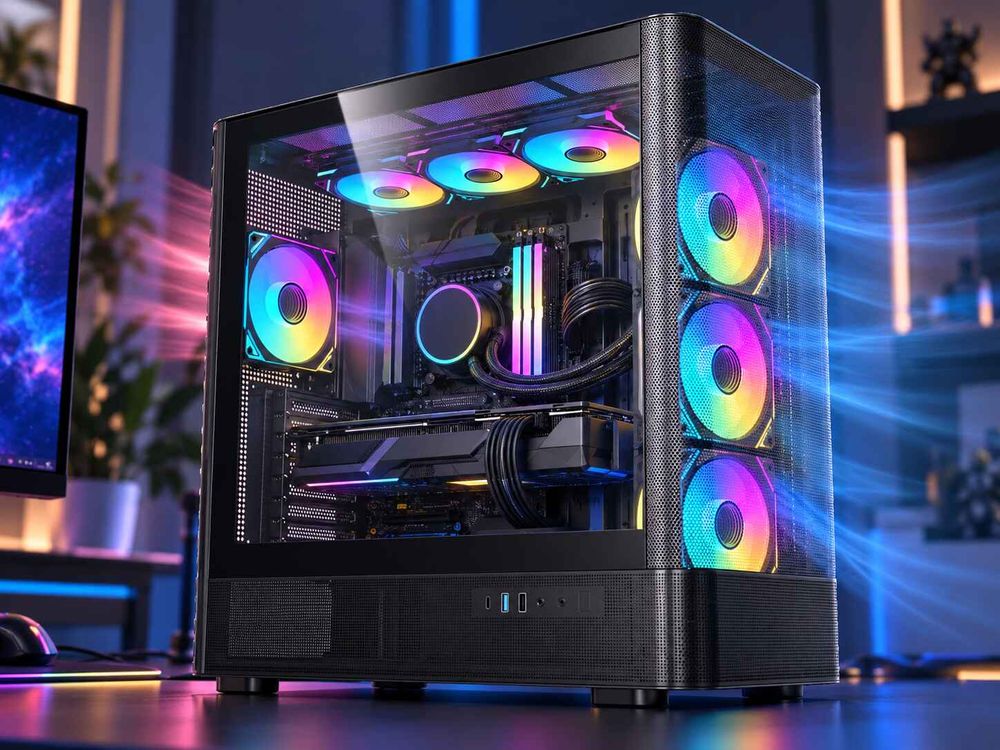
Before spending money on faster fans, examine how air enters the case.
AceGeek's analysis of how front panel design affects PC case cooling is a useful starting point.
For many builders, fixing the airflow path could be more effective than purchasing a premium fan.
120mm PWM Fan vs DC Fan: Control Matters More Than Maximum Speed
A fast fan running constantly at full speed is not my idea of good cooling.
I want a fan that stays quiet during light workloads and responds properly when CPU or GPU temperatures rise.
That is where PWM control becomes valuable.
3-Pin DC vs 4-Pin PWM Fans
A conventional 3-pin DC fan uses supply-voltage adjustment for speed control when supported by the motherboard.
A 4-pin PWM fan receives nominal 12V power and uses a separate pulse-width modulation signal to control rotational speed.
Both technologies work, but PWM commonly offers more flexible speed management.
Feature3-Pin DC Fan4-Pin PWM FanSpeed controlSupply voltagePWM control signalMotherboard requirementsDC control supportPWM control supportLow-speed operationDepends on controller and fanDepends on fan's PWM rangeBest fitBasic or budget coolingFlexible, temperature-responsive coolingAutomatic quiet operationPossiblePossible
A quality DC fan can still outperform a poorly engineered PWM model.
For a new gaming PC, however, I generally prefer 4-pin PWM fans because they simplify temperature-responsive cooling when paired with compatible motherboard headers.
AceGeek's 3-pin vs 4-pin PC fan explanation covers the connector differences in more detail.
RPM Is Not a Cooling-Efficiency Score
A fan rated at 2,500 RPM is not automatically better than one rated at 1,800 RPM.
The higher-speed fan may offer more maximum airflow and pressure, but it could also produce substantially more noise.
What matters is the airflow delivered at the speeds you will actually use.
I would rather have a fan that provides adequate cooling at 900 RPM than one requiring 1,600 RPM to deliver the same installed result.
But those numbers must come from comparable testing, not assumptions based on blade appearance or marketing claims.
A good fan curve is also worth configuring. Allow the fan to run slowly under light loads, increase speed gradually under sustained heat, and avoid rapid speed fluctuations from momentary temperature spikes.
Fan Bearings, Thickness, and Noise: The Details Buyers Overlook
Bearing Type Matters, but Don't Buy the Label
The most common bearing categories include sleeve bearings, ball bearings, and fluid dynamic bearings (FDB).
Sleeve bearings can be inexpensive and quiet, although durability depends on lubrication, operating temperature, and mounting conditions.
Ball bearings can offer strong mechanical durability, particularly in demanding environments, but acoustic performance varies between designs.
Quality fluid dynamic bearings can combine long operating life with low noise.
I would not rank every FDB fan above every ball-bearing fan.
Manufacturing quality, motor construction, operating conditions, and warranty coverage are better indicators than a bearing label alone.
Thickness Can Change Performance and Compatibility
Standard 120mm fans commonly measure 120 × 120 × 25mm.
But some performance-focused models use thicker frames.
The Phanteks T30-120 is 30mm thick, while the Noctua NF-A12x25 G2 uses a conventional 25mm frame.
Extra depth gives designers more room to optimize blade geometry and motor construction, but it can also create installation problems.
Consider a 27mm-thick radiator:
With 25mm fans, the radiator-and-fan assembly measures 52mm.
With 30mm fans, the assembly measures 57mm.
Those additional 5mm may interfere with RAM, motherboard heatsinks, or case structures.
Do not pay for a performance advantage you cannot physically install.
Listen Beyond the dBA Rating
A fan advertised at 25 dBA is not automatically quieter than a competitor advertised at 28 dBA.
Unless the measurements use comparable test conditions, the figures are not directly interchangeable.
And sound quality matters.
Some fans produce smooth broadband airflow noise. Others create tonal humming, buzzing, or vibration that becomes distracting even at relatively low measured sound levels.
For quiet builds, independent acoustic testing is worth more than a single manufacturer noise figure.
How to Choose a 120mm PC Fan for Your Build
My recommendations depend primarily on the mounting position.
For Radiators and Restrictive Filters
Prioritize demonstrated performance against resistance.
Look for pressure-flow test results, effective performance at controlled noise levels, and a frame that fits tightly against the radiator.
A balanced pressure-capable design is usually the safer starting point.
For a detailed comparison of mounting applications, see AceGeek's airflow fans versus static-pressure fans guide.
For Open Rear Exhaust
Prioritize quiet airflow and controllable speed.
Maximum static pressure is usually less important than it is on a dense radiator, although rear grilles still create some restriction.
I would avoid paying extra for extreme maximum RPM unless the system actually needs it.
For Front or Bottom Intake
Inspect the ventilation path before selecting the fan.
A filtered front panel benefits from balanced airflow and pressure performance. A heavily restricted intake may require a stronger pressure-capable fan, but poor ventilation geometry can still limit the result.
Bottom intake fans should also have sufficient clearance to draw fresh air, particularly when feeding a powerful graphics card.
Before Buying: Check Five Things
Mounting position: Is the fan working against a radiator, filter, or relatively open grille?
Acoustic performance: Is there independent airflow testing at comparable noise levels?
Physical clearance: Will a 25mm, 28mm, or 30mm fan fit?
Electrical compatibility: Does the fan use the correct power connector, and can the motherboard or hub handle its current requirements?
Lighting compatibility: If ARGB is included, does its connector match the intended controller or header?
For example, the ACEGEEK Chroma 120mm fan lists an 800–1,850 RPM speed range, 60 CFM airflow, 1.90 mmH₂O static pressure, and 120 × 120 × 25mm dimensions.
Those are useful published specifications.
They are not, however, a substitute for independent noise-normalized testing. The bearing type, fan-control connection, and lighting compatibility should also be confirmed before purchasing.
That same scrutiny should apply to any brand.
FAQs
What is the most important specification for a 120mm case fan?
The most important 120mm case fan specification is effective airflow at an acceptable noise level under the resistance created by its intended mounting position, because this determines practical cooling performance more accurately than maximum RPM, unrestricted airflow, or maximum static pressure considered separately from the fan's actual operating conditions.
For filtered intakes and radiators, pressure-flow performance deserves particular attention.
Is higher CFM always better for a PC fan?
Higher CFM indicates greater airflow volume under the specified measurement conditions, but it does not guarantee better PC cooling because dust filters, radiator fins, ventilation grilles, and restrictive case panels reduce airflow differently depending on the fan's pressure-flow characteristics, mounting arrangement, rotational speed, and acoustic performance under actual operating conditions.
Compare independently measured installed performance whenever possible.
Are PWM fans better than DC fans?
PWM fans are 4-pin cooling fans that regulate motor speed through a separate pulse-width modulation control signal, allowing compatible motherboards to adjust fan operation according to temperature and user-defined speed curves, while conventional 3-pin DC fans typically rely on voltage adjustment to control rotational speed when the connected controller supports that function.
PWM is usually my preferred choice for new builds, but it is not inherently quieter.
Which 120mm fan is best for a radiator?
The best 120mm radiator fan is a model that maintains useful airflow against radiator resistance at an acceptable noise level, fits the available mounting clearance, supports appropriate speed control, and demonstrates strong independent performance under restricted-flow testing rather than relying entirely on its advertised maximum static-pressure or free-air airflow specifications.
The Noctua NF-A12x25 G2 and Phanteks T30-120 are useful high-performance reference models, provided their dimensions suit the installation.
Final Thoughts: Choose Cooling Performance, Not Marketing Numbers
Buying a 120mm case fan should not require guessing which specification is most impressive.
Start with the actual job.
A radiator needs performance against resistance. An open exhaust needs efficient airflow. A quiet workstation needs an acceptable acoustic profile. Every installation needs compatible dimensions, connectors, and speed control.
And before replacing your fans, check whether dust buildup, restrictive panels, or an unsuitable fan curve is causing the problem.
Your next step: Identify your fan mounting position, compare independent noise-normalized test results, and verify physical and electrical compatibility before making a purchase.
If you're upgrading an ACEGEEK build, review the Chroma 120mm fan specifications against your case's mounting requirements and the cooling targets established by your existing system.
Don't buy the biggest CFM number.
Buy the fan that moves the air your PC actually needs.