Quick-Release PC Case Panels: Benefits for Building, Cleaning, and Upgrades
Building a gaming PC rarely ends when the last component is installed.
You may need to reopen the case to adjust a power cable, clean a dust filter, replace a fan, upgrade your graphics card, or troubleshoot a hardware problem.
With a traditional PC case, these tasks can involve removing screws, sliding panels out of narrow rails, and finding somewhere safe to store the hardware.
Quick-release PC case panels make these everyday tasks easier by providing faster access to internal components without requiring conventional tools for every panel removal.
But not all quick-release designs offer the same convenience or reliability.
Some cases feature hinged tempered glass doors. Others use push-pin connectors, magnetic panels, or tool-free front covers. Each mechanism has different advantages, installation requirements, and potential limitations.
This guide explains the benefits of quick-release PC case panels, compares common designs, and shows you what to check before choosing an easy-access gaming PC case.
What Are Quick-Release PC Case Panels?
Quick-release PC case panels are removable or hinged chassis covers designed to provide convenient access to internal components.
Instead of relying entirely on conventional screws, they use mechanisms such as:
Hinges and latches.
Push-pin connectors.
Ball-stud retention systems.
Magnetic attachments.
Sliding rails with release catches.
Captive thumbscrews.
The objective is to simplify access to areas that require occasional inspection, cleaning, or hardware changes.
However, the term "tool-free" does not necessarily mean that every panel or component can be removed without tools.
For example, a case may feature a tool-free tempered glass side panel while retaining conventional screws for the power supply, radiator bracket, or expansion slots.
Likewise, a removable front dust filter is not the same feature as a completely detachable front panel.
When comparing products, verify exactly which components use quick-release mechanisms.
What Are the Main Benefits of Quick-Release PC Case Panels?
The advantages become most noticeable during repeated maintenance and hardware adjustments.
1. Easier Access During PC Building
PC assembly often involves more adjustments than expected.
You may install the motherboard, connect the power supply, and position the graphics card before discovering that a cable needs to be rerouted.
Large CPU coolers and radiators can also make certain motherboard connectors difficult to reach.
A quick-release side panel allows you to reopen the case without repeatedly removing loose screws.
This can simplify tasks such as:
Connecting motherboard power cables.
Installing or replacing graphics cards.
Checking CPU cooler clearance.
Adjusting radiator tubing.
Changing fan orientation.
Installing storage drives.
Accessing RGB and fan controllers.
Troubleshooting component connections.
This convenience is particularly useful for first-time builders who may need to inspect and correct connections during assembly.
However, quick-release panels do not replace the need to verify component compatibility.
A case still needs sufficient GPU clearance, CPU cooler space, and radiator support.
2. More Convenient Cable Management
Many modern PC cases have a cable-routing area behind the motherboard tray.
This space can contain PSU cables, storage connections, fan hubs, and lighting controllers.
Accessing it can be inconvenient when the rear panel uses a sliding mechanism that must align with several mounting rails.
A hinged or properly designed quick-release cable-side panel can make adjustments easier.
Instead of holding a large panel against a bundle of cables while aligning it with rails, the builder can access the compartment and organize the wiring more conveniently.
However, tool-free access does not eliminate the need for adequate cable space.
Power connectors and cable bundles should not be compressed against the rear panel.
If the panel does not close naturally, investigate the cable routing rather than forcing the latch.
3. Faster Dust Filter Cleaning
Dust accumulation is a routine maintenance concern for desktop computers.
Intake fans can collect household dust, pet hair, and other airborne particles on filters and ventilation grilles.
Over time, heavy dust buildup can restrict airflow.
Intel's official PC cooling guidance and Dell's maintenance recommendations both emphasize keeping ventilation openings and cooling fans clean.
A quick-release front panel can simplify access to these areas.
Instead of dismantling the front section of the chassis, users may be able to remove the cover and access the filter directly.
This makes it easier to inspect dust accumulation and perform cleaning when needed.
4. Easier Hardware Upgrades
Graphics cards, storage drives, fans, and cooling components may be replaced several times during the life of a PC.
Each upgrade requires access to different areas of the chassis.
For example, installing a larger GPU may require removing the side panel, checking power cable space, and repositioning internal wiring.
Replacing a front intake fan may require removing the front cover.
A case with well-designed access mechanisms can reduce the amount of disassembly required.
This is particularly useful for enthusiasts who upgrade hardware frequently.
5. More Convenient Troubleshooting
When a computer develops a problem, the ability to inspect its internal components quickly can be valuable.
Common troubleshooting tasks include checking:
Loose power connections.
GPU installation.
RAM seating.
Fan obstructions.
Diagnostic LEDs.
Storage cables.
Cooling system connections.
Quick-release panels make these areas easier to access.
However, always shut down the computer and disconnect power before removing panels to reseat components or change internal connections.
Tool-free access should simplify troubleshooting without encouraging unsafe maintenance practices.
Types of Quick-Release PC Case Panels Compared
Different retention mechanisms provide different combinations of convenience, strength, and serviceability.
Quick-Release Mechanism Comparison
MechanismMain AdvantagePotential LimitationCommon ApplicationHinged side panelOpens without fully removing the panelRequires swing clearanceTempered glass side panelsPush-pin or ball-studFast removal and reinstallationRetention components may wear or become misalignedFront and side coversMagnetic attachmentSimple access without conventional fastenersRetention strength varies by designFilters and lightweight panelsCaptive thumbscrewsSecure fastening without loose screwsStill requires manual looseningSteel and glass side panelsSliding rail with latchCombines guided mounting with a release mechanismAlignment can become difficult if damagedRemovable side panelsSnap-fit plastic clipsSimple construction and fast accessTabs may break if removed incorrectlyFront decorative panels
No mechanism is automatically superior in every application.
The best option depends on panel weight, removal frequency, available installation space, and how securely the panel must remain attached.
Hinged vs Magnetic vs Snap-Fit Panels: Which Is Better?
Hinged Tempered Glass Panels
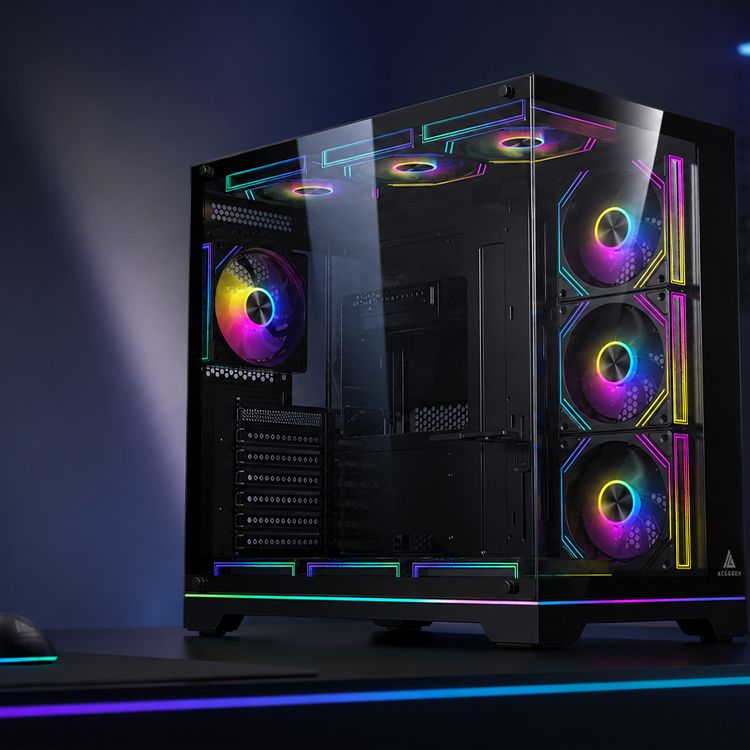
Hinged side panels are particularly useful in gaming cases designed to showcase internal components.
Instead of removing the entire panel, users can open it like a door.
This makes routine inspection more convenient.
For example, a builder can check fan operation or cable routing without finding a separate location to store the glass.
However, hinged panels require enough surrounding space to open.
A case placed close to a wall, monitor stand, or desk support may not allow the door to swing freely.
The hinges and latches must also support the glass securely.
Some hinged panels can be lifted off their hinges for major maintenance, while others require additional hardware removal.
Always follow the manufacturer's specific instructions.
Magnetic Panels
Magnetic retention is convenient for lightweight covers and removable dust filters.
It allows the user to detach the panel without conventional fasteners.
However, magnetic holding force varies considerably.
A design suitable for a lightweight filter may not be appropriate for a heavy glass panel.
The surrounding mounting structure, contact area, and additional retention features all matter.
Before purchasing, check whether the panel has supplementary mechanical support.
Push-Pin and Ball-Stud Panels
Push-pin and ball-stud systems provide a convenient way to remove front or side panels.
Users typically release the panel by pulling at designated points.
When properly designed, these systems can provide predictable installation and removal.
However, the retention components must remain correctly aligned.
Excessive force or pulling from the wrong location may damage the mounting points.
Different manufacturers use different release directions, so the installation manual should always take priority over general advice.
Are Captive Thumbscrews Still Worth Considering?
Yes.
Captive thumbscrews remain attached to the panel when loosened.
This reduces the possibility of losing screws while providing a familiar fastening method.
For users who transport their computers frequently, secure mechanical retention may be more important than the fastest possible opening time.
A well-designed screw-secured panel can be more practical than a poorly engineered tool-free mechanism.
The most useful feature is reliable access, not simply the absence of screws.
How Quick-Release Panels Make PC Cleaning Easier
A case with accessible panels can simplify routine cleaning, but the cleaning process still needs to be performed carefully.
The most useful access features are those that expose the components most likely to collect dust.
Front Panel Access
Front intake ventilation often collects dust because outside air passes through filters or perforated panels.
A removable front cover can provide access to:
Front dust filters.
Intake fan blades.
Ventilation grilles.
Fan mounting screws.
Radiator surfaces, where accessible.
However, some front covers include attached wiring for power buttons, USB ports, or lighting.
Do not pull a panel completely away from the chassis until you confirm whether cables are attached.
Top Panel Access
Top covers and filters may need occasional cleaning, particularly when a radiator is installed beneath the roof of the case.
A removable top cover can simplify inspection of the exhaust area.
However, the ability to remove a top dust filter does not necessarily mean the radiator mounting bracket is removable.
These are separate design features.
Bottom Dust Filter Access
Bottom filters can collect dust and debris close to the floor.
An independently removable filter may be easier to clean than one that requires moving or tilting the entire chassis.
Before buying, check how the filter slides out.
Some cases require access from the rear, while others allow removal from the front or side.
The direction matters when the computer is positioned beneath a desk or close to a wall.
How to Remove and Clean Quick-Release PC Case Panels Safely
The correct removal method depends on the case, but the following process provides a useful general approach.
Step 1: Shut Down the Computer
Turn off the system and disconnect its power cable.
Allow hot components to cool before beginning maintenance.
Do not remove panels and reach inside the computer while it is powered.
Step 2: Prepare a Safe Work Area
Choose a stable surface with enough room for the removed panel.
For tempered glass, prepare a clean padded area before releasing the mounting hardware.
Avoid placing exposed glass edges directly against tile, stone, concrete, or metal surfaces.
Corsair's official 3500X installation guide specifically warns that contact with hard surfaces can damage tempered glass panels.
Step 3: Identify the Release Mechanism
Check whether the panel uses hinges, ball studs, magnets, or a sliding latch.
Follow the manufacturer's specified release direction.
Do not pull forcefully from an arbitrary corner.
For glass panels, support the panel before releasing its final retention point.
Step 4: Remove the Panel Carefully
Keep control of the panel as it separates from the chassis.
Large tempered glass panels should be handled with both hands.
Avoid twisting the panel or allowing its edges to strike nearby objects.
If the panel does not release easily, check for hidden screws, safety catches, or locating pins.
Step 5: Remove and Clean the Dust Filters
Follow the filter manufacturer's cleaning instructions.
Some removable filters can be washed with water, while others require dry cleaning.
If washing is permitted, allow the filter to dry completely before reinstallation.
Do not reinstall a wet filter against powered electrical equipment.
Step 6: Inspect the Fans and Ventilation Openings
Check for dust buildup around the intake fans, radiator fins, and exhaust grilles.
Use a suitable soft brush or manufacturer-approved cleaning method.
If using compressed air, prevent the fan blades from spinning freely.
Intel warns that forcing PC fan blades to spin excessively during cleaning can damage the motor.
Never insert tools or fingers into moving fans.
Step 7: Reinstall the Panels
Before reinstalling the covers, check the retention hardware.
Look for:
Damaged clips.
Bent locating pins.
Loose hinges.
Missing rubber pads.
Cracked plastic components.
Dust trapped around the mounting points.
Align the panel correctly and secure it according to the manufacturer's instructions.
Do not force the latch if the panel does not sit in its intended position.
For detailed glass cleaning methods, see our guide to cleaning tempered-glass PC panels without streaks.
Are Quick-Release Tempered Glass Panels Safe?
Quick-release tempered glass panels can be safe and convenient when manufactured and installed correctly.
However, their mounting mechanisms must adequately support the weight of the glass.
A tool-free design does not eliminate the possibility of breakage.
Why Glass Edges Need Protection
Tempered glass is designed to resist many normal mechanical loads, but concentrated impact against an exposed edge or corner can initiate a fracture.
This is why removed glass panels should be placed on a stable padded surface.
Do not rest a glass edge directly on ceramic tile, granite, or concrete.
Check the Hinges and Mounting Points
For hinged panels, examine whether the glass is supported securely.
The mounting mechanism should not allow uncontrolled movement or accidental release during normal operation.
Some designs include additional screws or locking features intended for transport.
Use those features when required by the manufacturer.
What If the Glass Is Chipped or Cracked?
Do not continue using a panel with suspected structural damage.
Even a small edge chip may affect its resistance to later stresses.
Contact the manufacturer for inspection or a compatible replacement.
Do not attempt to repair damaged tempered glass with adhesive or drill additional mounting holes.
For a more detailed explanation, read our tempered glass PC case safety guide.
Do Quick-Release Panels Improve PC Cooling?
Not directly.
A quick-release panel does not automatically increase airflow or reduce CPU and GPU temperatures.
Cooling performance depends on the actual ventilation design, fan arrangement, dust filters, radiator placement, and component heat output.
However, quick-release features can provide indirect maintenance advantages.
Easier Cleaning Can Help Maintain Airflow
Dust buildup can obstruct intake filters and radiator fins.
When filters are easier to remove, users can inspect and clean them more conveniently.
Removing significant dust restrictions may improve airflow in a system whose cooling performance has deteriorated.
However, cleaning a filter that is already relatively clear may produce little or no measurable temperature change.
Panel Retention Can Affect Noise
A loosely attached side or front panel may vibrate at certain fan speeds.
This can create rattling or buzzing sounds.
A secure retention mechanism, correctly positioned rubber pads, and proper panel alignment can help prevent these problems.
However, a panel that is easier to remove is not necessarily quieter.
Noise depends on the complete mechanical design.
Should You Run the PC With a Panel Removed?
A removable panel can make temporary hardware inspection easier.
However, permanently operating the computer without a panel is not automatically a better cooling solution.
Removing a cover changes the intended airflow path and may expose components to additional dust or accidental contact.
Use the case in its manufacturer-supported assembled configuration unless the manufacturer explicitly permits an alternative.
Real PC Case Examples: Different Approaches to Easy Access
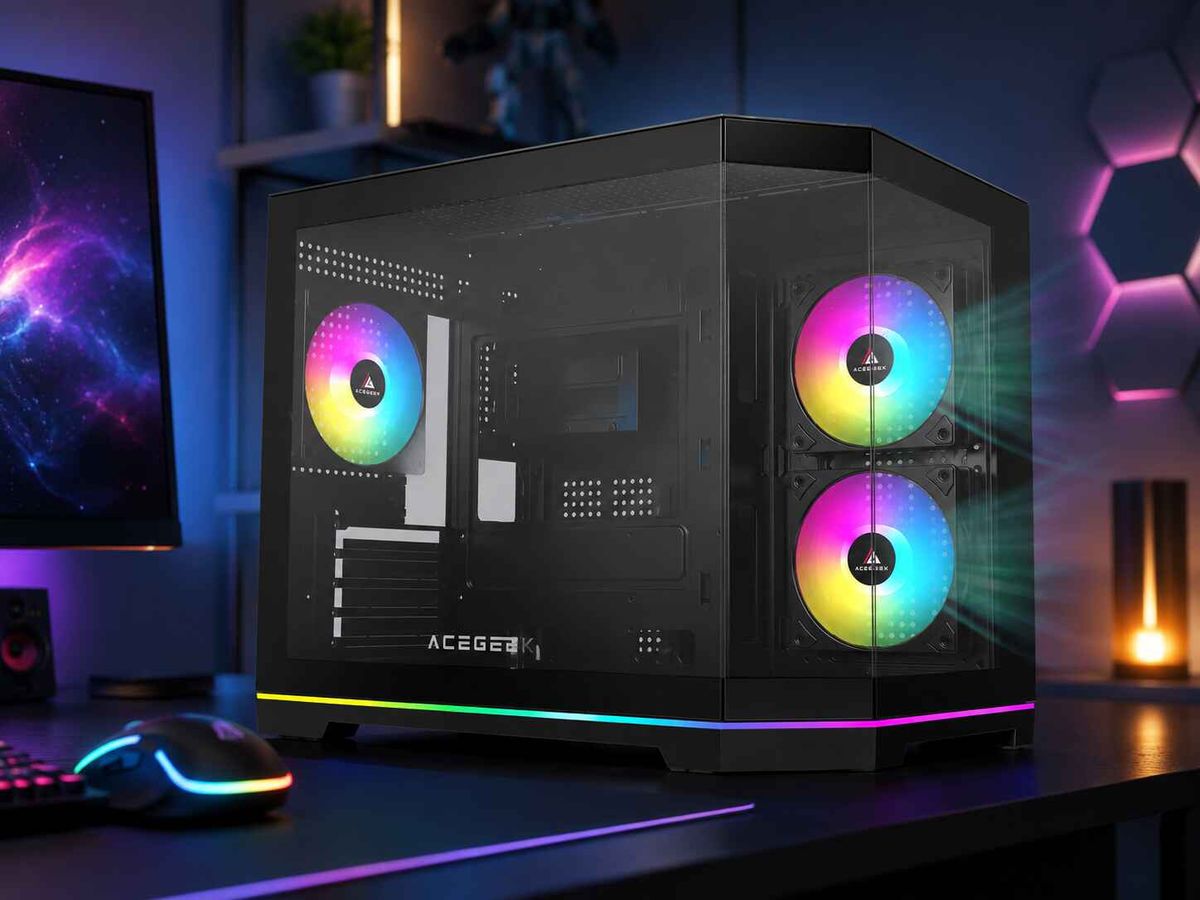
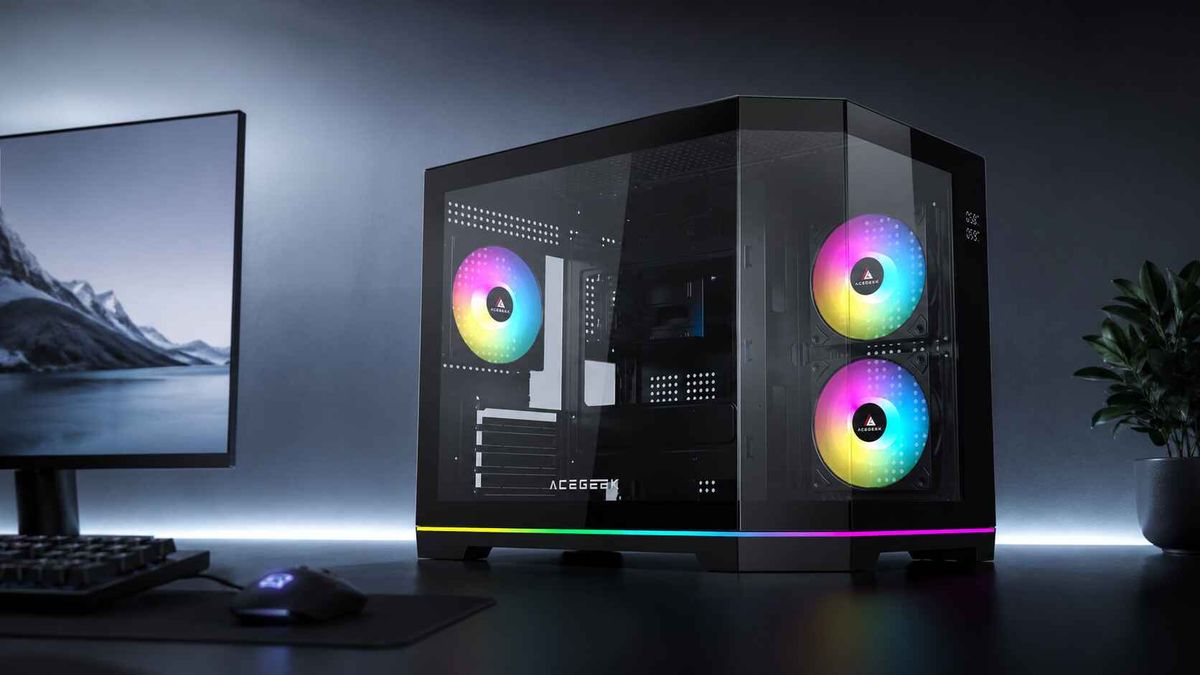
ACEGEEK offers case designs with different access and hardware compatibility priorities.
Two models illustrate why buyers should inspect the exact panel mechanism rather than relying on the general term "tool-free."
ACEGEEK Tempest A370: Hinged Glass Access
The ACEGEEK Tempest A370 combines a mesh-front design with a hinged tempered glass side panel.
Its published specifications include:
SpecificationACEGEEK Tempest A370Side panel designLeft hinged glassFront panel designMesh frontCase dimensions370 × 210 × 435mmMotherboard supportATX / M-ATX / ITXMaximum GPU clearance360mmCPU cooler clearance160mmFront fan support3 × 120mmFront radiator support360mm AIO
The hinged side panel provides convenient access to the main component chamber.
The mesh front serves a separate function by supporting intake ventilation.
This illustrates how panel accessibility and cooling design can be considered independently.
However, the presence of a hinged glass panel does not automatically establish that every other panel is tool-free.
Buyers should still verify front filter removal and rear cable-panel access.
ACEGEEK Flipped-M: Front-Panel Access and Hardware Space
ACEGEEK's original quick-release panel guide identifies the ACEGEEK Flipped-M as an example of a case with a quick-release front-panel approach.
Its official product specifications list:
SpecificationACEGEEK Flipped-MCase dimensions450 × 210 × 485mmMotherboard supportATX / M-ATX / ITXMaximum GPU clearance410mmCPU cooler clearance165mmFront fan support3 × 120mm or 3 × 140mmTop radiator support360mm AIOFront radiator support360mm AIOExpansion slots7
These specifications establish its hardware clearance and cooling installation options.
However, the current public specification table does not provide a detailed release-mechanism diagram for each panel.
Before purchasing, confirm the exact front-cover removal method and which other panels can be removed without tools.
The lesson is that accessibility claims and component compatibility specifications should be checked separately.
What Should You Check Before Buying a Tool-Free PC Case?
When comparing cases, evaluate the complete access system rather than simply looking for a tool-free label.
PC Case Accessibility Checklist
FeatureWhat to VerifyWhy It MattersSide panelHinged, removable, or screw-securedMain component accessFront panelActual release methodFan and filter maintenanceTop panelFilter and radiator accessCooling system maintenanceRear cable coverRemoval method and cable clearanceEasier cable managementBottom dust filterDirection of removalCleaning conveniencePanel retentionLatches, hinges, clips, magnetsSecure attachmentGlass mountingEdge protection and stable supportReduced handling riskReplacement hardwareAvailability of clips, hinges, panelsLong-term repairabilityExternal clearanceEnough room to open panelsPractical everyday accessPanel fitSecure alignment without rattlingNoise and reliability
Consider Where the PC Will Be Placed
A hinged panel may be convenient on an open desk but difficult to use inside a narrow compartment.
A sliding panel may need rearward clearance.
A lift-off panel may require additional vertical space.
Before buying, determine whether the planned location allows the panel to move through its entire opening path.
For additional purchasing considerations, see our guide to choosing your first PC case by size, airflow, and budget.
Prioritize Replacement Parts
Retention components may become damaged through accidental impacts, incorrect removal, or long-term wear.
Before choosing an unfamiliar mechanism, investigate whether the manufacturer provides replacement clips, hinges, or panels.
A convenient access system loses much of its value if a small broken component cannot be replaced.
Who Benefits Most From Quick-Release PC Case Panels?
Quick-release designs are particularly useful for people who expect to access their computer regularly.
First-Time PC Builders
Beginners may need to reopen the case to correct cables, inspect mounting hardware, or troubleshoot connections.
Hardware Enthusiasts
Users who frequently change GPUs, cooling fans, storage drives, or other components can benefit from easier access.
PC Owners in Dusty Environments
Homes with pets, carpeting, or higher dust exposure may require more frequent filter inspections.
System Builders and Repair Technicians
People working on multiple PCs can benefit from predictable panel removal and installation.
Showcase PC Owners
A hinged glass side panel allows convenient inspection while maintaining a clear view of the internal hardware.
However, not every user needs these features.
For a computer that is rarely opened, a well-designed conventional screw-secured case may provide similar long-term usefulness at a lower price.
Frequently Asked Questions
1. Why Does My Quick-Release Side Panel Rattle?
A quick-release side panel may rattle if its retention points are loose, misaligned, or unable to maintain consistent contact with the chassis.
Missing rubber pads or damaged mounting components can also contribute to vibration.
The sound may become noticeable only at certain fan speeds.
Shut down the computer and inspect the panel alignment, latches, and support points.
Do not insert improvised objects near electrical components to stop the vibration.
If the retention hardware is damaged, contact the manufacturer for compatible replacement parts.
2. What Should I Do If a Plastic Panel Clip Breaks?
Stop repeatedly removing or reinstalling the panel until you have inspected the damage.
A broken clip may reduce the panel's retention strength or prevent proper alignment.
Contact the case manufacturer to determine whether the clip, mounting bracket, or complete panel can be replaced.
Do not assume that glue or a generic replacement clip will provide the required mechanical strength.
If the panel cannot be secured correctly, do not continue using it in a configuration where it might detach unexpectedly.
3. Are Magnetic PC Case Panels Secure During Transport?
Not every magnetic panel is suitable for transport without additional retention.
The holding force depends on the magnet arrangement, panel weight, mounting geometry, and any supplementary clips or screws.
Some panels are designed primarily for convenient access while the PC remains stationary.
Before moving the system, follow the manufacturer's transport instructions.
Where necessary, remove the panel and pack it separately using appropriate protection.
Do not carry the computer by a magnetic or detachable panel.
4. Can I Remove a Hinged Glass Panel Completely?
Many hinged glass PC case panels can be removed from their hinges, but the exact method varies.
Some designs allow the panel to lift off after opening.
Others require releasing a locking screw, latch, or retaining pin.
Check the case manual before attempting removal.
Support the glass with both hands and use a padded work surface.
Never force the panel upward if the hinge design does not permit that movement.
5. Why Is My Snap-Fit Front Panel Difficult to Remove?
A snap-fit front panel may feel difficult to remove because its retaining clips require a specific release direction.
Some panels must be pulled from a designated lower opening, while others release from the top or side.
Hidden screws or attached front I/O cables may also prevent complete removal.
Check the manufacturer's instructions before applying additional force.
Pulling from the wrong location can damage the clips or front-panel wiring.
If the mechanism appears damaged or unusually tight, contact the manufacturer for assistance.
6. Should I Remove Glass Panels Before Moving My PC?
It depends on the case design and the type of movement.
For a short repositioning within a room, some manufacturers permit moving the assembled chassis with its panels correctly secured.
However, large removable glass panels can introduce additional impact risks, especially when moving the PC over hard surfaces or through narrow spaces.
For transportation over longer distances, follow the manufacturer’s packaging and handling instructions.
Removing and separately protecting detachable glass panels may be appropriate when recommended.
Never lift or carry a PC by its hinged glass door or removable front cover.
Choose a PC Case That Makes Maintenance Easier
Quick-release PC case panels can make building, upgrading, and cleaning more convenient.
However, the most useful design is not necessarily the one that opens fastest.
A good access system should also provide secure retention, predictable movement, sufficient surrounding clearance, and dependable long-term serviceability.
For users who frequently upgrade components or clean dust filters, hinged or quick-release panels can be valuable.
For systems that are rarely opened or transported frequently, secure conventional fasteners may remain a practical choice.
Before buying, verify which panels are genuinely tool-free, examine the retention mechanisms, and check whether replacement parts are available.
Also consider how the case will be positioned and whether its panels can open safely in that location.
Most importantly, prioritize hardware compatibility, airflow, and structural quality alongside convenient access.
The best quick-release PC case is one that makes maintenance simple without compromising secure installation, cooling performance, or everyday reliability.