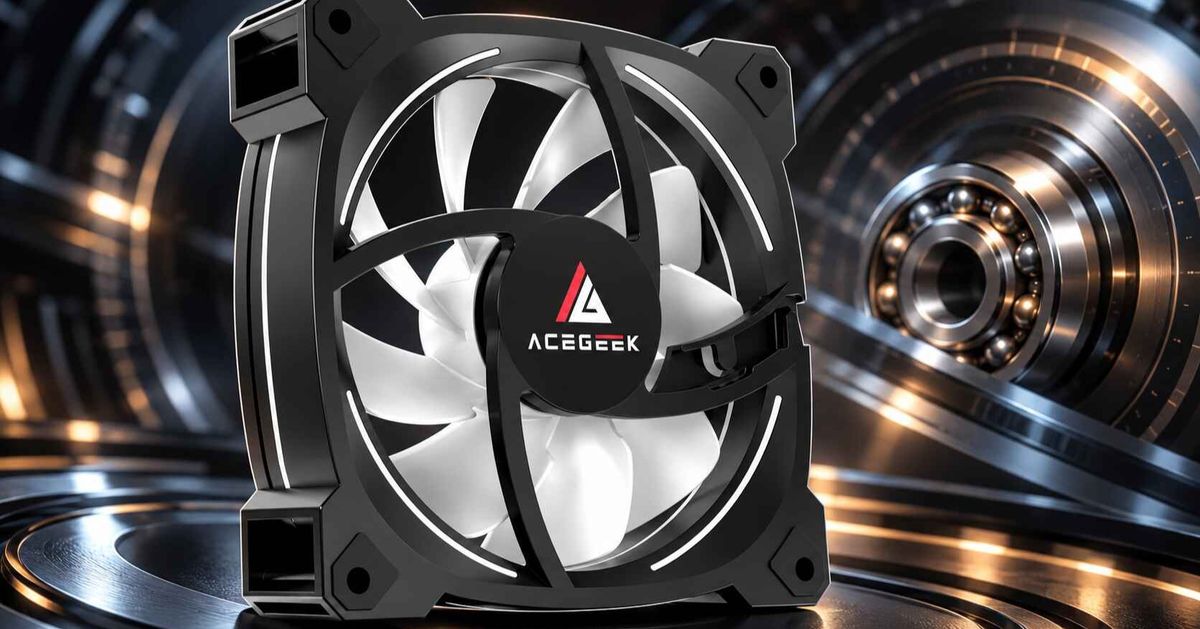
How Fan Frame Design Affects Radiator Performance
A radiator fan's cooling result is not decided by the datasheet alone. Blades and motor produce the pressure and airflow. The frame decides how much of that output reaches the fin stack. It sets the gap around the blade tips, the shape of the air inlet, the distance between blades and fins, and how well the fan seals to the radiator. It also adds depth to the installed stack. For product teams, system integrators and sourcing managers, the practical question is which frame details change measured radiator performance and which are cosmetic. This article covers the features that matter, the trade-offs of each, and what to ask a supplier before approving a design.
Why Does Fan Frame Design Matter for Radiator Cooling?
Frame design matters because a radiator is a restrictive load. Air has to pass through closely spaced fins, so small losses at the frame (leakage, turbulence, poor inlet flow) take a larger share of the airflow than they would in an open case vent. A frame cannot add pressure the blades and motor do not produce. It can reduce losses and noise, or add them.
Buyers who want the broader context can start with the guide to deciding whether a fan suits radiators or case airflow. That guide separates fan roles by the resistance they face. This article looks one level deeper, at the physical housing around the rotor.
Which Frame Features Change Radiator Performance?
Five frame characteristics are worth evaluating: tip clearance and inner surface, inlet geometry, frame thickness, the mounting interface, and hardware depth.
Blade Tip Clearance and the Inner Frame Surface
The gap between blade tips and the frame wall lets air leak from the high-pressure side of each blade to the low-pressure side. This is called tip leakage. A peer-reviewed analysis of tip leakage flow and aeroacoustics in a low-speed axial fan describes leakage as a source of energy loss and noise. It also reports that a larger tip clearance strengthens the blade tip vortex, which adds broadband noise. That study covers a low-speed axial fan generally, not a PC radiator fan specifically. Even so, the direction of the effect is relevant to fans that run against resistance.
Some manufacturers also shape the inner wall. Noctua's Inner Surface Microstructures put small dents inside the frame. Noctua says these create a turbulent boundary layer that reduces flow separation on the blades. That is a manufacturer's design claim. Treat it as a feature to test, not a guaranteed gain.
Trade-off: A tighter gap needs tighter control of frame roundness, rotor balance and bearing play, which can raise cost and reject rates. A smaller nominal gap that is poorly controlled in production may perform worse than a larger gap that is consistent. Ask for the nominal gap, the tolerance and how the supplier inspects it. Do not accept a marketing description of "precision" in place of numbers.
Inlet Geometry and the Hub Dead Zone
Where the frame meets the incoming air affects how smoothly the blades load. Noctua's AAO frames, for example, combine a stepped inlet with the microstructures above, according to the same manufacturer page. Independent evidence on inlet clearance comes from LTT Labs' fan-gap study with a former NASA Langley researcher. It used one Noctua NF-A12x25 fan at 100% PWM in front of a solid plate. Its findings:
A 22 mm gap had no visible effect on the flow field.
At 15 mm, the stagnant area behind the fan hub grew.
At 5 mm, the flow near the hub reversed.
With a 25 mm thick radiator behind the fan and a 15 mm gap, peak airspeed fell to roughly half of the radiator-free case at the same gap.
Without a radiator, a 15 mm gap raised noise by 4–8 dB, a change associated with separated wake noise.
Scope matters here. The test used a solid plate, one fan and one operating point. A radiator is porous, so the numbers do not transfer directly to every AIO. The qualitative lesson does transfer: the hub region moves little air, and obstructions close to the fan face make that worse. The authors recommend a larger gap than 15 mm when a radiator is involved.
The same research notes that a radiator acts as a flow straightener. That points to something worth testing: fins directly behind the hub receive less airflow than fins behind the blade annulus. The frame depth between rotor plane and fin face gives air some room to spread. In push configurations, a thicker frame or spacer might therefore even out fin utilization. I did not find independent PC radiator data that quantifies this, so treat it as a hypothesis for validation. Automotive engineering already treats this as a design variable. An experimental study of an automotive cooling fan found shroud configuration changed fan performance, with the best result when the shroud covered only the front part of the rotor. Those fans are much larger, so it shows that the effect exists, not how big it is for a 120 mm PC fan.
Frame Thickness: 15 mm vs 25 mm
Most 120 mm and 140 mm PC fans are 25 mm thick. Slimmer 15 mm fans exist, and the guidance in the radiator thickness compatibility analysis is that they often give up pressure or noise quality. Frame thickness therefore trades two things against each other:
Clearance. A slim frame can rescue a build where a 27 mm to 45 mm radiator plus a 25 mm fan hits RAM, VRM heatsinks or a glass panel.
Pressure at low noise. Less axial depth leaves less room for blade geometry and flow guidance. A slim fan may need more RPM to reach the same pressure.
If the build only clears with slim fans, compare them at equal noise, not equal RPM, on the intended radiator. The same page lays out the full stack arithmetic. Radiator thickness, fan thickness, screw heads, pads, fittings and service margin all add up.
Mounting Interface, Corners and Leakage
Radiator fans usually bolt to the fin stack through a standard hole pattern. LTT Labs' test hardware used a 105 mm square pattern for a 120 mm frame, which is the common spacing. Leakage at the seam between frame and radiator is a separate concern. The radiator-versus-case fan guide notes that a fan fitting tightly against the radiator frame can help reduce leakage around the fins. It also warns against overtightening or using hardware that could damage the radiator.
Frame details that affect the seal:
Flatness. A warped or uneven frame leaves gaps even when screws are tight.
Open or cut-out corners. These can leak, or can give a deliberate bleed path. Determine which, with a test.
Frame size vs fin area. A 140 mm frame on 120 mm mounting holes, as on some CPU cooler fans, overhangs the fin area. That overhang is a leakage path rather than extra active area.
Gaskets and pads. Compliant material can seal small gaps but adds depth and can compress over time.
Anti-Vibration Pads and Hardware Depth
Rubber pads reduce transmitted vibration. Noctua's AAO frames integrate them. Pads and screw heads also add to the radiator stack. In a tight top-mount, 1–3 mm of pad depth can decide whether the fan frame touches RAM. Specify pad material and compressed thickness in the product drawing, not just "includes pads."

How Do These Frame Choices Compare?
The table below is qualitative. It describes direction of effect, not measured percentages, because the sources reviewed do not provide PC-radiator values for every feature.
Frame featureWhat it influencesPotential radiator benefitTrade-off or riskVerify with supplierTight blade tip clearanceTip leakage, broadband noiseLess loss and lower turbulence noise at a given speedNeeds tight tolerances; cost and rejectsNominal gap, tolerance, inspection methodInner-surface texturingBoundary layer near blade tipsPossible reduction in flow separation (manufacturer claim)Added mold complexity; gains vary by designComparative P-Q or radiator test dataInlet shaping (stepped or flared)Inlet flow quality, noiseSmoother loading at low-to-mid speedsNeeds frame depth; hard to judge from photosNoise at equal airflow, tested on a radiator25 mm frameBlade geometry room, standoff from finsMore headroom for pressure at low noiseLargest stack depthStack depth with pads and screws15 mm slim frameClearanceFits tight chassis and thick radiatorsMay need more RPM or be noisierPerformance at equal noise vs 25 mmFlat, rigid frame faceRadiator sealLess leakage around finsMold and warpage controlFlatness toleranceIntegrated anti-vibration padsVibration transferQuieter mountingAdded depth; compression setCompressed thickness, material
Does Frame Design Matter More Than Static Pressure?
No. A frame feature rarely rescues a weak rotor, and a strong rotor loses little from a plain frame. Frame effects are second-order refinements. Their value shows up when two fans have similar blade and motor performance. Paying a premium for frame features without radiator test data is the mistake to avoid.
The same discipline applies to the headline specifications. Maximum static pressure is measured near zero airflow, so it does not describe the operating point on a radiator. The explanation of static pressure curves shows why independent tests and equal-noise comparisons carry more weight. For a refresher on reading the chart, see this guide on how to read a P-Q curve. A fan with an elaborate frame and no published P-Q curve is a fan you cannot compare.
Role also matters. A fan built for dense fins is not automatically better in an open vent. For that distinction, see the comparison of airflow fans versus static pressure fans.
How Does Frame Design Interact With Radiator Thickness and Placement?
Thicker radiators raise resistance. The LTT Labs work attributes this to friction along the fin surfaces, which is why thicker cores call for fans with more pressure capability. Frame design then affects whether the fan delivers that pressure without extra noise. Practical interactions:
Push vs pull. In push, the frame sits on the inlet side, so inlet clearance to the chassis panel matters. In pull, the frame sits downstream of the fins, and the fan inlet sits close to the fin face, so frame standoff and sealing become the main variables.
Front mount behind glass. LTT Labs found radiator performance suffered with small gaps to a solid front panel and recommended more than 15 mm. A frame cannot fix a panel that starves the fan.
Top mount near RAM. Clearance forces slim fans or push-only layouts. Validate the exact stack, not the label "supports 360 mm."
Illustrative example (hypothetical, not a customer case): An integrator picks between two 120 mm fans with the same rated CFM and static pressure. Fan A is 25 mm thick with a flat frame face and published P-Q data. Fan B is 15 mm thick, with no curve. In the target chassis, only Fan B clears the motherboard heatsink. The right move is to bench both fans on the intended radiator at equal noise, and only then decide whether the clearance gain is worth any cooling penalty. The decision should not rest on the catalog numbers.
What Should You Verify With a Fan Supplier?
Frame claims are easy to print and hard to judge without data. Before approving a fan for radiator use, ask for:
A P-Q curve at the speeds you will use. Without it, you cannot position the fan on a radiator's resistance line.
Noise versus airflow on a representative radiator, with the radiator model and thickness stated. The 120mm fan buying guide gives the broader spec checklist.
Tip clearance values and tolerances, plus how rotor-to-frame concentricity is controlled.
A dimensioned drawing with frame thickness, flatness, hole spacing, corner geometry and pad dimensions.
Test method details: chamber type, orifice or radiator load, speed control and number of units tested.
Sample-to-sample consistency. A few units from one batch show very little about variation.
If a supplier cannot answer these, the frame claims are unverified.
What Should You Specify Before Requesting a Quote?
A quote for radiator fans is only accurate if the frame requirements are explicit. Prepare:
Fan size and thickness, with the maximum allowable stack depth in the chassis.
Mounting pattern, and whether the fan must be 120 mm or 140 mm on 120 mm holes.
Target radiator (thickness, fin density if known, and push, pull or push-pull).
Performance target: airflow or pressure at a stated noise level, not only maximum ratings.
Pad and hardware requirements, including material and compressed thickness.
Tolerance expectations for frame flatness and tip clearance.
Validation requirements, including a radiator-based test and the acceptance criteria.
Order quantity, target market and delivery schedule.
Each item changes tooling, cost or acceptance testing. Clear frame requirements at RFQ stage prevent a redesign after samples arrive.
Frequently Asked Questions
Does fan frame design affect radiator cooling?
Yes, but as a secondary factor. The frame sets tip clearance, inlet shape, standoff from the fins and sealing. These change leakage, noise and fin utilization. Blade design, motor and operating speed still determine most of the pressure and airflow.
Is a 25 mm fan better than a 15 mm fan on a radiator?
Not automatically. A 25 mm frame usually leaves more room for pressure-oriented blade geometry, while 15 mm saves clearance. Compare both on the intended radiator at equal noise, since slim fans can need higher RPM for the same result.
Does blade tip clearance matter for PC fans?
Generally yes. Research on axial fans links larger tip clearance to stronger tip vortices, energy loss and more broadband noise. The size of the effect for a given PC fan depends on its design, so ask suppliers for the clearance and tolerance.
Should I add a spacer between the fan and the radiator?
It can help or do nothing. A gap between the fan and an obstruction affects hub-area airflow and noise, but I found no independent PC radiator data for a universal spacer thickness. Test on your radiator, and follow the radiator maker's mounting guidance.
Do open or cut-out frame corners improve airflow?
Unproven in the sources reviewed. Open corners may leak air around the fins, or provide a deliberate bleed path. The outcome depends on the whole design. Ask for comparative test data on a radiator before treating corner geometry as a benefit.
How much clearance does a radiator fan need from the case panel?
LTT Labs' single-fan test saw no visible effect at 22 mm, a larger stagnant zone at 15 mm and reversed hub flow at 5 mm. With a radiator attached, it recommended a larger gap than 15 mm. Treat these as guidance, not a universal standard.
Can a high-static-pressure fan with a plain frame outperform a fan with advanced frame features?
Yes, if its blade and motor design deliver more airflow at the radiator's operating point. Frame features refine performance; they do not replace pressure capability. Compare fans using P-Q curves or radiator tests at equal noise.