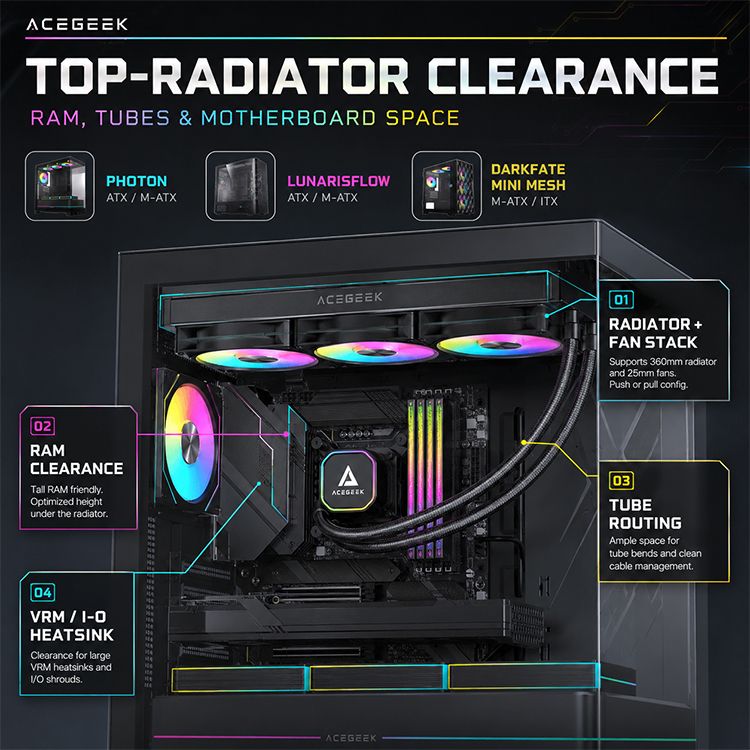
Top-Mount Radiator Limits: RAM, Tubes, and Motherboard Space
The spec sheet lie nobody says out loud
Specs mislead.
I have watched too many builders buy a case because the page screamed “top 240” or “top 360,” only to find out the length was the easy part and the real fight was stack thickness, DIMM height, VRM armor, EPS cable bulk, and whether the tubes could bend without looking like they were being tortured. And yes, I think the industry hides behind that vagueness on purpose.
Who pays for that mistake?
Usually, the buyer. Reuters reported that global PC shipments rose 9.4% to 62.7 million units in the first quarter of 2025, and Bloomberg described gaming PCs and their showpiece culture as part of a roughly $23 billion market, which means more people are buying flashy parts and running straight into old clearance traps that manufacturers still refuse to print clearly on the front page. (Reuters)
My rule is blunt: if a case page lists radiator length but skips max top stack thickness, motherboard component height, or memory limits, that page is incomplete. Before you get seduced by aesthetics, read How to Choose the Right PC Case for Your Build, because chassis class decides whether your build will be forgiving or miserable. ACEGEEK’s own case guide gets the big part right: case size controls motherboard compatibility, cooling options, and working room.
What actually hits first under the roof
RAM is the obvious problem, so people obsess over it
Fair enough.
RAM is the first collision most builders can imagine, because it is visible, measurable, and easy to blame, but it is only one piece of the top mount radiator clearance puzzle when the radiator, fan frames, screws, motherboard heatsinks, and cable heads all need the same strip of air above the CPU socket. That is why I keep telling people to stop asking whether a 240mm AIO “fits” and start asking what the total top envelope looks like after the board is installed.
Want the ugly example?
Fractal’s official North compatibility note says that top mounting leaves a maximum motherboard component height of 35 mm. That is not a suggestion. That is a warning label aimed straight at tall RGB memory and bulky top-edge heatsinks. On the compact side, ACEGEEK’s Stratus Glass is refreshingly direct too: top 240mm AIO support is tied to memory height staying within 38 mm. I trust specs like that because they stop pretending length is the whole story.
Motherboard heatsinks are the quieter killer
This one hurts.
A lot of failed installs are not RAM failures at all; they are rear I/O shroud failures, top VRM heatsink failures, or “the screw head barely touches the heatsink” failures, which are worse because builders do not see them coming until the radiator is already hanging over the board. If you need a reset on how board tiers change physical bulk, go back through the Motherboard Basics guide: even ACEGEEK’s breakdown shows that stepping up from entry boards usually means heavier thermal design and more heatsink mass near the top edge.
So what is the smarter question?
Not “Does this case support ATX?” The smarter question is: how much empty air exists between the highest obstruction on the board and the radiator rail after fans, screws, and connector depth are counted?
Tubes are where “it fits” still fails
Everyone forgets tubes.
Tube routing is where a build can be technically legal and still be bad, because a radiator can clear the RAM and still force a nasty bend into the pump block path, crowd the EPS 8-pin connector, or jam the top-left corner of the board so tightly that service becomes a joke six months later. I have seen plenty of “successful” installs that I would never sign off on.
And here is the hard truth.
If your top mount radiator tube routing requires brute force, it does not fit well enough.
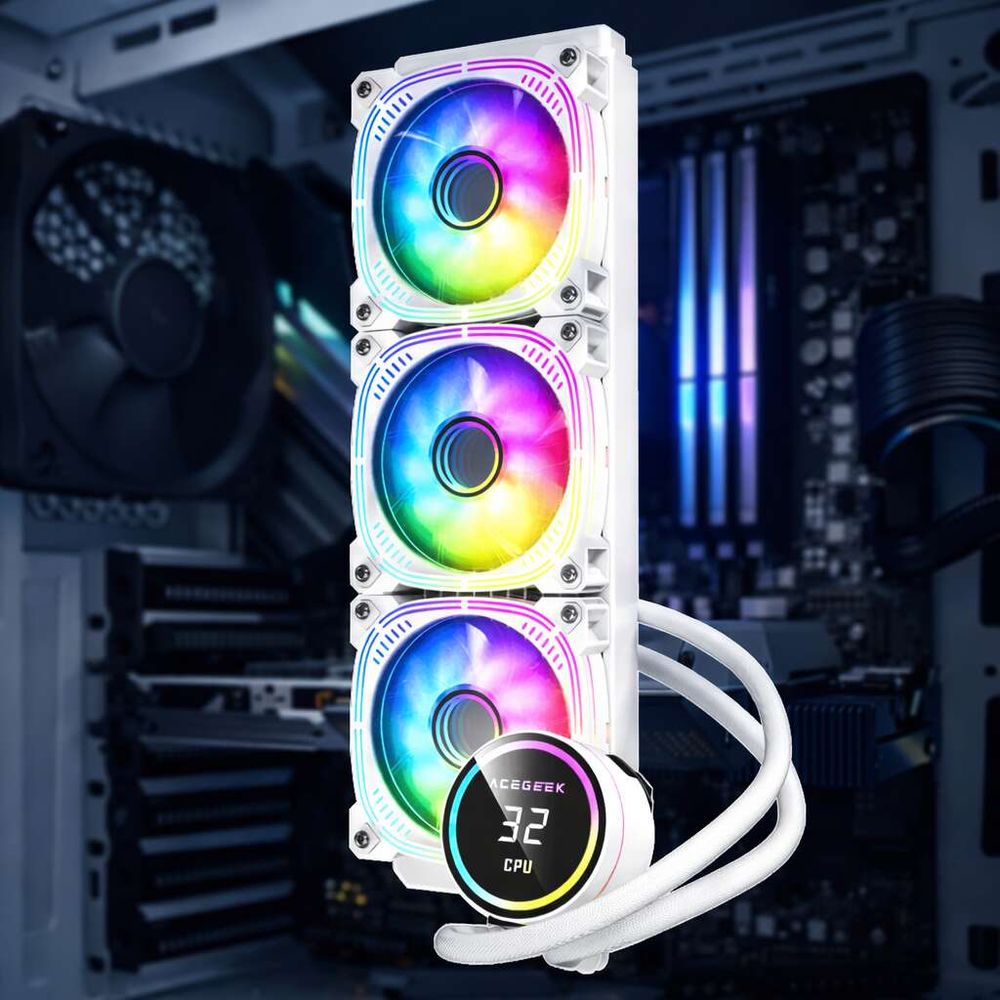
What real cases teach us when the marketing stops
Below is the comparison I wish more manufacturers put on page one.
Case / SourceHeadline claimHidden limiterWhat it really meansFractal NorthTop radiator supportMax motherboard component height: 35 mmTall RAM and chunky VRM heatsinks become a risk fastNZXT H5 Flow (2024)Top radiator supportTop radiator + fan thickness up to 55 mmThick radiator-and-fan stacks can fail even if length is correctLian Li LANCOOL 216Water-cooling friendly top section63 mm top gap only when the motherboard is set lowerTray position changes the answer; layout matters as much as sizeCorsair 4000DRoof supports up to 280 mm, front up to 360 mmRoof space is more limited than front spaceA top mount is not always the sensible choice, even in a popular ATX caseACEGEEK Stratus GlassTop 240mm AIO supportMemory height within 38 mmCompact cases live or die by RAM profileACEGEEK LunarisFlowTop 420/360mm AIO supportLarger chassis, broader cooling envelopeBigger ATX cases buy margin, not immunity
The pattern is obvious.
Manufacturers love printing length because it looks simple, but the cases that deserve respect are the ones that also publish the exception clause: 35 mm here, 38 mm there, 55 mm on the stack, 63 mm only in a certain tray position. That is engineering. Everything else is retail theater.
How I check top mount radiator clearance before buying anything
Measure first.
I do not start with the cooler. I start with the space above the motherboard, because that is where the lies end and the math begins, and once you know the real roof-to-board envelope, you can tell whether the RAM, heatsinks, tube exit, and fan stack are going to coexist or start a small war inside the case.
Here is the checklist I actually use:
Measure the roof-to-motherboard gap, not the external case height.
Identify the tallest component on the board’s top edge: RAM, VRM heatsink, rear I/O shroud, or EPS plug.
Add the full radiator-and-fan stack, not just the radiator core.
Check the tube exit side for bend room and service access.
Compare that result against the case maker’s hidden notes, not just the product headline.
Need a sanity check on cooling demand too?
Read Understanding TDP: The Key to PC Stability. ACEGEEK’s TDP explainer makes the basic point that too many buyers skip: CPU heat output and cooler capability need to be matched before you argue about 240mm versus 360mm branding. And if you are chasing quieter fan behavior after the fitment problem is solved, PC Fan: 3-Pin or 4-Pin? Here’s What You Need to Know is the better next read than another random RGB roundup.
Compact cases punish lazy planning
Small cases punish.
A compact chassis can absolutely run a top radiator, but every millimeter counts harder, and the penalty for guessing is higher because the motherboard edge, radiator rail, and tube path all occupy a tighter box with less room for “close enough” decisions. That is why I do not give compact cases the same forgiveness I give roomy E-ATX towers.
Need proof?
ACEGEEK’s Stratus Glass is compact and honest enough to tie top 240 support to memory staying within 38 mm. On the other end, the LunarisFlow gives you a much looser top cooling envelope with 420mm/360mm AIO support, while the Photon gives E-ATX builders a 360mm-ready top section and more physical room to work. Bigger cases do not remove all risk, but they reduce the odds that RAM, tubes, and motherboard armor all collide in the same miserable strip above the socket.
My opinion here is not diplomatic.
A lot of people do not need a smaller case. They want one. Then they act shocked when the build becomes a geometry exam.
FAQs
How do I check top mount radiator clearance?
Top mount radiator clearance is the total usable space between the case roof and the highest obstructions below it, including RAM, VRM heatsinks, rear I/O shrouds, EPS connectors, fan frames, radiator thickness, screw allowance, and tube bend room, rather than the radiator length printed on the box alone. Start by measuring the roof-to-board gap, then subtract the full radiator-and-fan stack, then inspect the tube exit side and top-left EPS zone before buying anything.
Is a top-mounted radiator better than a front-mounted radiator?
A top-mounted radiator is a roof-mounted AIO setup that usually preserves front intake airflow and avoids dumping radiator heat directly into the case interior, but it also creates tighter RAM, heatsink, and tube-routing constraints than a front mount in many ATX and Micro-ATX enclosures. I prefer top mount when the roof has real margin, not brochure margin. If the roof spec is vague and the front is better documented, front mount is often the less annoying decision.
Do tall RGB RAM sticks make top radiator installs harder?
Tall RGB RAM sticks are memory modules with oversized heatspreaders and light bars that increase installed DIMM height, making them more likely to interfere with a top-mounted radiator-and-fan assembly when the roof clearance sits close to the motherboard’s top edge. Yes, absolutely. Fractal’s 35 mm motherboard component cap and ACEGEEK’s 38 mm memory note on the Stratus Glass both tell the same story: flashy height costs clearance.
Can a 240mm AIO fit in a compact Micro-ATX case?
A 240mm AIO can fit in a compact Micro-ATX case when the chassis supports the radiator length, the roof or side rail accepts the full radiator-plus-fan stack, and the RAM, motherboard heatsinks, and tube path do not intrude into the same physical envelope as the cooler hardware. The size label alone is not enough. Compact support always needs a second measurement pass, especially in cases that publish memory limits or tight top-stack notes.
What is the safest RAM choice for a top-mounted radiator build?
The safest RAM choice for a top-mounted radiator build is a low-profile kit that minimizes installed height above the DIMM slot, because lower module height increases separation from the radiator-fan stack and reduces the odds of contact in narrow ATX or compact Micro-ATX enclosures. I know tall RGB kits photograph better. I also know they are responsible for a lot of completely avoidable rebuilds. Boring RAM wins more often than pretty RAM.
Your next move
Buy with a ruler.
Read How to Choose the Right PC Case for Your Build, check your board bulk in the Motherboard Basics guide, then decide whether your build belongs in the tighter Stratus Glass, the roomier LunarisFlow, or the larger Photon. Then match the cooler to the CPU with Understanding TDP.
That is my advice, and I will keep saying it because the industry keeps making the same mess: stop buying by radiator length alone. Check RAM height. Check motherboard heatsinks. Check tube routing. Check the EPS corner. If the spec page does not give you those answers, assume you do not have the full answer yet.