Top-Mounted vs Side-Mounted AIO: Which Setup Is Better?
The Short Verdict Builders Keep Trying To Dodge
Top-mounted AIO is usually the safer setup. Side-mounted AIO is usually the more conditional setup. That is the answer most people do not want because it ruins the fantasy that every clean glass build is also a good thermal build.
Measure first.
Because AIO radiator placement is not merely about where a 240mm, 280mm, or 360mm radiator physically fits; it is about where the heat goes after the radiator does its job, where the pump sits relative to trapped air, how the GPU gets intake air, and whether the case can move air without turning fan RPM into punishment. Why would we pretend otherwise?
I have seen beautiful side-mounted builds behave worse than ugly top-mounted ones. I have also seen side radiators work brilliantly in dual-chamber cases with bottom intake feeding the GPU directly. The industry does not like that answer because it cannot be printed on a box.
But it is the truth.
For most gaming PCs, I would start with a top-mounted AIO as exhaust. For CPU-heavy workstations, a side-mounted AIO as intake can make sense. For showcase cases with weak bottom intake, glass-heavy panels, and a 450W-class GPU, side intake can become thermal theater with RGB.
Why AIO Radiator Placement Is Really A Heat-Ownership Fight
An AIO liquid cooler moves CPU heat from the cold plate to the radiator, then asks case airflow to remove that heat from the chassis. That sounds basic, but this is where many builders get sloppy.
The U.S. Department of Energy’s heat-transfer handbook describes convection as heat transfer through the motion and mixing of fluid, and forced convection as flow driven by an outside force such as a pump or fan. That is exactly what an AIO loop is doing: pump-driven liquid on one side, fan-driven air on the other.
The real question is not, “Can I mount the radiator there?”
The real question is, “Which component gets the coolest air first?”
That question matters more now because modern hardware is no longer gentle. Intel lists the Core i9-14900K with a 125W Processor Base Power and 253W Maximum Turbo Power on its official Core i9-14900K specification page. NVIDIA lists the GeForce RTX 4090 with 315W average gaming power, 450W total graphics power, and a 90°C maximum GPU temperature on its RTX 4090 specification page.
That is not a small heat budget. That is a space heater pretending to be a frame-rate machine.
And when a case has one CPU radiator, one open-air GPU, glass panels, dust filters, 25mm fans, a 30mm radiator, and maybe only 5–10mm of spare clearance, airflow stops being a vibe. It becomes accounting.
Top-Mounted AIO: Boring, Sensible, Usually Correct
A top-mounted AIO places the radiator in the roof of the case, usually exhausting air upward. In plain English, it uses case-warmed air to cool the CPU radiator, then dumps that heat out of the system.
That sounds worse for CPU temperature. Sometimes it is. But the whole-system result is often better.
The GPU usually benefits because front, side, or bottom intake fans can feed it cooler outside air without first pushing that air through the CPU radiator. In a gaming build, that matters because the GPU is often the sustained heat monster. Your CPU spikes. Your GPU camps.
Here is my hard opinion: for gaming-first builds, protecting GPU intake usually beats chasing the lowest CPU sensor number.
A top-mounted AIO also tends to be kinder to pump health. Corsair’s own AIO cooler orientation guide says the pump should sit below the radiator where possible, because every closed loop contains some air and you do not want that air moving through the pump. The top mount naturally helps with that because the radiator becomes the high point where air can collect.
Simple wins.
But top mounting is not magic. A top radiator can collide with tall RGB RAM, VRM heatsinks, EPS cables, rear exhaust fans, or the motherboard’s upper shroud. This is why I would check Acegeek’s top-radiator clearance guide before trusting any case spec that simply says “supports 360mm radiator.”
A 360mm claim is not proof. It is an invitation to verify.
Where Top Mounting Wins
Top-mounted AIO placement usually wins when the PC is used mainly for gaming, the GPU is an open-air triple-fan card, the case has strong front or bottom intake, and the top panel has real ventilation instead of decorative slits. It also wins when you care about pump noise and long-term simplicity.
I like it in builds using an RTX 4080, RTX 4090, RTX 5080-class GPU, Radeon RX 7900 XTX, or any thick open-air card that dumps heat back into the chassis.
The CPU might run a few degrees warmer. Fine.
A CPU at 75°C under load is not a scandal. A GPU hotspot climbing while the fans sound like a hair dryer is the build filing a complaint.
Side-Mounted AIO: Smart In The Right Case, Stupid In The Wrong One
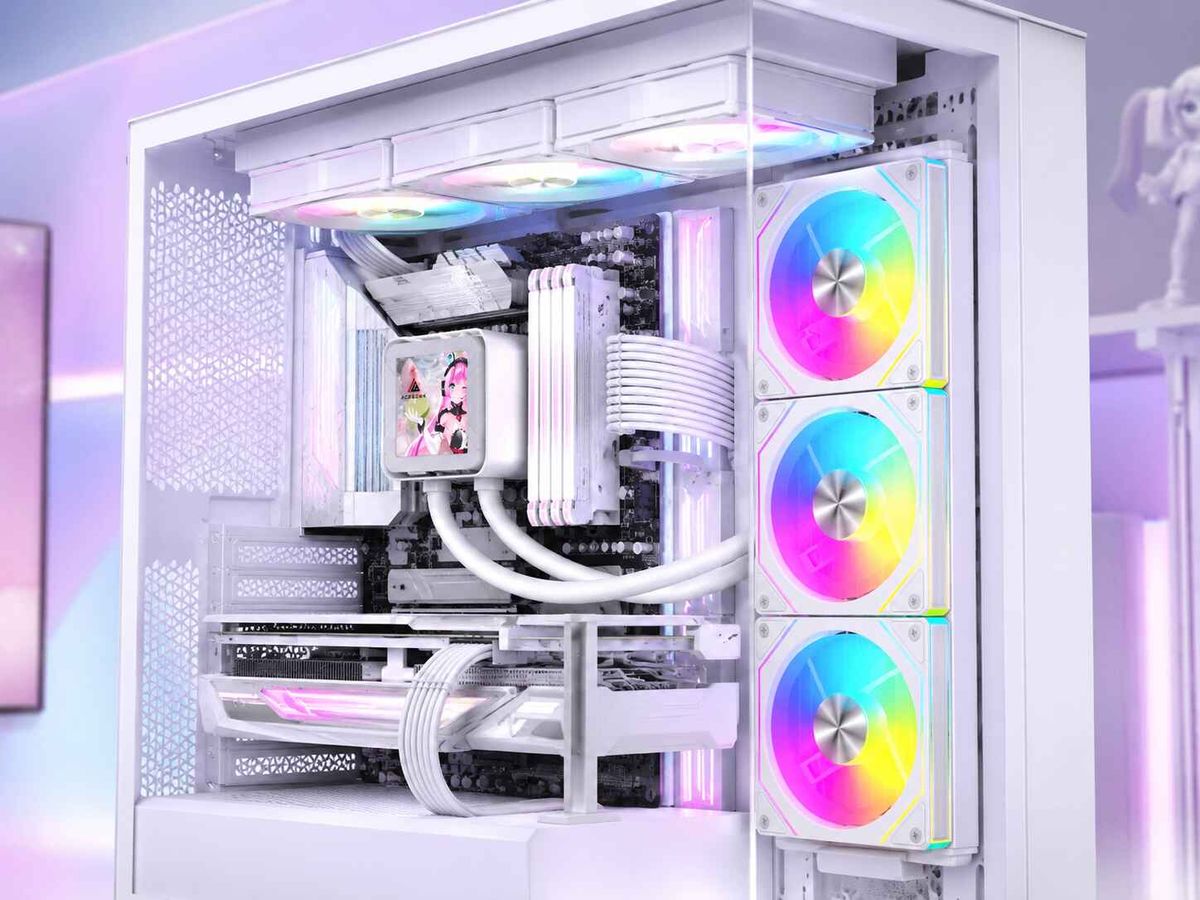
Side-mounted AIO placement puts the radiator vertically on the side intake or side exhaust location. This is common in dual-chamber and showcase cases where the radiator sits beside the motherboard tray or behind a ventilated side panel.
Side mounting can look excellent. It can also work excellent.
But not automatically.
Acegeek’s own side-mounted AIO radiator analysis gets the tradeoff right: side mounting changes where fresh air enters, where radiator heat goes, how tubes bend, and whether the pump remains below the air pocket. That last point is not negotiable. Pump gurgle is not character. It is a warning.
Side intake is the glamorous option. It pulls cooler room air through the radiator first, which often improves CPU temperature. The problem is that the radiator-warmed air then enters the case, where the GPU, SSD, VRM, and memory may have to live with it.
Side exhaust is less flattering to the CPU chart, but it may protect the GPU better by removing case heat while leaving front and bottom intake paths clean.
My rule is brutal: side-mounted AIO intake only earns trust when the GPU has its own fresh-air supply.
Bottom intake fans? Good. Ventilated side panel? Good. Enough chamber depth for a radiator-plus-fan stack? Good. Solid glass with tiny side slots? No. That is not airflow. That is a marketing department with a hole punch.
The Comparison Table: Top-Mounted vs Side-Mounted AIO
FactorTop-Mounted AIOSide-Mounted AIOBest default use caseGaming-first builds with hot open-air GPUsDual-chamber cases with strong side ventilation and bottom intakeTypical fan directionExhaustIntake or exhaustCPU temperature tendencySlightly warmer because it uses case airOften cooler as intake because it gets outside air firstGPU temperature tendencyUsually better because GPU keeps cleaner intake pathsCan worsen if side intake dumps radiator heat into GPU zonePump-health riskUsually low if radiator is above pumpGood only if radiator top remains above pump and tubes are routed cleanlyClearance riskRAM, VRM heatsink, EPS cable, top offsetSide chamber depth, GPU width, tube bends, glass-panel restrictionNoise behaviorOften stable if top panel breathes wellCan be quiet in mesh-side cases, noisy behind restrictive filters or glassBest radiator size fit240mm, 280mm, 360mm depending on roof clearance240mm or 360mm depending on side mount depth and tube pathMy verdictSafest choice for most balanced gaming PCsExcellent only when the case airflow plan supports it
Intake Or Exhaust: The Part Most Guides Water Down
AIO radiator intake or exhaust is not a religious debate. It is workload math.
If the radiator is intake, the CPU gets cooler air first. If the radiator is exhaust, the rest of the system may breathe better. That is the trade.
A side-mounted radiator as intake can make a Core i9-14900K, Ryzen 9 7950X, or Ryzen 9 9950X look disciplined in a benchmark. But if that warmed radiator air then feeds an RTX 4090-class GPU, you may have made the wrong component happy.
A top-mounted radiator as exhaust may give up a few CPU degrees, but it protects the intake lane for the GPU. In real gaming, I usually take that deal.
GameGrin’s older but still useful AIO radiator placement test found that top mounting made CPU temperatures a little higher, including roughly 7°C higher under BOINC, but the author still recommended top exhaust because the GPU and noise behavior were better in that setup. That is exactly the kind of real-world mess spec sheets hide.
The best AIO radiator placement is not always the lowest CPU package temperature. It is the best total system result.
Read that again.

The Hidden Problem: Radiator Fans Are Not Case Fans With Better Marketing
A radiator is a restriction. Dust filters are restrictions. Side mesh can be a restriction. Glass-adjacent slots are often worse.
This is why “high CFM” fan marketing annoys me. Free-air CFM tells you what a fan can move with little resistance. Radiator work needs pressure. If the fan cannot hold airflow through fins, filter, and panel geometry, the radiator becomes a warm decoration.
Acegeek’s radiator fan selection guide makes the correct distinction between radiator fans and open-case airflow fans. A 360mm AIO behind a dense side filter may need static-pressure-focused fans more than a wide-open rear exhaust ever would.
This is also why I dislike blindly copying influencer builds. Their panel may be off. Their room may be 20°C. Their GPU load may be fake. Their camera angle may hide the cable choke point. And their benchmark may last 90 seconds.
Run the test longer.
I want at least 20 minutes of real load: Cyberpunk 2077, Blender, Cinebench plus GPU load, OCCT, 3DMark loop, or whatever matches your actual use. Record CPU package temperature, coolant temperature if available, GPU core, GPU hotspot, SSD temperature, fan RPM, and room temperature. Then decide.
The Case Decides More Than The Cooler Brand
The case is the law. The AIO obeys.
A top-mounted 360mm radiator in a cramped roof can be worse than a clean 280mm radiator with proper clearance. A side-mounted 360mm radiator behind restrictive glass can be worse than a plain top-mounted 240mm exhaust. Bigger does not save bad airflow.
Before buying anything, check Acegeek’s 2026 gaming PC case buying guide. Look at GPU clearance after fans and radiator are installed, not before. Look at motherboard offset. Look at RAM height. Look at the space behind the side panel. Look at where the 12VHPWR or 12V-2x6 cable has to bend.
The ugly detail: most compatibility mistakes happen after the spec sheet says everything fits.
A normal AIO radiator is often around 27–30mm thick. A normal fan is 25mm. That is already roughly 52–55mm before screw heads, vibration pads, tube fittings, cable bend, and panel clearance. Put that on a side mount next to a huge GPU and suddenly your “clean” build becomes a wrestling match.
If your CPU regularly lives above 170W in real work, read Acegeek’s high-TDP CPU cooling breakdown before pretending cooler size alone solves the problem. It does not. Case airflow, radiator position, fan curve, and ambient temperature all join the bill.
My Real Recommendation By Build Type
For A Gaming PC With A Hot GPU
Use a top-mounted AIO as exhaust when the top panel is breathable and clearance works. Keep front and bottom intake clean for the GPU. This is my default recommendation for RTX 4080, RTX 4090, RTX 5080, RX 7900 XTX, and similar high-power cards.
If you insist on side mounting, use side exhaust or make sure bottom intake directly feeds the GPU. No bottom intake? I get nervous.
For A CPU-Heavy Workstation
A side-mounted AIO as intake can be better when CPU rendering, code compilation, simulation, or long all-core workloads dominate the machine. In that case, feeding the radiator cooler outside air can matter more than protecting peak GPU behavior.
But still check GPU thermals. Workstation users often discover their “CPU build” also has a power-hungry GPU doing CUDA, AI, Unreal Engine, DaVinci Resolve, or Blender cycles work.
For A Dual-Chamber Showcase Case
Side-mounted AIO can be excellent if the side panel is ventilated, the chamber is deep enough, and the GPU gets bottom intake. This is the setup where side mounting stops being vanity and starts being a real thermal plan.
But if the side panel is mostly glass, I do not care how expensive the case is. Air does not respect price tags.
For Compact ATX Or M-ATX Builds
Side mounting may solve top clearance problems, especially with tall RAM or bulky VRM heatsinks. Still, tube routing becomes more sensitive. The tubes should arc naturally. They should not pull across RAM, press into the GPU backplate, or force a power cable into a hard bend.
If the tubes look stressed, they are stressed.
AIO Cooler Mounting Position: The Decision Checklist
Use this before choosing top mounted AIO vs side mounted AIO:
Is the pump below the radiator’s highest air pocket?
Does the GPU have direct access to cool intake air?
Does the radiator have real ventilation, not decorative slots?
Does the radiator-plus-fan stack clear RAM, VRM heatsinks, cables, and panels?
Are the tubes relaxed, not twisted or stretched?
Are the radiator fans suited for static pressure?
Can the case maintain sane intake and exhaust balance?
Did you test with the side panel installed?
Did you test for at least 20 minutes?
Did you watch GPU hotspot, not just CPU temperature?
That last one matters. A CPU chart can flatter a bad setup.
If you want more context on how radiator position can tax the graphics card, Acegeek’s article on front-mounted AIOs and GPU thermals is worth reading because the same “CPU-first vs GPU-first” logic applies to side intake.
FAQs
Which is better: top-mounted or side-mounted AIO?
A top-mounted AIO is usually the safer, more forgiving setup for gaming PCs because it keeps radiator heat moving out of the case, protects GPU intake air, and naturally keeps the pump below the radiator’s air pocket, while side mounting can win only when the case has strong side ventilation and bottom GPU airflow.
The hard truth is that top mounting is boring for a reason. It reduces the number of ways a builder can accidentally create a CPU-friendly but GPU-hostile airflow path. Side mounting is not bad, but it demands more case awareness.
Should an AIO radiator be intake or exhaust?
An AIO radiator should be intake when CPU temperature is the top priority and the GPU has another clean source of cool air, while it should be exhaust when whole-system airflow, GPU cooling, and case heat removal matter more than chasing the lowest possible CPU package temperature.
For gaming, I usually prefer top exhaust. For CPU-heavy workloads, side intake can be defensible. But the right answer depends on the case, the GPU cooler style, the radiator location, and the workload duration.
Does a side-mounted AIO hurt GPU temperatures?
A side-mounted AIO can hurt GPU temperatures when it is used as intake and pushes CPU-radiator heat into the same case zone that feeds an open-air graphics card, especially in cases without strong bottom intake, front intake, or enough exhaust capacity to remove mixed heat quickly.
This is the classic side-mount trap. The CPU looks better, screenshots look cleaner, and the GPU quietly pays. Watch GPU hotspot and fan RPM, not just GPU core temperature.
How do you mount an AIO radiator correctly?
To mount an AIO radiator correctly, keep the pump below the radiator’s highest air-collection point, route the tubes in a smooth curve without strain, match fan direction to the system airflow plan, confirm radiator and fan clearance, and test CPU, GPU, hotspot, SSD, and noise behavior with the case fully closed.
Do not judge the build from first boot. AIO cooler mounting position only proves itself after sustained load. Short tests hide heat soak, fan ramping, and case pressure problems.
Is top-mounted AIO bad for CPU temperature?
A top-mounted AIO can run the CPU slightly warmer because it often uses case-warmed air as radiator intake, but that does not make it bad; in many gaming PCs, the small CPU temperature penalty is worth it because GPU airflow, pump behavior, and case heat removal are usually better balanced.
This is where beginners get misled. The lowest CPU number is not automatically the best build. A stable CPU, cooler GPU, quieter fan curve, and safer pump orientation usually matter more.
Final Thoughts: Build The Airflow Map Before You Touch A Screwdriver
Here is my direct recommendation: choose a top-mounted AIO as exhaust unless your case clearly proves that side mounting gives the GPU its own cool air, gives the radiator real ventilation, keeps the pump below the air pocket, and leaves the tubes relaxed.
Do not buy the cooler first. Do not copy the prettiest build photo. Do not trust “360mm support” without checking clearance.
Open your case spec sheet. Measure radiator thickness, fan thickness, RAM height, GPU width, motherboard heatsink height, EPS cable space, and side-chamber depth. Then sketch the airflow path: intake, radiator heat, GPU intake, exhaust.
If the map makes sense, build it. If it does not, change the mount before the mount teaches you the expensive way.