Which Gamers and Creators Are ACEGEEK Cases Best For?
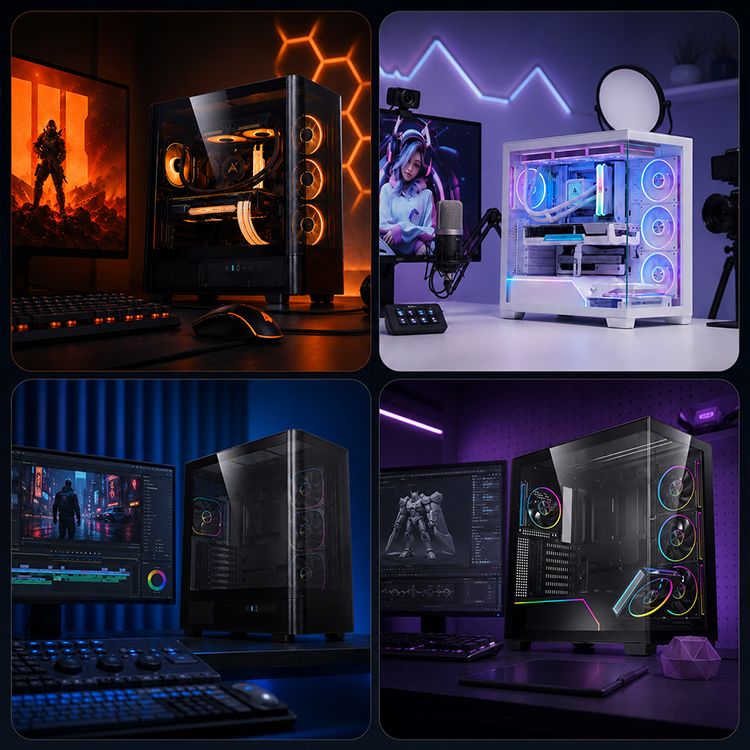
ACEGEEK cases are best for DIY gamers, streamers, video editors, 3D artists, and hybrid gaming-creator users who want broad component compatibility, visible hardware, and flexible fan or radiator placement. They are not automatically the right choice for silent studios, frequent LAN travelers, or shoppers who expect extensive independent thermal testing.
That is my verdict.
Pretty simple, right? Not quite, because the phrase “gaming PC case” has become so diluted by RGB strips, panoramic glass, preinstalled fans, and exaggerated airflow language that buyers often forget the chassis has one basic job: keep expensive hardware physically supported, serviceable, and adequately cooled under sustained load.
The case does not create performance. It merely stops your CPU and GPU from losing the performance you already paid for.
So who actually benefits from an ACEGEEK case?
The Hard Truth About Gaming PC Cases
A gaming PC case is not a performance component in the same way a GPU, CPU, or memory kit is. It does not add frames per second. It does not shorten a Blender render by itself. It does not improve an H.265 export merely because seven ARGB fans appear in a product photograph.
But it can become a bottleneck.
A restricted intake path forces fans to work harder. Poor GPU clearance complicates upgrades. A radiator that technically fits may still collide with tall memory modules, motherboard heatsinks, or power cables. And a case with inadequate service access turns a five-minute SSD replacement into an evening of profanity.
I reviewed the current ACEGEEK PC case collection, and the range covers compact Micro-ATX systems, conventional ATX towers, panoramic showcase designs, airflow-focused mesh cases, and larger E-ATX-compatible models.
The variety is useful. It is also a trap.
Buying by appearance alone is how people end up with a beautiful glass box that sounds like a small vacuum cleaner every time the GPU reaches full load.
Specifications Are Not Test Results
ACEGEEK publishes useful compatibility data: GPU length, CPU cooler height, motherboard support, fan positions, radiator sizes, storage bays, steel thickness, and front I/O. That is more useful than vague lifestyle copy.
Still, compatibility figures are not thermal benchmarks.
The product pages I reviewed do not provide standardized CPU and GPU temperature results measured against ambient temperature, normalized fan speeds, or controlled acoustic levels. That means I would not claim that one ACEGEEK model is “10°C cooler” than another without independent testing.
No data, no miracle.
This does not make the cases bad. It means professional buyers should distinguish between a promising airflow layout and measured cooling performance. Those are not the same thing.
Which Gamers Are the Best Match for ACEGEEK Cases?
1440p and 4K Gamers With Large Graphics Cards
ACEGEEK’s larger ATX cases make the most sense for gamers using long, hot graphics cards and tower coolers or liquid-cooling systems.
Consider the hardware being installed. NVIDIA lists the GeForce RTX 5090 Founders Edition at 304 mm long, 137 mm high, and 575 W total graphics power, with a recommended 1,000 W system power supply. Those figures come directly from the official NVIDIA RTX 5090 specifications.
And that is merely the Founders Edition. Partner cards can be longer, thicker, and harder to cable.
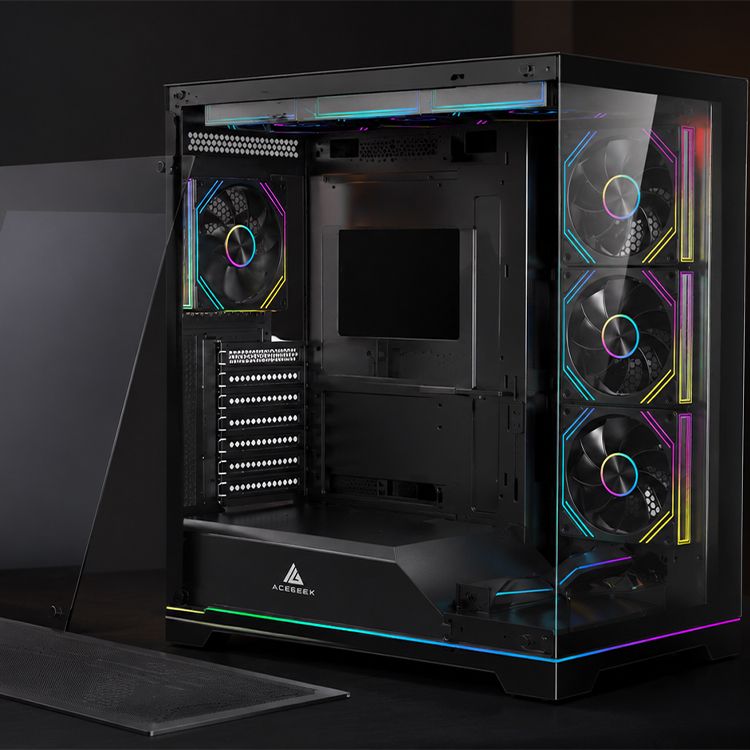
ACEGEEK’s LunarisFlow high-airflow gaming PC case lists 400 mm of GPU clearance, 180 mm of CPU cooler clearance, three top fan positions, three side positions, three bottom positions, and support for a 420 mm or 360 mm top radiator.
Those numbers make it a credible match for:
High-end 1440p gaming systems
4K gaming PCs
Ryzen 9 or Core Ultra 9 builds
RTX 5080- or RTX 5090-class hardware
Large air coolers
360 mm and 420 mm liquid coolers
Users planning at least one major GPU upgrade
But measure everything.
Maximum GPU clearance may shrink once a radiator, thick fans, cable connectors, or other components enter the equation. NVIDIA’s RTX 5080 installation guidance, for example, recommends reserving an additional 36 mm around the power-cable area. A case specification saying “400 mm GPU support” is not permission to stop doing geometry.
Streamers Who Game and Encode for Hours
Streamers are a better fit for airflow-focused gaming PC cases than casual gamers because they sustain mixed loads for longer periods.
A typical stream can involve the game engine, GPU rendering, hardware encoding, browser sources, capture software, voice processing, chat applications, recording, and background uploads. The system may stay loaded for four, six, or eight hours.
Heat accumulates.
An ACEGEEK case with multiple intake zones and a clear top or rear exhaust path can suit streamers using OBS Studio, YouTube Live, Twitch, Discord, capture cards, and dual-monitor setups. Front USB-C is also useful for external SSDs, card readers, audio interfaces, and mobile devices.
My preference for this workload is not the smallest case that can contain the hardware. I want breathing room, accessible filters, sensible cable routing, and enough fan control to prevent the microphone from recording a constant mechanical roar.
Would I fill every available fan mount? Probably not.
More fans do not automatically mean better cooling. A balanced layout using two or three direct intake fans and controlled exhaust can be quieter and more effective than a case packed with fans fighting one another.
Showcase Builders and Gaming Content Creators
Some users are not merely playing games. They are photographing the build, filming installation videos, producing desk-setup content, or placing the system in the background of a livestream.
For that buyer, appearance is part of the equipment.
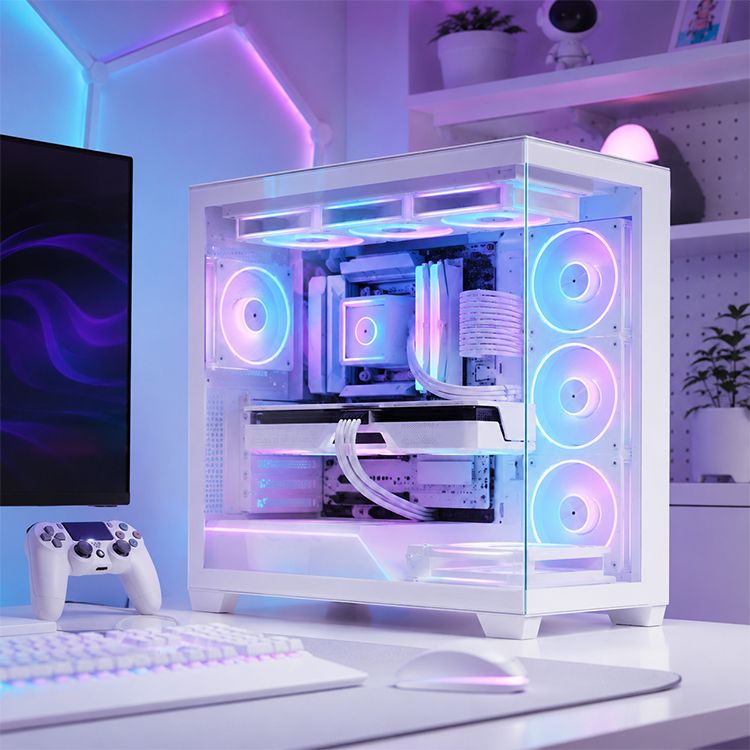
The ACEGEEK Nebula Pro panoramic ATX case lists 420 mm GPU clearance, 175 mm CPU cooler clearance, a 360 mm top radiator position, three side fan mounts, and front USB-C. Its glass-heavy presentation and lighting features make more sense for:
PC-building YouTubers
TikTok and Instagram setup creators
RGB showcase builders
Streamers with the PC visible on camera
Retail demonstration systems
Convention or exhibition builds
Here is the unpopular opinion: showcase cases are not inherently foolish.
A well-planned panoramic case can cool powerful hardware when it has adequate side and bottom intake. The mistake is assuming that glass automatically means premium engineering. Glass is a material, not an airflow strategy.
ACEGEEK’s own guide to mesh, glass, and closed-front PC cases makes the useful distinction: glass can work, but the intake route still has to exist.
Budget Gamers Using Shorter GPUs
The compact ACEGEEK Vault occupies a different category.
The ACEGEEK Vault Micro-ATX case supports M-ATX and Mini-ITX motherboards, GPUs up to 285 mm, CPU coolers up to 160 mm, and top-mounted 240 mm radiators. Its listed material thickness is 0.4 mm, placing it firmly in budget-case territory.
That can be acceptable for:
Entry-level 1080p gaming systems
Compact student builds
Ryzen 5 and Core i5 configurations
Short dual-fan graphics cards
Budget streaming PCs
First-time builders with carefully checked components
It is not the case I would select for a 304 mm RTX 5090 Founders Edition. The mathematics already says no.
Nor would I recommend it for someone who changes hardware every month, transports the computer frequently, or expects the structural feel of a heavy premium chassis. Budget steel and compact dimensions involve compromises. Pretending otherwise helps nobody.
Which Content Creators Should Consider ACEGEEK Cases?
4K Video Editors and Colorists
Video editors are among the clearest candidates for a larger airflow-focused case because editing systems can sustain heavy GPU, CPU, memory, and storage activity for long periods.
Puget Systems reported that, in its DaVinci Resolve testing, the RTX 5090 performed between 7% and 33% faster than the RTX 4090, depending on the workload. Against the RTX 3090, some H.265 export tests showed gains ranging from 38% to 200%.
That performance comes with heat.
A 575 W GPU paired with a 170 W processor such as the AMD Ryzen 9 9950X creates a very different thermal problem from a 65 W office CPU and a 150 W graphics card. AMD confirms the 9950X’s 16 cores, 32 threads, 5.7 GHz maximum boost clock, and 170 W default TDP on its official Ryzen 9 9950X page.
This is where the LunarisFlow specification starts to make sense. Its listed support for three SSDs and two hard drives also gives editors more flexibility than compact cases offering only one SSD and one hard-drive position.
For a professional editor, storage is not decorative. Project files, cache, proxies, source footage, audio, exports, and backups consume capacity quickly.
The U.S. Bureau of Labor Statistics projects approximately 6,400 annual openings for film and video editors and camera operators from 2024 to 2034. Its occupational outlook for video professionals reinforces a point the PC industry often misses: creator systems are work equipment, not oversized toys.
Downtime costs money.
Blender Artists, 3D Renderers, and Local AI Users
3D artists and local AI users should approach PC cases more aggressively than ordinary gamers because their GPUs may remain near full utilization for extended renders, training jobs, image generation, upscaling, simulation, or batch processing.
A gaming session fluctuates. A render queue can punish hardware continuously.
Reuters reported on June 8, 2026, that NVIDIA’s RTX Spark AI-PC push was aimed primarily at advanced users such as developers and content creators rather than average consumers. The Reuters analysis of creator-focused AI PCs also highlighted high prices and memory constraints as barriers to adoption.
That distinction matters. A creator workstation should be designed around the actual workload, not the “AI PC” label printed on the box.
For Blender, Unreal Engine, Stable Diffusion, local large language models, Topaz Video AI, or GPU rendering, I would prioritize:
Direct cool-air access for the GPU
Space around the graphics-card power connector
Bottom or side intake
Strong top exhaust
Accessible dust filters
A case wide enough to avoid pressing glass against GPU fans
Storage and memory upgrade access
Fan curves tuned for sustained load, not idle screenshots
The LunarisFlow is the stronger ACEGEEK candidate for this group. Nebula Pro may also fit when showcase presentation matters, but I would want independent thermal and noise testing before choosing appearance over the more obviously ventilated design.
Hybrid Gamer-Creators
The most natural ACEGEEK buyer may be the hybrid user.
This person plays Cyberpunk 2077 at night, edits 4K footage in DaVinci Resolve, records tutorials in OBS, renders thumbnails in Blender, and occasionally runs local AI tools. The system is not a pure gaming machine or a formal workstation.
It does everything.
For this audience, an ATX case with generous GPU clearance, front USB-C, multiple fan positions, a 360 mm radiator option, and at least two SSD locations is usually the safest choice. The user may begin with a midrange GPU and later install a larger card. Extra space prevents the next upgrade from becoming a complete rebuild.
That flexibility is where ACEGEEK has a credible argument.
ACEGEEK Case Fit by User Type
User profileLikely workloadBest ACEGEEK fitRelevant specificationsMain warningCompetitive 1080p gamerHigh-refresh esports, moderate GPU loadVault or another M-ATX airflow model285 mm GPU clearance, 160 mm cooler, 240 mm top radiatorVerify exact GPU length before purchase1440p or 4K AAA gamerLong sessions with a 300–575 W GPULunarisFlow400 mm GPU, 180 mm cooler, 420/360 mm top AIORadiator and power cables can reduce usable clearanceGaming streamerGaming, recording, encoding, capture devicesLunarisFlow or Nebula ProUSB-C, multiple fan zones, ATX supportTune fan curves to control microphone noiseShowcase content creatorSetup videos, RGB builds, on-camera PCNebula Pro420 mm GPU, panoramic presentation, 360 mm AIOGlass still requires disciplined intake planning4K video editorResolve, Premiere Pro, large media cacheLunarisFlowThree SSD and two HDD positions, large cooler supportConfirm drive-mount accessibility and vibration controlBlender or AI creatorLong GPU renders, inference, upscalingLunarisFlowBottom, side, top, and rear fan optionsDo not rely on advertised fan count as thermal proofFirst-time budget builderMidrange CPU, short dual-fan GPUVaultCompact M-ATX layout, 240 mm radiator supportLess upgrade margin and lighter 0.4 mm constructionQuiet audio professionalRecording, mixing, low acoustic toleranceConsider alternativesNoise-normalized performance is not publishedMesh and multiple fans may not meet studio-noise targetsFrequent LAN travelerRegular transport and repeated handlingConsider a purpose-built portable chassis—Most ACEGEEK showcase towers prioritize display over portability
Who Should Probably Buy Something Else?
Buyers Who Demand Published Acoustic Testing
Noise-sensitive users should be cautious.
A case may offer strong airflow yet still become irritating if the included fans use poor bearings, weak PWM control, unstable motors, or aggressive default curves. Fan count tells me almost nothing about sound quality.
For audio recording, podcasting, voice-over production, and music work, I want noise-normalized testing measured in dBA at a stated distance. I also want vibration data, fan RPM ranges, and information about panel resonance.
ACEGEEK’s compatibility specifications are useful, but they do not answer those questions.
Frequent LAN-Party Players
Large glass cases are not ideal travel companions.
They are heavier, more fragile, and harder to carry than purpose-built portable cases. A frequent LAN player should consider handles, panel strength, GPU support, transport orientation, and total system weight before choosing a panoramic tower.
The best-looking case in a studio may become the worst case in a car park.
Buyers Who Refuse to Measure Components
ACEGEEK cases are not for people who buy first and measure later.
Use the company’s PC case size and compatibility guide before placing an order. Record the motherboard format, GPU length, GPU thickness, CPU cooler height, radiator dimensions, fan thickness, PSU length, storage count, and required front-panel connections.
Then add margin.
A graphics card listed at 330 mm should not be treated as a comfortable fit in a case with exactly 330 mm of clearance. Manufacturing tolerances, cable bends, fans, brackets, and radiators exist in the physical world, even when marketing images pretend they do not.
Buyers Outside Supported Retail Regions
Availability may be the most practical limitation.
ACEGEEK’s current regional retailer directory lists partners in selected Asian markets, Romania, and Brazil. That does not mean the products are unavailable everywhere else, but warranty handling, returns, replacement panels, and shipping costs may differ sharply by country.
Check the seller, not just the case.
A lower price from an unknown marketplace merchant can become expensive when a glass panel arrives broken or the included accessories are incomplete. Merchant reputation, return terms, shipping protection, and regional warranty support matter more than a small discount.
How to Choose an ACEGEEK Case for Gaming and Content Creation
Start with the hottest component.
For most high-performance systems, that is the graphics card. Confirm its exact length, thickness, slot count, and power-connector position. Do not rely solely on the GPU chip name, because two RTX 5080 cards can have substantially different physical dimensions.
Next, map the airflow route.
Cool air should reach the GPU without passing through a hot radiator first. Heated air should have a clear exit through the top or rear. Cables should not form a wall in front of intake fans. Dust filters should be removable without dismantling half the machine.
Then check the creator-specific requirements:
Video editors: Prioritize SSD positions, front USB-C, GPU clearance, and quiet sustained cooling.
Streamers: Prioritize fan control, capture-card expansion, cable access, and microphone-friendly noise levels.
3D artists: Prioritize direct GPU intake, large radiator support, and easy maintenance.
AI users: Prioritize GPU space, PSU cable clearance, system memory capacity, and long-duration cooling.
Showcase creators: Prioritize glass visibility only after proving that side or bottom intake can feed the hardware.
Budget gamers: Prioritize real component fit over unused fan mounts and decorative lighting.
My rule is blunt: buy the smallest case that comfortably fits the complete system, not the smallest case that can theoretically contain it.
Comfortable fit matters.
It gives the GPU room to breathe, the power cable room to bend safely, the radiator room to coexist with the motherboard, and your hands room to repair the machine without removing five unrelated components.
FAQs
Are ACEGEEK cases good for gamers?
ACEGEEK cases are good for gamers who prioritize hardware clearance, flexible fan placement, radiator support, and visible component presentation, especially when the planned GPU and CPU generate substantial heat during long sessions. They are less compelling for buyers who want a compact, silent, globally stocked, independently benchmarked chassis.
The larger models are the better match for high-end gaming. Compact options such as Vault make more sense for short graphics cards and moderate-power processors.
Always match the case against the exact graphics-card model. “RTX 5070” is not a physical dimension.
Which ACEGEEK case is best for content creators?
The ACEGEEK LunarisFlow is the strongest fit for content creators running long GPU-accelerated exports, 3D renders, local AI workloads, or mixed editing-and-gaming sessions because it supports GPUs up to 400 mm, CPU coolers up to 180 mm, and top-mounted 420 mm or 360 mm liquid coolers.
It also lists three SSD and two HDD positions, which is more useful for video production than a highly compact layout.
Nebula Pro is the stronger aesthetic option for creators who display the PC on camera. But I would choose airflow and storage practicality before panoramic presentation when income depends on the machine.
Is a high-airflow gaming PC case necessary for streaming?
A high-airflow gaming PC case is necessary for streaming when the system combines a power-hungry GPU, a high-core-count CPU, capture hardware, and sustained encoding loads, because poor intake and exhaust routing can raise fan noise, heat internal components, and reduce boost behavior during long broadcasts.
A modest streaming PC using efficient hardware may not require a large tower. Still, it needs a clear airflow path and controllable fans.
The microphone changes the equation. A cooling layout that is acceptable through headphones may sound terrible in a condenser microphone positioned 50 cm from the case.
How do I choose a PC case for gaming and video editing?
To choose a PC case for gaming and video editing, match the chassis against the exact motherboard format, GPU length and thickness, power-cable bend space, CPU cooler height, radiator dimensions, storage count, front I/O, dust filtration, and the room needed to service or upgrade the build.
For mixed workloads, start with the GPU and storage plan. Editors often need more SSD capacity and sustained cooling than gaming-only users.
Do not ignore front USB-C. Fast external SSDs, card readers, cameras, and audio hardware make accessible high-speed ports genuinely useful.
Are ACEGEEK cases suitable for beginners?
ACEGEEK cases can suit beginners when the builder verifies every clearance before purchase and chooses a model with simple access, adequate cable space, and a forgiving fan layout; however, beginners should not assume that “ATX support” guarantees compatibility with every graphics card, radiator, power supply, or connector.
A larger ATX model is usually easier to build in than a compact M-ATX chassis. More working room reduces cable pressure and installation mistakes.
Beginners should also photograph accessory bags, screws, brackets, and cable connections during assembly. That small habit saves time when troubleshooting or upgrading later.
Your Next Step: Match the Case to the Workload
Do not begin with color.
Write down your exact CPU, graphics card, motherboard, CPU cooler, radiator, power supply, storage drives, capture cards, and front-I/O needs. Add the component dimensions. Then compare those numbers with the official ACEGEEK specifications and leave practical clearance for airflow, cables, and future servicing.
For a high-wattage gaming or creator workstation, start with LunarisFlow. For a panoramic streaming or showcase build, examine Nebula Pro. For a compact budget system, consider Vault only after confirming the GPU is shorter than 285 mm and the CPU cooler is below 160 mm.
And demand evidence.
Ask the retailer about included fans, PWM control, warranty coverage, replacement glass, shipping protection, and return terms. Search for independent temperature and acoustic testing for the exact model—not a visually similar chassis and not a different fan configuration.
Your PC case will probably outlast the first GPU installed inside it. Choose one that supports the machine you intend to build next, not merely the parts sitting in your shopping cart today.