Mengapa Casing Kecil Lebih Kesulitan Menangani Perangkat Keras dengan TDP Tinggi?
Anggaran Pemanasan Sudah Tidak Lagi Menarik
Panas memiliki matematika.
Saya sudah terlalu sering melihat perakit PC menghabiskan banyak uang untuk silikon, memasangnya ke dalam sasis kompak yang indah, lalu bertindak terkejut ketika kipasnya berputar kencang seperti dengungan karena casing dipilih berdasarkan estetika meja, bukan kepadatan daya. Apa yang kita harapkan akan terjadi?
CPU dengan TDP tinggi pada rakitan casing kecil bukan hanya "prosesor yang panas." Ini adalah masalah volume, masalah tekanan, masalah kebisingan, dan, jika jalur aliran udaranya buruk, masalah kinerja. Intel mencantumkan Core i9-14900K dengan Daya Dasar Prosesor 125W dan Daya Turbo Maksimum 253W dalam spesifikasi resmi Core i9-14900K . AMD mencantumkan Ryzen 9 7950X dengan TDP default 170W, Tjmax 95°C, dan menyatakan bahwa pendinginan cair direkomendasikan untuk kinerja optimal pada halaman produk Ryzen 9 7950X . NVIDIA mencantumkan RTX 4090 dengan Daya Grafis Total 450W, daya sistem yang dibutuhkan 850W, dan bahkan menyarankan untuk menyisakan ruang di sekitar kartu untuk meningkatkan aliran udara pada halaman spesifikasi RTX 4090. Itu bukan rumor forum. Itu adalah angka dari vendor.
Sekarang salurkan panas itu ke dalam wadah kecil.
Kenyataan pahitnya adalah masalah panas pada PC berukuran kompak seringkali disebabkan oleh kesalahan sendiri. Casing berukuran kecil bisa sangat bagus jika perangkat kerasnya sesuai dengan casing tersebut. Tetapi ketika seseorang memasang CPU dengan daya puncak 250W dan GPU dengan daya 300W hingga 450W di ruang terbuka ke dalam kotak sempit dengan ventilasi pembuangan yang lemah, casing tersebut berhenti berfungsi sebagai cangkang dan malah menjadi hambatan termal.
Inilah mengapa saya akan menyarankan perakit PC pemula untuk melihat panduan AceGeek tentang cara memilih casing PC yang tepat sebelum mereka menekan tombol beli. Halaman tersebut dengan tepat memperlakukan dukungan pendinginan, dukungan kipas, ruang untuk GPU, dan ruang untuk pendingin CPU sebagai faktor pembelian, bukan spesifikasi tambahan. AceGeek juga mencatat bahwa casing ITX memiliki keterbatasan seperti titik pemasangan kipas atau radiator yang lebih sedikit dan ruang manajemen kabel yang lebih sempit, namun tetap menarik untuk rakitan PC yang ringkas.
Kasus Kecil Tidak Kalah Hanya Karena Ukurannya Kecil
Kecil itu polos.
Masalah sebenarnya adalah kepadatan: terlalu banyak watt, terlalu sedikit area pemasukan udara, terlalu sedikit jalur pembuangan udara, terlalu banyak kabel di jalur ventilasi GPU, dan terlalu percaya pada pemasaran jumlah kipas. Mengapa menyalahkan pendingin terlebih dahulu ketika casing juga yang menyulitkannya?
Pendinginan PC berukuran kecil berfungsi dengan baik ketika jalur aliran udara pendek, langsung, dan lancar. Namun, pendinginan gagal ketika casing membuat udara berbelok di sudut, melewati ventilasi dekoratif, menembus filter debu yang rapat, menghindari kabel riser, dan kemudian mendinginkan kartu grafis tiga slot yang sudah membuang panas kembali ke ruangan yang sama.
Itulah bagian yang paling sering disembunyikan di halaman produk.
Pada casing tower ATX berukuran besar, tata letak yang buruk dapat disamarkan oleh volume. Terdapat lebih banyak massa udara di dalam casing, lebih banyak ruang di sekitar GPU, lebih banyak posisi kipas, lebih banyak pilihan radiator, dan lebih banyak toleransi untuk penataan kabel yang berantakan. Dalam pengaturan pendinginan casing mini ITX, setiap sentimeter yang terhalang sangat penting. Bundel kabel yang berada di bawah GPU bukanlah "berantakan," melainkan penghalang termal.
Ya, saya memang agak kasar soal ini.
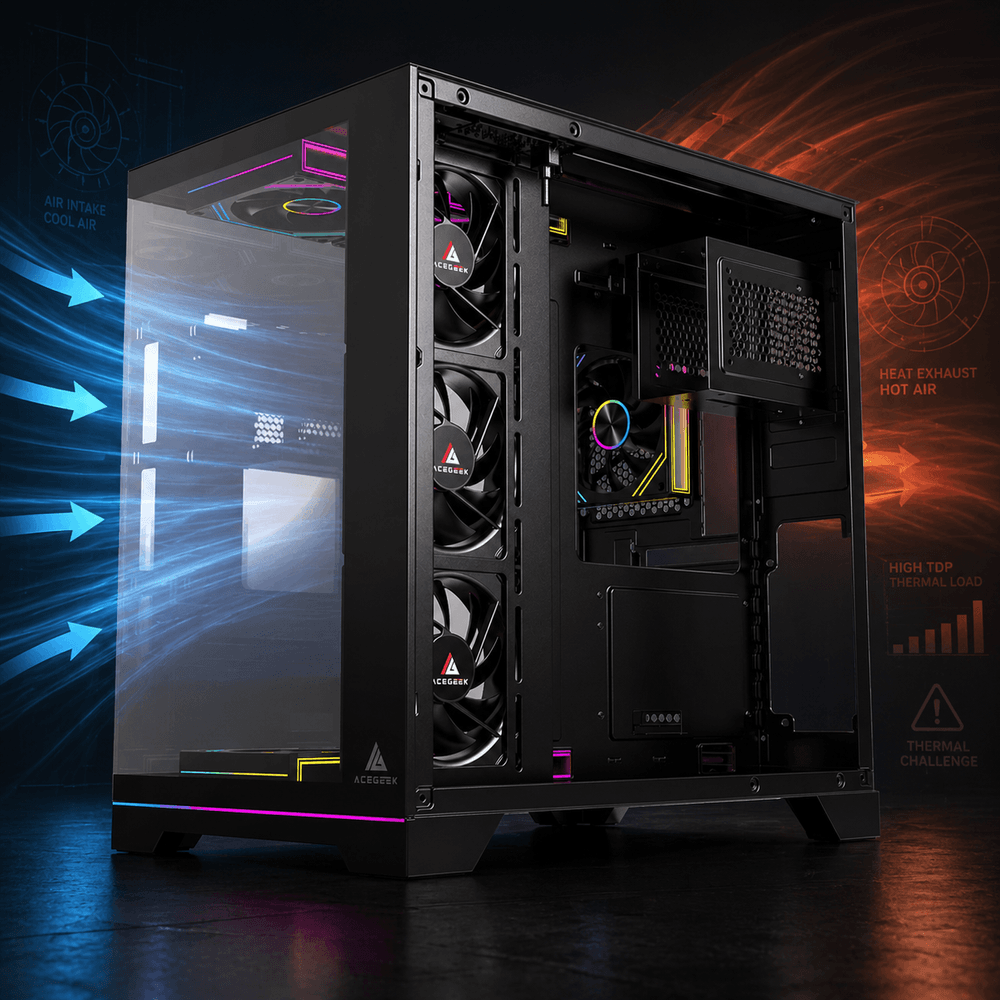
Casing kompak dengan intake bawah yang cerdas, intake samping, dan jalur pembuangan yang pendek dapat mengalahkan casing yang lebih besar dengan aliran udara dekoratif. Tetapi kotak kaca kompak dengan CPU ber-TDP tinggi, GPU panas, dan tanpa jalur intake yang bersih hanyalah oven lambat dengan RGB.
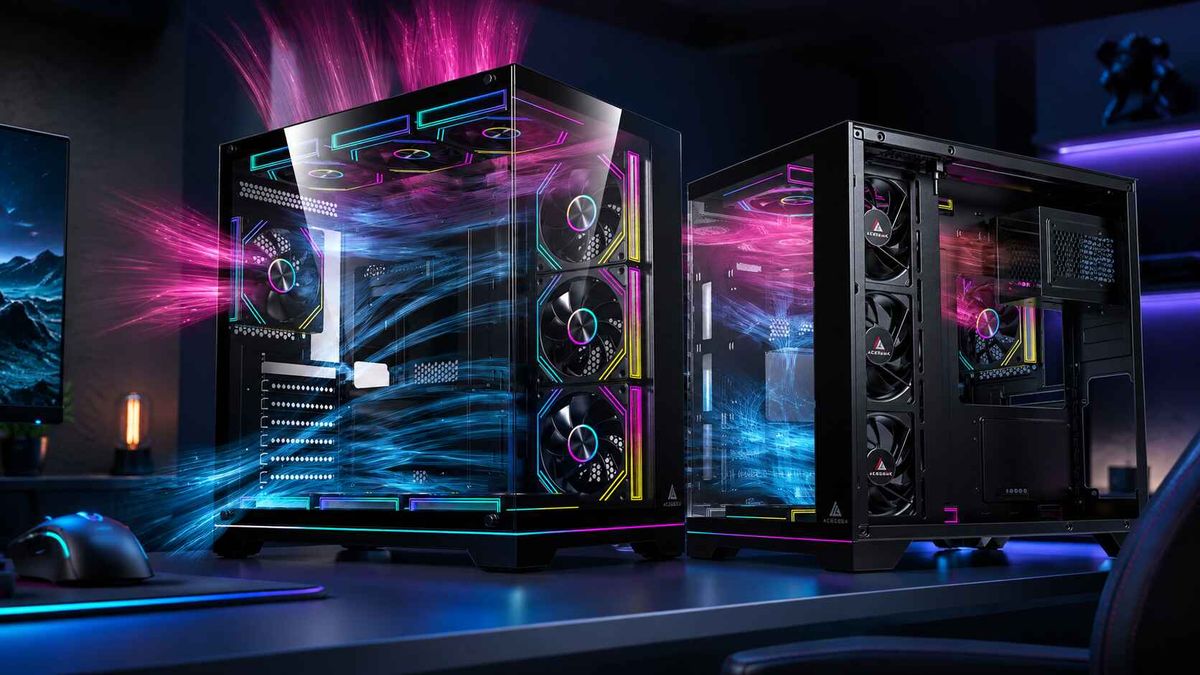
Sebagai contoh, Aquarium M345 dari AceGeek berukuran kompak 358×275×360mm, mendukung Micro-ATX dan Mini-ITX, serta menyertakan dukungan kipas atas, samping, belakang, dan bawah, ditambah dukungan AIO 240mm di bagian atas dan samping. Tata letak seperti itu memberikan lebih banyak cara bagi rakitan PC kompak untuk memasukkan dan mengeluarkan udara, alih-alih bergantung pada satu jalur sempit.
Hal-hal yang Harus Dibaca oleh Pembuat Tabel Data Sebelum Membeli Casing
Angka-angka mengungkap kesalahan.
Saat saya meninjau daftar komponen, saya tidak mulai dengan warna casing, warna kaca, atau strip RGB; saya mulai dengan sumber panas, ruang untuk pendingin, ruang untuk GPU, posisi saluran masuk udara, dan apakah jalur aliran udara masuk akal di bawah beban berkelanjutan. Apakah itu kurang menarik daripada foto di ruang pamer? Tentu. Apakah itu lebih bermanfaat? Tentu saja.
Faktor perangkat keras atau casing: Angka sebenarnya atau fakta desain. Mengapa casing kecil menjadi masalah: Intel Core i9-14900K, daya dasar 125W / turbo maksimal 253W. Lonjakan boost CPU yang singkat menjadi panas berkelanjutan jika beban kerja berat dan pendingin tidak memiliki asupan udara segar. AMD Ryzen 9 7950X, TDP default 170W / Tjmax 95°C. CPU dengan TDP tinggi dalam casing kecil membutuhkan ruang pendingin yang sebenarnya, bukan sekadar angan-angan. NVIDIA RTX 4090, Daya Grafis Total 450W / 3 slot / panjang 304mm. Pembuangan GPU mendominasi iklim internal casing dan dapat memanaskan udara masuk CPU. Casing bergaya seaview yang ringkas: Seringkali memiliki lebih banyak batasan panel daripada tata letak mesh-first. Kipas tambahan dapat mengimbangi, tetapi juga menambah kebisingan dan turbulensi. Ruang kabel Mini ITX: Biasanya lebih sempit daripada M-ATX atau ATX. Perutean kabel yang buruk dapat menghalangi asupan GPU dan menciptakan kantong panas lokal. Kontrol kipas PWM: PWM 4-pin memberikan respons kecepatan yang lebih presisi. Kurva kipas yang lebih baik sangat penting. lebih besar lagi ketika margin termal sempit
Inilah bagian yang kurang menyenangkan: banyak daftar "casing kecil terbaik untuk perangkat keras TDP tinggi" berbicara tentang kompatibilitas seolah-olah memasang GPU berarti masalah termal telah terpecahkan. Masalahnya belum terpecahkan. Ini baru permulaan.
Panduan pemasangan NVIDIA RTX 4090 menyatakan bahwa kartu grafis tersebut membutuhkan ruang untuk bodi berukuran 12 inci x 5,4 inci x 3 slot dan merekomendasikan untuk menyisakan ruang di sekitar kartu grafis untuk meningkatkan aliran udara. Kalimat tunggal itu seharusnya membuat khawatir orang-orang yang membangun sistem SFF (Small Form Factor) yang padat, karena itu berarti kesesuaian fisik tidak sama dengan kesesuaian termal.
Geometri Aliran Udara Mengalahkan Teori Penghitungan Kipas Angin
Lebih banyak penggemar yang berbohong.
Tata letak enam kipas masih bisa gagal jika keenam kipas tersebut berjuang melawan panel depan yang terhalang, menyebabkan GPU kekurangan udara dingin, atau menarik udara dingin dari bagian atas sebelum mencapai bagian terpanas dari sistem. Mengapa kita masih menghitung dudukan kipas seolah-olah itu adalah poin benchmark?
Aliran udara pada casing PC kecil lebih tentang pengaturan aliran udara, bukan dekorasi. GPU membutuhkan akses utama ke udara dingin. Pendingin CPU membutuhkan jalur keluar yang dapat diprediksi. PSU tidak boleh membuang panas yang tidak perlu ke jalur yang sama. Kabel tidak boleh berada di depan satu-satunya jalur masuk udara. Filter debu harus dirawat karena filter jaring halus yang penuh debu hanyalah dinding dengan merek yang lebih baik.
Di sinilah panduan pendinginan CPU dan aliran udara GPU dari AceGeek. Sesuai dengan konteksnya. Artikel ini membuat perbedaan yang tepat: CPU dan GPU bukanlah masalah termal yang sama, dan kartu grafis seringkali berfungsi atau tidak berfungsi bergantung pada seberapa baik casing memasok udara segar ke kartu tersebut. Panduan AceGeek sendiri juga menunjukkan bahwa perakit komputer seringkali terlalu fokus pada suhu paket CPU sambil mengabaikan perilaku titik panas GPU.
Tapi mari kita telusuri lebih dalam lagi.
Pembatasan termal pada PC SFF seringkali dimulai dari suara kipas sebelum terlihat penurunan kecepatan clock. Kipas GPU berputar kencang. Pendingin CPU berputar kencang. Kipas PSU mungkin juga berputar kencang. Kemudian pengguna berkata, “Suhu saya secara teknis aman.” Baik. Tetapi jika mesin lebih berisik, lebih berdebu, dan lebih lambat di bawah beban kerja yang lama daripada seharusnya, maka casing sudah kalah.
Panduan kipas 3-pin vs 4-pin dari AceGeek layak dibaca di sini karena kipas PWM 4-pin memungkinkan kontrol kecepatan yang lebih halus dan responsif terhadap suhu. Dalam casing dengan kepadatan tinggi, itu bukan detail mewah. Ini adalah cara Anda mencegah seluruh sistem beralih antara senyap dan berisik setiap kali game memuat cache shader.
Kaca, Jaring, dan Pengakuan Diam-diam dari Industri
Jaringan mesh biasanya menang.
Saya tahu casing berbahan kaca berat laku karena orang membeli dengan mata terlebih dahulu, tetapi desain casing berukuran kecil dengan aliran udara tinggi harus menjawab hukum fisika sebelum fotografi, dan hukum fisika tidak peduli seberapa rapi tampilan rakitannya di Instagram. Bukankah itu kesepakatan yang tidak ingin diucapkan siapa pun?
Analisis perbandingan desain casing dengan jaring depan dan kaca tempered dari AceGeek sendiri menyatakan hal yang sebenarnya dengan jelas: prosesor unggulan modern dan GPU 300W ke atas membuat keputusan yang mengutamakan aliran udara semakin sulit diabaikan, dan desain dengan jaring depan biasanya lebih aman untuk rakitan performa tinggi karena mengurangi hambatan masuk udara. Analisis tersebut juga mengutip pengujian di dunia nyata di mana desain jaring depan mengalahkan tata letak yang lebih membatasi, sambil memberikan ruang untuk pengecualian ketika casing kaca memiliki rekayasa masuk udara yang serius.
Saya setuju dengan sudut pandang itu.
Casing kaca tidak selalu buruk. Casing jaring tidak selalu bagus. Tetapi dalam pendinginan PC berukuran kecil, beban pembuktian ada pada casing yang membatasi aliran udara. Jika sasis kompak menggunakan kaca, saya ingin melihat intake samping, intake bawah, ruang yang cukup untuk GPU, ruang kabel yang rapi, dan kontrol kipas yang tidak bergantung pada RPM yang tinggi.
Itulah mengapa model yang lebih besar dan berorientasi pada aliran udara seperti milik AceGeek LunarisFlow berbeda dari sekadar kotak pajangan. Ia menawarkan desain jala melengkung, ruang untuk GPU 400mm, ruang untuk pendingin CPU 180mm, dukungan kipas atas/samping/bawah, dan dukungan AIO 420mm atau 360mm di bagian atas. Itu adalah pilihan pendinginan, bukan sekadar hiasan spesifikasi.
Dan jika seseorang bersikeras untuk membuat PC dengan layar yang ringkas, saya lebih suka melihat mereka memilih casing seperti Aquarium M345 compact seaview case dengan posisi kipas samping dan bawah daripada kubus kaca tertutup yang membutuhkan kecepatan kipas yang sangat tinggi agar tetap berfungsi.
Dunia Pusat Data Sudah Mempelajari Pelajaran Ini
Skala menunjukkan kebenaran.
Argumen kepadatan panas yang sama yang menghukum PC gaming berukuran kompak kini membentuk kembali pusat data, ruang server AI, dan infrastruktur yang sarat dengan GPU, karena begitu kepadatan daya meningkat, aliran udara dan pendinginan berhenti menjadi fungsi pendukung dan menjadi kendala desain. Mengapa perakit desktop dikecualikan dari fisika yang sama?
Departemen Energi AS menyatakan bahwa pangsa pusat data dari total penggunaan listrik tahunan AS meningkat lebih dari dua kali lipat dari 1,9% pada tahun 2018 menjadi 4,4% pada tahun 2023, dengan proyeksi antara 6,7% dan 12% pada tahun 2028, dan secara eksplisit mengaitkan fasilitas ini dengan pendinginan yang andal yang dibutuhkan untuk mencegah server terlalu panas dalam laporan singkatnya tentang pusat data dan energi panas bumi . Reuters melaporkan pada Desember 2024 bahwa permintaan daya pusat data AS dapat meningkat hampir tiga kali lipat pada tahun 2028, dengan server AI, chip yang canggih, dan sistem pendinginan intensif yang mendorong beban tersebut dalam laporan daya pusat data yang didukung DOE .
Hal ini penting bagi perakit PC karena polanya identik pada skala yang lebih kecil.
Semakin tinggi watt per liter berarti semakin kecil toleransi terhadap panas. Semakin banyak panas GPU berarti semakin bergantung pada penempatan saluran masuk udara. Semakin besar perilaku boost berarti sasis memengaruhi kinerja sebenarnya. Desktop kelas atas kini menjadi fasilitas termal yang sangat kecil, dan casing kecil adalah versi yang paling tidak toleran terhadap panas.
Cara Mendinginkan Perangkat Keras TDP Tinggi di Casing Kecil Tanpa Menipu Diri Sendiri
Mulailah dengan watt.
Jika CPU Anda mampu mencapai performa turbo 253W dan GPU Anda mampu menghasilkan daya ratusan watt dalam satu casing yang sama, pilihan casing Anda seharusnya dimulai dari jalur aliran udara, bukan ukuran motherboard. Apakah Anda menginginkan mesin yang kecil, atau Anda menginginkan mesin kecil yang tetap cepat setelah dua puluh menit beban kerja?
Berikut daftar periksa lapangan saya:
Keputusan Merakit: Apa yang akan saya periksa pertama kali? Pendapat jujur saya: Pendingin CPU: Tinggi pendingin atau penyangga radiator sebenarnya. Jangan membeli CPU dengan TDP tinggi terlebih dahulu dan "mencari solusi pendinginan nanti". GPU: Panjang, ketebalan, ruang tekukan kabel daya, arah pemasukan udara. Kecocokan tanpa ruang bernapas adalah jebakan. Pemasukan Udara: Akses bawah, depan, atau samping ke udara segar. GPU tidak boleh menggunakan udara buangan CPU yang didaur ulang. Pembuangan: Jalur belakang dan atas tanpa mengurangi pemasukan udara terlalu dini. Pembuangan udara depan-atas dapat merusak pasokan udara GPU di casing kecil. Kipas: Dukungan PWM dan kurva kipas yang wajar. Jumlah kipas tanpa kontrol adalah teater kebisingan. Perutean kabel: Ruang di belakang baki dan jauh dari pemasukan udara GPU. Perutean yang buruk adalah sabotase aliran udara. Desain panel: Jaring, ventilasi besar, atau pemasukan udara samping yang terbukti. Kaca membutuhkan bukti, bukan kata sifat pemasaran.
Untuk rakitan yang ringkas, casing seperti Vista M-ATX/ITX dari AceGeek menarik karena menyediakan posisi kipas di bagian atas, depan, belakang, dan bawah dalam sasis berukuran 339×270×375mm, dengan ruang bebas GPU 320mm dan ruang bebas pendingin CPU 160mm. Namun, itu bukan berarti "pasang apa saja". Artinya, Anda memiliki lebih banyak jalur aliran udara untuk digunakan jika daftar komponennya masuk akal.
Untuk pilihan Micro-ATX yang sedikit lebih besar, ada Eclipse M350 dari AceGeek. Mendukung Micro-ATX dan Mini-ITX, menawarkan ruang bebas GPU 340mm, ruang bebas pendingin CPU 155mm, dukungan kipas ganda di bagian atas, dukungan kipas depan 120mm atau 140mm, dan pembuangan udara di bagian belakang. Itulah tata letak praktis yang lebih saya sukai daripada kotak cantik dengan satu celah masuk udara yang lemah.
Pertanyaan yang Sering Diajukan (FAQ)
Mengapa casing berukuran kecil lebih kesulitan menangani perangkat keras dengan TDP tinggi?
Casing berukuran kecil lebih kesulitan menangani perangkat keras dengan TDP tinggi karena panas CPU dan GPU terkonsentrasi dalam volume internal yang lebih kecil, dengan lebih sedikit dudukan kipas, jalur kabel yang lebih sempit, ruang bebas di sekitar pendingin yang lebih pendek, dan lebih sedikit ruang bagi udara untuk terpisah menjadi zona masuk dan keluar yang bersih selama beban kerja yang berkelanjutan. Hal itu membuat setiap kesalahan aliran udara menjadi lebih berisik dan lebih mahal.
Sederhananya, casing ini memiliki margin termal yang lebih kecil. Casing mid-tower terkadang dapat menyembunyikan pilihan yang buruk dengan ruang ekstra. Casing mini ITX atau compact M-ATX biasanya tidak bisa.
Apa strategi pendinginan terbaik untuk PC berukuran kecil?
Strategi pendinginan PC berukuran kecil terbaik adalah memberikan akses langsung ke udara segar ke GPU, menjaga agar aliran udara keluar CPU tetap pendek dan dapat diprediksi, menggunakan kipas yang dikontrol PWM, menghindari jalur kabel yang terhalang, dan menyesuaikan pendingin atau radiator CPU dengan daya sebenarnya dari prosesor. Desain casing harus diutamakan dari segi pendinginan.
Itu biasanya berarti saluran masuk udara di bagian bawah atau samping untuk GPU, saluran keluar udara di bagian belakang atau atas-belakang untuk panas CPU, dan tidak ada zona mati dekoratif di dekat komponen terpanas.
Bisakah saya menggunakan CPU dengan TDP tinggi di casing berukuran kecil?
Anda dapat menggunakan CPU dengan TDP tinggi di casing kecil jika sasis mendukung ruang pendingin yang cukup, ruang radiator, area pemasukan udara, dan kapasitas pembuangan udara untuk menangani panas berkelanjutan tanpa memaksa kecepatan kipas yang bising atau pembatasan termal dini. Model CPU penting, tetapi jalur aliran udara casing menentukan apakah CPU tersebut berfungsi dengan baik.
CPU kelas 170W dapat berfungsi dalam rakitan yang ringkas. Tetapi saya tidak akan memasangkannya dengan pendingin low-profile yang lemah dan panel yang membatasi ruang kecuali saya ingin mendapatkan pelajaran tentang kebisingan.
Apakah pendinginan casing mini ITX selalu berkinerja lebih buruk daripada pendinginan ATX?
Pendinginan casing Mini ITX tidak selalu berkinerja lebih buruk daripada pendinginan ATX karena jalur aliran udara yang pendek, zona pemasukan langsung, dan komponen yang dipilih dengan cermat dapat membuat sistem kompak menjadi sangat efisien. Masalahnya adalah ITX memberi perakit PC ruang yang lebih sedikit untuk mengatasi masalah GPU yang terlalu besar, penataan kabel yang buruk, penempatan kipas yang lemah, atau pilihan pendingin CPU yang tidak realistis.
Saya suka ITX jika komponen-komponennya tertata dengan baik. Saya tidak suka ITX jika orang memperlakukannya seperti full tower yang diperkecil.
Apa penyebab thermal throttling pada PC SFF?
Pembatasan termal pada PC SFF disebabkan oleh penumpukan panas yang mendorong CPU atau GPU mendekati batas suhunya, memaksa komponen tersebut untuk mengurangi kecepatan clock atau konsumsi daya untuk melindungi dirinya sendiri. Pada rakitan PC kompak, pemicu umum meliputi asupan udara yang terbatas, sirkulasi ulang GPU, pendingin yang terlalu kecil, filter yang tersumbat, dan pengaturan pembuangan udara yang buruk.
Tanda peringatannya seringkali berupa suara bising terlebih dahulu. Jika sistem cepat menjadi berisik, jalur aliran udara sudah bekerja terlalu keras.
Apakah casing berukuran kecil dengan aliran udara tinggi lebih baik daripada casing kaca yang lebih besar?
Casing berukuran kecil dengan aliran udara tinggi dapat lebih baik daripada casing kaca yang lebih besar jika memiliki hambatan masuk udara yang lebih rendah, pasokan udara ke GPU yang lebih bersih, penempatan kipas yang lebih baik, dan hambatan internal yang lebih sedikit daripada sasis yang lebih besar. Ukuran casing memang berpengaruh, tetapi geometri aliran udara menentukan apakah perangkat keras menerima udara dingin atau panas yang didaur ulang.
Saya akan memilih jaring yang jujur dan saluran masuk udara bawah daripada ruang kosong di balik panel depan yang tertutup rapat hampir setiap saat.
Langkah Anda Selanjutnya
Lakukan audit jalur panas.
Sebelum membeli atau merakit ulang, catat daya CPU, konsumsi daya GPU, tinggi pendingin, panjang GPU, dudukan kipas, opsi radiator, dan di mana udara segar masuk ke dalam casing. Kemudian ajukan satu pertanyaan penting: apakah GPU mendapatkan udara dingin sebelum bagian sistem lainnya merusaknya?
Mulailah dengan panduan pembelian casing PC dari AceGeek, lalu baca panduan penyeimbangan aliran udara CPU dan GPU , bandingkan argumen aliran udara antara jaring depan dan kaca tempered , dan gunakan panduan kipas 3-pin vs 4-pin sebelum memilih kipas. Jika casing kecil Anda berikutnya masih terlihat bagus setelah daftar periksa tersebut, mungkin casing tersebut layak untuk dirakit.