What Comes After Panoramic PC Cases? The Rise of Modular Design
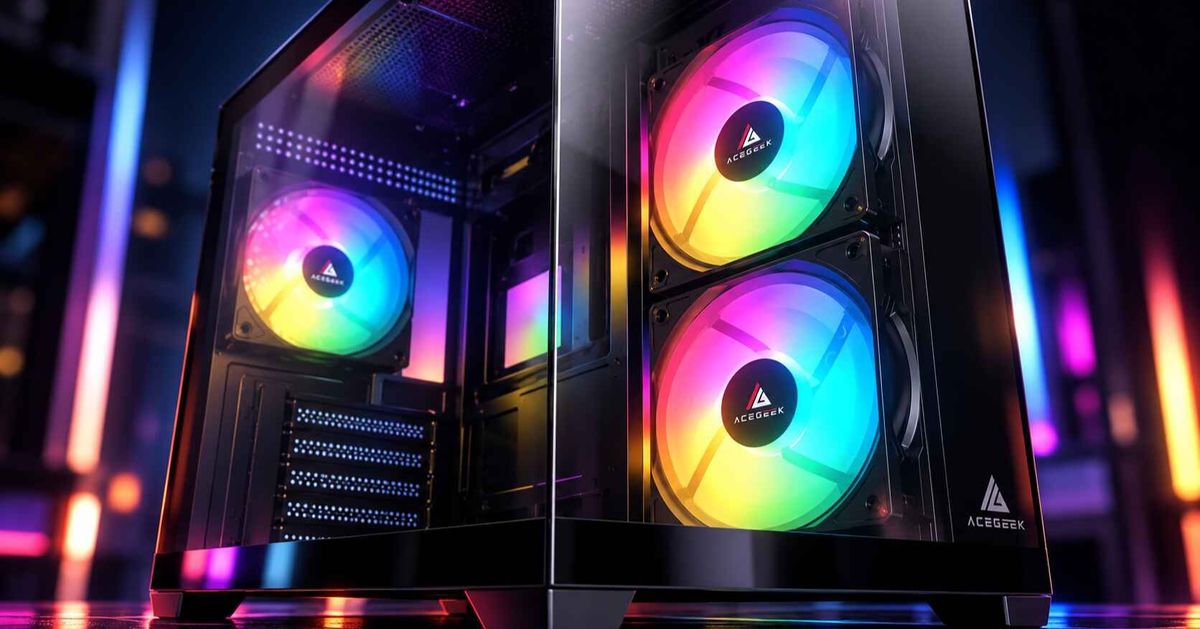
Panoramic PC cases have transformed how gaming computers look. Wide tempered-glass panels, hidden cable chambers, and carefully arranged RGB components have made the PC case an important part of the overall setup.
But appearance is only one part of ownership.
After the initial build, users still need to clean dust filters, replace cooling fans, upgrade graphics cards, and troubleshoot hardware problems.
This raises an important question: Could easier maintenance and modular construction become the next major direction in PC case design?
The shift is already visible in cases featuring tool-free panels, removable mounting brackets, adjustable cooling systems, and rear-connector motherboard support.
Rather than replacing panoramic aesthetics, these features can make visually impressive PC cases more practical to own.
Are Panoramic PC Cases Still Worth Buying?
Yes. Panoramic PC cases remain a practical option for builders who want clear hardware visibility and a showcase-style desktop.
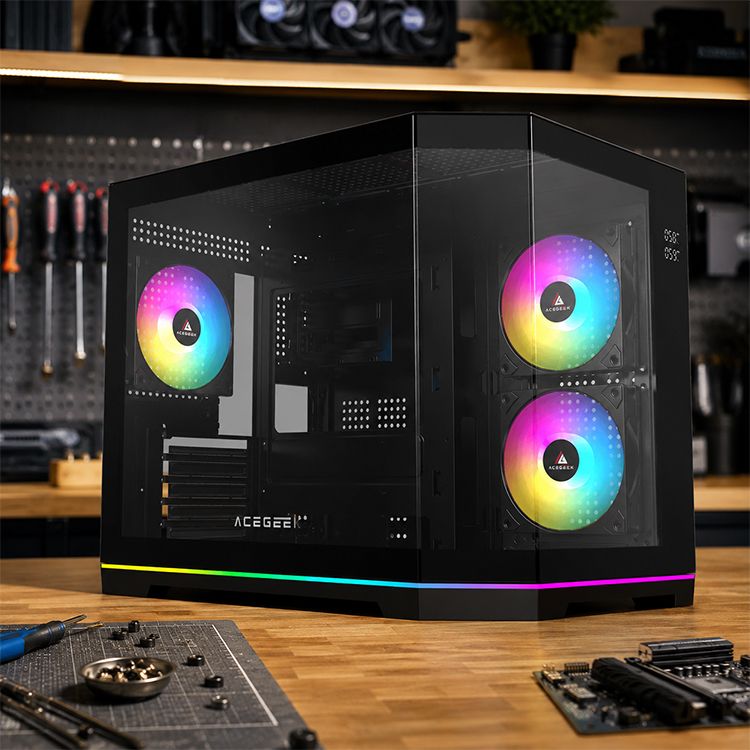
Their main appeal comes from large glass viewing areas, often combined with dual-chamber layouts that separate visible components from the power supply and much of the cabling.
However, visual simplicity does not always translate into installation simplicity.
A case may look spacious while presenting challenges involving radiator clearance, GPU installation, cable routing, or access to internal components.
For example, a dual-chamber design can hide cables effectively but still make maintenance difficult if the rear compartment is too crowded.
Similarly, a removable glass panel can provide access to the motherboard while leaving bottom dust filters or radiator screws difficult to reach.
These are not reasons to avoid panoramic cases.
They are reasons to evaluate how the chassis functions after the initial build.
For more installation considerations, see the ACEGEEK guide to building in a panoramic PC case.
Why Is PC Case Serviceability Becoming More Important?
PC case serviceability describes how easily users can access, maintain, replace, and upgrade components.
Unlike a processor or graphics card, a well-built chassis may remain useful through several hardware generations.
During that time, owners may need to:
Remove dust from intake filters
Replace a malfunctioning fan
Install a larger graphics card
Change the CPU cooler or radiator
Access storage drives and motherboard connectors
Adjust power cables and fan controllers
A case that makes these operations straightforward can offer practical value long after its original appearance is no longer new.
Accessibility Matters More Than Panel Removal Alone
Consider two hypothetical PC cases.
Case A has a side panel that opens without tools, but replacing the top radiator requires removing several unrelated components.
Case B uses conventional screws on its side panel but includes a detachable radiator bracket that can be removed as a complete assembly.
Which is easier to maintain?
The answer depends on the task.
This illustrates an important distinction: serviceability is not determined by how quickly one panel opens, but by how efficiently users can reach the components they need to maintain.
A genuinely accessible chassis should minimize unnecessary disassembly while keeping components safely secured.
What Makes a PC Case Truly Modular?
A modular PC case uses removable, adjustable, or replaceable structural components to support different hardware arrangements and simplify maintenance.
However, a product should not be considered highly modular merely because its side panel can be removed.
Meaningful modularity usually provides a practical benefit.
Modular FeaturePractical BenefitImportant ConsiderationRemovable motherboard trayEasier access during assembly and troubleshootingMust reinstall with accurate alignmentDetachable radiator bracketAllows cooling hardware to be assembled outside the chassisRequires secure mounting and sufficient clearanceAdjustable fan railsSupports different cooling layoutsMust maintain proper airflow and rigidityRemovable cable coversImproves access to hidden connectorsShould not compress cablesReplaceable front I/OMakes damaged ports easier to serviceRequires compatible replacement modulesIndependent dust filtersSimplifies regular cleaningMust be accessible and securely fitted
Not every build needs all these features.
A straightforward gaming PC may benefit more from accessible filters and removable panels than from a rotating motherboard tray.
Complex liquid-cooled systems may place greater value on detachable radiator brackets and adjustable mounting positions.
The purpose of modularity is to make useful tasks easier, not simply increase the number of moving parts.
Which Tool-Free Features Actually Save Time?
Tool-free mechanisms are among the most accessible improvements in modern PC case design.
They can reduce the number of screws handled during routine maintenance and make components easier to reach.
However, different quick-release mechanisms solve different problems.
Quick-Release Side Panels
A quick-release side panel simplifies access to the motherboard, graphics card, and internal cooling components.
This can be useful when upgrading hardware or checking cable connections.
For tempered-glass panels, the mechanism should also provide secure retention and predictable removal.
The user must still support the glass according to the manufacturer's instructions.
Removable Front Panels and Dust Filters
Front intake filters often collect substantial dust over time.
A case with a clearly accessible filter can make cleaning more convenient than one requiring extensive front-panel disassembly.
An independently removable filter is particularly useful because the user may not need to disturb the fans or surrounding hardware.
Detachable Cooling Brackets
Installing a large radiator and multiple fans inside an assembled chassis can be awkward.
A removable radiator bracket allows the cooling assembly to be prepared outside the case before installation.
This can simplify screw access and reduce the need to work directly above the motherboard.
However, bracket rigidity, screw engagement, and tube clearance remain essential.
For a detailed discussion of these mechanisms, read the ACEGEEK guide to quick-release PC case panels.
How Does Modular Design Improve PC Upgrades?
One of the strongest arguments for modular case design is flexibility during future hardware changes.
Modern graphics cards, cooling systems, and motherboard layouts do not remain identical across generations.
A case purchased today may eventually need to accommodate different component dimensions or installation requirements.
More Flexible Cooling Configurations
Adjustable mounting rails and removable radiator brackets can make it easier to change between air cooling and liquid cooling.
However, the case must still support the actual dimensions of the new hardware.
A removable bracket does not automatically create additional GPU clearance or eliminate interference with RAM.
Easier Access to Motherboard Components
A removable motherboard tray can help when installing or replacing components that are difficult to reach inside a completed chassis.
For example, some configurations require removing the graphics card to access an M.2 slot.
Modular access may simplify that process, depending on the motherboard layout.
Support for Rear-Connector Motherboards
Rear-connector systems move many motherboard connections behind the main PCB, helping create a cleaner visible build.
However, they require compatible motherboard-tray openings and sufficient space behind the tray.
A case advertised as back-connect compatible should be checked against the specific motherboard model rather than the motherboard form factor alone.
ACEGEEK's back-connect PC case compatibility guide explains these requirements in greater detail.
Replaceable Front I/O Components
Modular USB and audio assemblies could make it easier to repair worn ports or damaged buttons without replacing the entire chassis.
However, this benefit depends on continued replacement-part availability.
Future interface upgrades would also require compatible internal connectors, electrical specifications, and supporting hardware.
Modularity creates an opportunity for longer service life, but it does not guarantee unlimited compatibility.
Can Modular PC Cases Be as Reliable as Traditional Cases?
Yes, provided their removable structures are engineered and manufactured properly.
Modular designs are not inherently weaker, but they introduce additional connection points that need careful mechanical design.
Potential concerns include:
Loose mounting brackets
Worn retention clips
Vibration from poorly secured panels
Misaligned motherboard trays
Proprietary replacement parts
Increased manufacturing complexity
A traditional fixed-frame chassis may be entirely suitable for a system that rarely changes.
A modular chassis becomes more attractive when its additional mechanisms solve recurring installation or maintenance problems.
What Makes a Modular Mechanism Reliable?
Look for secure locking points, clear installation instructions, durable mounting materials, and replacement hardware availability.
A removable motherboard tray should return to its correct position without forcing the rear I/O or expansion-card brackets out of alignment.
A quick-release glass panel should remain secure during normal use and transportation.
Radiator brackets should support the installed cooling assembly without unwanted movement or vibration.
The best modular features combine convenience with predictable mechanical behavior.
Tool-free should mean fewer unnecessary steps, not less secure hardware.
What Should You Look for in a Future-Proof PC Case?
No PC case can guarantee compatibility with every future hardware generation.
However, choosing a flexible, well-designed chassis can reduce the likelihood of replacing the entire enclosure during an upgrade.
Before purchasing, consider these factors:
Buying PriorityWhat to Look ForMotherboard supportCompatible sizes and relevant connector layoutsGPU compatibilitySufficient length, thickness, height, and cable clearanceCooling flexibilityUseful fan mounts and radiator positionsMaintenance accessEasily removable panels and dust filtersCable managementAccessible routing channels and adequate rear depthComponent replacementSecure, accessible mounting hardwareFront I/OPorts compatible with the motherboardReplacement partsAvailability of panels, filters, brackets, and other wear components
Also consider the type of PC you expect to build.
A gaming system with a conventional air cooler may not need advanced radiator brackets or a detachable motherboard tray.
A workstation that receives frequent component upgrades may benefit substantially from improved access.
For users who regularly clean or modify their computers, maintenance convenience may be worth prioritizing over decorative features.
Should You Prioritize Modularity Over Airflow?
No. Modularity and cooling performance should be evaluated together.
A chassis with extensive removable hardware can still perform poorly if its intake openings are restrictive or its fans are badly positioned.
Likewise, a spacious enclosure may not cool effectively if fresh air cannot reach the CPU and GPU.
The ACEGEEK analysis of case size and cooling performance explains why internal volume alone does not determine thermal performance.
A practical PC case should combine component clearance, effective airflow, and convenient access without compromising structural reliability.
Frequently Asked Questions
Will modular PC cases replace panoramic glass cases?
Not necessarily. Modular construction and panoramic glass serve different purposes. Future designs can combine wide viewing panels with removable brackets, improved cable access, and easier maintenance.
Is a tool-free PC case better for beginners?
It can be. Tool-free panels may make installation and maintenance easier, but beginners should also prioritize component compatibility, accessible connectors, straightforward cooling, and clear assembly instructions.
Are removable motherboard trays worth having?
They can be useful for frequent upgrades, troubleshooting, and complex builds. For a simple system that rarely changes, a conventional fixed tray may be sufficient.
Does modularity make a PC case more expensive?
Additional mechanisms can increase design and manufacturing costs, but the final price depends on the overall product. More modular components do not automatically mean better value.
How can I tell whether a PC case is easy to maintain?
Check how the side panels, dust filters, fans, radiator brackets, and cable covers are accessed. Installation manuals and detailed interior photographs can help reveal whether routine tasks require unnecessary disassembly.
The Next Step in PC Case Design Is Better Everyday Usability
Panoramic glass has made PC cases more visually engaging, but the practical experience of owning a computer extends far beyond the finished build.
Users still need to clean filters, replace fans, maintain cooling systems, and upgrade components.
Modular structures, reliable quick-release mechanisms, accessible cable compartments, and replaceable parts can make those tasks easier.
These improvements do not require manufacturers to abandon attractive designs.
Instead, they offer an opportunity to combine strong visual presentation with long-term practicality.
The most valuable innovation in PC case design may not be another viewing angle, but a chassis that remains easy to build, maintain, and upgrade for years to come.