What Is the Best PC Case for a First-Time Builder?
For most first-time PC builders, an airflow-focused ATX mid-tower is the easiest place to start. It offers enough room for standard components, straightforward cooling options, and easier access to cables and connectors without taking up as much space as a full tower.
However, an ATX mid-tower is not the only good option.
If you're building a budget gaming PC with a Micro-ATX motherboard, a compact Micro-ATX case may be equally practical. What matters most is whether the case accommodates your components and makes assembly manageable.
This guide explains how to choose a beginner-friendly PC case, which features make installation easier, and what to check before buying.
Which PC Case Size Is Easiest for Beginners?
PC cases come in several sizes, each with different advantages for a first build.
Case TypeMain AdvantagePotential LimitationBest ForATX Mid-TowerBalanced component space and accessibilityLarger than compact casesMost first-time gaming buildsMicro-ATX CaseCompact and often affordableTighter component clearanceBudget and space-conscious buildsFull-TowerExtensive installation and expansion roomLarge footprint and potentially higher costWorkstations and complex coolingMini-ITX CaseVery compact designLimited space and more demanding cable routingSmall-form-factor enthusiasts
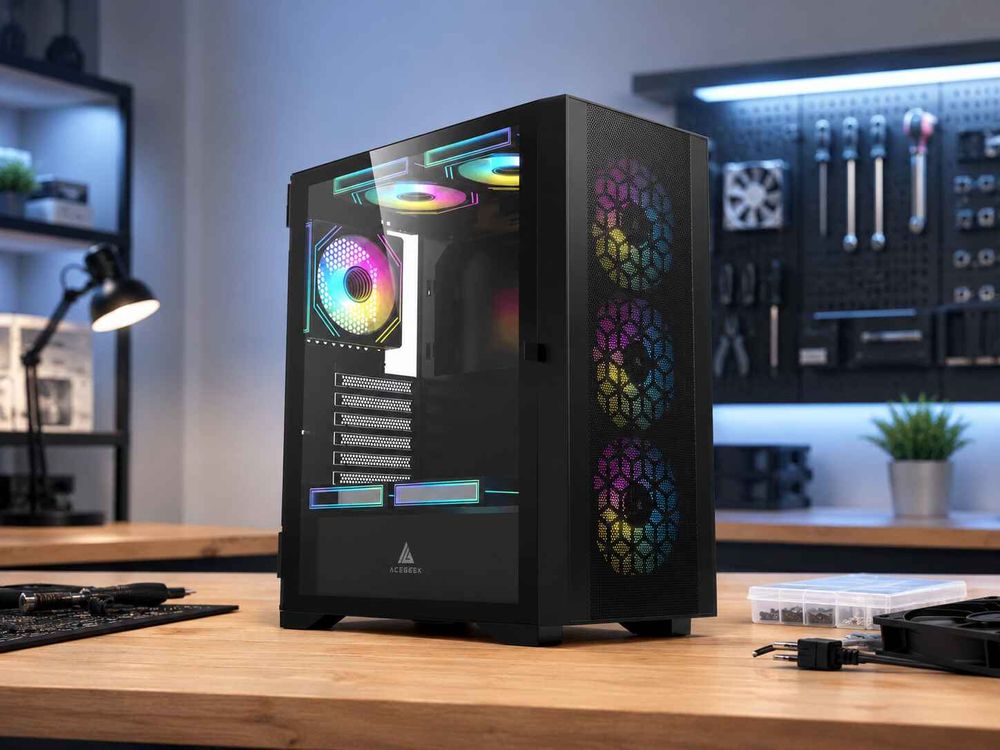
An ATX mid-tower is a sensible default because it generally supports both ATX and Micro-ATX motherboards while leaving useful space for graphics cards, cooling hardware, and cables.
A Micro-ATX case is also worth considering when you already know the dimensions of your components and do not need additional expansion capacity.
For a broader explanation of motherboard formats, see the ACEGEEK guide to choosing the right PC case.
Why Is an ATX Mid-Tower a Good First PC Case?
The main advantage of an ATX mid-tower is flexibility.
A first-time builder needs enough room to install components, connect cables, adjust fan positions, and correct small mistakes without repeatedly removing hardware.
Compared with a tightly packed Mini-ITX case, a well-designed ATX mid-tower generally provides easier access to motherboard connectors and more room around the graphics card.
It can also accommodate future upgrades without requiring a complete case replacement.
For example, upgrading from a compact graphics card to a longer model is easier when the chassis already has sufficient clearance.
Likewise, replacing a small CPU cooler with a larger tower cooler or an AIO liquid cooler may be possible without changing the enclosure.
However, case size alone does not guarantee an easy build. Internal layout, cable-routing space, and cooling support are equally important.
When Should You Choose a Micro-ATX Case Instead?
A Micro-ATX case can be a good choice for beginners who want a smaller PC without moving into the more restrictive Mini-ITX category.
It is particularly suitable for systems using:
A Micro-ATX motherboard
A graphics card that comfortably fits the case
A compact or medium-sized CPU air cooler
A conventional cooling layout
Limited additional expansion hardware
The main trade-off is reduced flexibility.
Some Micro-ATX cases have shorter GPU clearance, lower CPU cooler height limits, or fewer expansion slots.
Before choosing a compact case, confirm the exact dimensions of your graphics card, CPU cooler, and power supply.
A smaller enclosure can be easy to build in when its internal design matches the selected hardware.
It becomes challenging when components are chosen without considering available space.
What Features Make a PC Case Easy to Build In?
A beginner-friendly PC case should simplify component installation, cable routing, cooling, and maintenance.
Accessible Cable Management
Look for cable-routing openings near the motherboard's power connectors, tie-down points behind the motherboard tray, and a clear path from the power supply.
A PSU shroud can help organize cables, but the space behind the motherboard is just as important.
The rear panel should close without compressing connectors or putting excessive pressure on cable bundles.
Removable Panels and Accessible Filters
Removable side panels provide easier access during installation and future upgrades.
Accessible dust filters also simplify cleaning, especially on intake openings that collect dust over time.
Practical Fan Mounting Positions
A conventional case with front intake and rear exhaust positions offers a straightforward cooling arrangement.
The case does not need to support a large number of fans to cool a mainstream gaming system effectively.
A smaller number of well-positioned fans can provide sufficient airflow, depending on the components and the resistance of the intake panels.
Useful Front I/O Connections
Check that the case provides the ports you use regularly, such as USB-A, audio, and preferably USB-C.
Also verify that your motherboard includes the internal headers needed to operate those ports.
Front-panel compatibility is easy to overlook when selecting components for a first PC.
How Much GPU and CPU Cooler Clearance Do You Need?
Before purchasing a case, compare the actual dimensions of your graphics card and CPU cooler with the case manufacturer's clearance limits.
GPU Clearance
The maximum GPU length listed on a specification sheet is only a starting point.
A graphics card can also create compatibility problems because of its thickness, height, power connector, or nearby cooling components.
For example, if your graphics card is 320mm long and your case supports a maximum of 350mm, the nominal difference is 30mm.
That is useful, but you must still check whether a front radiator or another component reduces the available length.
Power cables also need room between the GPU connector and the side panel.
For a more complete compatibility check, read the ACEGEEK PC part compatibility guide.
CPU Cooler Clearance
For air cooling, compare the cooler's installed height with the case's maximum supported CPU cooler height.
A 160mm cooler in a case with 165mm clearance leaves only a small nominal margin.
Check whether the cooler's fan must be raised to accommodate tall RAM, as this can increase the overall installed height.
For liquid cooling, confirm radiator dimensions, fan thickness, and available clearance around motherboard components.
A case that supports a particular radiator size does not necessarily fit every cooler within that category.
How Do You Choose Good Airflow Without Extra Fans?
For most beginners, a case with a clear intake path and sensible exhaust placement is easier to configure than a complicated multi-fan layout.
A conventional starting arrangement is:
Front fans: intake
Rear fan: exhaust
Top fans: optional exhaust, depending on the cooling setup
This arrangement supplies external air to the main components and provides a route for heated air to leave the enclosure.
Mesh-front designs often make this process easier because they can reduce intake restriction compared with largely closed front panels.
However, tempered-glass cases can also provide effective cooling when they include properly designed side or bottom intake openings.
For a detailed comparison, see our mesh vs. glass vs. closed PC case guide.
Before adding fans, check whether the case includes any preinstalled fans, whether they support PWM control, and whether the motherboard has sufficient fan headers.
A low-priced case without included fans may require additional purchases before the system has a suitable cooling setup.
Which ACEGEEK Cases Should Beginners Compare?
Two ACEGEEK models illustrate the difference between a spacious ATX build and a compact Micro-ATX configuration.
ACEGEEK LunarisFlow: More Room for Future Upgrades
The ACEGEEK LunarisFlow supports ATX, Micro-ATX, and Mini-ITX motherboards.
Its published specifications include:
FeatureLunarisFlowMotherboard supportATX / M-ATX / ITXMaximum GPU clearance400mmMaximum CPU cooler height180mmTop radiator support420mm / 360mm AIOFront I/OUSB-C, 2 × USB 3.0, HD Audio
The LunarisFlow also features a curved mesh design and removable top cover.
These characteristics make it worth considering for beginners who want generous component clearance and flexibility for future cooling upgrades.
However, its larger radiator support does not mean a first-time builder needs to purchase a large liquid cooler.
A simpler air-cooled configuration may be entirely suitable, depending on the CPU and workload.
ACEGEEK Vault: A Compact Micro-ATX Alternative
The ACEGEEK Vault supports Micro-ATX and Mini-ITX motherboards.
Its published specifications include:
FeatureVaultMotherboard supportM-ATX / ITXMaximum GPU clearance285mmMaximum CPU cooler height160mmTop radiator support240mmExpansion slots4
The Vault is an option for builders planning a compact system with components that fit within its stated limits.
Its shorter GPU clearance and lower CPU cooler-height limit require more careful planning than a larger chassis.
Neither case is automatically the better purchase.
Choose the enclosure that fits your motherboard, graphics card, cooling hardware, available space, and upgrade plans.
What Should You Check Before Buying Your First PC Case?
Use this checklist before ordering your case.
CheckWhat to ConfirmMotherboardExact form factor supportedGraphics CardLength, thickness, height, and power-cable spaceCPU CoolingAir-cooler height or full radiator assembly dimensionsPower SupplyPSU format, length, and cable clearanceAirflowIntake and exhaust positions, included fans, and dust filtersFront I/OUSB and audio connections compatible with motherboard headersAccessibilityRemovable panels, cable-routing space, and maintenance access
For most beginners, the purchasing decision becomes much easier once these details are confirmed.
Avoid selecting a case solely because it looks large enough in promotional photographs.
Use exact component model numbers and manufacturer specifications to establish compatibility.
Frequently Asked Questions
Is a Micro-ATX PC case good for a first-time builder?
Yes. A Micro-ATX case can work well for a first build when the motherboard, GPU, CPU cooler, and power supply fit comfortably. It is especially practical for compact or budget-oriented gaming systems.
Do I need a full-tower case for my first gaming PC?
Usually not. Most mainstream gaming systems can be built in an appropriately sized ATX mid-tower or Micro-ATX case. Full towers are more useful for particularly large motherboards, extensive cooling systems, or additional expansion requirements.
How many case fans should a beginner install?
There is no universal requirement. For a conventional airflow-focused tower, two front intake fans and one rear exhaust fan can provide a practical starting point. The ideal configuration depends on component heat output and the case's ventilation design.
Should I buy a case with preinstalled fans?
Preinstalled fans can simplify a first build and reduce additional purchases. However, check their quality, quantity, placement, noise characteristics, and control options rather than treating the fan count alone as a measure of cooling performance.
Is a tempered-glass PC case harder to build in?
Not necessarily. A tempered-glass case can be easy to assemble when it offers sufficient internal clearance, removable panels, and accessible cable routes. The main concern is whether the airflow design is suitable for the installed components.
Choose a Case That Makes Your First Build Easier
The best PC case for a first-time builder is one that combines reliable component compatibility, manageable installation, effective airflow, and room for future changes.
An ATX mid-tower is a strong starting point for most beginners because it offers useful flexibility without the size of a full tower.
A Micro-ATX case can be just as practical for a carefully planned compact build.
Before buying, check the dimensions of your components, confirm your cooling layout, and consider how easy the case will be to maintain.
If you're comparing different enclosure sizes, the ACEGEEK LunarisFlow and ACEGEEK Vault provide two different approaches to building a first PC.
The right choice is the one that makes the hardware you actually plan to use easier to install, cool, and maintain.