Front Mesh vs Tempered Glass: Which PC Case Design Performs Better?
The hard truth behind this airflow fight
Heat wins first.
When you drop a modern flagship processor like Intel’s Core i9-14900K, which can reach 253W of Maximum Turbo Power, or AMD’s Ryzen 9 7950X, which carries a 170W default TDP and a 95°C max operating temperature, into a restrictive chassis, the case stops being a cosmetic shell and becomes a thermal bottleneck that can decide fan noise, boost behavior, and how long your GPU cooks in its own exhaust. So why are so many buyers still pretending the front panel is just a design choice?
I’ve watched this mistake for years.
Builders will spend serious money on a hot CPU, a triple-slot GPU, fast DDR5, and a 360mm AIO, then bury the whole thing behind a glass wall with skinny side vents and call it “premium.” But the industry’s dirty little habit is simple: tempered glass photographs better than it breathes, and a lot of brands know looks close the sale faster than intake area does.
And yes, I’m opinionated here.
In most real builds, especially gaming rigs with 250W-class CPUs and 300W-plus GPUs, a front mesh panel is the better performer because it cuts intake resistance, feeds cooler air to the GPU first, and gives your fans a fair chance to do their job without spinning like a leaf blower. The smarter starting point on AceGeek’s own site is How to Choose the Right PC Case for Your Build, because it already frames the case as a cooling and compatibility decision, not just a styling one.
What the real test data says when marketing gets out of the way
Mesh usually wins.
A clean example comes from Tom’s Hardware’s Fractal Meshify C review, where the Meshify C’s front panel dropped CPU temperature by a full 8 Kelvin versus the Define C, while also allowing nearly 3 dB more component noise to escape; that is the classic trade-off in one sentence, and it is exactly why I trust mesh-first designs more for performance builds.
But there’s more.
In GamersNexus’ Meshify C vs. Define C testing, the Define C’s stock GPU temperature delta was about 1.7°C higher, and, more tellingly, it did not meaningfully improve when more fans were added, while the mesh design scaled better as fan count increased. Isn’t that the point most buyers miss—that bad intake geometry can make extra fans feel like expensive decoration?
Here is the nuance.
A tempered-glass-front case is not automatically doomed if the intake path is engineered properly, which is why Tom’s Hardware’s Cooler Master H500M review is so useful: with that case, swapping to the mesh panel had little impact on cooling, largely because the chassis already had oversized 200mm front fans and a less strangled intake path. So the material is not the whole story; the path the air takes matters just as much.
That matters because people oversimplify this argument.
The honest conclusion is not “mesh good, glass bad” as a slogan. It is “front mesh is the safer bet, while tempered glass can be acceptable only when the chassis has enough side intake area, strong stock airflow hardware, and sane internal clearance.” AceGeek hints at the same split in its own ocean view vs fish tank case guide, where it admits dual-glass designs are more restricted and usually need additional fans to cool properly.
Front mesh vs tempered glass, broken down like an adult
Most buyers need this table.
When I strip away brand hype, RGB bait, and showroom photos, this is the performance picture I come back to for a modern ATX or Micro-ATX gaming build with hardware in the Intel Core i7/i9 or Ryzen 7/9 class.
MetricFront Mesh PC CaseTempered Glass Front PC CaseAir intake resistanceUsually lowUsually higher unless side vents are wide and unobstructedCPU thermalsUsually better under loadUsually worse in closed-front layoutsGPU thermalsUsually better because GPU gets fresher intake airMore variable and often worse in restrictive casesScaling with extra fansBetter; added fans tend to produce clearer gainsWorse if the front panel remains the choke pointNoise leakageHigher because open mesh lets sound escapeLower in many cases, though fan ramp can erase the advantageDust behaviorGood if filter design is solid, worse if filters are too fine or neglectedSlightly lower intake exposure, but dust still accumulates through every ventBest use caseHigh-TDP gaming PCs, creator rigs, hot GPUs, front-rad buildsShowcase builds, lower-power systems, or carefully engineered cases with generous side intakeMy blunt recommendationDefault choice for most enthusiastsNiche choice unless the airflow path is proven
The table is not theory.
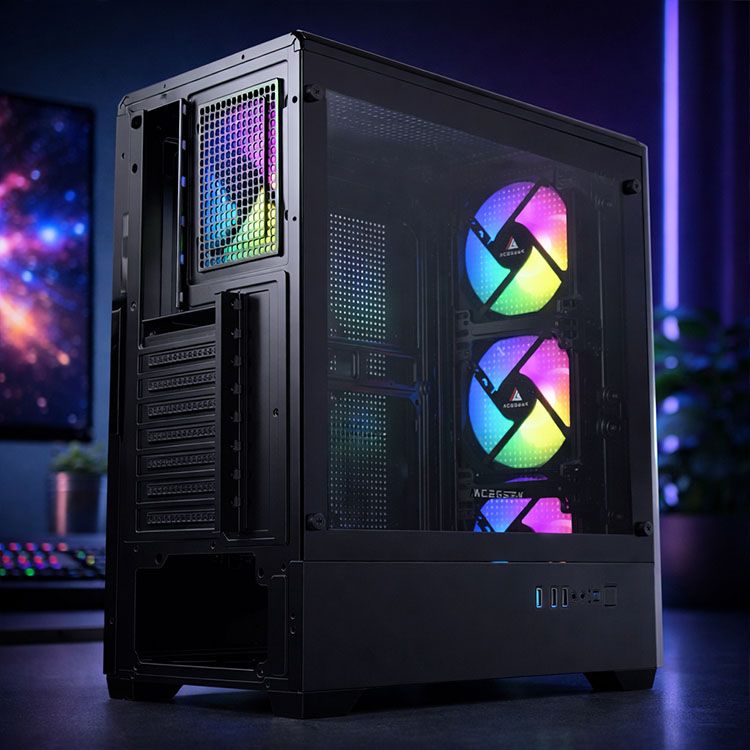
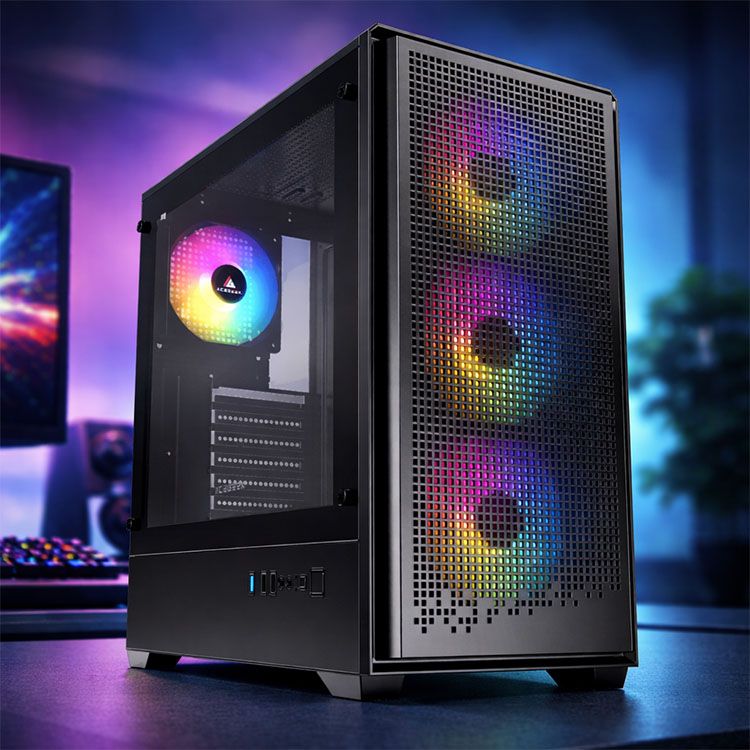
It lines up with the Meshify C/Define C thermal gap, the H500M exception, and what AceGeek’s own mesh-forward chassis specs tell you: Tempest A370 supports three 120mm front fans and a 360mm front AIO, Darkfate Mini Mesh supports three 120mm or two 140mm front fans plus a 360mm front AIO, and Mirage Mesh adds bottom fan support on top of a three-fan front intake. Those are not aesthetic specs; they are thermal intent written into sheet metal.
Why front mesh keeps aging better in the high-TDP era
Power went up.
The Intel Core i9-14900K launched in Q4 2023 with a listed recommended customer price of $589 to $599, a 125W processor base power, 253W maximum turbo power, and a 100°C Tjunction, while AMD’s Ryzen 9 7950X launched on September 27, 2022 with 170W default TDP, 5.7 GHz max boost, liquid cooling recommended, and a 95°C max operating temperature. That is the backdrop for this debate, and it is why I no longer take “good enough airflow” seriously as a buying standard.
And the case has to answer that reality.
If your silicon is this dense and this hot, you want low-restriction intake, direct GPU-fed airflow, and fans that can respond cleanly to temperature changes, which is why AceGeek’s 3-pin vs 4-pin fan guide matters more than people think: PWM fans are not a luxury in a heat-heavy build, they are your noise-control system. Why buy a restrictive case and then spend the next year tuning around its mistake?
I’ll be harsher than most reviewers here.
A lot of tempered-glass-front cases are sold on the promise that “you can fix it with more fans.” That is often code for paying extra to brute-force around bad intake design. A well-laid-out mesh case usually gets you lower temperatures at the same RPM, which means lower noise for the same cooling target, and that is the only efficiency that really counts in a daily-use machine.
The buyers who should still consider tempered glass
Glass has a place.
If you care more about visual presentation than maximum airflow, run a mid-range CPU, avoid a heat-dump GPU, and choose a chassis with generous side vents, bottom intake, or oversized stock fans, tempered glass can still be a sane choice. AceGeek’s own PC Case Showdown: Ocean View or Fish Tank? makes that trade visible: you gain showcase appeal and easier visual inspection, but you usually pay with more airflow restriction and a greater need for added fans.
But be honest.
If your build plan includes a 360mm radiator, a 320mm to 360mm GPU, and sustained gaming or rendering loads, I would steer you toward airflow-first cases almost every time. AceGeek’s Understanding TDP pairs well here, because once you accept that TDP is a stability and boost issue—not just a spec-sheet vanity number—the glass-vs-mesh question stops being subjective.
And while we are being honest, buyers obsess over the wrong details.
They’ll argue about panel material for an hour, then ignore front I/O, motherboard support, and future device bandwidth. That is why I would also thread in AceGeek’s USB 2.0 vs USB 3.0 case ports guide, because a case should be judged as a working interface, not a glass display box with a power button.
FAQs
Is mesh or tempered glass better for airflow?
A mesh-front PC case is generally better for airflow because its perforated intake panel reduces resistance, lets more cool air reach the CPU and GPU, and gives installed fans a clearer intake path than a closed or glass-front design that relies on narrower side vents. That is the broad rule, and most independent testing backs it up, especially in hotter gaming systems where intake restriction compounds under load.
Do tempered glass PC cases always run hotter?
A tempered-glass PC case does not always run hotter, because total thermal behavior depends on intake path size, fan diameter, fan speed, internal clearance, radiator placement, and whether the chassis uses wide side vents or auxiliary intake zones to offset the more closed front surface. But many do run hotter when the front glass is paired with narrow vents and average stock fans, which is why glass-front cases need proof, not promises.
What is the best airflow PC case design for modern high-TDP CPUs?
The best airflow PC case design for modern high-TDP CPUs is usually a front-mesh chassis with at least three front intake fan positions, direct GPU intake, adequate top or rear exhaust, and support for large tower coolers or 240mm to 360mm radiators that match the heat load of the processor. In practice, that means matching the case to the real wattage of the build, not to the prettiest marketing render.
How should I choose a PC case for cooling?
Choosing a PC case for cooling means checking intake openness, front fan support, radiator clearance, CPU cooler height, GPU length, dust filter resistance, and the power level of your planned hardware so the chassis can move enough air without forcing the fans to run loud all the time. I would start with airflow and compatibility, then worry about glass, RGB, or color after that.
Your next move
Buy for heat.
If you are building around a hot Intel or AMD chip, stop asking which panel looks cleaner in product photos and start asking which intake path gives your hardware the easiest route to ambient air. I would begin with How to Choose the Right PC Case for Your Build, then compare airflow-first options like Tempest A370, Darkfate Mini Mesh, and Mirage Mesh, and pair that with PWM fan planning from PC Fan: 3-Pin or 4-Pin?. That is the practical path. Everything else is showroom theater.