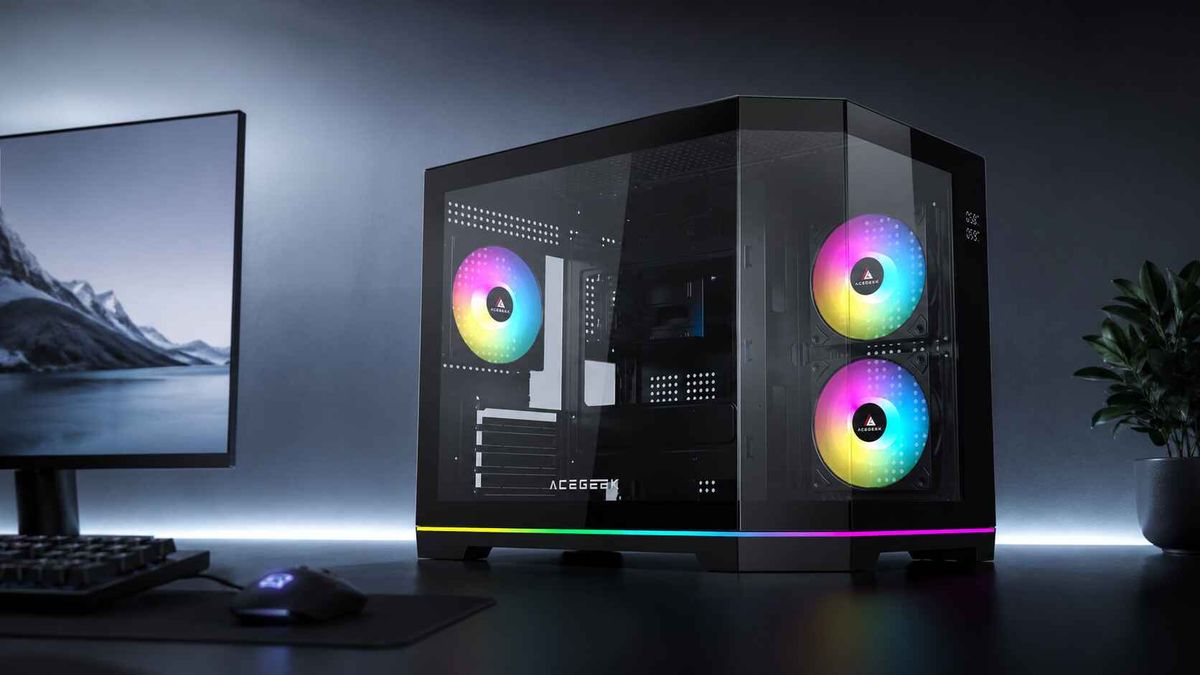
Tempered Glass PC Case Safety Guide: Thickness, Edges, and Placement
Glass looks harmless.
A polished tempered glass PC case may sit beside a desk for years without a mark, yet one careless contact between its exposed corner and a ceramic floor can release the panel’s stored internal stress in a fraction of a second, turning a premium-looking side window into thousands of small fragments.
So are tempered glass PC cases actually safe?
Yes, when they are manufactured, mounted, handled, and positioned correctly. But “tempered” does not mean indestructible, and a thick panel is not permission to ignore vulnerable edges, hard surfaces, mounting pressure, or poor case placement.
I think the PC industry has oversold thickness because millimeters are easy to advertise. Edge finishing, bracket design, gasket quality, panel support, replacement availability, and removal clearance matter just as much, yet those details rarely receive the same oversized product-page graphics.
That is the hard truth.
Are Tempered Glass PC Cases Safe?
A tempered glass PC case is generally safe during normal use because tempering creates compressive stress at the outer surfaces and balancing tensile stress inside the panel. This structure makes the glass more resistant to many broad impacts than ordinary annealed glass and causes it to fragment into comparatively small pieces when failure occurs.
But the same internal stress that creates those benefits also explains the dramatic failure pattern. Once a sufficiently serious flaw penetrates the compressed surface layer, the stored energy can drive fractures across the entire panel.
This is not merely internet folklore.
On July 9, 2026, the U.S. Consumer Product Safety Commission announced a recall covering approximately 12,660 Cuisinart grills because a tempered glass pizza-oven window could shatter during use. The manufacturer had received 37 reports of shattered glass, although no injuries were reported. That product is not a computer case, but it demonstrates an important engineering point: tempered glass can remain intact until a local defect, stress condition, or impact triggers complete failure.
A second CPSC case involved approximately 5,400 West Elm Jensen tables. The agency recorded nine reports of tempered glass tops shattering unexpectedly and required replacement tops. Again, a table is not a PC enclosure, but the failure evidence challenges the lazy assumption that a large, undamaged-looking tempered panel cannot suddenly break.
Different products. Same warning.
Tempered glass should be respected as a stressed structural component, not treated like a sheet of transparent plastic.
PC Case Tempered Glass Thickness: What 3 mm and 4 mm Really Mean
Thickness matters, but not in the simplistic way many buyers assume.
A thicker panel normally has greater stiffness and may resist certain bending loads better than a thinner panel of the same composition and processing quality. It is also heavier. That extra mass increases the load carried by hinges, hooks, magnets, locating pins, screws, and the person removing it.
Official product specifications show that there is no single universal thickness for every position. The Lian Li O11 Vision, for example, uses 3 mm tempered glass for its top panel and 4 mm tempered glass for its front and side panels. Corsair specifies a 4 mm tempered glass side panel for the 110R. These are engineered assemblies with different panel dimensions, orientations, supports, and mounting systems—not proof that one number is always safe and another is always unsafe.
Tempered Glass Thickness Comparison
Panel specificationTypical design useMain advantageMain safety concernMy assessment3 mm tempered glassSmaller panels, roof panels, or panels with strong perimeter supportLower weight and reduced load on mounting hardwareLess stiffness across a large unsupported spanAcceptable when specifically engineered for that case4 mm tempered glassCommon side and front panelsUseful balance of stiffness, weight, and presentationHeavier to remove and still vulnerable at corners and edgesA sensible mainstream specificationMore than 4 mmLarge showcase panels or specialized designsGreater stiffness under some broad loadsHigher panel weight and greater load on hinges, catches, and usersNot automatically saferUnknown thicknessBudget cases or poorly documented replacement panelsNone that can be verifiedUnknown processing, edge quality, fit, and mounting compatibilityI would avoid buying without documentation
Here is my blunt opinion: panel thickness should be treated as one line in a complete safety specification.
I would rather own a properly tempered 3 mm panel with polished edges, controlled clearances, sound gaskets, and a captive mounting system than a poorly supported thicker panel hanging from four overtightened metal screws.
Why?
Because glass rarely reads the marketing copy.
Thickness Does Not Correct a Bad Mount
A 4 mm panel can still fail when:
A corner has been chipped during shipping.
A metal fastener contacts the glass without a rubber washer.
The chassis is twisted because it sits unevenly.
The panel is forced over a locating pin.
A cable presses against the inside surface.
A thumbscrew is tightened far beyond what is needed.
The glass is removed while one corner remains trapped.
The panel is replaced with a generic sheet whose holes do not align correctly.
Mounting geometry decides whether loads are distributed or concentrated.
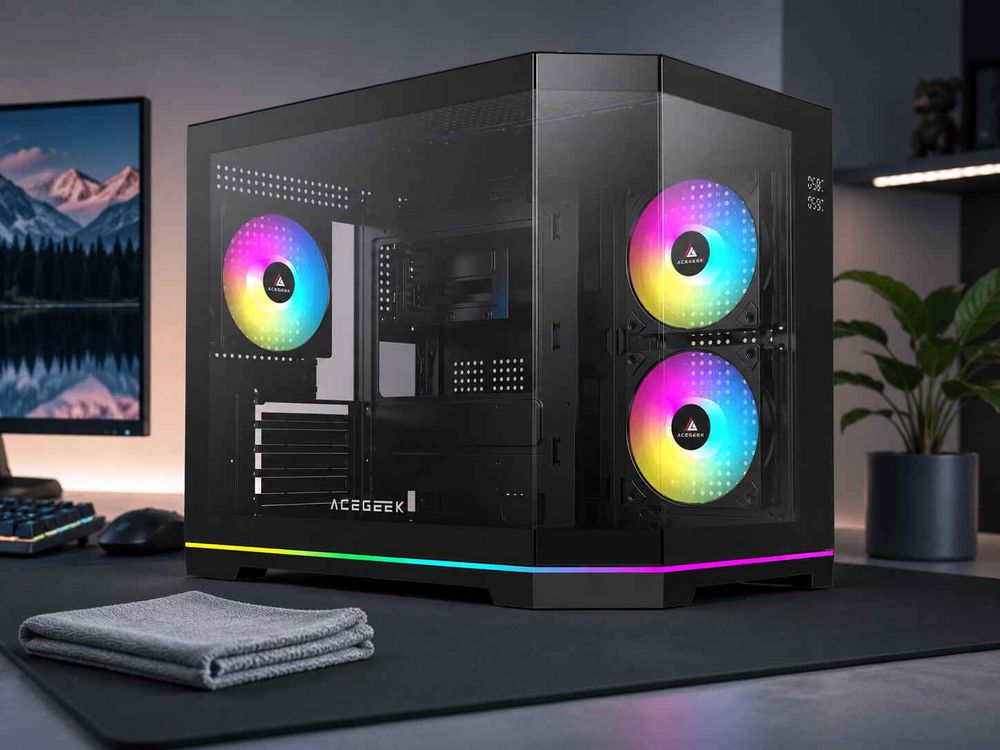
This is especially important in panoramic and dual-chamber designs, where front and side glass panels may meet at a narrow corner with minimal visible framing. Before buying such a chassis, compare the structural and thermal compromises in Acegeek’s guide to dual-chamber versus traditional PC cases.
A frameless appearance is attractive. A supported edge is safer.
The best designs manage both.
PC Case Glass Edge Safety: The Weak Point People Ignore
Edges decide everything.
A tempered glass surface may tolerate broad, distributed contact that would break ordinary glass, while a tiny chip, hard corner strike, or poorly fitted mounting hole can create a concentrated stress point capable of initiating complete panel fracture.
Why does the industry keep discussing only panel thickness?
Glass strength is governed partly by flaws. Penn State’s engineering material on nickel sulfide inclusions explains that tempered glass contains a compressed exterior and a tensioned core; sufficiently serious inclusions or defects can initiate cracking that spreads through the stored stress field. The source also notes that modifications such as holes and shaping must be completed before tempering because later machining would shatter the panel.
Nickel sulfide, written chemically as NiS, receives attention because microscopic inclusions can change phase and expand over time. But spontaneous manufacturing-defect failures should not distract owners from the more controllable risks: damaged edges, hard impacts, mounting stress, and poor handling.
Inspect These Areas Before Installing the Panel
Use bright, indirect light and examine:
All four corners
The complete perimeter
Screw and mounting holes
Hinge attachment areas
Metal or plastic brackets bonded to the glass
Black printed borders
Rubber washers and gaskets
Locating-pin contact points
Any area that touched the packaging
A shallow surface scratch does not always mean immediate failure. An edge chip deserves far more suspicion.
Do not negotiate with chipped glass.
If a new panel arrives with an edge defect, photograph it before installation and contact the seller. Mounting it “just to see whether it holds” can add stress around a flaw and weaken your evidence for a shipping or warranty claim.
Never Rest the Edge on Tile, Granite, Concrete, or Metal
This is the accident pattern that PC builders keep learning the expensive way.
Ceramic tile, granite, concrete, stone countertops, exposed screws, and metal tools do not compress enough to absorb a localized strike. When a tempered glass edge touches one of these surfaces at the wrong angle, the force is concentrated into an extremely small area.
The result can appear absurd: a panel survives shipping across a continent, then disintegrates after being lowered only a few centimeters onto a tiled floor.
It is not absurd. It is concentrated impact.
Acegeek’s guide on cleaning tempered-glass PC panels safely recommends moving the panel to a stable worktop covered by a clean, folded towel and specifically avoiding ceramic tile, granite, concrete, metal, stone countertops, and loose tools.
I follow an even simpler rule: before releasing the first fastener, prepare the landing area.
Not afterward.
Handle Large Panels With Two Hands
Support the glass before releasing the final screw, hinge, magnetic catch, or tool-free latch.
Do not hold a large panoramic panel by one upper corner. Do not let its weight hang from the last thumbscrew. And do not pull outward aggressively when a lower locating pin is still engaged.
The safer sequence is:
Shut down and unplug the PC.
Move the case away from the wall.
Place a folded towel on a stable wooden or laminate surface.
Support the panel with both hands.
Release the upper mounting points while controlling the weight.
Disengage lower hooks or pins without twisting.
Lay the panel flat on the prepared surface.
Keep screws, tools, and components away from the perimeter.
Simple steps. Expensive consequences.
Mounting Pressure: Snug Is Enough
Overtightening a tempered glass side panel does not make the computer more secure.
It can compress rubber washers unevenly, bring metal hardware closer to the glass, introduce stress around a hole, or prevent the panel from moving slightly as the steel chassis expands and contracts.
Thumbscrews are particularly easy to abuse because they invite hand tightening until the user feels resistance—and then one more turn for confidence.
Stop earlier.
Fasteners should normally be tightened evenly until the panel is secure and the gasket is seated. They should not be torqued like motherboard standoffs or automotive hardware.
If the panel rattles while the screws remain properly snug, investigate the washers, grommets, alignment, and chassis fit. Do not solve every tolerance problem with more force.
Rubber Washers Are Functional Parts
A small rubber or polymer washer may look disposable, but it serves several jobs:
Separating metal from glass
Distributing fastener pressure
Reducing vibration
Allowing slight dimensional movement
Helping center a mounting hole
Preventing cosmetic damage around the hardware
Replace missing or damaged washers with manufacturer-approved parts whenever possible. A random steel washer from a toolbox is not an equivalent substitute.
And generic replacement glass deserves caution. The dimensions may appear correct while hole spacing, edge finishing, tempering quality, tint, bracket bonding, and clearance remain wrong.
PC Case Placement Safety: The Desk Matters More Than You Think
A perfectly good case can become a bad installation.
PC case placement safety means considering impact exposure, ventilation, removal space, floor material, desk stability, pets, children, chair movement, vacuum cleaners, and the direction in which the glass panel opens or lifts.
Most people consider only appearance.
I consider the first accident.
Desk Placement Is Usually Safer Than Floor Placement
A stable desk or dedicated PC stand usually reduces exposure to:
Feet
Shoes
Rolling chair legs
Vacuum cleaners
Mops
Toys
Bags
Pet collisions
Floor moisture
Ceramic tile contact
Heavy dust near ground level
But desk placement introduces its own risks. A wide dual-chamber case can hang over a narrow tabletop. A hinged panel can open into a monitor arm. A removable panel can strike a wall before it clears its locating pins.
Measure the footprint.
Acegeek’s article on vent clearance around a PC case is useful here because safe placement and thermal placement are connected. A case wedged tightly between a wall and cabinet may have restricted airflow and too little room to remove the glass panel without twisting it.
The Best Placement for a Tempered Glass PC Case
Choose a location with:
A level and stable surface
The complete case footprint supported
No tabletop overhang
Space to remove or open the glass normally
No ceramic or stone contact beside the glass
No direct walking route
No rolling chair path
No shelf positioned above the case
No objects likely to fall against the panel
Adequate intake and exhaust clearance
Easy access for cleaning and inspection
If the case must remain on the floor, use a rigid PC stand that fully supports its feet and raises it above carpet. Position the glass away from chair wheels and walking traffic.
Do not place a heavy glass case on a soft bed, couch, deep carpet, unstable trolley, or narrow drawer unit. A twisted chassis can alter panel alignment even when the case does not visibly wobble.
Avoid Sudden Temperature Extremes
A PC side panel normally experiences modest temperature changes, not the severe thermal loading found in cookware or ovens. Still, sensible placement avoids unnecessary temperature differences.
Do not position the case where direct afternoon sunlight heats only one area of the glass. Do not clean a warm panel with very cold liquid. And do not move a case from a cold vehicle into a hot room and immediately apply heat or cleaning fluid to the glass.
For routine maintenance, let the system cool before removing the panel.
Airflow and Glass Safety Are Connected
A glass panel should not be used as an excuse to block the case’s intake path.
Restricted airflow increases internal temperature, fan speed, vibration, and cleaning frequency. It may also force owners to repeatedly remove the panel for troubleshooting, creating more handling opportunities and more chances to strike an edge.
Acegeek’s comparison of panoramic glass and mesh cases for high-wattage GPUs explains why glass-heavy designs need deliberate side or bottom intake rather than faith in decorative vents. The related guide to balancing aesthetics and cooling in tempered glass PC cases covers the same issue from the complete system perspective.
Good safety reduces unnecessary handling.
Good airflow reduces unnecessary troubleshooting.
The two are not separate.
A Practical Tempered Glass PC Case Safety Checklist
Before Buying
Confirm whether the panel thickness is documented.
Look for polished or protected edges.
Check whether the panel uses hinges, hooks, magnets, pins, or screws.
Confirm that replacement panels are available.
Examine how metal hardware is isolated from the glass.
Check whether the case fits completely on your desk or stand.
Verify that the panel can be removed in the intended location.
Do not assume “tool-free” means the panel cannot fall.
Before Building
Inspect every glass edge under bright light.
Check all washers, gaskets, brackets, and locating pins.
Remove loose screws and tools from the work area.
Cover hard work surfaces with a folded towel.
Keep the glass away from tiled floors.
Read the manufacturer’s panel-removal instructions.
Confirm that cables will not press against the glass.
During Installation
Support the panel with two hands.
Align every pin or hole before tightening.
Tighten fasteners evenly.
Stop when the panel is secure.
Never force misaligned glass into place.
Do not install a panel with a chipped edge.
Do not allow metal hardware to contact bare glass directly.
During Ownership
Keep chairs, feet, pets, and cleaning equipment away.
Inspect the panel after moving the computer.
Remove the panel before major component work.
Clean it only on a padded surface.
Check mounting hardware for looseness or damaged washers.
Investigate new rattles instead of overtightening screws.
Retain the case model number and warranty information.
FAQs
Are tempered glass PC cases safe?
Tempered glass PC cases are generally safe when the panel is properly tempered, undamaged at the edges, supported by its intended hardware, and kept away from hard impact surfaces, but no glass panel is unbreakable and thickness alone cannot compensate for chips, overtightened fasteners, poor mounting, or careless placement.
Owners should treat the panel as a stressed structural component. Inspect it before installation, use both hands during removal, protect the edges, and replace damaged washers or mounting hardware rather than forcing the glass into place.
What is the best PC case tempered glass thickness?
Four-millimeter tempered glass is a common side-panel choice because it offers useful stiffness without excessive weight, while 3 mm can be appropriate for smaller or differently supported panels; the safest choice is the thickness engineered for the case’s mounting system, dimensions, cutouts, and expected handling.
Do not replace a 3 mm or 4 mm original panel with arbitrary glass solely because it is thicker. Hole position, edge treatment, tempering quality, bracket design, and panel weight must remain compatible with the chassis.
Why do tempered glass PC panels shatter on tile?
A tempered-glass PC panel can shatter on ceramic tile because the hard surface concentrates impact into a tiny edge or corner area, where an existing flaw can overcome the panel’s compressive surface stress and release the stored internal tension across the entire sheet almost instantly.
Always prepare a padded wooden or laminate surface before removing the panel. Granite, concrete, stone counters, metal benches, loose screws, and ceramic floors should be treated as impact hazards.
How can I prevent tempered glass PC case shattering?
Preventing tempered-glass PC case shattering means protecting edges, supporting the panel with both hands, placing it on a padded wood or laminate surface, keeping screws only snug, inspecting chips before reinstallation, and positioning the completed PC where feet, chair legs, pets, vacuum cleaners, and desk movement cannot strike it.
Most owner-controlled failures begin with handling or placement rather than ordinary computer operation. Reduce how often the panel must be removed and make every removal deliberate.
What is the best placement for a tempered glass PC case?
The best placement for a tempered-glass PC case is a stable desk or stand with enough ventilation clearance, no overhanging edge, no direct foot traffic, no nearby ceramic or stone contact point, and enough side access to remove the glass panel without twisting or carrying it across the room.
Floor placement can work when the case sits on a rigid stand away from chairs, pets, and walking routes. Avoid deep carpet because it can destabilize the case and restrict bottom ventilation.
Does thicker tempered glass prevent PC case shattering?
Thicker tempered glass may increase stiffness and resistance to some broad loads, but it does not eliminate edge sensitivity, manufacturing inclusions, mounting stress, or concentrated impacts, so a thicker panel can still shatter if a corner is chipped, a screw is overtightened, or the case falls against a hard surface.
Thickness should be evaluated together with panel size, support spacing, edge finishing, hardware design, gasket condition, and total weight. “Thicker” is not a complete safety specification.
Can a tempered glass PC panel shatter without being touched?
A tempered glass PC panel can occasionally shatter without an obvious immediate impact because hidden edge damage, mounting stress, chassis distortion, thermal loading, or microscopic manufacturing inclusions may initiate delayed failure, although determining the exact cause from the fragmented panel alone can be difficult.
Before calling the event spontaneous, consider recent case movement, component upgrades, overtightened screws, missing washers, cable pressure, earlier edge contact, and temperature changes. Photograph the fragments and mounting area before cleanup when a warranty claim may be necessary.
Protect the Edge Before You Protect the Aesthetics
Start with the panel.
Inspect every edge before installation. Prepare a padded landing surface before opening the case. Keep fasteners snug rather than aggressive. Give the chassis enough desk space, ventilation clearance, and service access. And never lower tempered glass onto ceramic tile because you believe 4 mm makes it invincible.
It does not.
When choosing your next tempered glass PC case, look beyond thickness. Examine how the glass is supported, how easily it can be removed, whether the edges are protected, whether replacement panels exist, and whether the completed case can live safely in your actual room.