Do AIO Coolers Lose Coolant Over Time? What You Need to Know
Yes, AIO liquid coolers can gradually lose a small amount of coolant over time, even when there is no visible leak.
Although an all-in-one (AIO) cooler is designed as a sealed system, certain tubing and seal materials allow tiny amounts of moisture to pass through over years of use. This process is called permeation, and it is different from a damaged cooler leaking liquid onto your components.
For most properly functioning AIO coolers, gradual coolant loss is slow enough that regular refilling is unnecessary.
However, aging components, trapped air, pump problems, and physical leaks can eventually affect cooling performance.
Understanding the difference helps you recognize when an AIO needs attention—and when it is still working normally.
Why Do Sealed AIO Coolers Lose Coolant?
An AIO liquid cooler transfers heat from the CPU to a radiator through a closed liquid circuit.
The main components typically include a pump, water block, radiator, tubing, and factory-filled coolant.
While the system is sealed against ordinary liquid leakage, some of its materials are not completely impermeable to water molecules.
Over time, small amounts of moisture can migrate through certain polymer tubing and sealing materials.
This process is known as coolant permeation.
How Does Permeation Work?
Permeation occurs when molecules move through a material at a microscopic level.
In an AIO cooler, moisture can gradually pass through the walls of certain hoses or seals without causing visible dripping.
The rate depends on several factors:
Tubing material and wall thickness
Seal construction and manufacturing quality
Operating temperature
Duration of use
Coolant composition
Manufacturers may use low-permeability tubing to reduce this process.
For example, Asetek describes the use of specially engineered tubing in its liquid-cooling technology to limit permeability and support long-term operation.
However, low permeability does not mean zero permeability.
What Happens as Coolant Volume Decreases?
Most sealed liquid coolers contain a small amount of air from manufacturing.
As coolant volume gradually decreases, the internal gas space may become larger.
If air reaches the pump, it can interfere with smooth liquid circulation and contribute to gurgling or other unusual sounds.
In a correctly installed, healthy cooler, minor long-term permeation generally does not require user intervention.
The concern arises when cooling performance deteriorates, pump noise becomes persistent, or evidence suggests an actual failure.
Is Coolant Loss the Same as an AIO Leak?
No. Gradual coolant permeation and physical leakage are different processes.
ConditionGradual PermeationPhysical LeakMain causeMoisture passes through certain materialsDamaged seal, tube, fitting, or housingTypical speedSlow, often over yearsCan develop suddenly or progressivelyVisible liquidUsually noneMay be presentExternal residueNot expectedPossibleImmediate actionMonitor normal operationShut down and investigateUser refillingUsually unnecessaryNot an appropriate repair for a failed seal
A physical leak can occur around a radiator seam, tubing connection, pump housing, or another damaged component.
Possible warning signs include visible moisture, staining, corrosion, and unexplained residue.
If you suspect a leak, shut down the system, disconnect power, and inspect the affected area only when safe.
Do not continue running the PC to collect additional temperature readings if liquid may be contacting electrical components.
Contact the cooler manufacturer or retailer about warranty service.
How Long Does an AIO Liquid Cooler Last?
There is no universal lifespan that applies to every AIO cooler.
Corsair states that its liquid coolers can typically last approximately five to ten years, depending on operating conditions and use.
However, that estimate should not be treated as a guaranteed service life for every product.
Several components can affect long-term reliability.
Pump Wear
The pump contains moving parts and may eventually develop mechanical wear.
Changes in pump noise, inconsistent operation, or complete pump failure can affect coolant circulation.
Tubing and Seal Aging
Tubing and seals experience long-term exposure to heat and coolant.
Their durability depends on the materials and design used by the manufacturer.
Internal Blockage
Contamination, deposits, or material deterioration can restrict coolant flow.
An internally restricted loop may show reduced cooling performance even when the radiator fans and pump electronics appear to operate.
Operating Conditions
A cooler used continuously in a high-power workstation experiences a different operating pattern from one installed in a computer that runs only occasionally.
Higher coolant temperatures and extended operating hours may influence the aging of certain components.
Does the Warranty Tell You How Long an AIO Will Last?
Not exactly.
A manufacturer's warranty describes the coverage provided under specified conditions.
It is not a promise that the cooler will fail when the warranty expires, nor does it guarantee trouble-free operation until that date.
When planning long-term ownership, consider both the warranty and actual operating behavior.
Stable temperatures, normal pump operation, and the absence of leakage are more useful indicators than age alone.
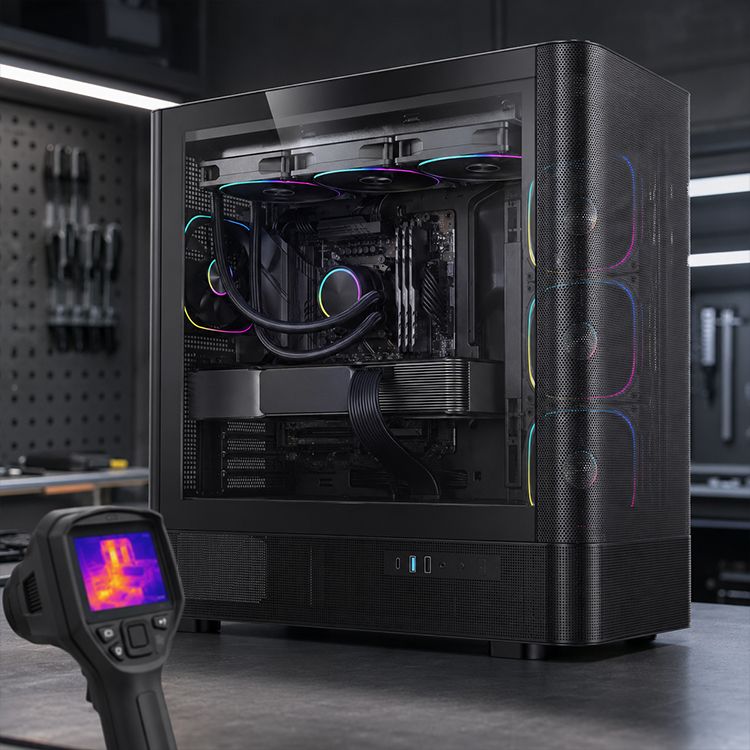
How Can You Tell If an AIO Is Losing Coolant?
It is difficult to measure gradual coolant loss directly in a factory-sealed cooler.
Most AIOs do not include a coolant-level indicator, and external symptoms cannot reliably determine the exact amount of liquid remaining.
Instead, look for changes in cooling performance, noise, and physical condition.
SymptomPossible ExplanationWhat to DoStable CPU temperaturesNormal cooler operationContinue routine monitoringBrief bubbling after moving the PCInternal air changing positionCheck radiator orientationPersistent gurglingAir reaching the pump or another circulation issueInspect mounting positionIncreasing CPU temperaturesDust, mounting problems, airflow restriction, or cooler deteriorationCompare controlled test resultsPump RPM missing or abnormalConnection, monitoring, or pump faultCheck safely and follow manufacturer guidanceVisible liquid or residuePossible physical leakageShut down and contact supportSevere overheating or unexpected shutdownCooling system malfunctionStop heavy use and troubleshoot
None of these symptoms, except visible evidence of fluid escaping, independently confirms coolant loss.
How to Check Whether Cooling Performance Has Declined
A repeatable temperature comparison is more useful than relying on memory.
Start by recording your system's normal behavior when the cooler is functioning properly.
Useful measurements include:
Room temperature
CPU temperature under a consistent workload
CPU package power
Radiator fan RPM
Pump RPM, if available
Coolant temperature, if supported
Repeat the test under similar conditions when you suspect a problem.
For example, a CPU that previously stabilized at 75°C but now reaches 85°C under approximately the same power, ambient temperature, and fan settings deserves investigation.
However, the higher temperature does not automatically indicate coolant loss.
Dust buildup, poor thermal contact, changed BIOS settings, or a restricted radiator can produce similar symptoms.
Our guide to how CPU cooler mounting pressure affects temperatures explains another common cause of unexpected thermal changes.
How to Identify Pump Noise
AIO coolers contain multiple potential noise sources.
Radiator fans create airflow noise, bearings can produce mechanical sounds, and pumps may generate humming or vibration.
Gurgling can indicate air moving through the liquid circuit, particularly near the pump.
To diagnose the source, observe when the noise occurs and whether it changes with fan or pump settings.
Only adjust pump speed using controls supported by the manufacturer, and never stop the pump while the CPU is operating under load.
For a more detailed approach, see the ACEGEEK guide to reducing AIO liquid cooler noise.
Does Radiator Position Affect Coolant Loss Problems?
Radiator orientation does not necessarily change the rate of coolant permeation.
However, it can influence where air collects inside the loop.
Air tends to accumulate at the highest available point.
For many conventional AIO designs with the pump integrated into the CPU block, the radiator should have a section positioned above the pump.
This helps keep the main air pocket away from the pump inlet.
Top-Mounted Radiator
A top-mounted radiator typically places the radiator above the CPU pump block.
This is often a practical arrangement for keeping trapped air away from the pump.
However, top mounting still requires sufficient clearance around RAM, motherboard heatsinks, and power connectors.
Front-Mounted Radiator
Front mounting can also work effectively.
When the layout permits, positioning the tube connections at the bottom can help keep the radiator's air pocket away from the hose openings.
The radiator's upper section should remain above the pump in conventional CPU-block-pump arrangements.
Bottom-Mounted Radiator
A bottom-mounted radiator is generally unsuitable for a conventional CPU AIO with a pump inside the CPU block.
The pump may become the highest point in the loop, increasing the likelihood that air will collect there.
AIO designs with remotely located pumps may have different requirements, so always follow the exact manufacturer's mounting instructions.
For more guidance, read the ACEGEEK AIO radiator placement guide.
Can You Refill a Sealed AIO Cooler?
Most factory-sealed AIO liquid coolers are not intended to be opened or refilled by users.
Opening a cooler that is not designed for servicing can introduce contaminants, damage seals, and create new leakage risks.
It may also void the product warranty.
Do not assume that a visible plug or capped opening is a user-accessible fill port.
Some manufacturers offer specific AIO models with approved refill procedures or service kits. Those products should only be maintained according to their official instructions.
For ordinary sealed AIO coolers, adding distilled water, automotive coolant, or an aftermarket additive is not a recommended maintenance practice.
If your cooler appears to have insufficient coolant or a persistent circulation problem, contact the manufacturer before attempting any internal repair.
How Do You Maintain an AIO Cooler?
Most routine AIO maintenance focuses on external cleanliness, system monitoring, and safe installation.
Unlike a typical custom liquid-cooling loop, a sealed AIO generally does not require periodic coolant draining or replacement.
Keep the Radiator Clean
Dust buildup on radiator fins restricts airflow and can increase operating temperatures.
Inspect the radiator periodically and clean accumulated dust using methods approved by the manufacturer.
Prevent fans from spinning freely when using compressed air, and avoid damaging the delicate radiator fins.
Maintain Clear Case Airflow
A liquid cooler still relies on air passing through its radiator to remove heat.
Clogged dust filters, restrictive panels, and poorly positioned fans can reduce cooling performance.
Before assuming the AIO is failing, inspect the entire cooling path.
The ACEGEEK guide to building a high-airflow PC without overspending provides practical advice on ventilation and fan placement.
Monitor Pump Operation
Check that the pump is receiving the required power and operating according to the manufacturer's instructions.
Some coolers report pump RPM through motherboard monitoring software, while others require proprietary control applications.
Not all pumps expose an RPM reading, so an unavailable sensor is not automatically evidence of failure.
Inspect Tubing and Connections
During routine cleaning, look for visible damage, unusual wear, kinks, moisture, or residue near the tubing and fittings.
After moving the computer, check that mounting hardware remains secure and that the tubes are not under excessive tension.
Avoid opening factory-sealed connections.
When Should You Replace an AIO Cooler?
Replacement should be based on condition, reliability, and manufacturer guidance rather than an arbitrary anniversary.
Consider replacement or warranty service when:
The pump stops operating or repeatedly malfunctions.
Cooling performance deteriorates substantially despite normal power settings, clean airflow, and correct mounting.
Persistent abnormal pump noise remains after checking installation and supported settings.
The cooler develops a leak or visible physical damage.
The manufacturer issues a safety notice affecting your exact model.
An older AIO that remains quiet, dry, and thermally stable may continue to operate satisfactorily.
However, owners of aging systems should consider the consequences of an unexpected cooling failure, particularly for computers used in important daily work.
Replacing a questionable cooler proactively may be reasonable when reliability matters more than maximizing its remaining service life.
Frequently Asked Questions
Do all AIO coolers eventually lose coolant?
Many AIO designs can experience some moisture permeation over time, but the rate depends on the materials and construction. The amount may remain small enough to have little practical effect during the cooler's service life.
Can an AIO lose coolant without a visible leak?
Yes. Gradual moisture permeation can occur without leaving liquid outside the cooler. However, symptoms such as gurgling or higher temperatures cannot independently confirm how much coolant has been lost.
Does an AIO need coolant replacement every few years?
Most factory-sealed AIO coolers do not require scheduled coolant replacement. Only perform a refill or coolant service if the manufacturer explicitly provides an approved procedure for your model.
Is gurgling a sign that my AIO is failing?
Not always. Brief gurgling can result from trapped air changing position, especially after transporting the PC. Persistent gurgling, worsening temperatures, or abnormal pump behavior should be investigated.
Should I replace a five-year-old AIO cooler?
Not solely because it is five years old. Check cooling performance, pump behavior, physical condition, warranty coverage, and any manufacturer advisories. Replacement becomes more reasonable when reliability deteriorates or the risk of unexpected failure is unacceptable.
Keep Your AIO Reliable Through Regular Monitoring
AIO liquid coolers can gradually lose small amounts of coolant over time, but normal permeation is usually a slow process that does not require user refilling.
The more important maintenance priorities are keeping the radiator clean, maintaining good airflow, positioning the cooler correctly, and monitoring changes in temperature and pump behavior.
A physical leak, persistent pump malfunction, or unexplained severe overheating deserves immediate attention.
The goal is not to refill a healthy sealed AIO. It is to recognize meaningful changes early and replace or service the cooler when the evidence justifies it.