How Desk Placement and Wall Clearance Affect PC Exhaust Air
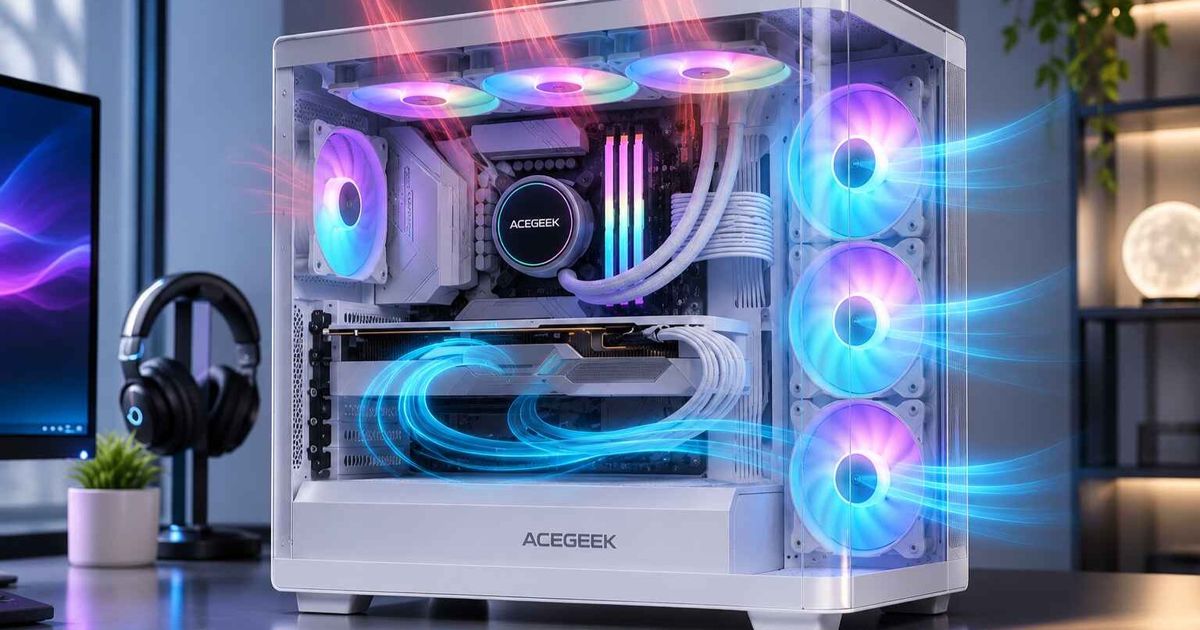
A PC case can have well-placed fans, a low-restriction front panel, and a capable CPU cooler, then still run warmer once it is installed on a desk or in a corner. The reason is often outside the chassis. Exhaust air leaves a PC warmer than room air, and what happens in the next few centimeters decides whether that heat spreads into the room or returns to the intake. Wall distance, desk panels, shelves, and cabinet doors all shape that path.
For buyers who specify, resell, or deploy PC cases, the useful question is not "How many centimeters?" but "Where can this exhaust air go?" This article explains how exhaust air behaves, which placements create the most risk, how to test for it, and what to document before ordering or validating a case.
What Happens to PC Exhaust Air After It Leaves the Case?
Almost all the electrical power a PC draws ends up as heat in the room. Case fans carry part of that heat out of the chassis. The exhaust stream is therefore warmer than the room by an amount that depends on two variables: how much heat the system produces and how much air moves through it.
A simple energy balance shows the scale. The table below uses standard air properties (density about 1.2 kg/m³, specific heat about 1,005 J/kg·K) and assumes all heat leaves through the exhaust stream. These are calculated illustrations, not measurements of any specific case.
Heat load leaving via exhaust | Airflow 40 CFM | Airflow 70 CFM | Airflow 100 CFM |
|---|---|---|---|
150 W | about +6.6 °C | about +3.8 °C | about +2.6 °C |
300 W | about +13.2 °C | about +7.5 °C | about +5.3 °C |
500 W | about +22.0 °C | about +12.5 °C | about +8.8 °C |
Two practical points follow.
Restricted airflow makes a hotter plume. A high-power PC with restricted airflow produces a noticeably hotter exhaust plume than a modest system with the same fans. Real in-case airflow is usually lower than a fan's rated figure once filters, grilles, and radiators add resistance.
Returning exhaust raises intake temperature directly. If 20% of the intake air were recirculated exhaust at +7.5 °C, the intake would run about 1.5 °C warmer than the room. At a fixed fan speed, component temperatures tend to shift by a similar amount, because each part's temperature is built on top of the air temperature it receives.
That is why placement problems can look like a "bad case" in testing. The case did not change; its intake air did. The related problem of air looping inside the chassis is covered in our guide to fan position and air recirculation in a PC case. This article deals with the external version: exhaust returning from the room side.
How Does Wall Clearance Change Exhaust Behavior?
A wall close behind a rear exhaust does three things.
It adds back-pressure. A fan delivers less air as the resistance in front of it rises. A narrow gap between the exhaust grille and a wall acts like an extra restriction. The fan then moves less air at the same speed, or the controller raises RPM and noise to compensate. This is general fan behavior, and the size of the effect depends on the fan's pressure capability.
It redirects the plume. Air leaving the grille meets the wall and spreads sideways, up, or down. If those paths are open, the heat disperses. If a desk side panel, cable bundle, or second wall closes them, the air pools near the case.
It raises the local air temperature near the intake. Warm air that cannot leave rises and drifts. Side-intake and bottom-intake cases are particularly exposed when their intake faces the same pocket of trapped air.
Manufacturer guidance reflects this, but not with one number.
Dell's desktop use and handling guidance calls for a minimum of 10.2 cm (4 in) of clearance on all vented sides. It also warns against placing equipment where it receives recirculated or preheated air.
Lenovo's ThinkCentre M710q user guide says about 51 mm (2 in) of air space is usually sufficient for that compact system. It adds that vented air should not blow on people.
Both are valid for their own products. Neither transfers automatically to a gaming tower with a 300 W GPU.
Community testing shows the same pattern in practice, though only as anecdotal evidence. In one Linus Tech Tips forum thread on exhaust distance from a wall, a user with a compact NZXT H1 build reported GPU and CPU temperatures falling by a few degrees as the gap grew from 1.5 to 2.5 inches. That was one uncontrolled home test on a small-form-factor case, so treat it as an illustration of direction, not a benchmark. One user's result will not transfer to other cases, loads, or rooms.
For planning ranges on different vent positions, see our guide to how much clearance a PC needs around its vents. The rest of this article focuses on the mechanisms behind those numbers.
Why a Larger Gap Eventually Stops Helping
Once the plume can spread freely, extra distance may add little. The benefit is steep when a gap goes from nearly blocked to open, then flattens. Moving a case much farther from the wall can also cost floor space, strain cables, and make the rear I/O harder to reach. Cable bend radius and rear-panel access often set the practical minimum before thermals do.
Which Desk Placements Create the Most Exhaust Risk?
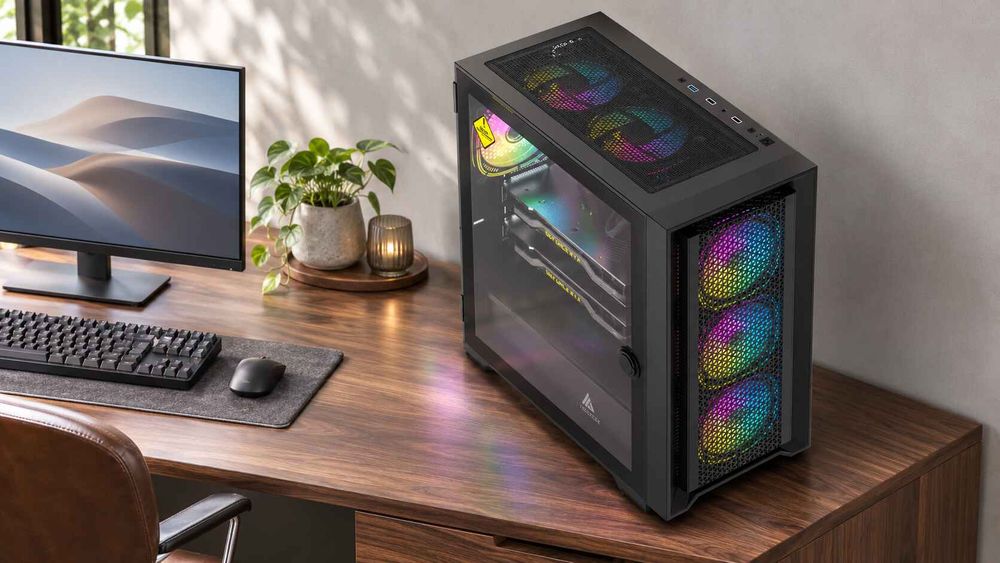
Placement risk depends on the exhaust direction, the openness of the surroundings, and the heat load. The table below is qualitative. It ranks scenarios by how easily the exhaust can escape, not by measured temperatures.
Placement | Exhaust escape path | Main risk | What to check |
|---|---|---|---|
On the desk, open sides, rear exhaust toward an open room | Wide and unobstructed | Low; monitor or accessories blocking the grille | Distance to monitor stand, speakers, cables |
Under an open desk, rear exhaust 10–15 cm from wall | Good if sides are open | Moderate; wall and desk legs form a partial pocket | Rear gap, side openings, cable bundles at the grille |
Under a desk with a modesty panel or privacy board | Narrower | Warm air pools behind the case and under the desktop | Whether air can exit above, below, or beside the panel |
Desk cubby or pedestal with a front door | Often very limited | Compartment air temperature rises until the PC runs on its own exhaust | Door open area, rear opening, compartment size versus heat load |
Under a shelf with top exhaust (AIO radiator) | Depends on gap and side openings | Plume trapped under the shelf | Vertical gap and whether side paths are open |
Corner of two walls | Two surfaces limit lateral spread | Plume has fewer escape directions | Case rotation; whether a side exhaust faces a wall |
Carpet floor with bottom intake | Intake rather than exhaust | Reduced intake clearance, filter blockage | Foot height and filter condition |
Two items deserve more detail.
Enclosed Compartments Behave Like Heat Reservoirs
A closed cabinet does not simply restrict airflow. It stores heat. The PC's exhaust warms the compartment air, the intake draws that warmer air back in, and the system settles at an equilibrium temperature set by how quickly heat leaks out of the cabinet. That equilibrium can take a long time to reach, so a 10-minute test may look fine while a three-hour render does not.
Dell's guidance gives a rare numeric reference for enclosures. If a Dell desktop sits in an enclosure with doors, the doors must allow at least 30% airflow through the enclosure, front and back. The enclosure must also provide adequate intake and exhaust ventilation. That is Dell's requirement for its own desktops, not a universal threshold, but a solid door with only a cable slot would not meet that description.
Top Exhaust Under Shelves
Warm air is buoyant, so a top exhaust discharges into a space where the air tends to rise and collect. Under a low shelf, the plume spreads along the underside and can drift back toward front or side intakes. The vertical gap is only one factor. Side and rear openings around the shelf decide whether the heat disperses.
Does Case Design Change How Sensitive a PC Is to Placement?
Yes. The same desk can suit one chassis and penalize another. Several design variables matter.
Exhaust position. Rear exhaust discharges horizontally toward the wall. Top exhaust discharges upward. Side or bottom exhaust, as in some compact and panoramic layouts, moves the sensitive surface to the side or floor. Reading the airflow arrows and vent locations before choosing a spot matters more than any rule about "the back of the case."
Exhaust open area and fan size. A larger, more open exhaust path allows lower air velocity at the same flow, so the plume has less momentum to reflect off a wall. Small, high-velocity exhausts from compact fans can be more sensitive to close surfaces. Request the actual open area rather than relying on fan count.
Intake restriction. A restrictive front panel forces the system to draw more replacement air through gaps and secondary openings, and the case's net pressure condition changes where that air comes from. If a trapped warm zone sits next to those openings, the case may pull from it. Our guide on how front panel design affects PC case cooling explains how mesh, glass, vent size, and filters change real intake performance.
Serviceability and panel swing. Placement also has to leave room to open the case. A hinged or removable glass side panel needs space to swing or lift away. Our tempered glass PC case safety guide discusses keeping panels from striking walls and monitor stands. A case that is hard to open also makes filter cleaning less convenient, and clogged filters restrict airflow. Buyers comparing quick-release PC case panels for building and cleaning should check how much working space each mechanism needs in the intended location.
Is More Distance Always Better?
Not necessarily, and two assumptions are worth qualifying.
"Move it as far from the wall as possible" misdirects effort. Exhaust performance depends on the escape path as much as the gap. A 20 cm gap in a boxed-in niche can perform worse than a 10 cm gap with open sides. If a placement is already open, the next improvement usually comes from reducing heat load, removing a restrictive filter, or fixing fan configuration, not from more distance.
"The case passed at the bench, so it will perform in the field" is a risky assumption for buyers. Open-air bench results exclude the desk, wall, and room conditions where the PC will actually live. A case with generous internal airflow can still underperform in a cabinet, while a modest case may be fine on an open desk. For integrators and OEM buyers, a bench result is a starting point, and it should be paired with a test in a representative installation.
These caveats apply most to sustained high loads, enclosed or semi-enclosed furniture, and cases with small or restrictive exhausts. For a low-power office build on an open desk, a few centimeters of clearance and a clear grille are normally enough.
How Can You Tell Whether Placement Is Limiting Exhaust?
A temperature comparison before and after moving the case is the simplest approach, and our clearance guide describes it step by step. Two additions give a clearer answer about exhaust air specifically.
Measure intake-side air temperature against a room reference. Place a small thermistor or thermocouple near the intake face (outside the fan path) and a second probe in the room, away from the case. If the intake probe reads consistently warmer under load, exhaust air is returning. The size of the difference indicates severity. Do not set a pass/fail number without the component manufacturer's published limits.
Run to thermal equilibrium. Enclosed compartments need long tests. Log at least until fan speed and temperatures plateau, and test with the doors closed as the user would leave them.
Keep the load, fan curve, filters, and room temperature the same between runs, and change only one variable at a time. If moving the case produces no consistent change, the cause is probably inside the chassis. The guide to identifying airflow dead zones in a PC case covers how to separate internal dead zones from external placement effects using sensor logs and one-variable checks.
Manufacturers also specify intake limits. For example, Lenovo's ThinkCentre X1 user guide states that air entering that computer should not exceed 35 °C (95 °F). It is a model-specific figure, but it shows why intake air, not just room air, is the temperature that matters.
What Should Buyers Specify Before Requesting a Quote or Validating a Case?
Placement sensitivity affects what you ask a supplier and what you tell end customers. For case sourcing, OEM or ODM programs, and system integration, gather and document the following.
Exhaust locations and open area. Which positions (rear, top, side, bottom) exhaust, and how large are the actual openings, not just the fan frames?
Fan size, count, and control method. Include the default curve and its temperature source, because the fan response to back-pressure determines noise as well as cooling.
Target hardware and heat load. State the GPU class, CPU cooler or radiator position, and expected sustained power. Heat load drives plume temperature.
Thermal test conditions. Ask for ambient temperature, workload, duration, sensor locations, and whether the test used an open bench or a defined enclosure. Without these, results from two suppliers cannot be compared.
Installation guidance for the manual. Decide whether the product documentation will state a clearance per vent, as Dell and Lenovo do for their own systems, and base the figures on testing rather than a generic number.
Panel access and swing. Confirm the room needed to open or remove side panels in the intended placement.
Packaging and end-user instructions. If the product is intended for use in desks or cabinets, decide whether to add placement guidance to the box or the product page.
Do not assume supplier capability, sample lead time, or test facilities. Confirm them for each project and request sample units for installation-condition testing before committing to volume.
Frequently Asked Questions
How far should a PC be from a wall?
For many rear-exhaust gaming towers, about 10 cm (4 in) is a reasonable planning starting point, and Dell specifies 10.2 cm for its desktops. The right figure depends on the case, the heat load, and whether the air can spread sideways. Follow the manufacturer's guidance.
Can a PC run hot because its exhaust is too close to a wall?
Yes. A narrow gap can add back-pressure, reduce airflow, and let warm air pool near the intake. The effect is largest in high-power systems, small exhausts, and corners or niches where the air cannot move aside.
Is it safe to put a gaming PC in a closed desk cabinet?
Only if the cabinet provides real intake and exhaust openings. Dell's guidance for its desktops requires enclosure doors that allow at least 30% airflow. A solid door lets the compartment heat up until the PC draws its own exhaust.
Does exhaust direction matter for PC placement?
Yes. Rear exhaust faces the wall, top exhaust faces a shelf, and side or bottom exhausts face furniture or the floor. Identify which surfaces your case's actual exhaust openings face and keep those paths clear.
Should I move my PC farther from the wall if temperatures are high?
Try it as a test, but change only the position. If temperatures, fan speed, or throttling improve at the same load, placement was a factor. If not, check filters, fan direction, intake restriction, and the CPU and GPU coolers.
How do I know whether my PC is recirculating its own exhaust?
Compare air temperature at the intake with a room reference under sustained load. A consistently warmer intake reading indicates returning exhaust. Repeat the test with the case moved to an open position to confirm.
What should an OEM or distributor ask for about case thermal testing?
Ask for ambient temperature, workload, test duration, sensor positions, fan speeds, and whether the case was tested open or in an enclosure. Numbers without these conditions cannot be compared between suppliers.